
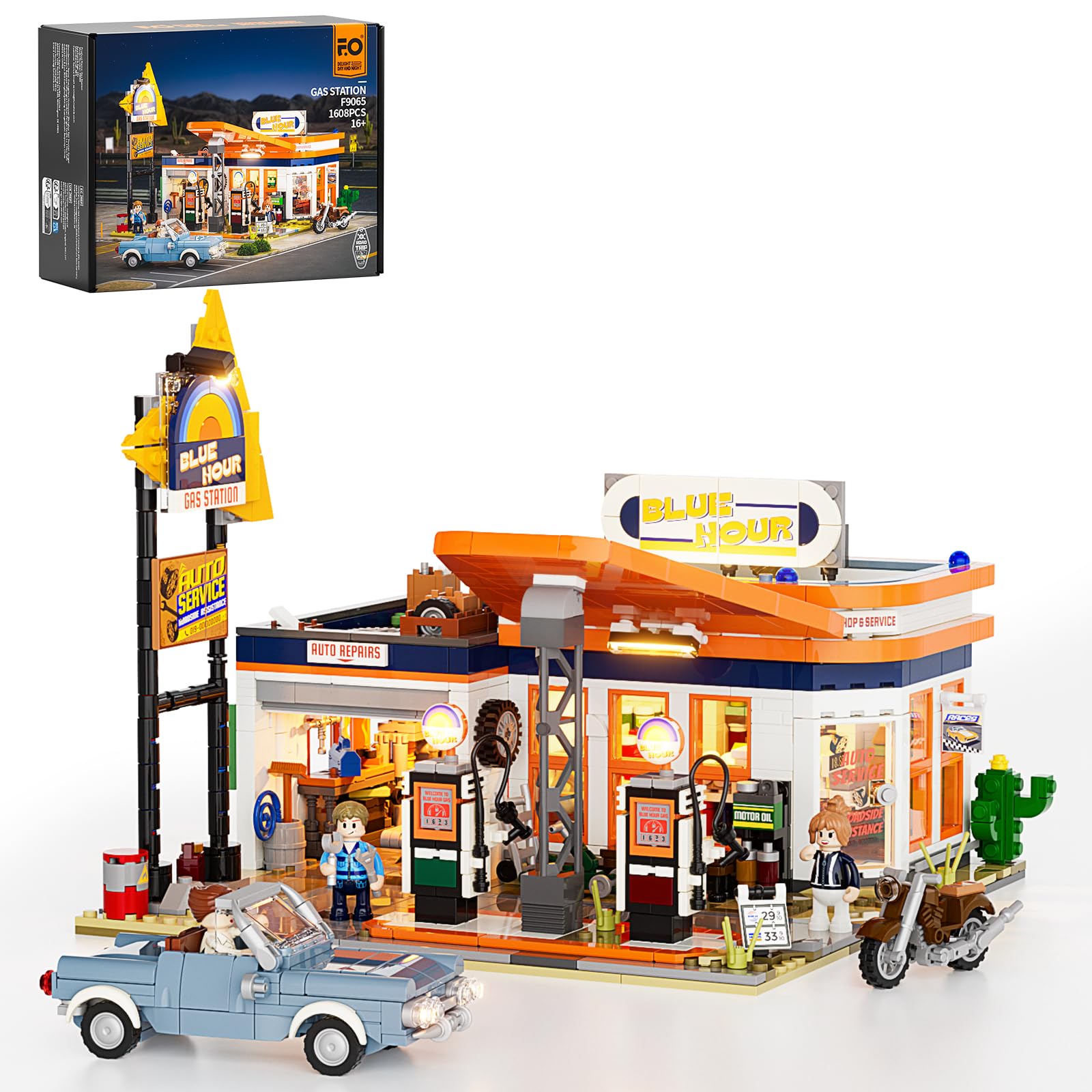
Introduction
This manual provides detailed instructions for the assembly, operation, maintenance, and troubleshooting of your FUNWHOLE City Gas Station Lighting Building Set (Model F9065-MT-EU). Please read this manual thoroughly before beginning assembly to ensure a smooth and enjoyable building experience. This set is designed for enthusiasts aged 16 and above and contains 1608 pieces, including an integrated LED lighting system.
Package Contents
Before starting assembly, verify that all components are present in your package:
- Instruction Manual
- Building Blocks (1608 pieces, organized in 13 bricks bags)
- LED Lighting Kit (10 LED lights)
- USB Power Cable (for LED lights)

Image: An overview of the package contents, showing the instruction booklets, numbered brick bags, LED lighting components, and a USB power cable. Note that batteries are not included.
Setup and Assembly
Follow the detailed, step-by-step instructions provided in the included instruction manual. The building blocks are organized into numbered bags to simplify the assembly process. Pay close attention to the integration of the LED lighting kit during the relevant steps.
Key Assembly Features:
- Retro Gas Station Design: Assemble the main structure, including the triangle-shaped canopy, vintage roadside signage, fueling area, convenience store, and repair garage.
- Integrated LED Lighting: Install the 10 LED lights as indicated in the manual to illuminate the vintage-style canopy, gas pump logos, and vehicle headlights.
- Custom Vintage Vehicles: Construct the included 6-wide classic car and motorcycle.
- Detailed Interior: Build the convenience store with shelves and a checkout counter, and the repair garage with tool racks and a liftable car jack.
Video: An official overview of the FUNWHOLE City Gas Station Lighting Building Set, demonstrating key features and the integrated lighting system during assembly and operation.

Image: A detailed view of the gas station's interior, highlighting the convenience store with its shelves and checkout counter, and the repair garage with tools.
Operating Instructions
LED Lighting System:
Connect the provided USB power cable to the designated port on the model and to a compatible USB power source (e.g., a USB wall adapter, power bank, or computer USB port). The LED lights will illuminate, bringing the gas station to life. There is typically a small switch or button to control the lights, as indicated in the assembly manual.
Interactive Features:
- Garage Lift: The repair garage features a liftable car jack. Gently push the mechanism to raise or lower vehicles for pretend repairs.
- Detachable Roof: The roof sections of the gas station can be easily detached to access and view the interior details of the convenience store and garage.
- Pull-out Floor: The convenience store includes a pull-out floor section for enhanced playability and access.
- Openable Doors: The model features multiple openable doors, allowing for a 180-degree tour of the interior spaces.
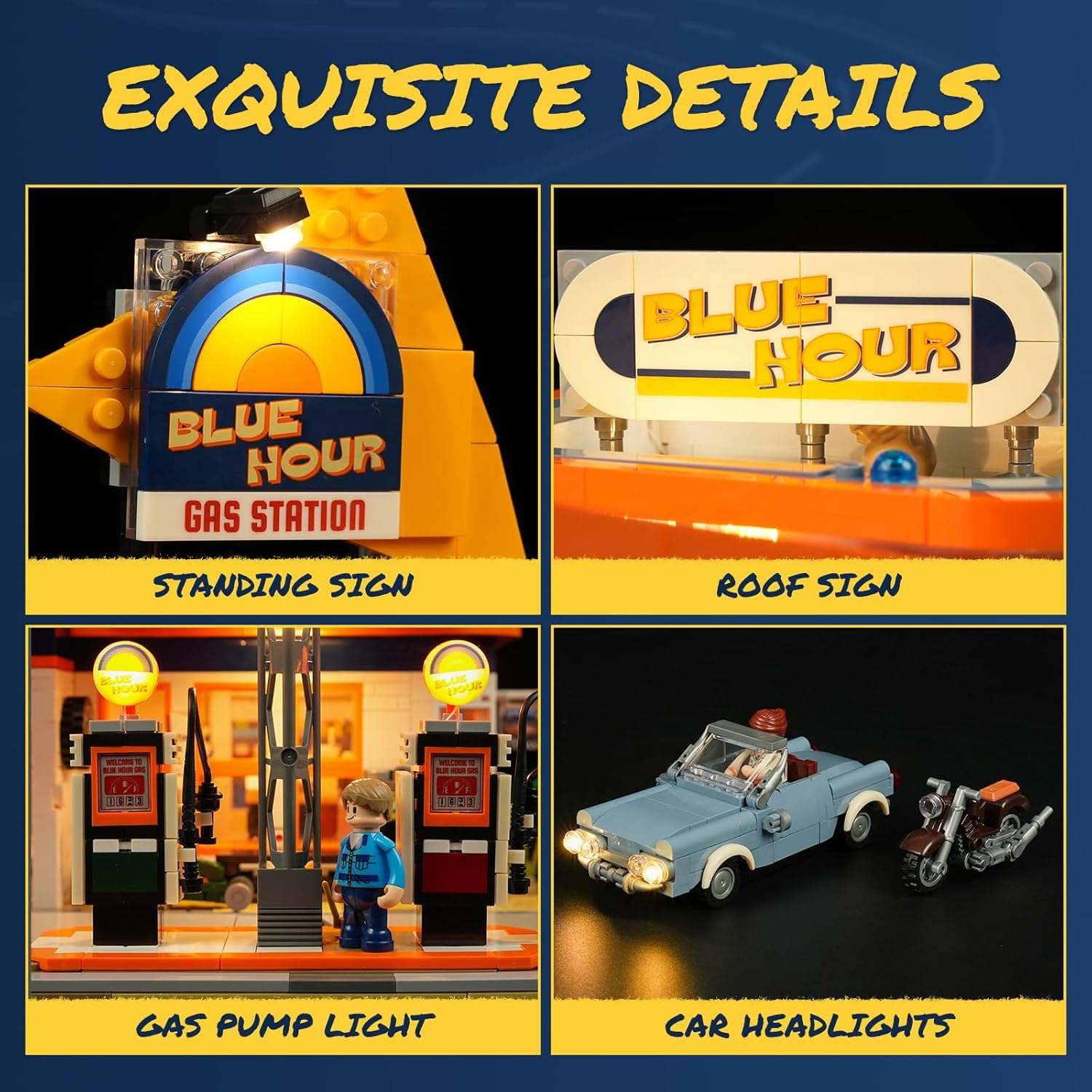
Image: Close-up views of the illuminated details, including the 'Blue Hour Gas Station' standing sign, the 'Blue Hour' roof sign, glowing gas pump lights, and the headlights of the classic car.
Maintenance
To ensure the longevity and appearance of your building set:
- Cleaning: Dust the model regularly with a soft, dry cloth or a soft brush. For stubborn dirt, use a slightly damp cloth and dry immediately. Avoid harsh chemicals or abrasive cleaners.
- Handling: Handle the assembled model with care to prevent pieces from detaching. When moving, support the base firmly.
- Storage: Store the set in a cool, dry place away from direct sunlight to prevent discoloration or warping of plastic components.
- LED Lights: Ensure the USB cable and connections for the LED lights are not strained or bent sharply.
Troubleshooting
Missing Pieces:
If you find any missing pieces during assembly, FUNWHOLE offers free replacements. Refer to the support section for contact information.
LED Lights Not Working:
- Check Power Source: Ensure the USB cable is securely connected to both the model and a functional USB power source.
- Verify Connections: Double-check all wiring connections within the model, ensuring they are firmly seated as per the instruction manual.
- Inspect for Damage: Look for any visible damage to the LED wires or lights. If damage is found, contact support for assistance.
- Switch Position: Confirm that the power switch for the lights (if present) is in the 'ON' position.
Specifications
| Feature | Detail |
|---|---|
| Product Name | City Gas-Station Lighting-Building-Bricks Set |
| Model Number | F9065-MT-EU |
| Brand | FUNWHOLE |
| Number of Pieces | 1608 |
| Product Dimensions | 10.04 x 10.04 x 9.06 inches |
| Item Weight | 2.8 pounds |
| Recommended Age | 16+ years (Manufacturer recommended age: 0 - 12 years, but product description suggests 16+) |
| Lighting | Integrated LED Lighting Kit (10 LED lights), USB Powered |
Warranty and Support
Warranty:
FUNWHOLE provides a 2-year coverage for this product. In case of any manufacturing defects or issues, please refer to the support contact information.
Free Replacements:
The manufacturer offers free replacements for any missing or defective parts. Please contact customer support with details of the missing or damaged components.
Customer Support:
For further assistance, technical support, or inquiries regarding missing parts, please visit the official FUNWHOLE website or contact their customer service department. Contact details are typically available on the product packaging or the manufacturer's official website.