
IKUESM T11
IKUESM T11 Tire Pressure Monitoring System User Manual
Model: T11
Brand: IKUESM
1. Introduction
The IKUESM T11 Tire Pressure Monitoring System (TPMS) is designed to enhance driving safety by providing real-time monitoring of your vehicle's tire pressure and temperature. This system utilizes high-accuracy external sensors and a clear display unit to alert you to any abnormal tire conditions, ensuring optimal tire performance and fuel efficiency. The T11 TPMS is compatible with a wide range of vehicles, including sedans, SUVs, and MPVs, supporting both 4-wheel and 6-wheel configurations.
2. Package Contents
Please verify that all components are present in your package:
- 1x T11 Display Unit
- 4 or 6x External Sensors (depending on model purchased)
- 4 or 6x Anti-Theft Metal Nuts
- 1x USB-C Charging Cable
- 1x Small Wrench
- 1x User Manual (Bilingual)
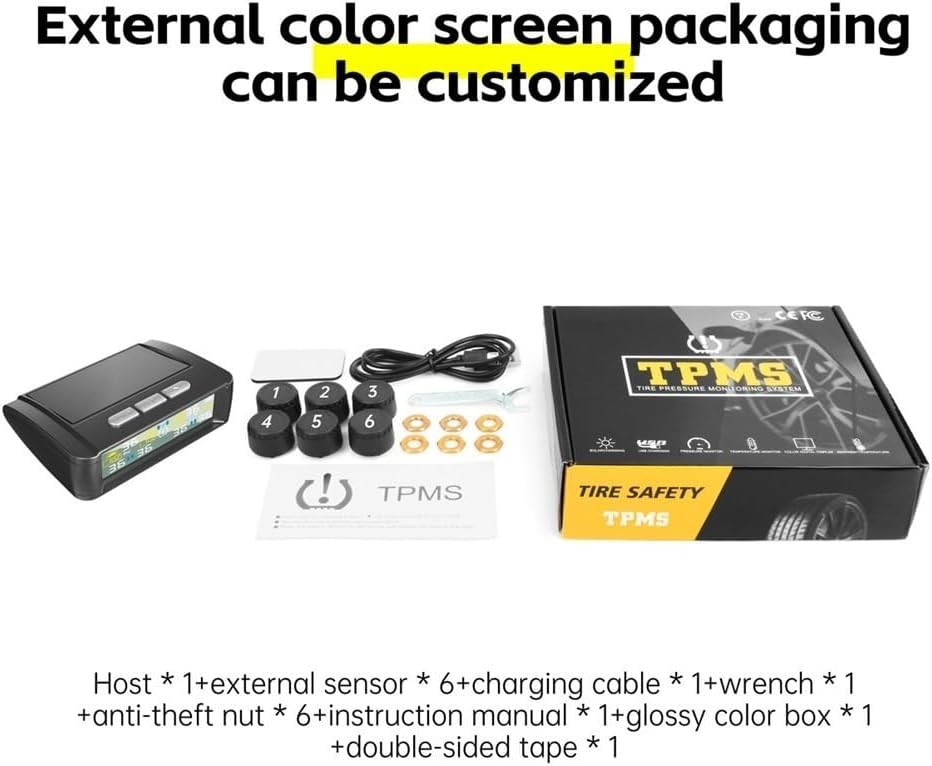
This image displays the complete package contents for the IKUESM T11 Tire Pressure Monitoring System. It includes the main display unit, external tire sensors (either 4 or 6 depending on the model), a USB-C charging cable, a small wrench, anti-theft nuts for the sensors, and the user manual. All components are neatly arranged next to the product packaging box.
3. Setup and Installation
The T11 TPMS is designed for quick and easy installation, typically completed within 5 minutes without specialized tools.
3.1 Charging the Display Unit
The display unit can be charged via its integrated solar panel or the provided USB-C cable. For initial use, it is recommended to fully charge the unit using the USB-C cable.
- Solar Charging: Place the display unit on your dashboard where it can receive direct sunlight. The solar panel will automatically charge the internal battery.
- USB-C Charging: Connect the provided USB-C cable to the display unit and a USB power source (e.g., car charger, computer USB port).

The image illustrates the IKUESM T11 TPMS display unit positioned on a car's dashboard. It highlights the dual charging methods: solar charging via the integrated solar panel and USB charging via a cable. The display shows current tire pressure and temperature readings.
3.2 Installing External Sensors
The external sensors are designed for easy installation directly onto your tire valves.
- Unscrew the original valve cap from each tire.
- Screw an anti-theft metal nut onto the valve stem.
- Screw the corresponding external sensor onto the valve stem until it is hand-tight. Ensure the sensor is labeled for the correct tire position (e.g., FL for Front Left, FR for Front Right, RL for Rear Left, RR for Rear Right).
- Using the provided small wrench, tighten the anti-theft nut against the sensor to secure it in place and prevent tampering.
- Repeat for all tires.
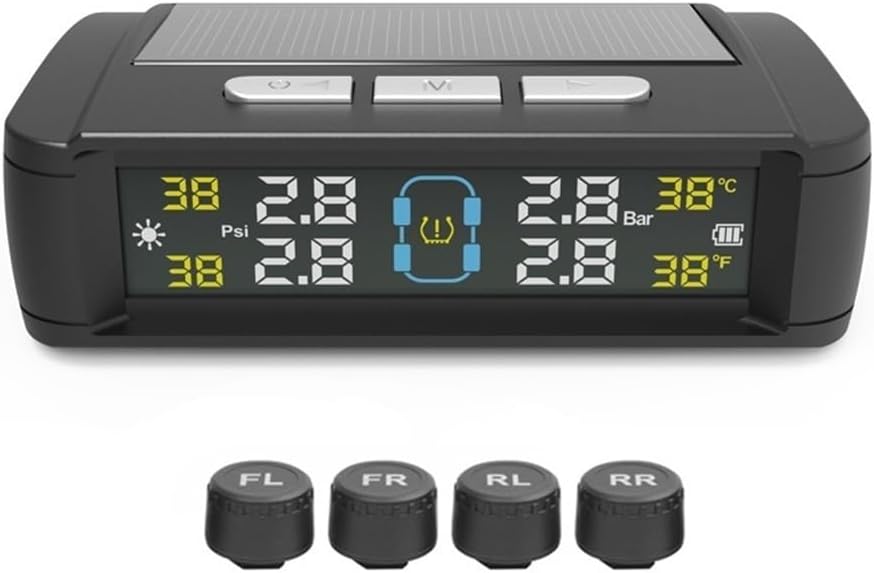
This image shows the main display unit of the IKUESM T11 TPMS, which features a solar panel for charging and a clear digital display. Below it are four external tire sensors, designed for easy installation on tire valves. These sensors are responsible for collecting real-time pressure and temperature data.
3.3 Mounting the Display Unit
Mount the display unit on your vehicle's dashboard using the provided double-sided tape. Choose a location that does not obstruct your view of the road and allows for optimal solar charging.
4. Operation
Once installed, the T11 TPMS will automatically begin monitoring your tire pressure and temperature. The crisp LCD screen provides clear, real-time data.
4.1 Display Overview
The display unit shows the pressure (in Bar or PSI) and temperature (in °C or °F) for each tire. It also indicates battery level and charging status.
This image offers a detailed look at the IKUESM T11 TPMS display unit. It points out the solar panels on top, the control buttons (Switch/Select/Choice), and various elements on the screen including current tire temperature, current tire pressure, and electricity level. It emphasizes the comprehensive data presentation for all tires.
4.2 Real-Time Monitoring and Alerts
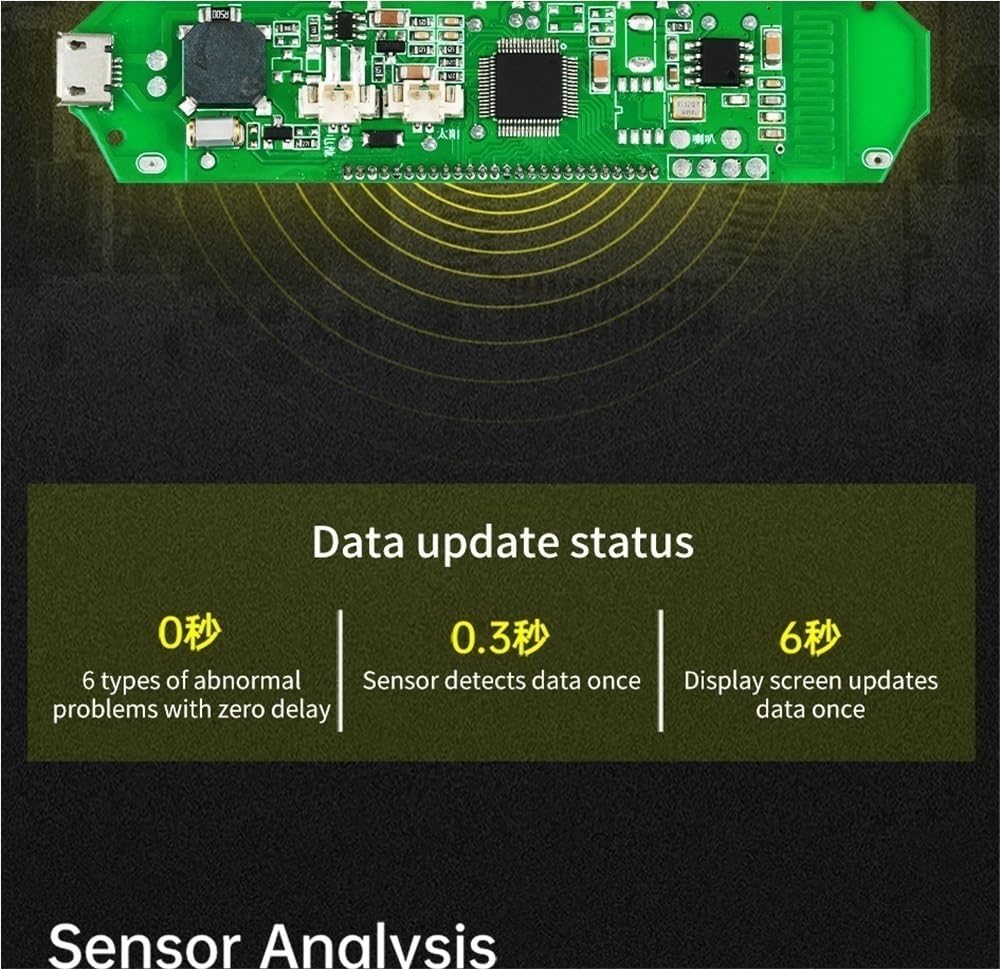
The system continuously monitors tire conditions. In case of abnormal pressure or temperature, the display unit will provide instant visual warnings and vibration alerts. Some models may also offer voice prompts.

This image provides a close-up of the IKUESM T11 TPMS display, illustrating its capability to show real-time pressure and temperature for up to six tires. It also indicates the solar charging status and battery level. The display is designed for clear readability of all tire data.
4.3 Unit Settings
Refer to the bilingual user manual included in your package for detailed instructions on adjusting settings such as pressure units (PSI/Bar) and temperature units (°C/°F), and setting alarm thresholds.
5. Maintenance
Proper maintenance ensures the longevity and accuracy of your T11 TPMS.
- Battery Life: The display unit features an auto-hibernate mode to conserve battery, extending its life up to 5 years under normal conditions. Regular solar charging will help maintain battery levels.
- Sensor Durability: The external sensors are designed with IP67 waterproof rating, making them resistant to rain, snow, and mud. They are built to withstand harsh road conditions and extreme temperatures from -20°C to 70°C (-4°F to 158°F).
- Calibration: For optimal performance, monthly calibration reminders are available via the companion "T11 Driver" app (iOS/Android).
- Cleaning: Wipe the display unit and sensors with a soft, dry cloth. Avoid using abrasive cleaners or solvents.
6. Troubleshooting
This section addresses common issues you might encounter with your T11 TPMS.
6.1 Alarm Conditions
The T11 TPMS provides immediate alerts for various abnormal tire conditions:
- Air Leakage (Low Tire Pressure): Indicated by a flashing icon and pressure value.
- High Tire Pressure: Indicated by a flashing icon and pressure value.
- High Temperature: Indicated when tire temperature exceeds the set threshold.
- Low Battery: The host battery is depleted and requires charging.

This diagram visually explains the different alarm indicators on the IKUESM T11 TPMS display. It shows how the display changes to alert the user to conditions such as air leakage (low tire pressure), high tire pressure, high temperature, and when the host battery is depleted. Each alarm type is accompanied by a brief explanation of its meaning and visual cues.
6.2 Alarm Types: Beep vs. Voice
Depending on your model, the T11 TPMS may provide different types of audible alerts:
- Standard Version: Emits a repetitive beep sound (e.g., "Drip~Drip~Drip~") when an alarm condition is detected.
- Voice Version: Provides specific voice prompts, such as "Low air pressure in the left front wheel" or "Left front wheel air leakage," offering more detailed information.

This image compares the alarm methods of the IKUESM T11 TPMS. It shows that the standard version uses a 'Drip~Drip~Drip~' beep alarm, while the voice version provides specific voice prompts like 'Low air pressure in the left front wheel' or 'Left front wheel air leakage', offering more detailed information to the user.
6.3 Common Issues and Solutions
- No Display/Power: Ensure the unit is charged via solar or USB-C. Check the power button.
- Sensor Not Reading: Verify the sensor is securely tightened. Ensure it's the correct sensor for the tire. Re-pair if necessary (refer to full manual).
- Inaccurate Readings: Ensure sensors are correctly installed. Perform calibration via the app if available.
7. Specifications
| Feature | Specification |
|---|---|
| Model | T11 |
| Brand | IKUESM |
| Pressure Range (T11-4W) | 0-99 PSI (0-6.8 Bar) |
| Pressure Range (T11-6W) | 0-144 PSI (0-9.9 Bar) |
| Temperature Range | -20°C to 70°C (-4°F to 158°F) |
| Pressure Accuracy | ±0.1 Bar (±1.45 PSI) |
| Sensor Waterproof Rating | IP67 |
| Display Unit Dimensions (Approx.) | 3.5” x 2” (Mini Display) |
| Charging Method | Solar / USB-C |
| Item Weight | 10.6 ounces |
| ASIN | B0DYP5NV52 |
| Date First Available | February 27, 2025 |
8. Warranty and Support
For specific warranty information, please refer to the documentation included with your purchase or contact the seller directly. For optimal performance and access to features like pressure trends and maintenance logs, consider pairing your device with the "T11 Driver" app, available on iOS and Android platforms.
If you encounter any issues not covered in this manual, please contact IKUESM customer support for assistance.
Ask a question about this manual
Ask about setup, troubleshooting, compatibility, parts, safety, or missing instructions. Manuals+ will review the question and use this page’s manual context to help answer it.