
1. Introduction and Overview
The LOBKIN X13 Air Conduction Headset offers a unique open-ear listening experience, allowing you to stay aware of your surroundings while enjoying clear audio. Designed for comfort and versatility, it features a noise-cancelling microphone, Bluetooth 5.3 connectivity, and multipoint pairing for seamless use across multiple devices. This manual provides detailed instructions for setup, operation, and maintenance to ensure optimal performance of your headset.

A black LOBKIN X13 air conduction headset with an adjustable boom microphone, designed for open-ear listening.
2. Package Contents
Please check the package for the following items:
- LOBKIN X13 Air Conduction Headset
- USB Type-C Charging Cable
- User Manual (this document)
3. Setup
3.1 Charging the Headset
Before first use, fully charge the headset. Connect the provided USB Type-C cable to the charging port on the headset and to a compatible USB power source. The charging indicator will show the charging status.
- Charging Time: Approximately 1.5 hours for a full charge.
- Battery Life: Up to 10 hours of continuous use; over 15 hours at 20% volume.

An image of the LOBKIN X13 headset detailing its battery performance: 1.5 hours for a full charge, up to 10 hours of playtime at 80% volume, and over 18 hours at 20% volume.
3.2 Power On/Off
- Power On: Press and hold the Volume + button for 5 seconds.
- Power Off: Press and hold the Volume + button for 5 seconds.
3.3 Bluetooth Pairing
- Ensure the headset is powered off.
- Press and hold the Volume - button for 3 seconds to enter pairing mode. The indicator light will flash, indicating it is ready to pair.
- On your device (smartphone, tablet, computer), enable Bluetooth and search for available devices.
- Select "LOBKIN X13" from the list of found devices.
- Once connected, the indicator light will stop flashing and remain solid.
3.4 Multipoint Pairing
The LOBKIN X13 supports simultaneous connection to two devices.
- Pair the headset with the first device following the steps in 3.3 Bluetooth Pairing.
- Disable Bluetooth on the first device.
- Put the headset back into pairing mode (press and hold Volume - for 3 seconds).
- Pair the headset with the second device.
- Re-enable Bluetooth on the first device. The headset should now be connected to both devices simultaneously, allowing for easy switching between audio sources.
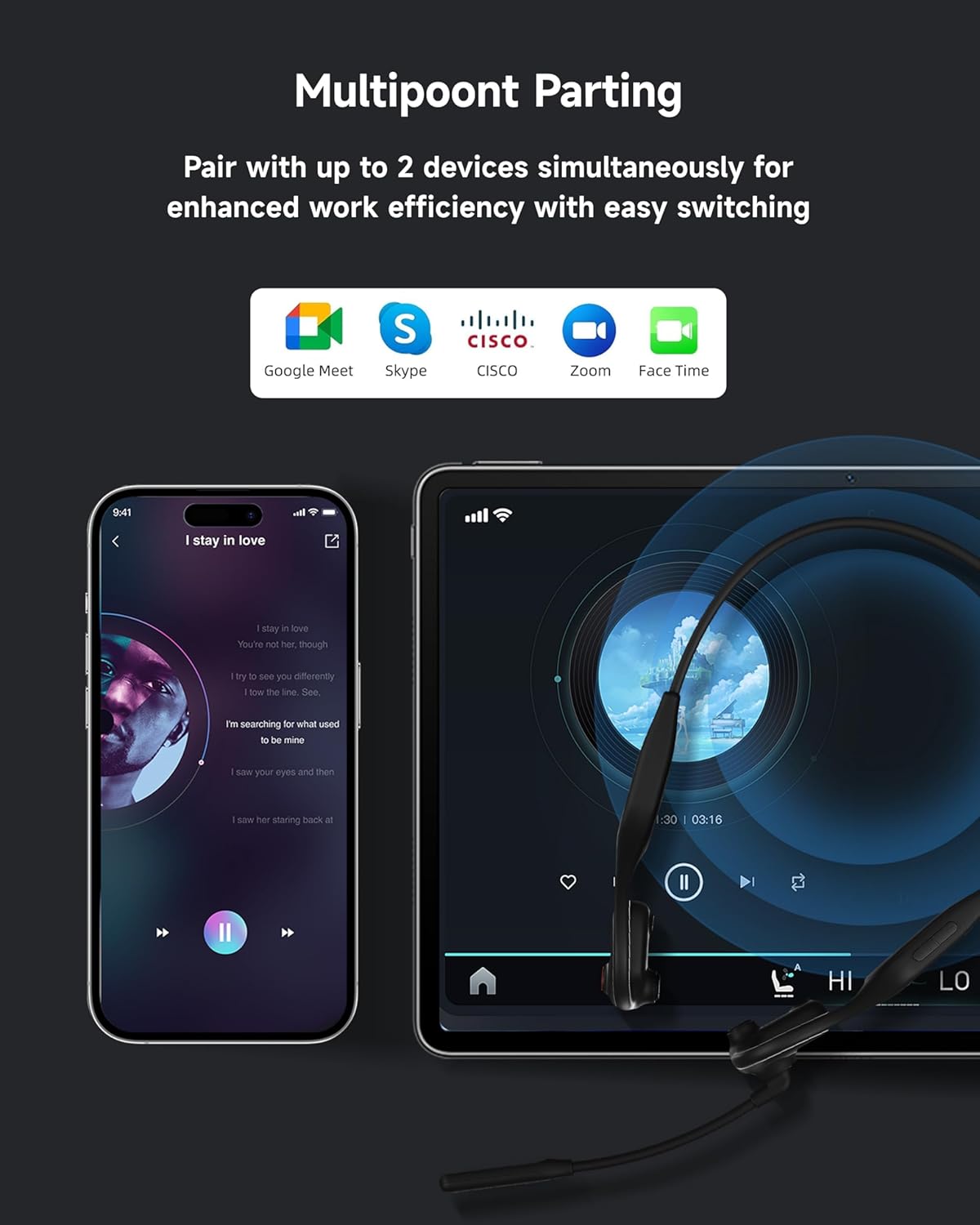
The LOBKIN X13 headset simultaneously connected to a smartphone and a tablet, illustrating its multipoint pairing capability for seamless switching between two devices.
4. Operating Instructions
4.1 Button Functions

A detailed diagram of the LOBKIN X13 headset, labeling its buttons and explaining their functions for volume control, power, music playback (pause/play, next/previous track), and call management (answer/hang up, reject).
- Volume + Button:
- Click: Increase volume.
- Press and hold for 5 seconds: Power On/Off.
- Volume - Button:
- Click: Decrease volume.
- Press and hold for 3 seconds: Enter pairing mode.
- Multi-function Key (Music Mode):
- Click once: Play/Pause music.
- Double-tap: Skip to the next track.
- Triple-tap: Go to the previous track.
- Multi-function Key (Call Mode):
- Click once: Answer/Hang up a call.
- Press and hold for 1 second: Reject an incoming call.
4.2 Microphone Usage
The LOBKIN X13 features a 240° rotatable boom microphone with DSP noise cancellation.
- Adjusting the Microphone: Rotate the microphone arm to position it optimally for your voice, typically near the corner of your mouth.
- Noise Cancellation: The DSP technology actively minimizes background noise, ensuring clear voice transmission during calls and meetings.

A man wearing the LOBKIN headset, illustrating the 240-degree rotatable microphone for optimal voice capture and noise reduction during calls.
5. Maintenance
5.1 Cleaning
- Wipe the headset with a soft, dry, or slightly damp cloth.
- Do not use harsh chemicals, cleaning solvents, or strong detergents.
5.2 Storage
- Store the headset in a cool, dry place away from direct sunlight and extreme temperatures.
- Avoid bending or twisting the headset excessively to prevent damage.
5.3 Water Resistance
The LOBKIN X13 headset is not waterproof. Avoid exposure to water, rain, or excessive moisture to prevent damage.
6. Troubleshooting
6.1 Headset Does Not Power On
- Ensure the headset is fully charged. Connect it to a power source and allow it to charge for at least 30 minutes before attempting to power on again.
6.2 Cannot Pair with Device
- Make sure the headset is in pairing mode (indicator light flashing).
- Ensure Bluetooth is enabled on your device and it is within range (typically 10 meters).
- Try restarting both the headset and your device.
- Clear previous Bluetooth connections on your device if you have too many saved.
6.3 No Sound or Low Volume
- Check the volume levels on both the headset and your connected device.
- Ensure the headset is properly connected to your device. Re-pair if necessary.
- Verify that the correct audio output device is selected on your computer or smartphone.
6.4 Microphone Not Working
- Ensure the microphone is positioned correctly.
- Check microphone settings on your connected device to ensure the LOBKIN X13 is selected as the input device.
- Test the microphone in a different application or with another device.
7. Specifications
| Feature | Detail |
|---|---|
| Model Number | X13 |
| Brand | LOBKIN |
| Connectivity Technology | Wireless (Bluetooth 5.3) |
| Ear Placement | Open Ear |
| Special Features | Microphone Included, DSP Noise Cancellation |
| Material | Acrylonitrile Butadiene Styrene (ABS) |
| Charging Time | 1.5 hours |
| Battery Composition | Lithium-ion |
| Battery Included | Yes (1 Non-standard Battery) |
| Water Resistance Level | Not Waterproof |
| Impedance | 32 ohms |
| Sensitivity | 94 dB |
| Compatible Devices | Tablet, Mobile Phone |
| Recommended Uses | Calling, Running, Video Gaming |
8. Warranty and Support
8.1 Manufacturer's Warranty
The LOBKIN X13 Air Conduction Headset comes with a 1-year manufacturer's warranty from the date of purchase. This warranty covers defects in materials and workmanship under normal use. It does not cover damage caused by misuse, accidents, unauthorized modifications, or exposure to water.
8.2 Customer Support
For technical assistance, warranty claims, or any questions regarding your LOBKIN X13 headset, please refer to the contact information provided on the product packaging or visit the official LOBKIN website for support resources.