1. Introduction
Thank you for choosing the OSKOS Outdoor 24-Hour Light Timer, Model TM-066. This manual provides essential information for the safe and efficient operation of your new timer. Please read these instructions carefully before installation and use, and retain them for future reference.
Important Safety Instructions
- This timer is designed for outdoor use and is water-resistant. For optimal performance and safety, mount it in a vertical position as instructed.
- Ensure the timer is connected to a grounded outlet.
- Do not immerse the timer in water.
- Do not exceed the electrical ratings: 15A, 125V, 1875W, 15A Resistive, 1/2HP.
- Always unplug the timer from the power source before cleaning or performing any maintenance.
- Keep children away from the timer and connected devices.
- This product is UL certified for safety and reliability.
2. Product Overview
The OSKOS Outdoor Light Timer features a robust design suitable for various outdoor applications, including yard lighting and holiday decorations. It includes two grounded outlets and a 14AWG heavy-duty cord for durability and weather resistance.
Components
- Photocell Sensor: Detects ambient light levels for dusk-to-dawn operation.
- Time LCD: Digital display for current program mode.
- Timer Button: Used to cycle through and select program modes.
- Grounded Outlets (x2): For connecting your electrical devices.
- 14AWG Heavy Duty Cord: Provides power to the timer.
- Mounting Hole: Located on the back for secure vertical installation.

Figure 2.1: Front view of the OSKOS Outdoor Light Timer with key components labeled. The top features a small sensor, below which is a digital LCD display. A gray button is positioned beneath the display. At the bottom, two grounded outlets are visible.
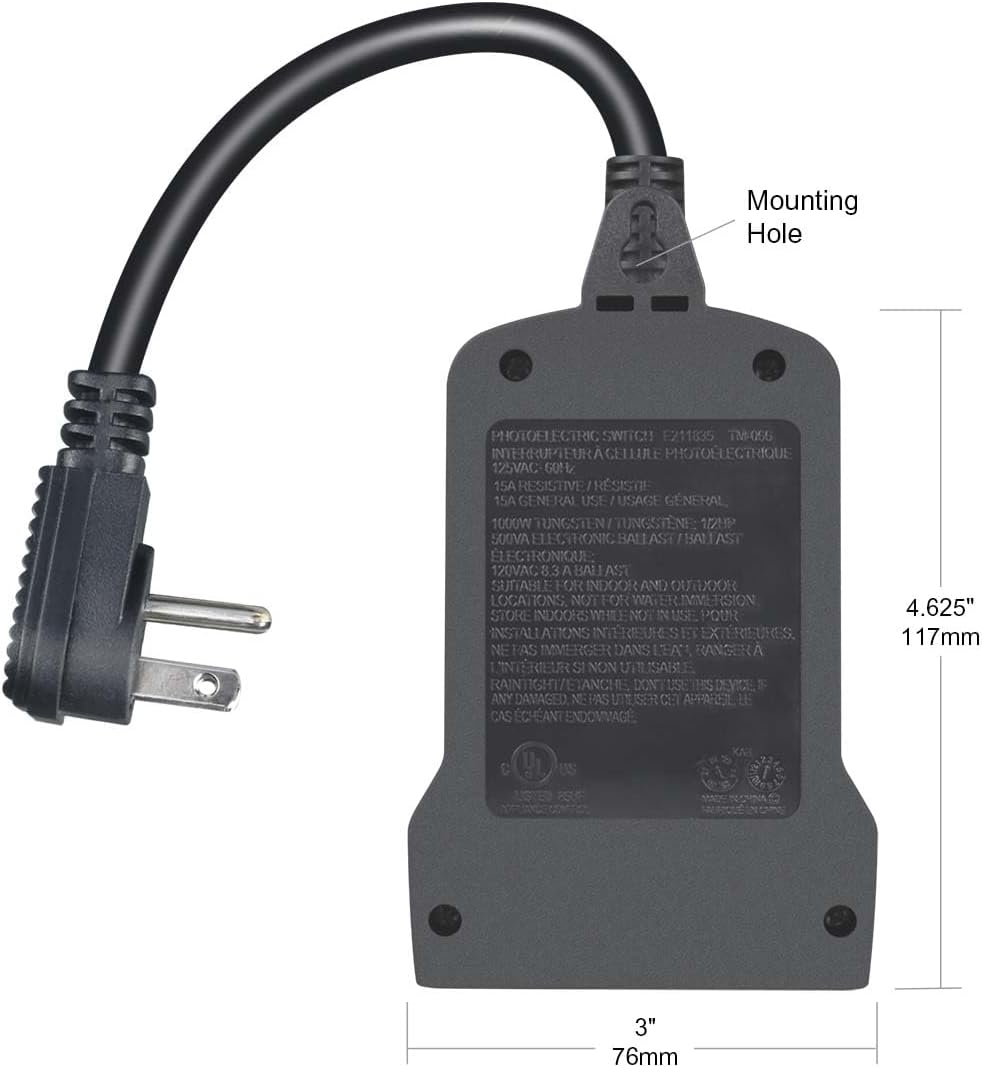
Figure 2.2: Rear view of the OSKOS Outdoor Light Timer, highlighting the mounting hole at the top for secure installation. The back also displays product specifications and safety certifications.
3. Installation
Proper installation ensures the timer's longevity and safe operation. This timer is designed for outdoor use and must be mounted vertically.
Mounting Instructions
- Select a suitable outdoor location that is protected from direct heavy rain and where the photocell sensor will receive adequate ambient light for dusk/dawn detection.
- Using the mounting hole on the back of the timer, secure the unit vertically to a wall or sturdy surface with a screw (not included). Ensure the outlets face downwards to prevent water accumulation.
- Plug the timer's 14AWG heavy-duty cord into a grounded outdoor electrical outlet.
- Plug your outdoor lights or devices into the two grounded outlets on the timer.
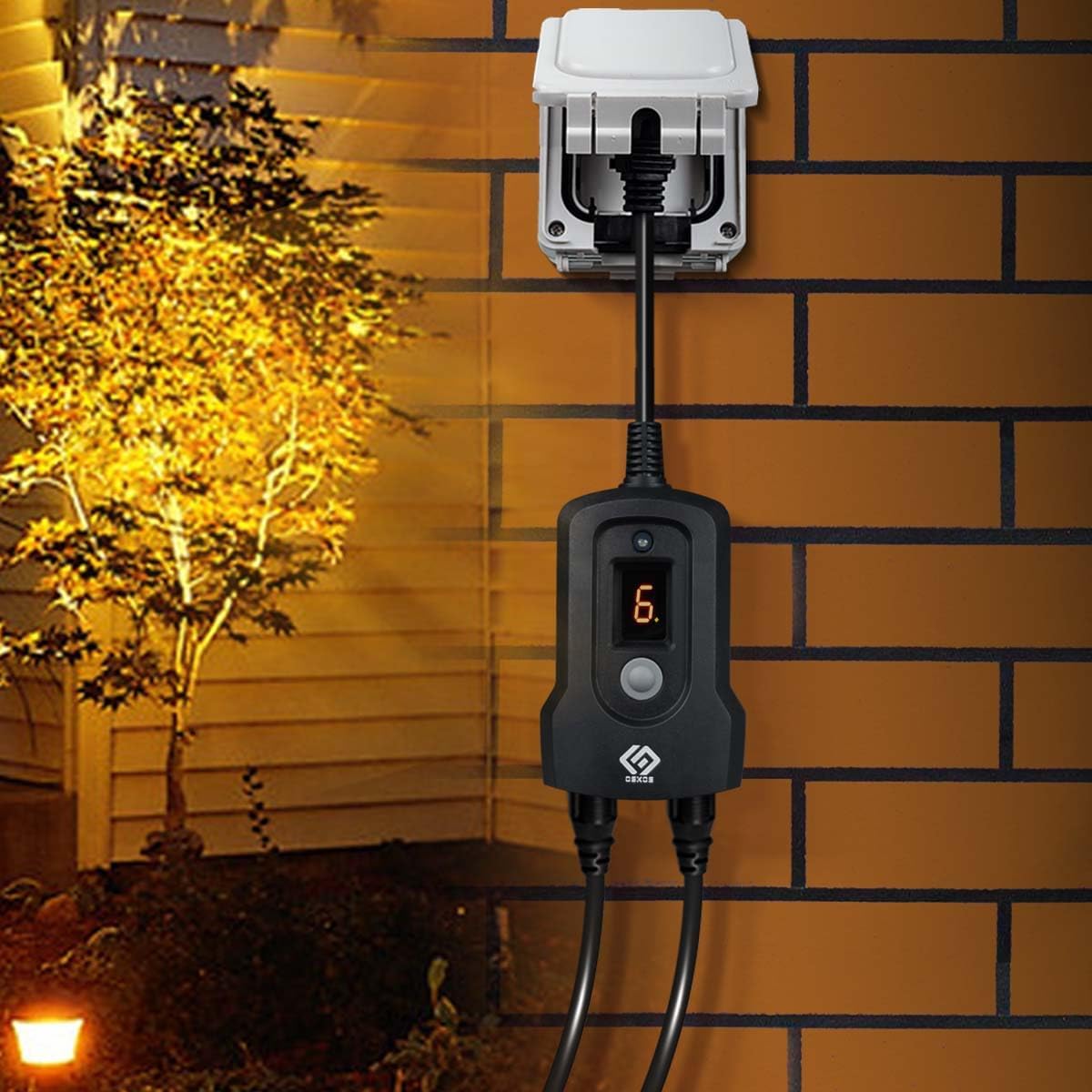
Figure 3.1: The OSKOS Outdoor Light Timer installed vertically on an exterior brick wall, demonstrating proper mounting and connection to outdoor lighting fixtures.
4. Operation
The OSKOS Outdoor Light Timer features a single button for easy programming. Pressing the button cycles through the available modes, which are displayed on the Time LCD. Once a mode is selected, it will repeat daily.
Programming Modes
Press the timer button repeatedly to cycle through the following modes:
- Always ON: The connected devices will remain continuously powered. The LCD will display 'ON'.
- Always OFF: The connected devices will remain continuously unpowered. The LCD will display 'OFF'.
- Countdown (1-9 Hours): The connected devices will turn ON immediately and remain ON for the selected duration (1 to 9 hours), then turn OFF. The LCD will display 'C' followed by the selected hours (e.g., 'C1' for 1 hour, 'C9' for 9 hours).
- Dusk to Dawn: The connected devices will turn ON when the photocell sensor detects darkness (dusk) and turn OFF when it detects light (dawn). The LCD will display 'D-D'.
- Dusk to Dawn + Countdown (1-9 Hours): The connected devices will turn ON at dusk and remain ON for the selected duration (1 to 9 hours), then turn OFF. The LCD will display 'D' followed by the selected hours (e.g., 'D1' for 1 hour, 'D9' for 9 hours).
After selecting your desired mode, the timer will automatically save the setting and begin operation. The selected program will repeat daily.
Note on Power Interruption: In the event of a power outage or if the timer is unplugged, the device may reset to its default 'OFF' state. You will need to re-select your desired program mode once power is restored.
5. Maintenance
Regular maintenance helps ensure the optimal performance and longevity of your OSKOS Outdoor Light Timer.
Cleaning
- Always unplug the timer from the power source before cleaning.
- Wipe the exterior of the timer with a soft, damp cloth. Do not use harsh chemicals or abrasive cleaners.
- Ensure the photocell sensor is clean and free from dirt, dust, or obstructions for accurate dusk/dawn detection.
Storage
If storing the timer for an extended period, unplug it from the power source and store it in a cool, dry place away from direct sunlight and extreme temperatures.
6. Troubleshooting
If you encounter issues with your OSKOS Outdoor Light Timer, please refer to the following common problems and solutions:
| Problem | Possible Cause | Solution |
|---|---|---|
| Timer not turning ON/OFF | No power to the timer; Incorrect program mode selected; Connected device is faulty. | Check if the timer is securely plugged into a live outlet. Verify the selected program mode on the LCD. Test the connected device directly in a working outlet. |
| Lights stay ON or OFF continuously in Dusk-to-Dawn mode | Photocell sensor is obstructed or dirty; Sensor is exposed to artificial light at night; Sensor is in a location that is too dark during the day. | Clean the photocell sensor. Relocate the timer to an area where the sensor is not affected by artificial light at night or constant shade during the day. |
| Timer settings are lost after a power interruption | The timer does not have a memory function for power outages. | After a power outage, the timer will reset to 'OFF'. You will need to manually re-select your desired program mode. |
| Connected devices are not receiving power | Timer is in 'OFF' mode; Timer is faulty; Connected device is faulty. | Ensure the timer is set to an 'ON' or timed program mode. Test the connected device directly. If the timer is suspected to be faulty, discontinue use. |
7. Specifications
Technical details for the OSKOS Outdoor 24-Hour Light Timer TM-066:
- Model Number: TM-066
- Electrical Rating: 15A, 125V, 1875W, 15A Resistive, 1/2HP
- Cord Type: 14AWG Heavy Duty
- Outlets: 2 Grounded Outlets
- Material: Plastic
- Color: Black
- Product Dimensions: 1.75"D x 3"W x 5.5"H
- Item Weight: 0.46 Pounds (7.4 ounces)
- Certifications: UL Listed
- UPC: 082721411303
8. Warranty and Support
For warranty information or technical support, please contact OSKOS customer service. Refer to the product packaging or the OSKOS official website for contact details.


