
Introduction
This manual provides instructions for the safe and effective use of your Generic Kill A Watt Meter. This device is designed to monitor the electricity consumption of connected appliances, displaying real-time data such as kWh, cost, and CO2 emissions. Understanding and utilizing this information can help identify energy-saving opportunities and reduce electricity expenses.
The meter features a large, backlit LCD screen for clear readability and includes overload protection to ensure safety.
Safety Information
- Read all instructions before use.
- Do not disassemble or modify the device.
- Ensure the meter is used in a dry environment. Avoid exposure to water or high humidity.
- Do not exceed the maximum load capacity specified for the device. Overload protection will activate if excessive power is detected.
- Keep out of reach of children.
- Always plug the meter into a properly grounded outlet.
Product Overview
The Kill A Watt Meter provides a clear digital display and intuitive controls for monitoring electrical usage.

Image: Close-up of the meter's LCD display and control buttons. The display shows various parameters like VA, COST, kWh, CO2, Hz, DAY, and OVERLOAD. Below the screen are buttons labeled 'FUNCTIN', 'COST', 'RST', 'UP', and 'DOWN'.
Components:
- LCD Display: Shows various electrical parameters.
- Function Button: Cycles through different display modes (e.g., Volts, Amps, Watts, kWh, Cost, CO2).
- Cost Button: Used to set the cost per kWh.
- RST (Reset) Button: Resets accumulated data.
- UP/DOWN Buttons: Used for adjusting settings, such as cost per kWh.
- US Standard Plug/Socket: For connecting to a wall outlet and plugging in an appliance.
What's in the Box
Verify that all components are present upon unpacking.
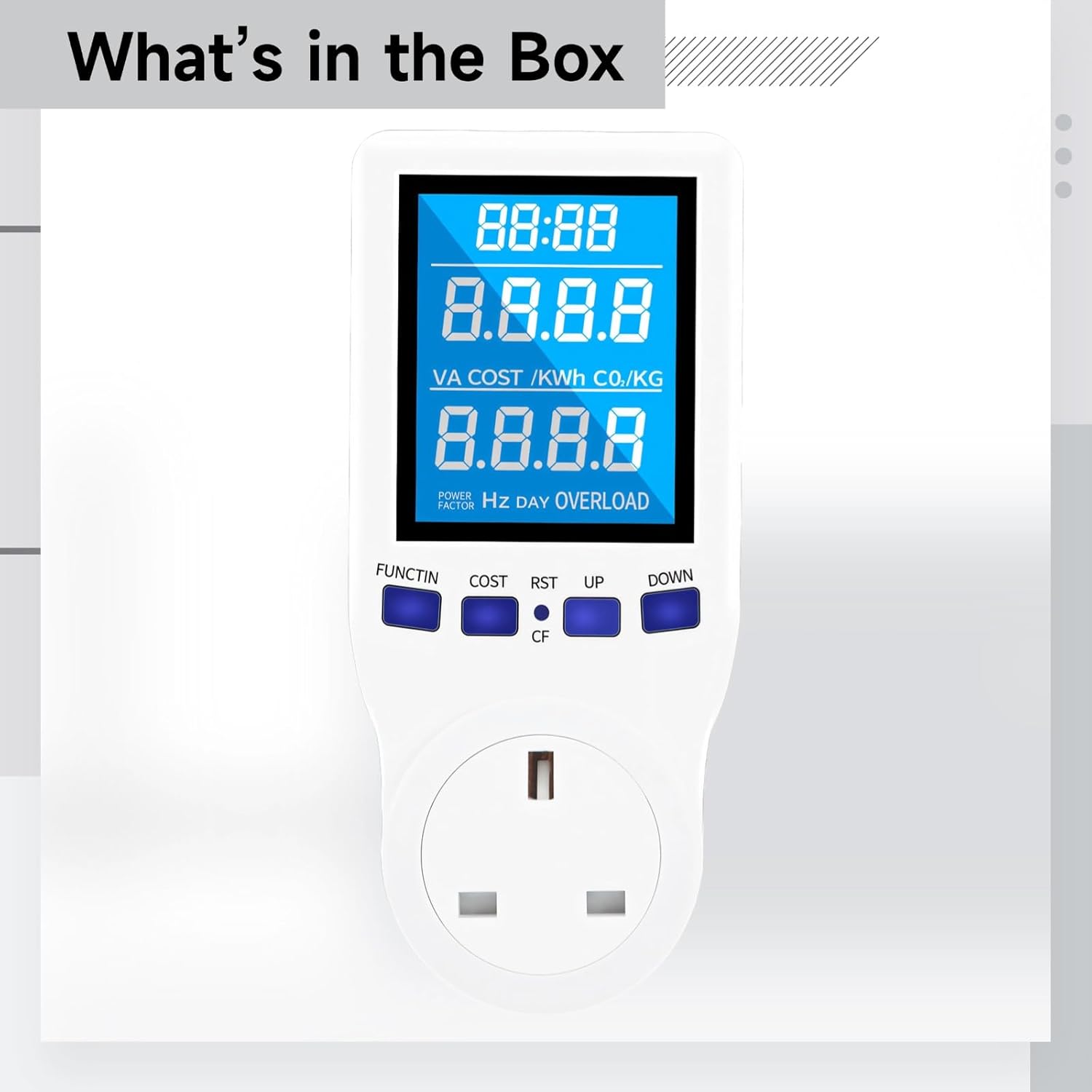
Image: The image displays the Kill A Watt Meter, indicating it is the primary item included in the product package.
- Kill A Watt Meter x 1
- User Manual (this document)
Setup
- Unpack: Carefully remove the Kill A Watt Meter from its packaging.
- Plug In: Insert the meter directly into a standard US wall outlet. The LCD display should illuminate.
- Connect Appliance: Plug the appliance you wish to monitor into the socket on the front of the Kill A Watt Meter. Ensure the appliance is turned off before plugging it in.
Operating Instructions
Monitoring Energy Usage:
- Once the appliance is connected and powered on, the meter will begin displaying real-time data.
- Press the FUNCTIN button repeatedly to cycle through different display modes:
- Volts (V): Displays the current voltage.
- Amps (A): Displays the current amperage.
- Watts (W): Displays the real-time power consumption.
- VA (Volt-Ampere): Displays apparent power.
- Hz (Hertz): Displays the frequency of the AC power.
- Power Factor (PF): Indicates the efficiency of power usage.
- kWh (Kilowatt-hour): Displays accumulated energy consumption.
- Cost: Displays the accumulated cost of energy consumption (after setting cost per kWh).
- CO2 (kg): Displays accumulated CO2 emissions.
- DAY: Displays the number of days the meter has been accumulating data.
Setting Cost per kWh:
- Press the COST button. The display will show the current cost setting.
- Use the UP and DOWN buttons to adjust the cost per kilowatt-hour to match your electricity bill rate.
- Press the COST button again to save the setting and exit.
Resetting Data:
To clear all accumulated data (kWh, Cost, CO2, DAY), press and hold the RST button for approximately 3-5 seconds until the display resets to zero.
Maintenance
- Cleaning: Disconnect the meter from the power outlet and unplug any connected appliances. Wipe the device with a soft, dry cloth. Do not use liquid cleaners or abrasive materials.
- Storage: When not in use, store the meter in a cool, dry place away from direct sunlight and extreme temperatures.
Troubleshooting
| Problem | Possible Cause | Solution |
|---|---|---|
| Display is blank | No power to the outlet; Meter not fully plugged in; Internal fault. | Check the wall outlet with another device; Ensure the meter is securely plugged in; If problem persists, discontinue use. |
| "OVERLOAD" message displayed | Connected appliance exceeds the meter's maximum power rating. | Unplug the appliance immediately. Do not connect appliances that exceed the meter's specifications. |
| Readings seem inaccurate | Incorrect cost per kWh setting; Appliance not drawing consistent power. | Verify and adjust the cost per kWh setting; Ensure the appliance is functioning normally. |
| Buttons are unresponsive | Temporary software glitch. | Unplug the meter from the wall outlet for a few seconds, then plug it back in to reset. |
Specifications

Image: Product dimensions of the Kill A Watt Meter, indicating a height of 6.1 inches and a width of 2.75 inches.
- Product Dimensions: 6.5 x 3.35 x 3.15 inches
- Item Weight: 8.5 ounces
- Material: ABS
- Display: LCD with backlight
- Standard: US Standard Plug/Socket
- Overload Protection: Yes
Warranty and Support
For information regarding warranty coverage or technical support, please refer to the retailer or manufacturer's official website where the product was purchased. Keep your purchase receipt as proof of purchase.