
8581B
8581B Android 13 Car Radio User Manual
For Porsche Cayman, 911, 987, Boxster, 997 (2003-2012)
Introduction
This manual provides comprehensive instructions for the installation, operation, and maintenance of your new 8581B Android 13 Car Radio. Designed specifically for Porsche Cayman, 911 (997), 987, Boxster (987C), and 997 models from 2003 to 2012, this multimedia navigation system enhances your driving experience with advanced features like Wireless CarPlay, Wired Android Auto, GPS navigation, and more.
Please read this manual thoroughly before installation and use to ensure proper functionality and to avoid potential issues.
Setup and Installation
The 8581B Android 13 Car Stereo is designed for plug-and-play installation. However, specific considerations apply based on your vehicle's original audio system.
Compatibility Notes:
- This unit is compatible with Porsche 911 (997) 2005-2012, Porsche Boxster (987) 2004-2012, and Porsche Cayman (987C) 2005-2013.
- This model does not include a DVD/CD player.
- If your vehicle is equipped with a Harman Kardon or BOSE audio system, a fiber optic box must be purchased separately to ensure sound functionality. Without this box, there will be no audio output.
- Some high-grade versions of the car may temporarily not support the steering wheel control keys (e.g., Cayman 2010-2012).
Installation Overview:
The unit is designed for direct replacement of the original car radio. Ensure all cables are securely connected according to the wiring diagram provided with the product. Professional installation is recommended if you are unfamiliar with car audio systems.
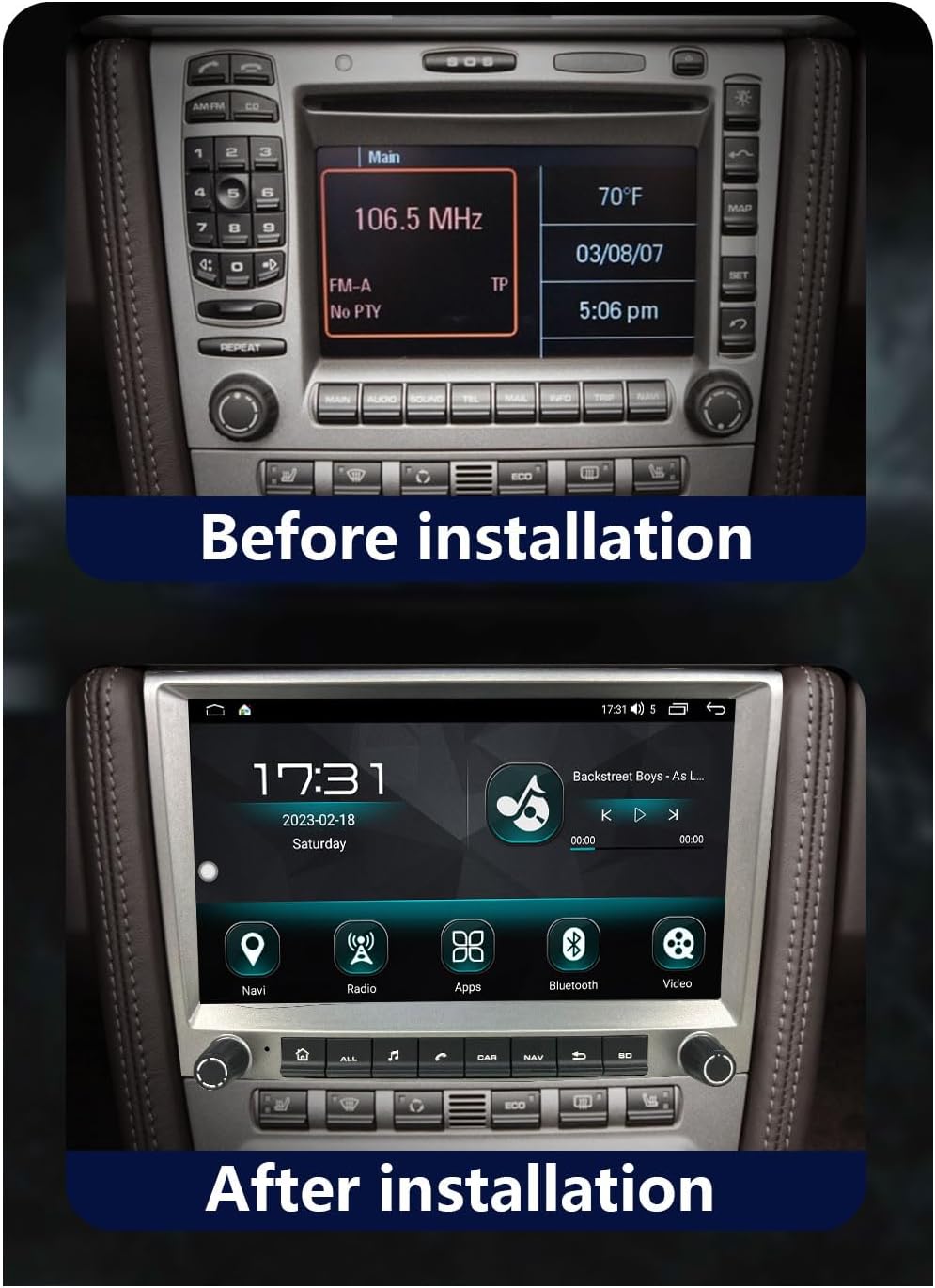
Figure 1: Dashboard with original car radio before installation.
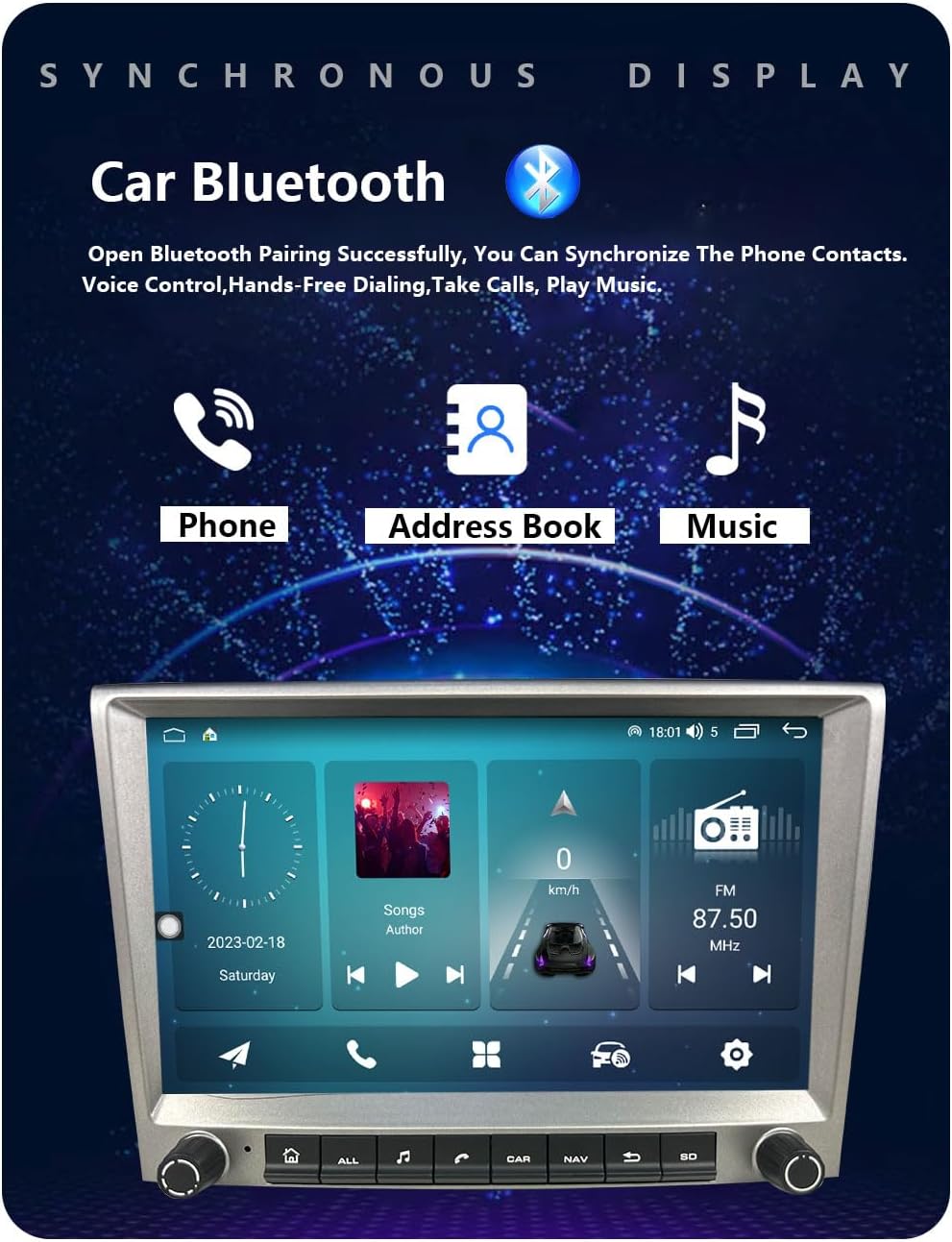
Figure 2: Dashboard with the new 8581B Android unit installed, showing the larger display.
The images above illustrate the appearance of the dashboard before and after the installation of the 8581B unit, highlighting the integrated fit and larger screen display.
Initial Power-On:
After installation, turn on your vehicle's ignition. The unit should power on automatically. Follow any on-screen prompts for initial setup, such as language selection and time zone.
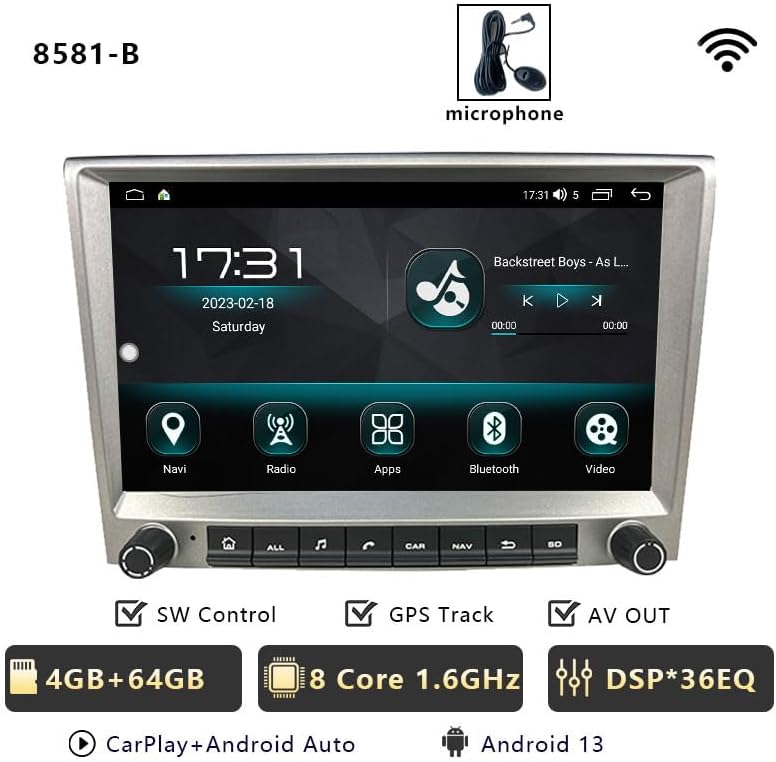
Figure 3: Key features of the 8581B unit, including 4GB RAM + 64GB storage, 8-core 1.6GHz processor, DSP 36-band EQ, CarPlay, Android Auto, and Android 13 OS.
Operating Instructions
Wireless CarPlay & Wired Android Auto:
The unit supports both wireless Apple CarPlay and wired Android Auto, allowing seamless integration with your smartphone. Connect your iPhone wirelessly or your Android phone via USB to access navigation, calls, messages, and music directly on the car radio screen.

Figure 4: Wireless CarPlay interface displaying common iOS apps for navigation, communication, and media.

Figure 5: Wired Android Auto interface, mirroring essential Android features to the car display.
Voice control (Siri or Google Assistant) can be activated for hands-free operation. Note: Samsung devices may not be fully supported for Mirror Link functionality.
Bluetooth Hands-free & Music:
Pair your phone via Bluetooth for hands-free calling, downloading phonebooks, and streaming music. An external microphone ensures clear communication.

Figure 6: Bluetooth interface for phone calls, contact synchronization, and music playback.
GPS Navigation & WiFi:
The unit features built-in GPS navigation and WiFi connectivity. Download offline maps for navigation without an internet connection, or connect to WiFi for real-time traffic updates, online media streaming, and web browsing.

Figure 7: The unit supports 4G connectivity via a SIM card slot, allowing for easy SIM card replacement without disassembly.
Multiple UI Themes & Split Screen:
Customize your experience with multiple built-in UI desktop themes. The split-screen function allows you to run two applications simultaneously, such as navigation and music playback.
FM Radio & EQ:
Access 18 preset FM stations (87.50-108.0 MHz) for news and music. The integrated EQ function allows for sound customization to achieve optimal audio quality.
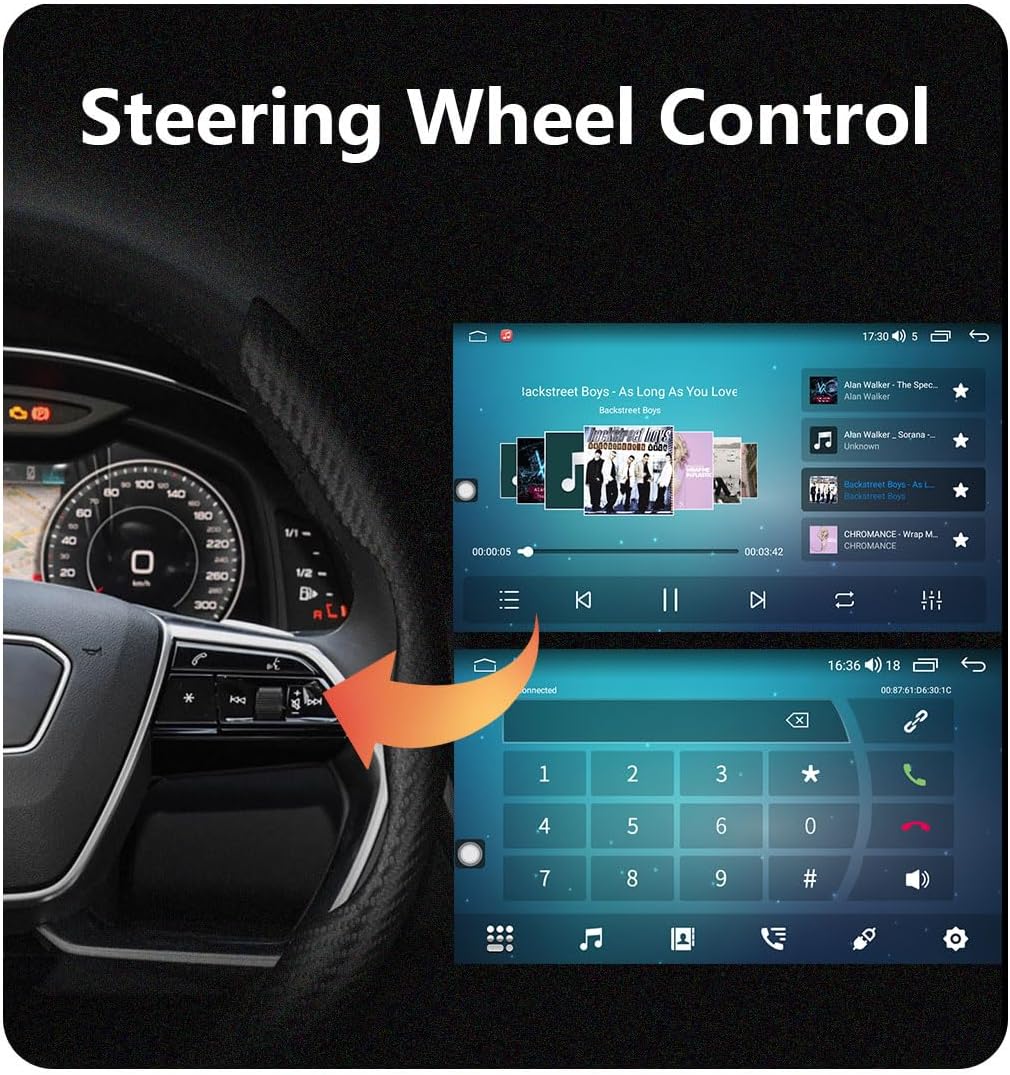
Figure 8: Digital Sound Processor (DSP) interface for fine-tuning audio settings, including equalizer, surround sound, and sound field adjustments.
Steering Wheel Control:
For compatible vehicles, the unit supports steering wheel control, allowing you to manage audio and calls without taking your hands off the wheel.
Figure 9: Steering wheel controls allow for convenient operation of the car radio, including music playback and call management.
Maintenance
To ensure the longevity and optimal performance of your car radio, follow these general maintenance guidelines:
- Cleaning: Use a soft, dry cloth to clean the screen and exterior. Avoid abrasive cleaners or solvents that could damage the surface.
- Temperature: Avoid exposing the unit to extreme temperatures, both hot and cold, for extended periods.
- Software Updates: Periodically check for software updates from the manufacturer to ensure the latest features and bug fixes.
- Connectivity: Ensure all cable connections are secure and free from corrosion.
Troubleshooting
This section addresses common issues you might encounter with your 8581B car radio.
- No Sound (BOSE/Harman Kardon Systems): If your original car audio system is BOSE or Harman Kardon and you experience no sound, it is necessary to purchase and install a fiber optic box. This is a common requirement for these premium sound systems.
- Steering Wheel Controls Not Working: Some high-grade versions of Porsche models (e.g., Cayman 2010-2012) may not fully support steering wheel control keys. Verify compatibility for your specific vehicle trim.
- 4G Network Functionality in Americas: If you are in the Americas (e.g., USA, Canada, Mexico, Brazil) and require 4G SIM card network functionality, please inform customer service upon purchase. Specific configurations may be needed for regional network compatibility.
- CarPlay/Android Auto Connection Issues: Ensure your phone's operating system is up to date. For wired connections, try a different USB cable. For wireless, ensure Bluetooth and Wi-Fi are enabled on your phone and the unit. Some Samsung devices may have limited Mirror Link support.
- 360 Panorama Function Not Available: The 360 panorama function requires specific hardware support from the factory. If your unit was not purchased with the 360 chip hardware option, this function will not be available.
- General Malfunction: If the unit behaves unexpectedly, try restarting it by turning off the vehicle's ignition and then restarting. If issues persist, consult the support section.
Specifications
| Feature | Specification |
|---|---|
| Model | 8581B |
| Operating System | Android 13 |
| Display Size | 8 Inches |
| Display Type | LCD |
| Resolution | 1280*720P HD |
| Memory Storage Capacity | 64 GB |
| RAM | 4 GB |
| Connectivity Technology | Bluetooth, Wi-Fi, USB |
| Special Features | Touchscreen, Bluetooth, Wireless CarPlay, Wired Android Auto, GPS Navigation, Split Screen, Multiple UI Themes, FM Radio, EQ Function |
| Supported Satellite Navigation System | GPS |
| Included Components | Radio unit |
| Manufacturer | chstek |
| Country of Origin | China |
Warranty
This product comes with a one-year warranty from the date of purchase. Please retain your proof of purchase for warranty claims. The warranty covers manufacturing defects but does not cover damage caused by improper installation, misuse, accidents, or unauthorized modifications.
Support
For technical assistance, installation queries, or troubleshooting not covered in this manual, please contact our online support. Provide your product model number (8581B) and a detailed description of the issue for prompt assistance.
Contact information for support can typically be found on the product packaging or the seller's platform where the item was purchased.
Ask a question about this manual
Ask about setup, troubleshooting, compatibility, parts, safety, or missing instructions. Manuals+ will review the question and use this page’s manual context to help answer it.