
1. Introduction
Thank you for choosing the HOOTEK S42 Wireless Earbuds. This manual provides detailed instructions for setting up, operating, and maintaining your earbuds to ensure optimal performance and longevity. Please read this manual thoroughly before use.
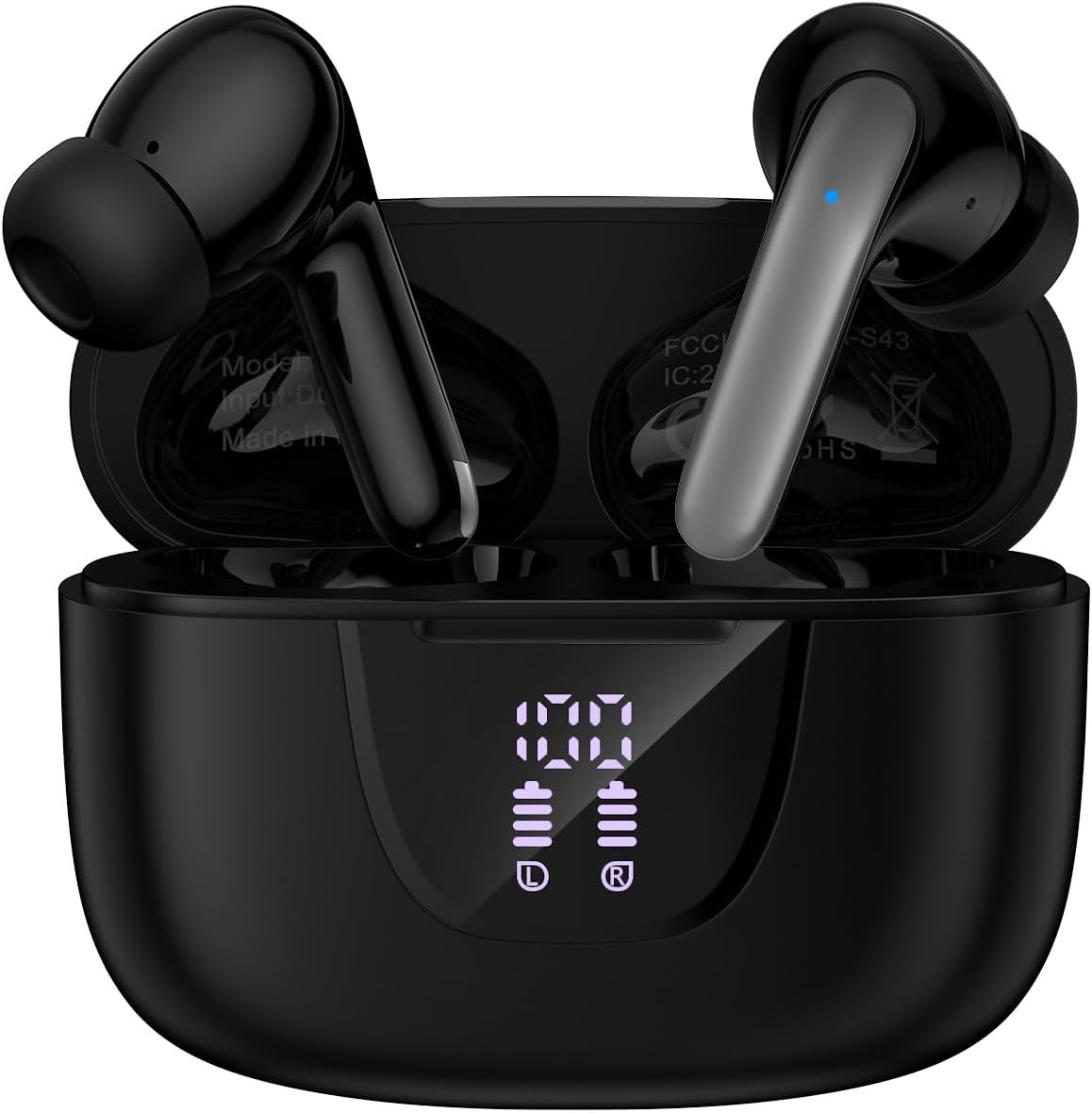
Image 1.1: HOOTEK S42 Wireless Earbuds in their charging case.
2. Package Contents
Ensure all items are present in the package:
- HOOTEK S42 Wireless Earbuds (Left and Right)
- Charging Case
- USB Type-C Charging Cable
- Multiple Sizes of Ear Tips (S, M, L)
- User Manual

Image 2.1: Contents of the HOOTEK S42 package.
3. Product Overview
The HOOTEK S42 earbuds feature an ergonomic design for comfortable wear and intuitive touch controls. The charging case includes an LED display to show battery levels.
3.1 Earbud Diagram

Image 3.1: Illustration of the earbud with touch control areas highlighted.
3.2 Charging Case Display

Image 3.2: The charging case's LED display indicating battery levels for the case and each earbud.
4. Setup
4.1 Charging the Earbuds and Case
Before first use, fully charge the earbuds and charging case.
- Place the earbuds into the charging case.
- Connect the USB Type-C charging cable to the charging port on the case and to a power source.
- The LED display on the case will show the charging status. A full charge is indicated by '100' on the display.
A full charge provides approximately 6-8 hours of earbud usage, and the charging case extends total playback to about 40 hours.
4.2 Bluetooth Pairing
The earbuds feature one-step auto-pairing for convenience.
- Ensure the earbuds are charged.
- Open the charging case. The earbuds will automatically power on and enter pairing mode.
- On your device (phone, laptop, tablet), enable Bluetooth and search for available devices.
- Select "S42" from the list of devices to connect.
- Once connected, the earbuds will automatically reconnect to your device when the case is opened, provided Bluetooth is enabled on your device.
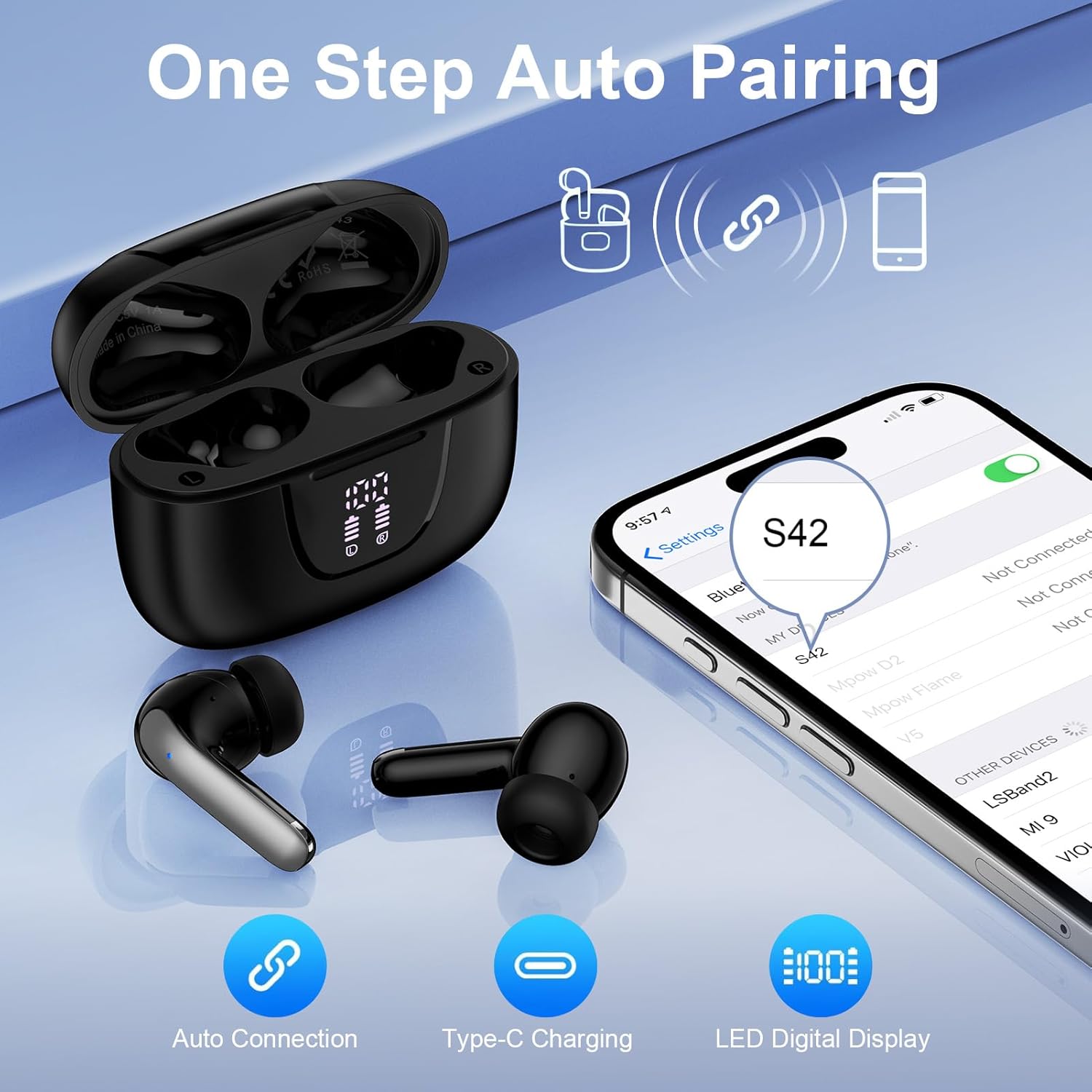
Image 4.1: Illustrates the one-step auto-pairing process with a smartphone.
5. Operating Instructions
5.1 Power On/Off
- Power On: Open the charging case, and the earbuds will power on automatically.
- Power Off: Place the earbuds back into the charging case and close the lid. They will power off and begin charging.
5.2 Smart Touch Controls
The HOOTEK S42 earbuds feature intuitive touch controls on each earbud. Refer to the diagram below for specific functions:

Image 5.1: Comprehensive guide to earbud touch controls.
- Play/Pause: Single tap on either L/R earbud.
- Previous Track: Double tap on the Left earbud.
- Next Track: Double tap on the Right earbud.
- Volume Up: Long tap on the Right earbud.
- Volume Down: Long tap on the Left earbud.
- Answer/End Call: Single tap on either L/R earbud.
- Reject Call: Double tap on either L/R earbud.
- Activate Voice Assistant (Siri/Google Assistant): Triple tap on either L/R earbud.
5.3 Wearing the Earbuds
Select the ear tips that provide the most comfortable and secure fit for optimal sound quality and noise isolation. Gently insert the earbuds into your ear canal and rotate slightly to secure them.
6. Maintenance
6.1 Cleaning
- Regularly clean the earbuds and charging case with a soft, dry, lint-free cloth.
- Do not use abrasive cleaners, solvents, or aerosol sprays.
- Clean the ear tips with a damp cloth and mild soap if necessary, ensuring they are completely dry before reattaching.
- Ensure charging contacts on both earbuds and case are clean and free of debris.
6.2 Storage
When not in use, store the earbuds in their charging case to protect them from dust and damage. Store in a cool, dry place away from extreme temperatures.
7. Troubleshooting
If you encounter issues with your HOOTEK S42 earbuds, try the following solutions:
| Problem | Solution |
|---|---|
| Earbuds not pairing |
|
| Only one earbud working |
|
| Low volume or poor sound quality |
|
| Charging case not charging |
|
8. Specifications
| Feature | Detail |
|---|---|
| Model Name | S42 |
| Bluetooth Version | 5.3 |
| Bluetooth Range | Up to 10 meters (32 feet) |
| Battery Life (Earbuds) | 6-8 hours (single charge) |
| Total Playback Time | Up to 40 hours (with charging case) |
| Charging Port | USB Type-C |
| Water Resistance | IPX7 Waterproof |
| Noise Control | Hybrid Noise Cancellation (ENC for calls) |
| Audio Driver Type | Dynamic Driver (13mm) |
| Frequency Response | 20 KHz |
| Sensitivity | 33 dB |
| Material | Acrylonitrile Butadiene Styrene (ABS), Plastic |
| Control Type | Touch Control |
| Compatibility | Cellphones, Laptops, Tablets (iOS, Android, Windows) |
9. Safety Information
- Do not disassemble or modify the product.
- Keep away from extreme temperatures and direct sunlight.
- Avoid exposing the product to fire or high heat.
- Do not immerse the charging case in water. Earbuds are IPX7 waterproof, but the charging case is not.
- Use only the provided charging cable or a certified equivalent.
- Avoid listening at high volumes for extended periods to prevent hearing damage.
10. Warranty and Support
For warranty information and customer support, please refer to the documentation included with your purchase or visit the official HOOTEK website. If you have any questions or require assistance, please contact HOOTEK customer service.


