
Introduction
The Kinhank Super Console X2 Pro is a versatile retro gaming system designed to bring a vast library of classic games to your fingertips. Featuring a powerful Amlogic S905X2 chip, it seamlessly integrates two operating systems: EmuELEC 4.5 for an extensive gaming experience with over 100,000 pre-installed games and 60+ emulators, and Android 9.0 for multimedia entertainment including 4K UHD video playback. This manual provides detailed instructions for setting up, operating, maintaining, and troubleshooting your Super Console X2 Pro.
Package Contents
Please verify that all items listed below are included in your package. If any items are missing or damaged, please contact customer support.

Figure 1: Super Console X2 Pro Package Contents
- 1 x Super Console X2 Pro Unit
- 2 x Game Controllers
- 1 x Remote Control
- 1 x 256GB TF Card (pre-installed with games)
- 1 x USB Hub
- 1 x USB Receiver
- 1 x Power Adapter
- 1 x HD Cable
- 1 x User Manual
Setup Guide
Follow these steps to set up your Super Console X2 Pro for the first time:
- Connect to TV: Connect one end of the provided HD Cable to the HD OUT port on the Super Console X2 Pro and the other end to an available HD input on your television or monitor.
- Connect Power: Plug the Power Adapter into the DC IN port on the console, then plug the adapter into a wall outlet.
- Connect Controllers: Insert the USB Receiver into one of the USB ports on the console. The wireless controllers will automatically pair with the receiver. For wired controllers, connect them directly to the USB ports.
- Power On: Press the power button on the console or the remote control to turn on the device.
- Select Input: Switch your TV's input source to the corresponding HD input you connected the console to.
- Initial Boot: The console will boot into either the EmuELEC gaming system or the Android 9.0 system. You can switch between these systems using the remote control.
Operating Instructions
System Switching (EmuELEC / Android)
The Super Console X2 Pro features a dual-system design, allowing you to switch between the EmuELEC gaming system and the Android 9.0 smart TV system. Use the provided remote control to seamlessly transition between modes.

Figure 2: Switching Between EmuELEC and Android Systems
Game Management (EmuELEC)
- Saving Game Progress: During gameplay, access the in-game menu (usually by pressing a specific button combination on the controller, refer to emulator-specific guides) to save your progress.
- Loading Game Progress: From the in-game menu, select the option to load a previously saved game.
- Pausing Games: Most emulators allow pausing directly from the controller.
- Creating Favorites: Navigate to a game in the game list, and use the controller's menu option to add it to your favorites list for quick access.
- Adding/Removing Games: Games are stored on the TF card. To add new games, connect the TF card to a computer and transfer ROM files to the appropriate emulator folders. To remove games, delete them from the TF card.
Network Connectivity
The console supports both wired (Ethernet) and wireless (Wi-Fi) network connections.
- Wi-Fi: Go to the network settings in Android mode. Select your Wi-Fi network, enter the password, and connect. The console supports dual-band 2.4G/5G Wi-Fi for stable connections.
- Ethernet: Connect an Ethernet cable from your router to the LAN port on the console for a wired 1000M connection.

Figure 3: Wireless Connectivity and Multimedia Capabilities
Bluetooth Connection (BT5.0)
The console supports Bluetooth 5.0 for connecting additional devices such as headphones, external controllers, or keyboards. Access Bluetooth settings in Android mode to pair new devices.
4K UHD Display Output
When operating in Android mode, the Super Console X2 Pro supports 4K UHD video output, providing a high-resolution visual experience on compatible displays.
Key Features
- Vast Game Library: Enjoy an unparalleled gaming experience with over 100,000 pre-built games. The console supports more than 60 emulators, covering a wide range of classic gaming platforms.
- Dual System Functionality: Seamlessly switch between the EmuELEC 4.5 gaming system and the Android 9.0 smart TV system. This allows you to enjoy both retro gaming and modern streaming applications on a single device.
- Outstanding Performance: Powered by the Amlogic S905X2 chip, the console delivers smooth gameplay and streaming with minimal frame drops or freezes. It features 2GB DDR4 RAM and 8GB EMMC storage for fast loading and operation.
- Advanced Connectivity: Equipped with 1000M Ethernet, dual-band 2.4G/5G Wi-Fi, and Bluetooth 5.0, ensuring fast, stable, and versatile connections for online gaming, streaming, and peripheral device pairing.
- User-Friendly Features: Easily save and load game progress, pause and resume gaming sessions, and create custom favorite lists. The system also supports effortless addition or removal of games.

Figure 4: Extensive Game Library and Emulator Support
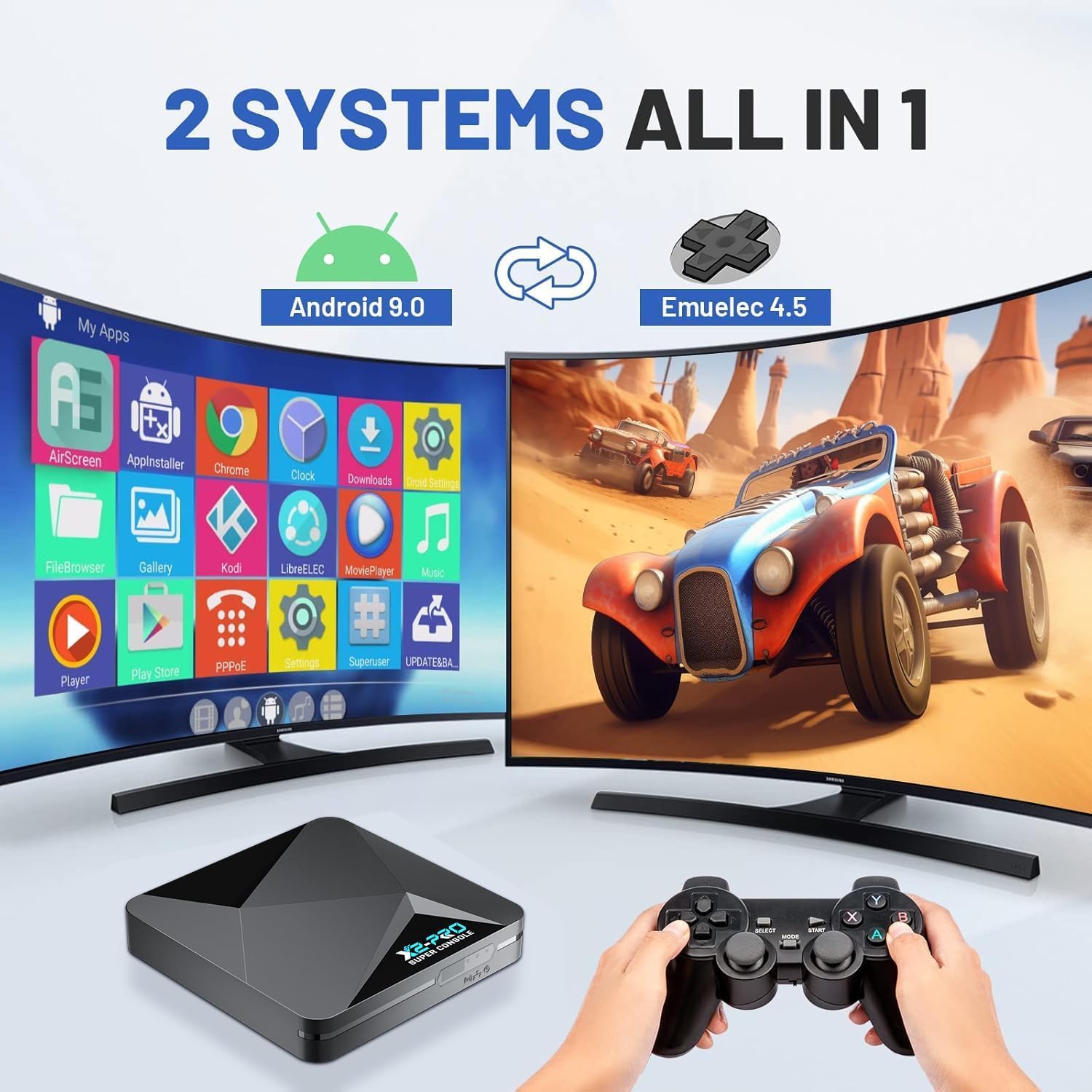
Figure 5: Dual System Integration (Android 9.0 & EmuELEC 4.5)

Figure 6: High-Performance Hardware
Maintenance
Proper maintenance will extend the lifespan of your Super Console X2 Pro.
- Cleaning: Use a soft, dry cloth to clean the console's exterior. Do not use liquid cleaners or abrasive materials.
- Ventilation: Ensure the console is placed in a well-ventilated area to prevent overheating. Do not block the ventilation openings.
- Storage: When not in use for extended periods, store the console in a cool, dry place away from direct sunlight and extreme temperatures.
- Software Updates: Periodically check for system updates in Android mode to ensure optimal performance and access to the latest features.
Troubleshooting
If you encounter issues with your Super Console X2 Pro, refer to the table below for common problems and solutions.
| Problem | Possible Cause | Solution |
|---|---|---|
| No power/Console does not turn on | Power adapter not connected properly; Power outlet issue | Ensure power adapter is securely connected to console and wall outlet. Try a different outlet. |
| No display on TV | HD Cable loose; Incorrect TV input selected | Check HD Cable connections. Ensure TV input matches the port used (e.g., HD1, HD2). |
| Controllers not responding | USB receiver not connected; Controllers not paired; Low battery (if applicable) | Ensure USB receiver is plugged in. Re-pair controllers if necessary. Replace controller batteries. |
| Games run slowly or freeze | Overheating; Software issue; Corrupted game file | Ensure proper ventilation. Restart the console. Try a different game. |
| Cannot connect to Wi-Fi | Incorrect password; Router issue; Signal interference | Double-check Wi-Fi password. Restart router. Move console closer to router or use Ethernet. |
Specifications
| Feature | Detail |
|---|---|
| Model | Super Console X2 Pro |
| Processor | Amlogic S905X2 |
| Operating Systems | EmuELEC 4.5, Android 9.0 |
| RAM | 2GB DDR4 |
| Storage | 8GB EMMC (internal), 256GB TF Card (external) |
| Emulators | 60+ supported |
| Games Pre-installed | 100,000+ |
| Video Output | 4K UHD (Android mode) |
| Network | 1000M Ethernet, Dual-band 2.4G/5G Wi-Fi |
| Bluetooth | BT5.0 |
| Dimensions | 8.74 x 7.13 x 4.69 inches (Package) |
| Weight | 1.81 pounds (Item) |
| UPC | 768502025784 |
| ASIN | B0DYNK5YG2 |
| Release Date | November 1, 2024 |
Customer Support
Kinhank is committed to providing exceptional customer support. If you encounter any issues, have questions, or require assistance with your Super Console X2 Pro, please do not hesitate to reach out to us.
Contact Method: Please contact us directly through Amazon's buyer-seller messaging system. This ensures a prompt and efficient response to your inquiries.
Our dedicated support team is ready to offer assistance and resolve any concerns you may have.