
Introduction
Thank you for choosing the GTSBROS KY-055 Bicycle Helmet. This manual provides essential information for the proper setup, operation, and maintenance of your helmet. Please read it carefully before use to ensure your safety and the longevity of the product.
This helmet is designed with a robust PC (polycarbonate) outer shell and shock-absorbing EPS foam, offering optimal protection and durability. It features a removable visor for sun protection and a customizable fit system for maximum comfort.
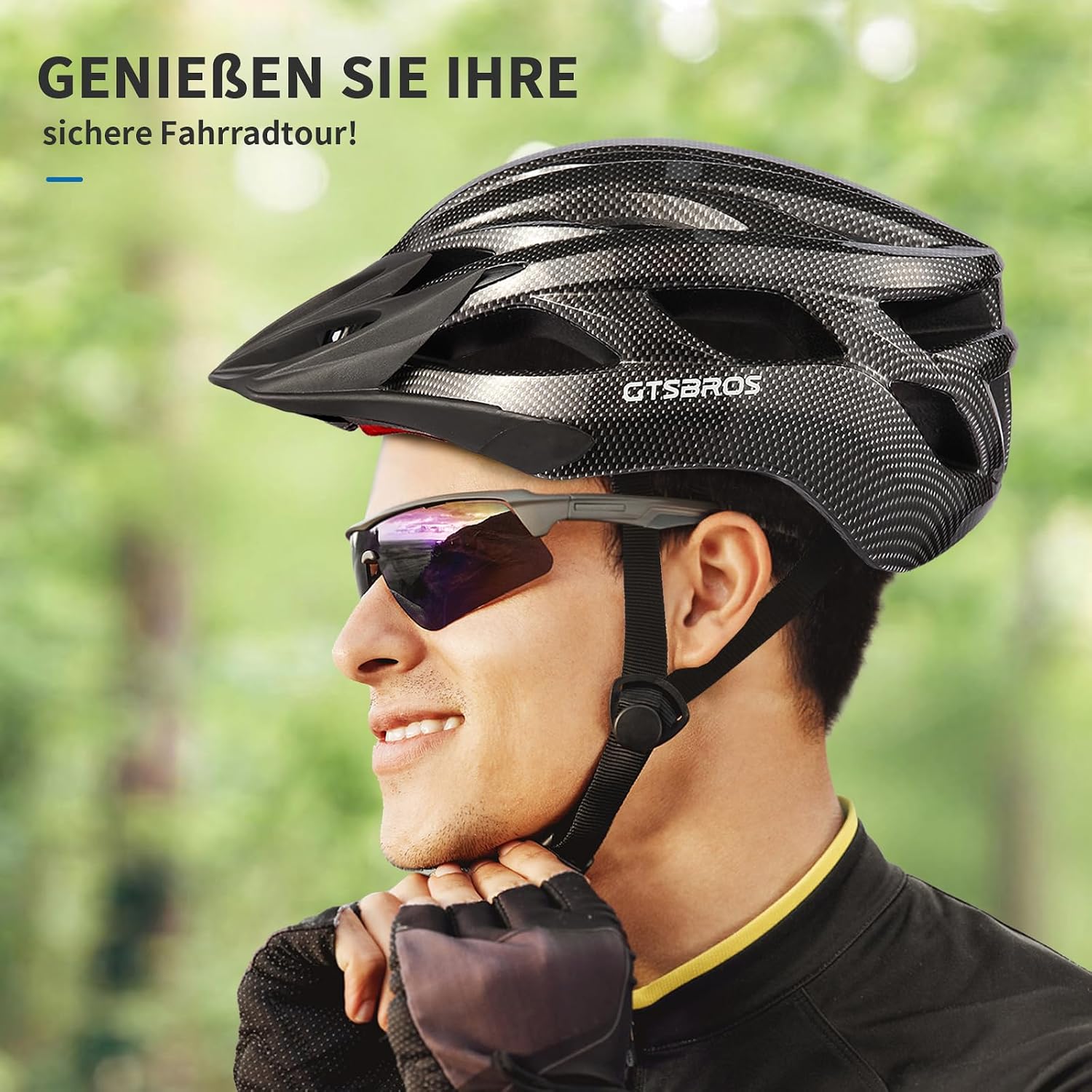
Image: GTSBROS KY-055 Bicycle Helmet, Carbon Black. This image shows the helmet from a side angle, highlighting its design and the GTSBROS logo.
Setup
1. Measuring Head Circumference
Before adjusting the helmet, measure your head circumference. Measure approximately 1.5 cm (0.6 inches) above your ears, from your forehead to the back of your head. This helmet is available in sizes M (53-57 cm / 20.9-22.4 inches) and L (57-61 cm / 22.4-24 inches).

Image: Head measurement guide. This image illustrates how to correctly measure head circumference for helmet sizing, showing the measurement point 1.5 cm above the ears.
2. Adjusting the Fit System
The helmet features an adjustable rotary knob at the back to customize the fit. Turn the knob clockwise to tighten the fit and counter-clockwise to loosen it. Ensure the helmet fits snugly and comfortably without being too tight or too loose.
3. Adjusting the Chin Strap
Adjust the chin strap to ensure it is secure. The straps should form a 'V' shape under your ears. The quick-release buckle should be centered under your chin. Fasten the buckle and tighten the strap until it is snug, allowing only one finger to fit between the strap and your chin.
4. Attaching/Detaching the Visor
The helmet comes with a removable sun visor. To attach, align the visor's clips with the corresponding slots on the helmet and press firmly until it clicks into place. To detach, gently pull the visor away from the helmet until the clips release.

Image: Helmet adjustment features. This image details the removable and washable inner padding, chin strap adjuster, quick-release buckle, and adjustable rotary knob for a customized fit.
Operating Instructions
Wearing the Helmet Correctly
- Place the helmet squarely on your head, ensuring it covers your forehead. It should not be tilted back or forward.
- Adjust the rotary knob at the back for a snug fit.
- Adjust the side straps so they meet just below your ears.
- Buckle the chin strap and tighten it so that the helmet does not move excessively when you shake your head.
Ventilation System
The GTSBROS KY-055 helmet is equipped with 22 ventilation slots designed to reduce wind resistance and increase airflow, keeping your head cool and comfortable during rides. No specific operation is required for the ventilation system; it functions automatically during use.

Image: Helmet ventilation system. This diagram illustrates the airflow through the helmet's 22 ventilation slots, showing how air enters and exits to keep the rider cool.
Maintenance
Cleaning the Helmet
Clean the helmet regularly with a soft cloth, mild soap, and water. Avoid using harsh chemicals, solvents, or abrasive cleaners, as these can damage the helmet's shell or internal components. Rinse thoroughly and air dry.
Cleaning and Replacing Padding
The internal padding is removable and washable. Gently detach the padding, hand wash with mild soap and water, rinse thoroughly, and allow it to air dry completely before reattaching. Ensure the padding is correctly reinstalled for optimal comfort and fit.
Storage
Store your helmet in a cool, dry place away from direct sunlight and extreme temperatures. Do not store it near heat sources or in areas where it might be exposed to chemicals or fumes, as these can degrade the helmet materials.
Troubleshooting
Helmet feels uncomfortable or too tight/loose
Ensure you have correctly adjusted the rotary knob at the back of the helmet and the chin straps. Refer to the 'Adjusting the Fit System' and 'Adjusting the Chin Strap' sections under Setup. The helmet should feel snug but not cause pressure points.
Visor does not stay attached
Check if the visor clips are properly aligned with the helmet slots and if they are fully engaged. Apply firm, even pressure until you hear a click. If the clips appear damaged, contact customer support.
Helmet makes noise while riding
Ensure all straps are properly adjusted and not flapping in the wind. Check if the visor is securely attached. If the noise persists, inspect the helmet for any loose components.
Specifications
| Feature | Description |
|---|---|
| Model Name | KY-055 |
| Brand | GTSBROS |
| Outer Material | Polycarbonate (PC) |
| Inner Material | EPS Foam |
| Item Weight | 400 Grams |
| Head Size (M) | 53-57 cm (20.9-22.4 inches) |
| Head Size (L) | 57-61 cm (22.4-24 inches) |
| Special Feature | Removable Visor |
| Ventilation | 22 Air Vents |
| Target Audience | Unisex Adult |
| Included Components | Adult Helmet*1, Instruction Manual*1 |

Image: Safety design. This image highlights the impact-resistant PC shell and high-density EPS material, emphasizing the helmet's protective construction.
Warranty
The GTSBROS KY-055 Bicycle Helmet comes with a one-year warranty from the date of purchase. This warranty covers manufacturing defects and material flaws under normal use. It does not cover damage resulting from accidents, improper use, modifications, or normal wear and tear. Please retain your proof of purchase for warranty claims.
Customer Support
For any questions, concerns, or assistance with your GTSBROS KY-055 Bicycle Helmet, please contact our customer service team. We are committed to ensuring your satisfaction and safety.
Please refer to the seller's contact information on the platform where you purchased the product for direct support.