
Product Overview
The Govee Strip Light with Skyline Kit (Model H61B8) offers an innovative lighting solution designed to create a unique floating wall-washing effect. This smart LED strip light features RGBWWIC color changing capabilities and integrates seamlessly with smart home platforms like Alexa, Google Assistant, and Matter. It is ideal for enhancing the ambiance in bedrooms, living rooms, and for party decorations.

Figure 1: Govee Strip Light with Skyline Kit components and app interface.
What's in the Box
Verify that all components are present before beginning installation.
- Strip Light with Skyline Kit x 1
- User Manual x 1
- Control Box x 1
- Power Adapter x 1
- Rotation Bar x 2
- Fixing Bar x 2
- Mounting Base x 2
- Mounting Base Caps x 2
- Steel Strip x 1
- Mounting Base Screws x 10
- Expansion Tube x 10
- Fixing Bar Screws x 4
- Auxiliary Cardstock x 1
- Hex Key x 1
- Cable Clips x 6

Figure 2: Contents of the Govee Strip Light with Skyline Kit.
Setup and Installation
The Govee Strip Light with Skyline Kit is designed for a unique wall-mounted installation to achieve a floating wall-washing effect. Screw wall-mounting installation is required for stability.
Installation Guidelines:
- Placement: Install horizontally for a floating ceiling effect or tilted for a wall-washing effect.
- Recommended Distance: For optimal RGBWWIC ceiling washing effect, install horizontally or vertically at 42 x 42 cm with at least 1m width away from wall surfaces.
- Rotation Bar: The rotation bar provides 8cm of space for easier and worry-free installation, allowing for adjustment of the lighting angle.
- Secure Mounting: Screw wall-mounting installation is mandatory to ensure stability.
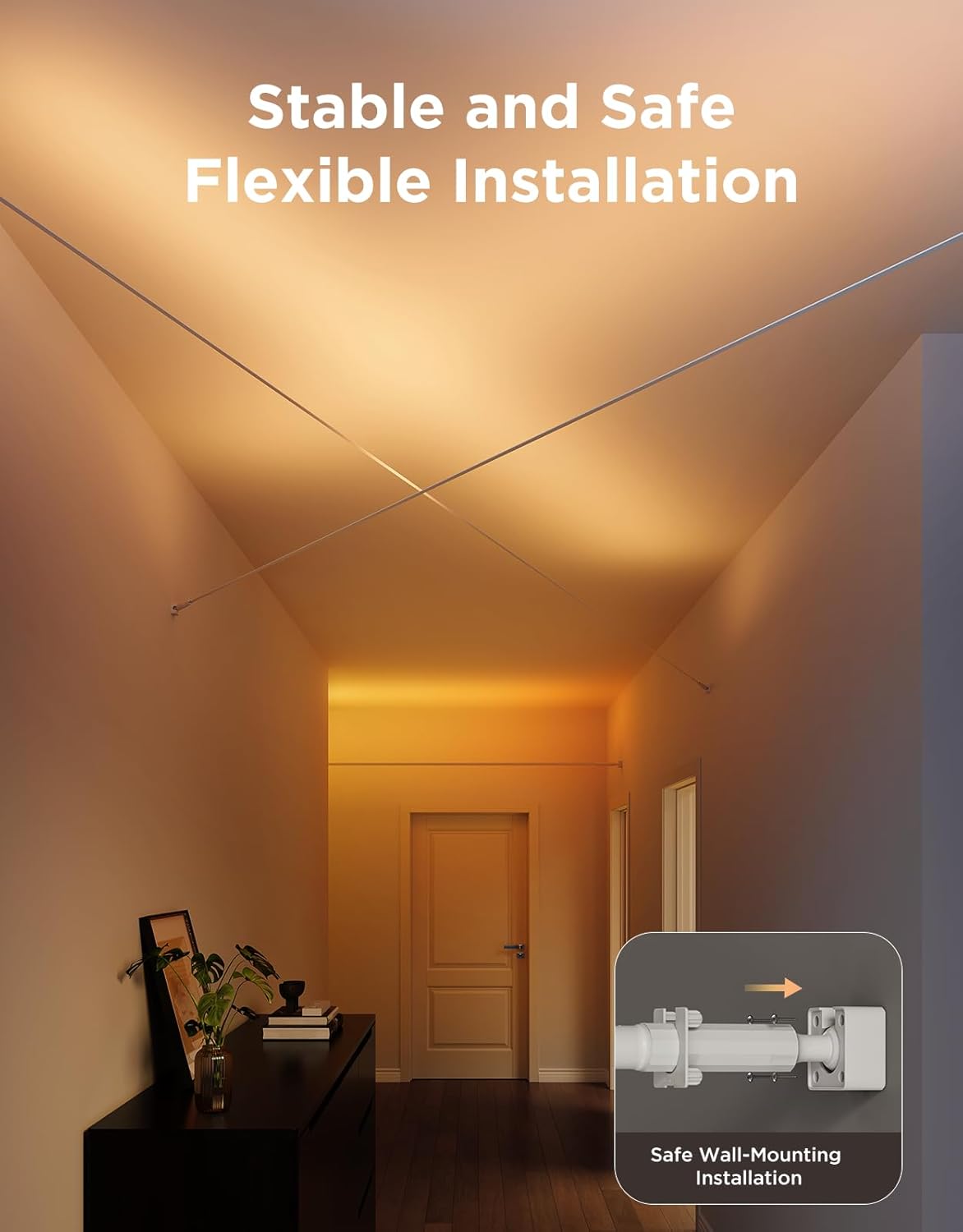
Figure 3: Example of stable and flexible installation.

Figure 4: Unique and practical design with rotation space and adjustable angle.
Accessory Dimensions:
| Component | Dimensions | Notes |
|---|---|---|
| Fixing Bar Screw (x4) | Diameter: 5mm, Height: 13mm | Use M2.5 hex key (included). |
| Mounting Base Screw (x10) | Nail: Diameter 4mm, Height 35mm; Nut: Diameter 6.2mm, Height 2.6mm | |
| Expansion Tube (x10) | Diameter: 6mm, Height: 30mm | Use M6 drill bit (not included) to drill holes in the base. |
| Hex Key | M2.5 | Included in the package. |

Figure 5: Accessory dimensions for installation.
Operating Instructions
The Govee Strip Light with Skyline Kit offers advanced control and customization options through the Govee Home app and smart home integrations.
Smart Control and Connectivity:
- Smart Home Integration: These LED lights are compatible with certified smart home platforms including Alexa, Google Assistant, and Matter.
- Voice Control: Control the smart LED strip lights using voice commands through your connected smart assistant for a hands-free experience.
- App Control: Utilize the Govee Home app for comprehensive control and customization.
LuminBlend Control System:
Equipped with a self-developed 16-bit chip, the LuminBlend Control System provides powerful RGB analyzing ability for higher precision in color mixing. It can achieve up to 281 quintillion colors. The system uses white light for enhanced color mixing, improving the accuracy of low saturation colors through a smart LED lights algorithm.

Figure 6: LuminBlend Color Control System overview.
DIY with Segmented Control:
The light strip features one IC chip per every 6 lamp beads, allowing for individual control of up to 12 segments. This enables users to create exclusive colorful lighting effects. The AIGC feature within the app can generate lighting effects based on text or voice commands.

Figure 7: DIY lighting with segmented control via the Govee app.
Versatile Mode and Preset Scenes:
- Preset Lighting Effects: Access 154 preset lighting effects suitable for various occasions, including holidays throughout the year.
- Music Modes: Enjoy 16 Music Modes that synchronize lighting effects with your music, ideal for parties.
- DreamView Support: DreamView is supported, allowing for linkage with other Govee products to build an immersive ambiance.

Figure 8: Synchronize home lights with holidays using preset scenes.
Maintenance
To ensure the longevity and optimal performance of your Govee Strip Light with Skyline Kit, follow these general maintenance guidelines:
- Cleaning: Gently wipe the light strip and control box with a soft, dry cloth to remove dust. Do not use abrasive cleaners or solvents.
- Environment: Ensure the product is used indoors as it is not water resistant. Avoid exposure to excessive moisture or extreme temperatures.
- Connections: Periodically check all connections to ensure they are secure and free from damage.
Troubleshooting
If you encounter issues with your Govee Strip Light, refer to the following common troubleshooting steps:
- Light Strip Not Turning On:
- Ensure the power adapter is securely connected to both the control box and a working power outlet.
- Check if the control box is properly connected to the light strip.
- Verify that the power outlet is functional by plugging in another device.
- Cannot Connect to App/Smart Home System:
- Ensure your smartphone's Bluetooth and Wi-Fi are enabled.
- Make sure the Govee Home app is updated to the latest version.
- Restart the light strip by unplugging and re-plugging the power adapter.
- Ensure your Wi-Fi network is 2.4GHz, as some smart devices do not support 5GHz networks.
- Follow the pairing instructions within the Govee Home app carefully.
- Colors Not Displaying Correctly:
- Check the app settings to ensure the correct color mode or scene is selected.
- If only a segment is affected, check the physical connection of that segment.
If the issue persists, please contact Govee customer support for further assistance.
Specifications
| Feature | Detail |
|---|---|
| Model Number | H61B8 |
| Color | RGBWWIC |
| Brand | Govee |
| Indoor/Outdoor Usage | Indoor |
| Special Feature | Color Changing, Dimmable |
| Light Source Type | LED |
| Power Source | AC/DC |
| Light Color | RGBWWIC |
| Theme | Music |
| Occasion | Bedroom, Party |
| Style | Modern |
| Color Temperature | 6500 Kelvin |
| Controller Type | Amazon Alexa, App Control, Voice Control |
| Number of Light Sources | 240 |
| Voltage | 24 Volts |
| Wattage | 36 watts |
| Number of Items | 1 |
| White Brightness | 1400 Lumens |
| Control Method | App, Voice |
| Water Resistance Level | Not Water Resistant |
| UPC | 810172720374 |
| Item Weight | 3.34 pounds |
| Package Dimensions | 9.92 x 8.54 x 3.7 inches |
| Light Direction | Adjustable |
| Luminous Flux | 1400 Lumen |
Customer Support and Warranty
For technical support, warranty claims, or any product-related inquiries, please contact Govee customer service.
- Manufacturer: Govee
- Seller: Govee US
- Return Policy: 30-day refund/replacement policy from the seller.
- Contact: Refer to the official Govee website or the contact information provided in the product packaging for the most up-to-date support channels.
Please note that specific warranty terms and conditions may apply and are typically detailed on the manufacturer's official website or within the product's included documentation.
Official Product Videos
No official product videos from the seller were available in the provided data. For product demonstrations and features, please refer to the Govee official website or their authorized channels.