
acer acer-Hk03
acer Kids Headphones User Manual
Model: acer-Hk03
Product Overview
The acer Kids Headphones are designed to provide a safe and enjoyable audio experience for children. Featuring a durable, foldable design and volume-limiting technology, these headphones are ideal for various activities including school, travel, and entertainment. They are compatible with a wide range of devices equipped with a 3.5mm audio jack.
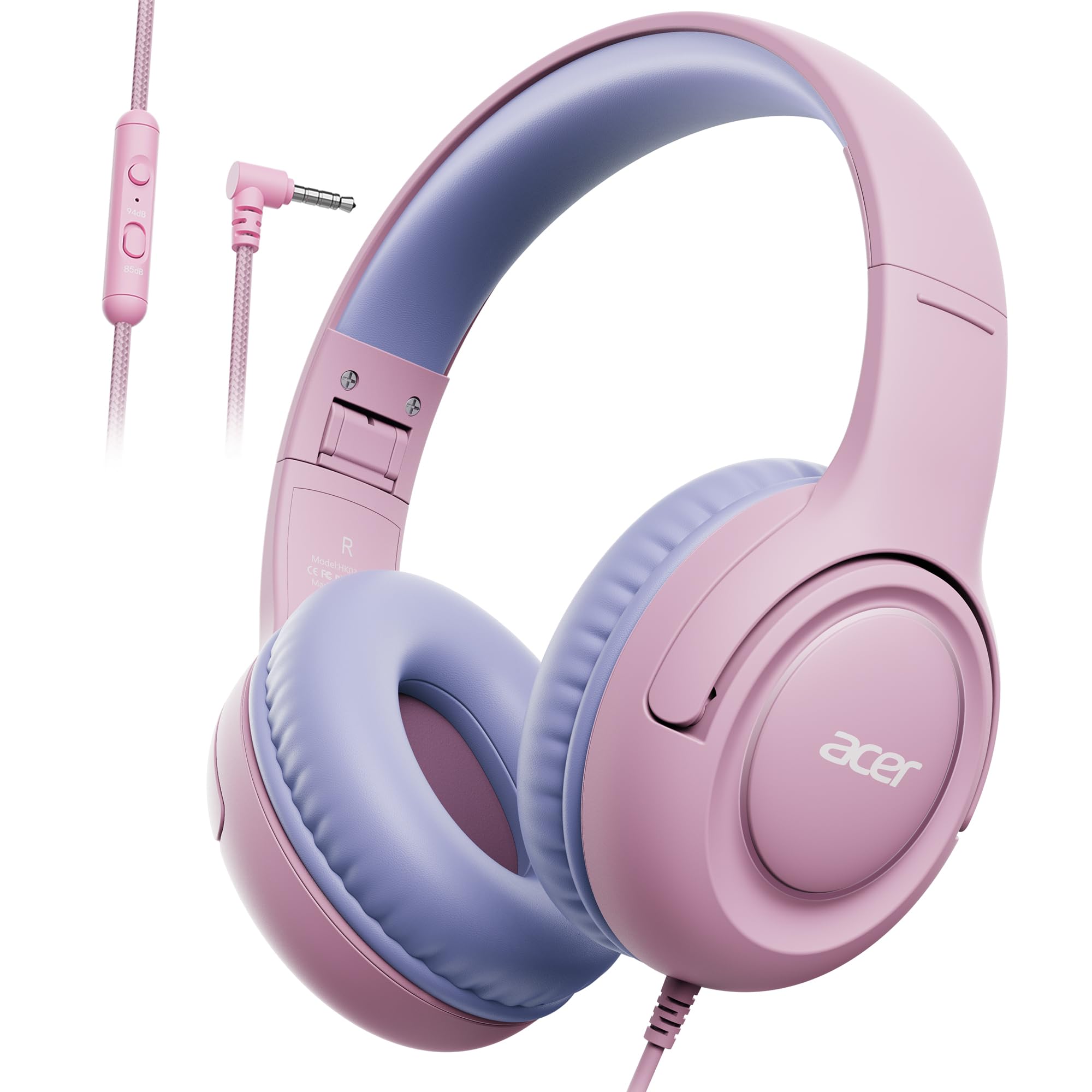
Image: The acer Kids Headphones in Pink Purple, showcasing their over-ear design and wired connection.
Package Contents
Upon unboxing, please ensure all components are present:
- acer Hk03 Kids Headphones
- User Manual (this document)

Image: The acer Kids Headphones alongside their packaging and included user manual.
Setup
Follow these steps to set up your acer Kids Headphones:
- Unfold the Headphones: Gently unfold the earcups until they are in the listening position. The foldable design allows for compact storage and easy transport.
- Adjust the Headband: Extend or retract the adjustable headband to ensure a comfortable and secure fit on the child's head. The earcups should fully cover the ears without excessive pressure.
- Connect to Device: Insert the 3.5mm audio jack firmly into the audio port of your device (e.g., smartphone, tablet, laptop, Kindle). Ensure the connection is secure for optimal sound quality.

Image: Front view of the headphones, illustrating the earcup and headband design for proper fit.

Image: A child wearing the headphones, demonstrating a comfortable and secure fit for extended use.
Operating Instructions
Volume Control and Safety Modes
The headphones feature a dual safety volume mode to protect children's hearing:
- 85dB Study Mode: This mode limits the volume to 85dB, aligning with hearing safety standards for prolonged listening, ideal for schoolwork or quiet environments.
- 94dB Travel Mode: This mode allows for a slightly higher volume of 94dB, suitable for short-term use in noisier environments like travel, where a bit more volume might be needed to overcome ambient sound.
Use the integrated volume control on the cable to adjust the listening level within these safe limits.
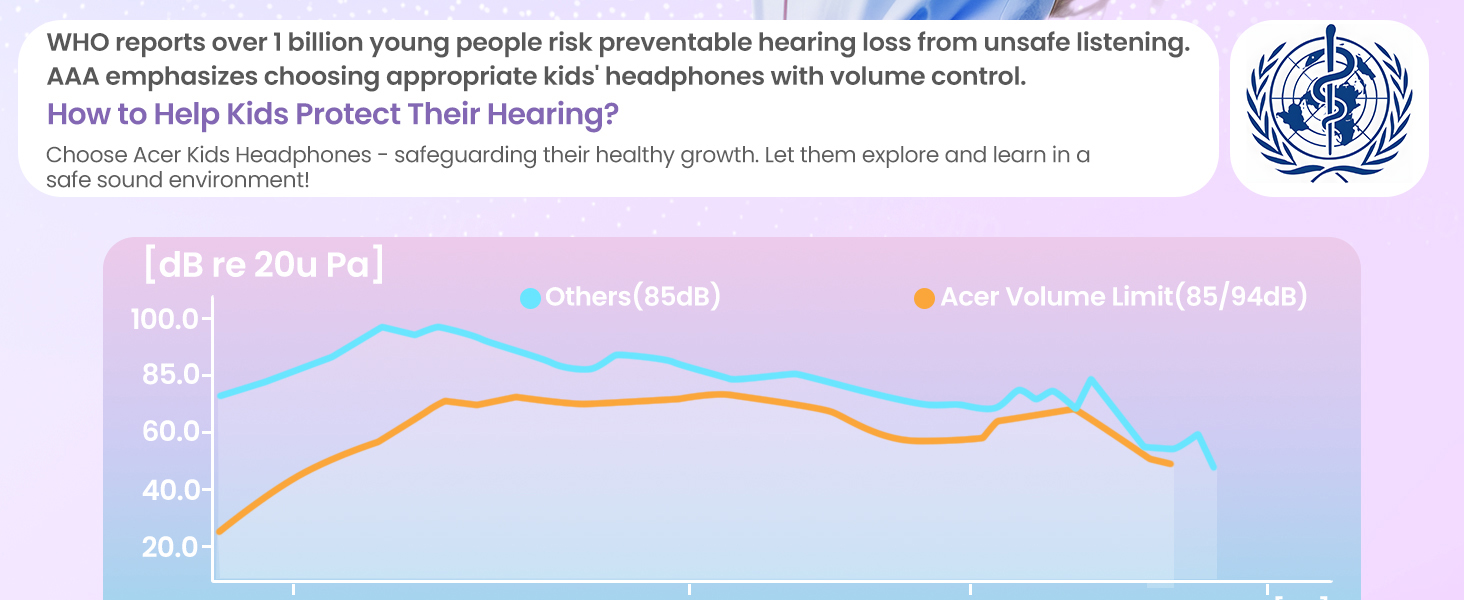
Image: Visual representation of the 85dB Study Mode and 94dB Travel Mode, emphasizing hearing protection.
Universal Compatibility
These headphones are designed for plug-and-play use with any device featuring a standard 3.5mm audio jack. This includes, but is not limited to:
- Smartphones
- Tablets (iPad, Kindle, etc.)
- Laptops and PCs
- Gaming Consoles
- Smart Speakers

Image: Depiction of the headphones being used in various settings: school, travel, and home entertainment, highlighting their versatility.
Audio Performance
The headphones are equipped with precision-tuned 40mm drivers, engineered to deliver clear stereo sound with balanced deep bass and rich treble, enhancing the listening experience for music, audiobooks, and educational content.
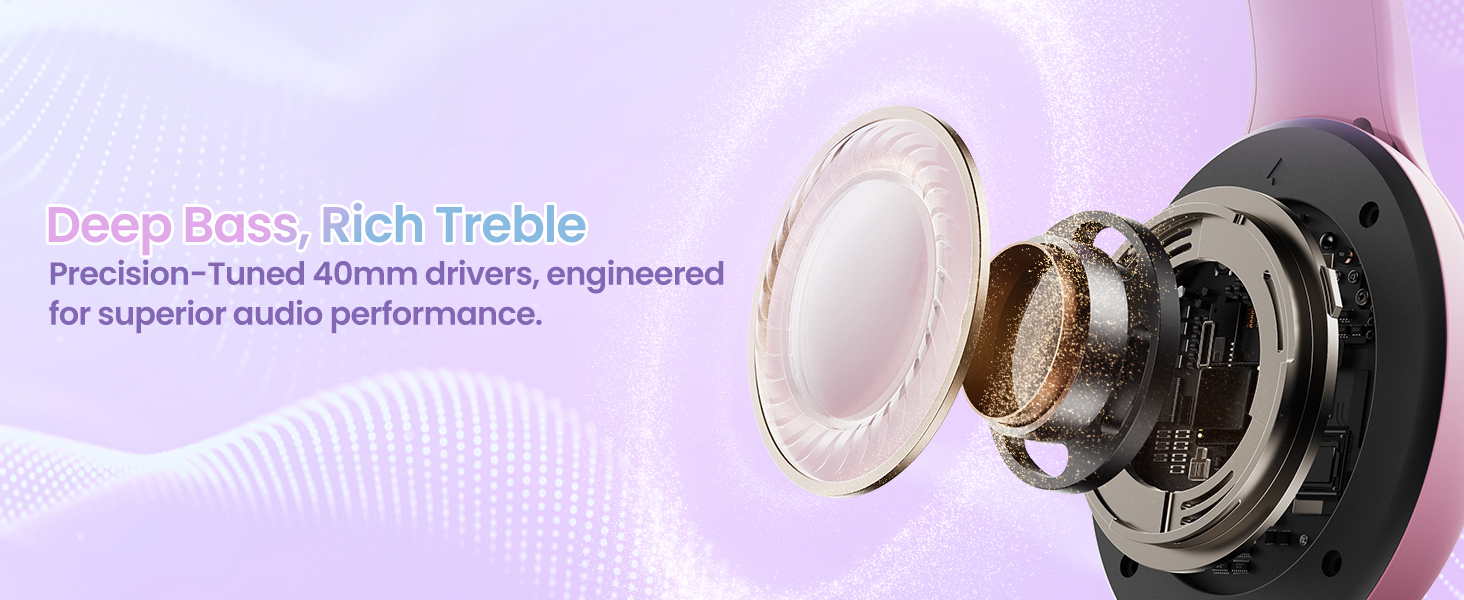
Image: An exploded view of the 40mm audio driver, illustrating the components responsible for sound reproduction.
Maintenance
Proper care will extend the life of your headphones:
- Cleaning: Use a soft, dry cloth to wipe down the earcups and headband. For stubborn dirt, a slightly damp cloth can be used, but ensure no moisture enters the speaker grilles or jack. Do not use harsh chemicals or abrasive cleaners.
- Storage: When not in use, fold the headphones to their compact size and store them in a clean, dry place away from direct sunlight and extreme temperatures. The tangle-free cable should be neatly coiled to prevent damage.
- Handling: Avoid pulling the cable forcefully from the device or the headphones. Always grasp the plug when disconnecting.
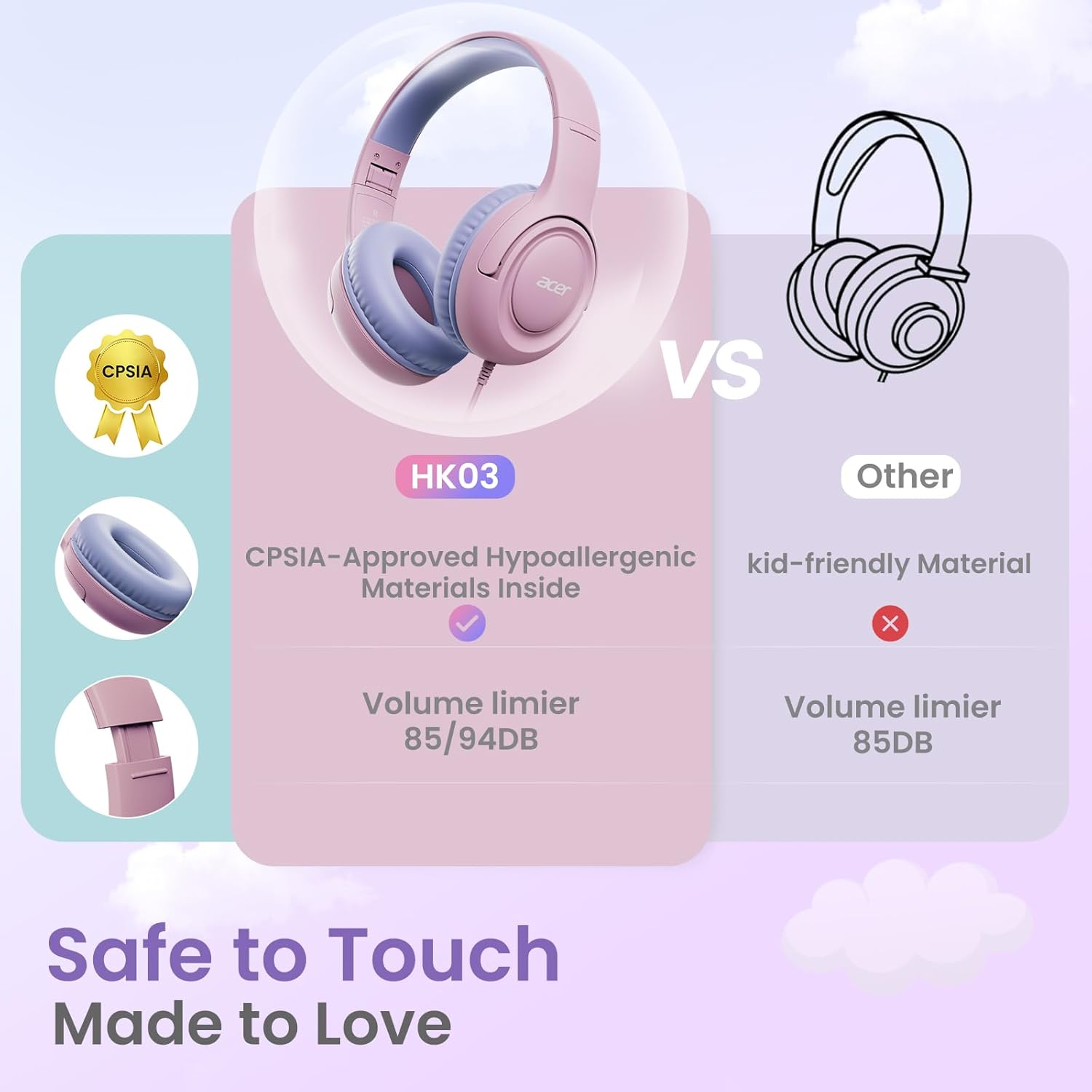
Image: Side view of the headphones demonstrating their foldable design for easy storage and portability.
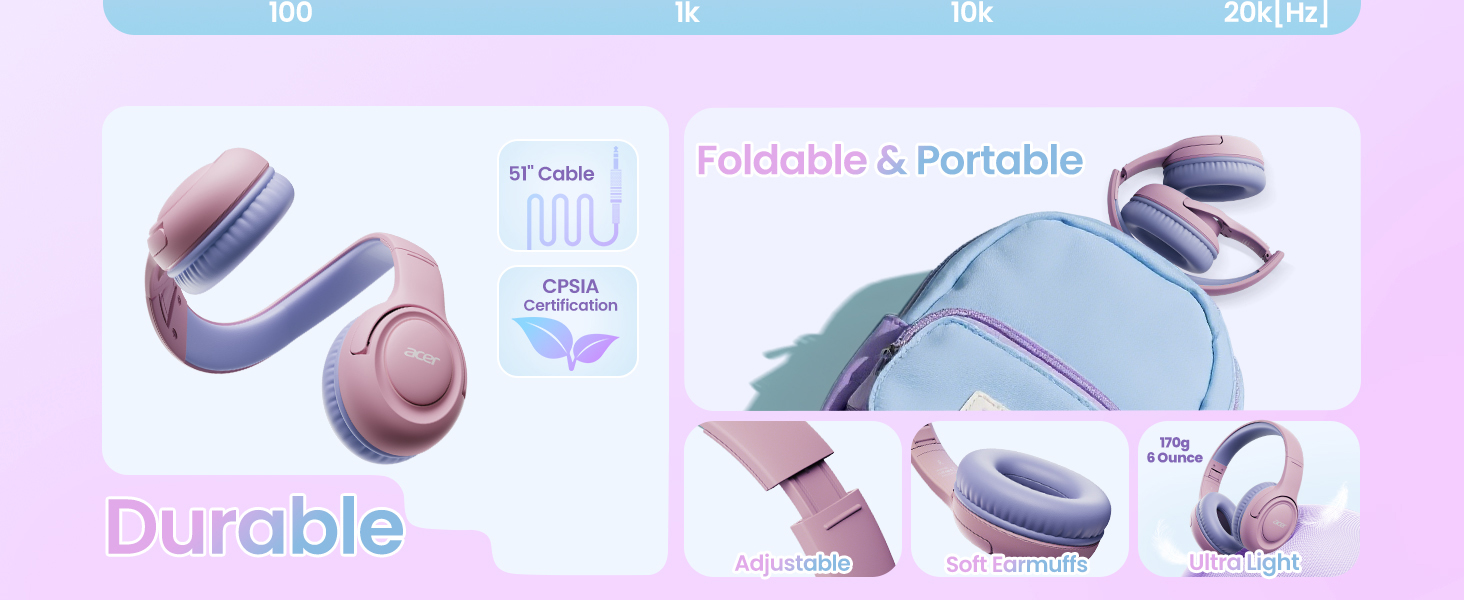
Image: A visual summary of the headphones' durable, adjustable, and lightweight features, including their foldable nature.
Troubleshooting
If you encounter issues with your headphones, refer to the following common problems and solutions:
| Problem | Possible Cause | Solution |
|---|---|---|
| No sound or low volume | Loose connection, device volume too low, incorrect audio output setting on device, damaged cable/jack. | Ensure the 3.5mm jack is fully inserted. Increase the volume on both the headphones' inline control and the connected device. Check device's audio output settings. Test with another device to rule out headphone damage. |
| Distorted sound | Volume too high, poor connection, audio file quality, damaged drivers. | Lower the volume. Re-insert the audio jack. Try a different audio file or source. If distortion persists, the drivers may be damaged. |
| Headphones uncomfortable | Improper adjustment, prolonged use. | Adjust the headband for a better fit. Ensure earcups are positioned correctly. Take breaks during extended listening sessions. |
Specifications
| Feature | Detail |
|---|---|
| Model Name | acer-Hk03 |
| Connectivity Technology | Wired |
| Headphones Jack | 3.5 mm Jack |
| Earpiece Shape | Over-Ear |
| Audio Driver Size | 40 Millimeters |
| Frequency Range | 20 Hz to 20,000 Hz |
| Impedance | 32 Ohm |
| Control Type | Volume Control (Push Button) |
| Material | Acrylonitrile Butadiene Styrene (ABS) |
| Product Dimensions | 6.22 x 2.87 x 7 inches |
| Item Weight | 7.8 ounces |
| Color | Pink Purple |
| Age Range (Description) | Kid |
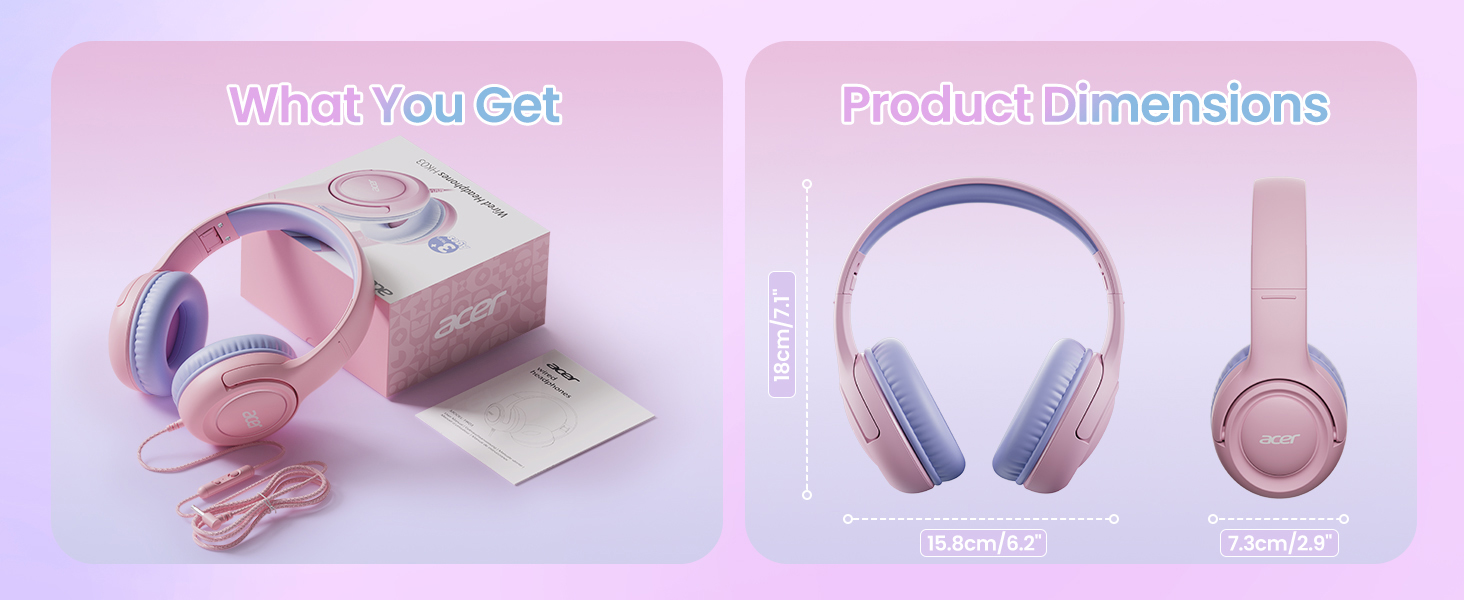
Image: Diagram illustrating the physical dimensions of the headphones.
Warranty and Support
acer products are manufactured with high standards of quality. For information regarding warranty coverage, please refer to the warranty card included with your purchase or visit the official acer support website. For additional assistance, troubleshooting, or product inquiries, please contact acer customer support.
You can also find a digital version of this user manual and other support documents at the following link: User Manual (PDF)
Related Documents - acer-Hk03
 |
Acer HK03 Wired Headphones User Manual User manual for Acer HK03 wired headphones, detailing structure, method of use, volume control, button functions, and safety warnings. Includes FCC compliance information and contact details for support. |
 |
Acer Wired Headphones HK03 User Manual User manual and guide for Acer Wired Headphones Model HK03, detailing structure, method of use, controls, and important safety information. |
 |
Acer OHR633 Over-ear Headphones User Manual User manual for Acer OHR633 Over-ear Headphones, detailing product features like Hifi Stereo Sound, ANC, Noise Reduction, and foldable design. Includes specifications, operation instructions, safety guidelines, and regulatory information for this wireless Bluetooth headset. |
 |
Acer OHR645 Over-ear Headphones User Manual Official user manual for the Acer OHR645 Over-ear Headphones. Learn about product features, specifications, operation, safety guidelines, and FCC compliance. |
 |
Acer Aspire 5742/5742G/5742Z/5742ZG Series Service Guide This service guide provides detailed technical information, system specifications, disassembly procedures, and troubleshooting steps for the Acer Aspire 5742, 5742G, 5742Z, and 5742ZG series laptops. It is intended for service professionals and covers hardware components, utilities, and repair guidance. |
 |
Acer OHR300 Wireless Noise-Canceling Headphones: Quick Start Guide and Specifications Comprehensive guide for Acer OHR300 Over-Ear Wireless Noise-Canceling Headphones, covering setup, specifications, operation, troubleshooting, and warranty information. Features Bluetooth 5.3 and noise cancellation. |
Ask a question about this manual
Ask about setup, troubleshooting, compatibility, parts, safety, or missing instructions. Manuals+ will review the question and use this page’s manual context to help answer it.