Introduction
This manual provides instructions for the FOGARI Wireless Detachable Keyboard Case, designed for the iPad 10th Generation 10.9 Inch (2022) and iPad 11th Generation 11 inch (2025). It covers product components, setup, operation, maintenance, and specifications to ensure proper use and longevity of your device accessory.
What's in the Box
- 1 x Bluetooth Keyboard
- 1 x Slim Case
- 1 x USB Cable (for charging)
- 1 x User Manual
Compatibility
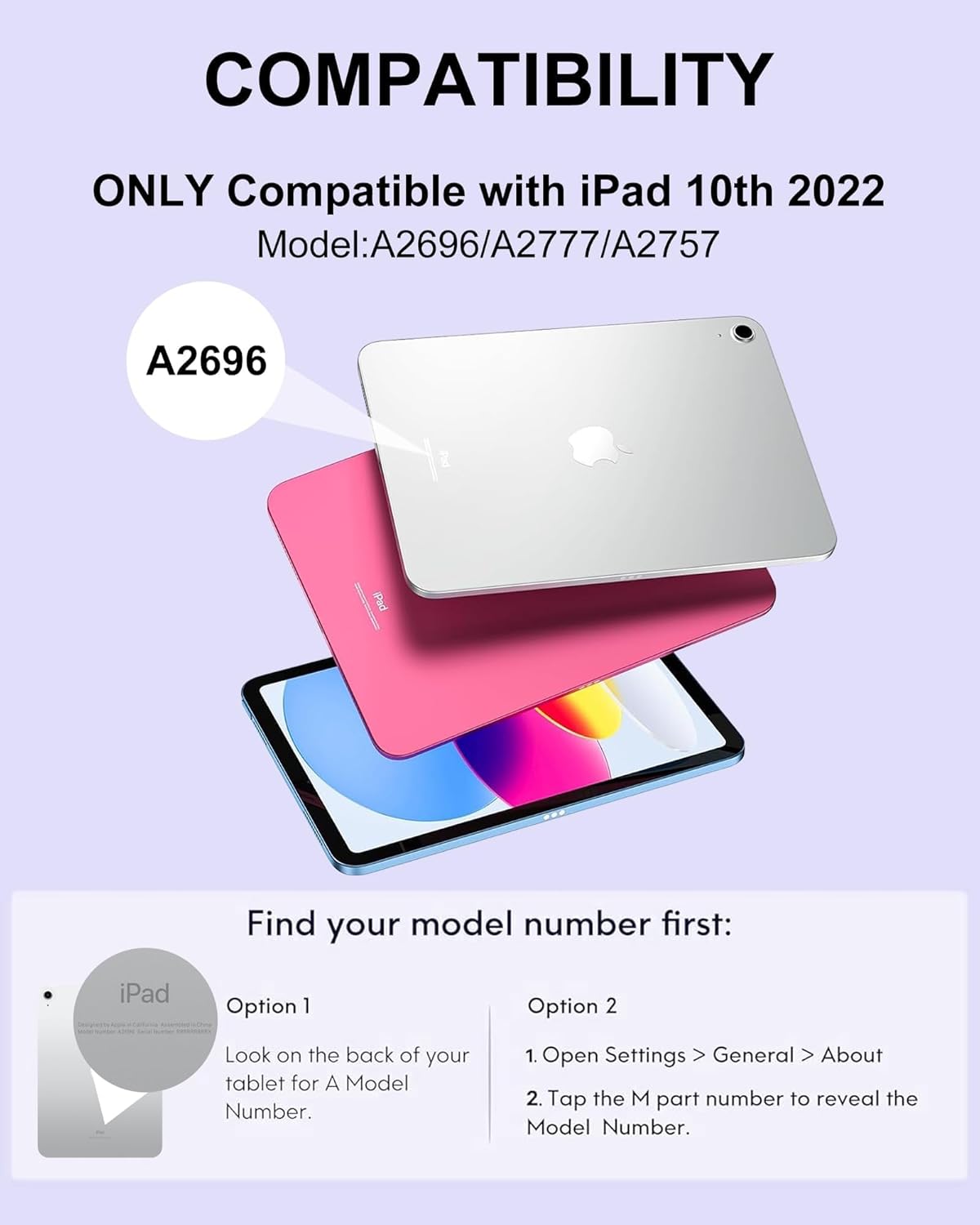
This keyboard case is exclusively designed for the following iPad models:
- iPad 10th Generation 10.9 Inch 2022 (Models: A2696, A2757, A2777)
- iPad 11th Generation 11 inch 2025 (Models: A3354, A3355, A3356)
It is not compatible with any other iPad models. Please verify your iPad's model number before use.
How to Find Your iPad Model Number:
- Option 1: Look on the back of your tablet for a Model Number.
- Option 2: Open Settings > General > About. Tap the M part number to reveal the Model Number.
Setup Instructions
1. Attaching the iPad to the Case
Gently place your iPad into the slim case, ensuring all edges are securely fitted and the camera cutout aligns correctly. The case is designed to provide sufficient protection for daily use.

2. Charging the Keyboard
Before initial use, ensure the keyboard is fully charged. Connect the provided USB-C charging cable to the keyboard's charging port and to a power source. A full charge typically takes approximately 3 hours and provides up to 15 days of continuous use.

3. Pairing the Bluetooth Keyboard
- Turn on the keyboard by sliding the power switch to the 'ON' position.
- Press the 'Connect' button on the keyboard (usually indicated by a Bluetooth icon or 'Fn+C' combination) to enter pairing mode. The Bluetooth indicator light will flash.
- On your iPad, go to Settings > Bluetooth and turn Bluetooth on.
- Your iPad will search for available devices. Select the keyboard (e.g., 'Bluetooth Keyboard') from the list.
- Follow any on-screen prompts to complete the pairing process. The indicator light on the keyboard will stop flashing once successfully paired.
The keyboard features fast Bluetooth pairing for stable, seamless connectivity.
Operating Instructions
Magnetic Detachable Keyboard
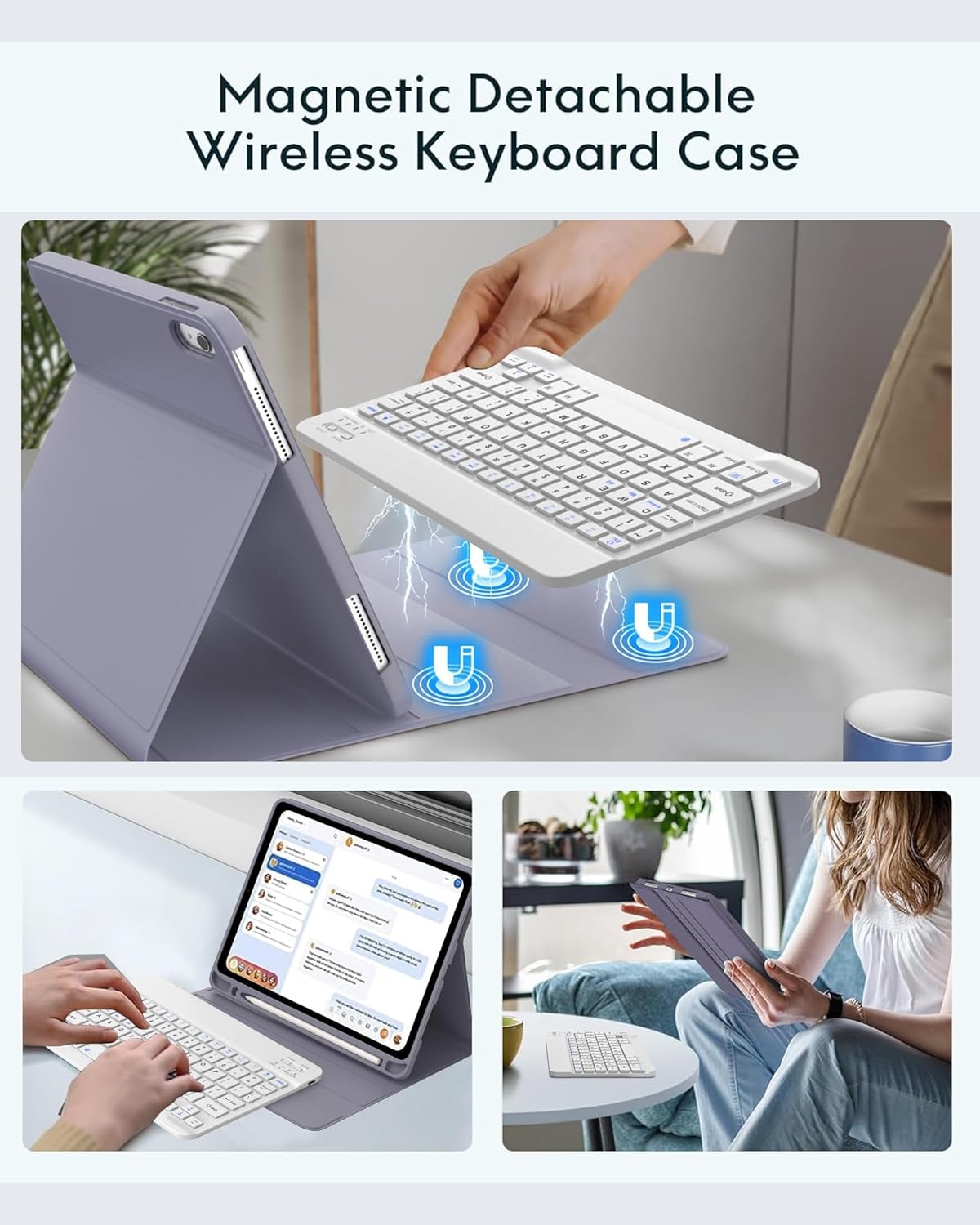
The keyboard attaches magnetically to the case, allowing for easy detachment when not needed or for a lighter experience. Reattach it for a laptop-like setup. The strong magnetic attachment keeps the keyboard securely in place during use.
Multiple Viewing Angles
The case features 3 anti-slip grooves, allowing you to adjust your iPad to various comfortable viewing angles. These angles are suitable for different activities such as working, studying, typing, drawing, or watching videos.

Built-in Apple Pencil Holder
An integrated holder is provided to store and access your Apple Pencil conveniently. This design helps keep your stylus secure and prevents loss. (Note: Apple Pencil is not included.)
Auto Sleep/Wake Function
The case supports the iPad's auto sleep/wake feature. Opening the case will automatically wake your iPad, and closing it will put it to sleep. This functionality helps conserve battery life and protects your work.
Keyboard Hotkeys and Layout
The keyboard features a QWERTY layout with hotkeys specifically designed for iPad functions. These include controls for volume, music playback, screen brightness, and other common tasks. The ergonomic design aims for comfortable typing.
Maintenance and Care
Cleaning the Case
The case is designed to be stain-resistant, dirt-resistant, and anti-fingerprint. To clean, gently wipe the surface with a soft, damp cloth. Avoid using harsh chemicals or abrasive materials that could damage the finish.

General Protection
Constructed from premium PU leather and flexible TPU, the case provides shock-absorbing and drop-resistant protection for your iPad. Its non-slip design ensures a secure grip. While durable, avoid exposing the case to extreme temperatures, direct sunlight for prolonged periods, or sharp objects to maintain its integrity.
Troubleshooting
Keyboard Not Connecting via Bluetooth
- Ensure the keyboard is turned on and fully charged.
- Make sure Bluetooth is enabled on your iPad.
- Put the keyboard into pairing mode by pressing the 'Connect' button.
- Forget the device from your iPad's Bluetooth settings and attempt to re-pair.
- Restart both your iPad and the keyboard.
Keyboard Not Typing or Responding
- Check the keyboard's battery level and charge if necessary.
- Verify that the keyboard is still connected via Bluetooth to your iPad.
- Ensure no other Bluetooth devices are interfering with the connection.
- Try restarting the keyboard and your iPad.
Auto Sleep/Wake Function Not Working
- Ensure your iPad is correctly seated in the case.
- Check your iPad's settings: Go to Settings > Display & Brightness > Lock/Unlock and ensure it is enabled.
Specifications
| Brand | FOGARI |
| Compatible Devices | iPad 10th Generation 10.9 inch 2022 (A2696/A2757/A2777), iPad 11th Generation 11 inch 2025 (A3354/A3355/A3356) |
| Connectivity Technology | Bluetooth, USB-C (for charging) |
| Keyboard Description | Multimedia, QWERTY Layout |
| Special Features | Adjustable Viewing Angles, Foldable, Lightweight, Portable, Built-in Pencil Holder, Auto Sleep/Wake, Magnetic Detachable Keyboard |
| Color | Purple |
| Material | Premium PU Leather, Flexible TPU, Plastic |
| Product Dimensions | 10.24"L x 8.23"W x 1.06"H (26 x 20.9 x 2.7 cm) |
| Item Weight | 1 pound (approx. 453g) |
| Battery Life | Up to 15 days continuous use (approx. 3 hours charging time) |
Warranty and Support
The FOGARI Wireless Detachable Keyboard Case comes with a 1-year warranty and a 30-day money-back guarantee. For any questions, concerns, or support needs, please contact FOGARI customer service. Friendly 24/7 customer support is available to assist you.
Your satisfaction is our priority. Please refer to the contact information provided with your product packaging or visit the official FOGARI website for support details.