
1. Introduction
This manual provides detailed instructions for the proper use and maintenance of your CAMKORY C-DC305X 5K Digital Camera. Please read this manual thoroughly before operating the camera to ensure optimal performance and longevity of the device. Keep this manual for future reference.
2. Product Overview
The CAMKORY C-DC305X is a compact digital camera designed for high-quality photography and video recording. It features 5K video resolution, 56MP still image capture, 10x optical zoom, and a 3-inch touch screen. The camera is equipped with both front and rear lenses for versatile shooting, including selfies and vlogging.
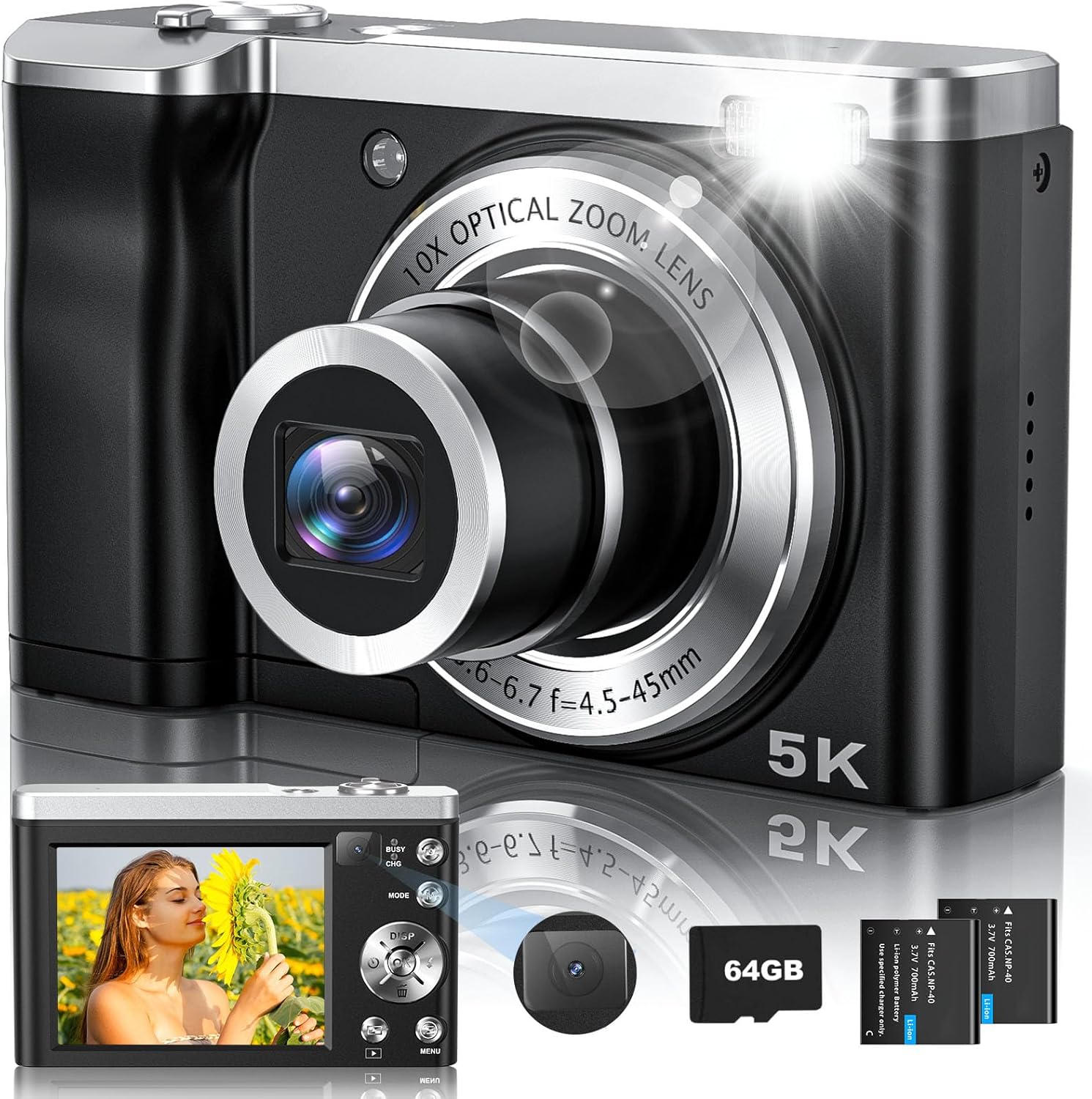
Figure 2.1: Front view of the CAMKORY C-DC305X 5K Digital Camera and included accessories.
3. Package Contents
Verify that all items listed below are included in your package:
- CAMKORY C-DC305X 5K Digital Camera
- Two (2) Rechargeable Batteries
- 64GB Memory Card
- Charging Adapter
- Type-C USB Cable
- Lanyard
- User Manual

Figure 3.1: All items included in the CAMKORY C-DC305X package.
Video 3.1: An unboxing video demonstrating the contents of the CAMKORY C-DC305X camera package, including the camera, batteries, cables, and other accessories.
4. Setup
4.1 Battery and Memory Card Installation
Before first use, ensure the battery is fully charged and the memory card is inserted correctly.
- Locate the battery/memory card compartment door on the bottom of the camera.
- Slide the latch to open the compartment door.
- Insert the rechargeable battery into the battery slot, ensuring the correct orientation as indicated inside the compartment.
- Insert the 64GB memory card into the memory card slot until it clicks into place.
- Close the compartment door securely until it latches.
Video 4.1: A demonstration of how to correctly install the battery and memory card into the CAMKORY C-DC305X camera.
4.2 Charging the Camera
Connect the camera to the charging adapter using the provided Type-C USB cable. The charging indicator light will illuminate during charging and turn off when fully charged. It is recommended to fully charge the battery before initial use.
5. Basic Operation
5.1 Powering On/Off
Press and hold the Power button (usually located on the top or side of the camera) to turn the camera on or off. The lens will extend or retract upon powering on or off.
5.2 Taking Photos
To take a photo, ensure the camera is in photo mode. Frame your shot using the 3-inch touch screen. The camera features autofocus to ensure clarity. Press the Shutter button halfway to focus, then press fully to capture the image.

Figure 5.1: Autofocus feature ensures sharp and clear images.
5.3 Recording Videos
Switch to video mode using the mode dial or touch screen menu. Press the Shutter button to start recording, and press it again to stop. The camera supports 5K video resolution for high-quality recordings.
5.4 Using Optical Zoom
The camera features a 10x optical zoom lens. Use the zoom lever (W/T) to zoom in (Telephoto) or out (Wide-angle). Optical zoom maintains image quality without pixelation, unlike digital zoom.
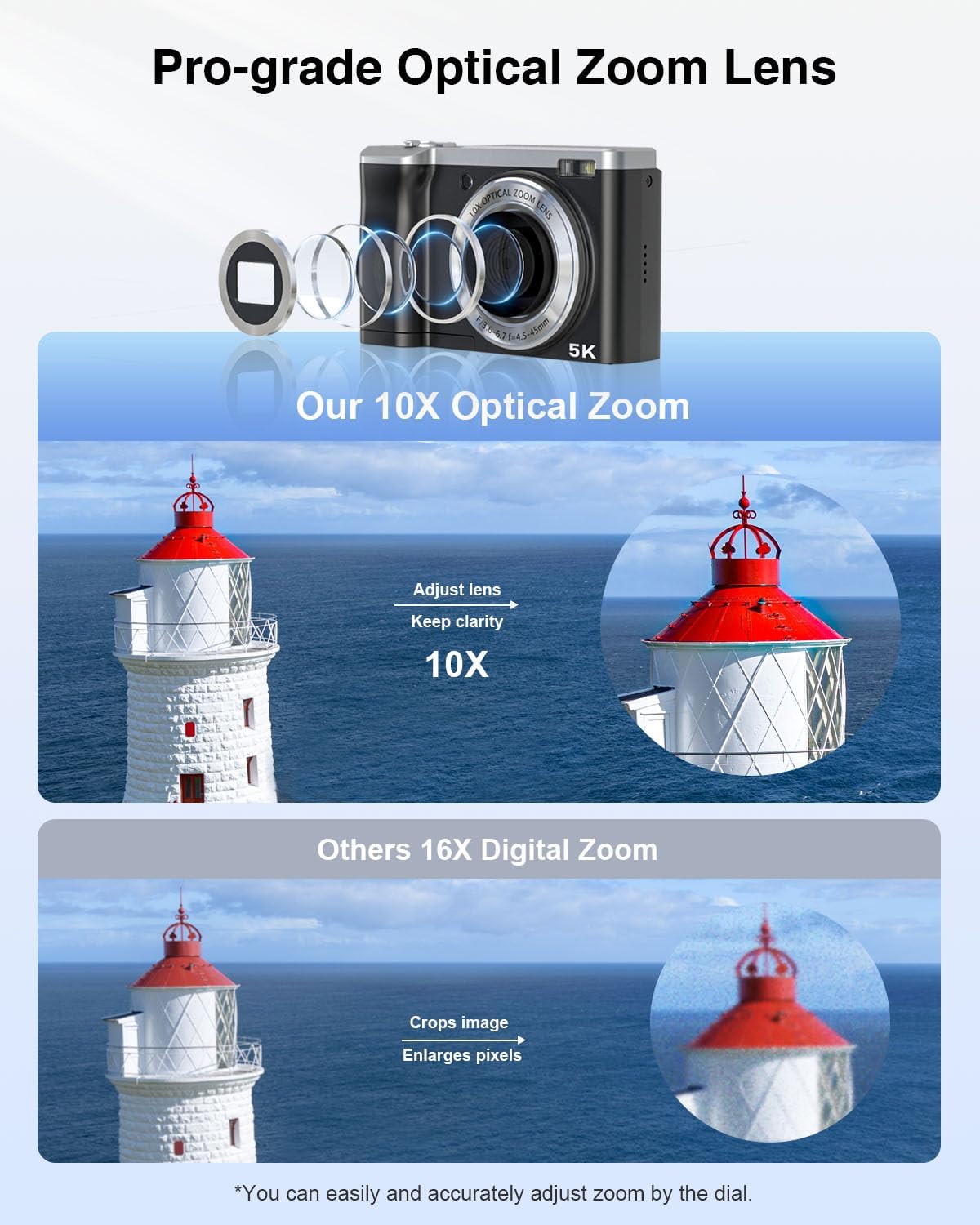
Figure 5.2: The 10x optical zoom preserves image clarity for distant subjects.
5.5 Selfie Mode (Dual Lens)
The camera includes a dual-lens system, allowing you to easily switch between front and rear lenses for selfies or vlogging. A dedicated button or touch screen option facilitates this transition.

Figure 5.3: Utilize the dual lens for convenient selfie photography and vlogging.
Video 5.4: A short video demonstrating the general operation and features of the CAMKORY C-DC305X camera.
6. Advanced Features
The CAMKORY C-DC305X offers several advanced shooting modes and functionalities:
- Time-lapse: Capture sequences of images over time to create accelerated videos.
- Slow-motion: Record videos at a higher frame rate for smooth slow-motion playback.
- Burst Shooting: Capture multiple photos in quick succession, ideal for fast-moving subjects.
- Webcam Functionality: Connect the camera to a computer via USB to use it as a webcam for streaming or video calls.
- Creative Filters: Apply various filters to your photos and videos for artistic effects.
- Anti-shake: Digital image stabilization helps reduce blur from camera movement.
- Built-in Flash: Provides additional illumination in low-light conditions.

Figure 6.1: Visual representation of the camera's diverse features.
7. Maintenance
7.1 Cleaning the Camera
Use a soft, lint-free cloth (like the one provided) to gently clean the camera body, lens, and screen. Avoid using harsh chemicals or abrasive materials that could damage the surfaces. For the lens, use a specialized lens cleaning solution if necessary, applied to the cloth, not directly to the lens.
7.2 Battery Care
To prolong battery life, avoid exposing batteries to extreme temperatures. Store unused batteries in a cool, dry place. If the camera will not be used for an extended period, remove the batteries.
7.3 Storage
When not in use, store the camera in a protective case or pouch to prevent scratches and dust accumulation. Ensure the lens cap is on to protect the optical lens.
8. Troubleshooting
If you encounter issues with your camera, refer to the following common problems and solutions:
| Problem | Possible Solution |
|---|---|
| Camera does not power on. | Ensure the battery is fully charged and correctly inserted. Try using the second provided battery. |
| Images are blurry or out of focus. | Check if autofocus is enabled. Ensure sufficient lighting. Clean the lens if it is dirty. |
| Cannot transfer pictures to PC via USB. | Ensure the camera is connected correctly and recognized by the computer. Try using a different USB port or cable. Alternatively, remove the memory card and use a card reader to transfer files. |
| Memory card error. | Reinsert the memory card. Format the memory card (this will erase all data). Try a different compatible memory card. |
| Flash not working. | Check flash settings in the camera menu. Ensure the flash is not set to 'Off' or 'Auto' in bright conditions. |
9. Specifications
Key technical specifications for the CAMKORY C-DC305X camera:
| Feature | Specification |
|---|---|
| Brand | CAMKORY |
| Model Name | C-DC305X |
| Effective Still Resolution | 56 MP |
| Video Resolution | 5K UHD 2880p, 2160p |
| Optical Zoom | 10x |
| Screen Size | 3 Inches |
| Display Type | LCD, Capacitive Touch Screen |
| Photo Sensor Technology | CMOS (1/1.8-inch) |
| Image Stabilization | Digital |
| Autofocus | Yes (Hybrid Auto Focus) |
| Supported File Format | JPEG, MP4 |
| External Memory Size | 64 GB (up to 128 GB supported) |
| Connectivity Technology | USB Type-C |
| Batteries Included | Yes (Two 800mAh rechargeable batteries) |
| Item Weight | 0.43 Kilograms |
10. Warranty and Support
CAMKORY offers a two-year hassle-free replacement and refund warranty service for the C-DC305X 5K Digital Camera. For warranty claims, technical support, or any inquiries, please refer to the contact information provided in your product packaging or visit the official CAMKORY website.
You may also find support by contacting support@camkory.cn.