
1. Introduction
Thank you for choosing the Toshiba 55QV3F63DG 55-inch 4K QLED Smart TV. This manual provides essential information for the safe and efficient use of your television. Please read these instructions carefully before operating the TV and retain them for future reference.
Safety Information
Always follow basic safety precautions when using this television to reduce the risk of fire, electric shock, and injury. Do not expose the TV to rain or moisture. Do not open the TV casing. Refer all servicing to qualified personnel.
2. What's in the Box
Verify that all components are present upon unpacking:
- Toshiba 55QV3F63DG 55-inch 4K QLED Smart TV
- Remote Control
- Batteries for Remote Control
- User Manual (this document)
- Power Cable
- TV Stand Components (if applicable)
3. Setup
3.1 Unpacking
Carefully remove the TV from its packaging. It is recommended to keep the original packaging for potential future transport or servicing.
3.2 Stand Installation
If you are not wall-mounting the TV, attach the central metallic stand. Ensure the stand is securely fastened according to the instructions provided in the separate quick start guide. Place the TV on a stable, level surface.

Image 3.2.1: A detailed view of the metallic central stand, highlighting its design and stability for tabletop placement.
3.3 Wall Mounting
The Toshiba 55QV3F63DG is VESA compatible. Use a VESA-compliant wall mount kit (sold separately) and follow the wall mount manufacturer's instructions. Ensure the wall can support the weight of the TV.
3.4 Connecting Peripherals
Connect your external devices such as Blu-ray players, game consoles, or sound systems to the TV's HDMI, USB, or other available ports. For internet access, connect an Ethernet cable or configure Wi-Fi during the initial setup.
3.5 Initial Power On and First-Time Setup
Connect the power cable to the TV and a power outlet. Press the power button on the remote control or the TV. Follow the on-screen instructions to select your language, country, network settings, and scan for channels.

Image 3.5.1: The Toshiba 55QV3F63DG 55-inch QLED 4K Smart TV, showcasing its frameless design and vibrant display.
4. Operating Your TV
4.1 Remote Control Functions
Familiarize yourself with the remote control buttons for power, volume, channel selection, input source, Smart TV access, and navigation.
4.2 Smart TV Features
Your Toshiba QLED TV runs an intuitive operating system, providing access to popular streaming applications such as Netflix, Prime Video, YouTube, and Disney+. Navigate through the Smart TV interface using the remote control to explore and launch applications.
4.3 Picture Settings
The TV features QLED technology and 4K UHD resolution (3840x2160 pixels) for superior image quality. It supports HDR10 and HLG for enhanced dynamic range and Dolby Vision for an optimized cinematic experience. Adjust picture modes (e.g., Standard, Cinema, Game) and individual settings like brightness, contrast, and color saturation via the TV's menu.

Image 4.3.1: The TV screen displaying a colorful image, emphasizing the vivid color reproduction of QLED technology.

Image 4.3.2: This image highlights the advanced picture processing features of the TV, including TRU Resolution for enhanced clarity, TRU Micro Dimming for improved contrast, and TRU Flow for smooth motion.
4.4 Sound Settings
Experience immersive audio with Dolby Audio and DTS Virtual:X support. Access the sound menu to select sound modes (e.g., Music, Movie, Speech) and adjust equalizer settings to suit your preferences.
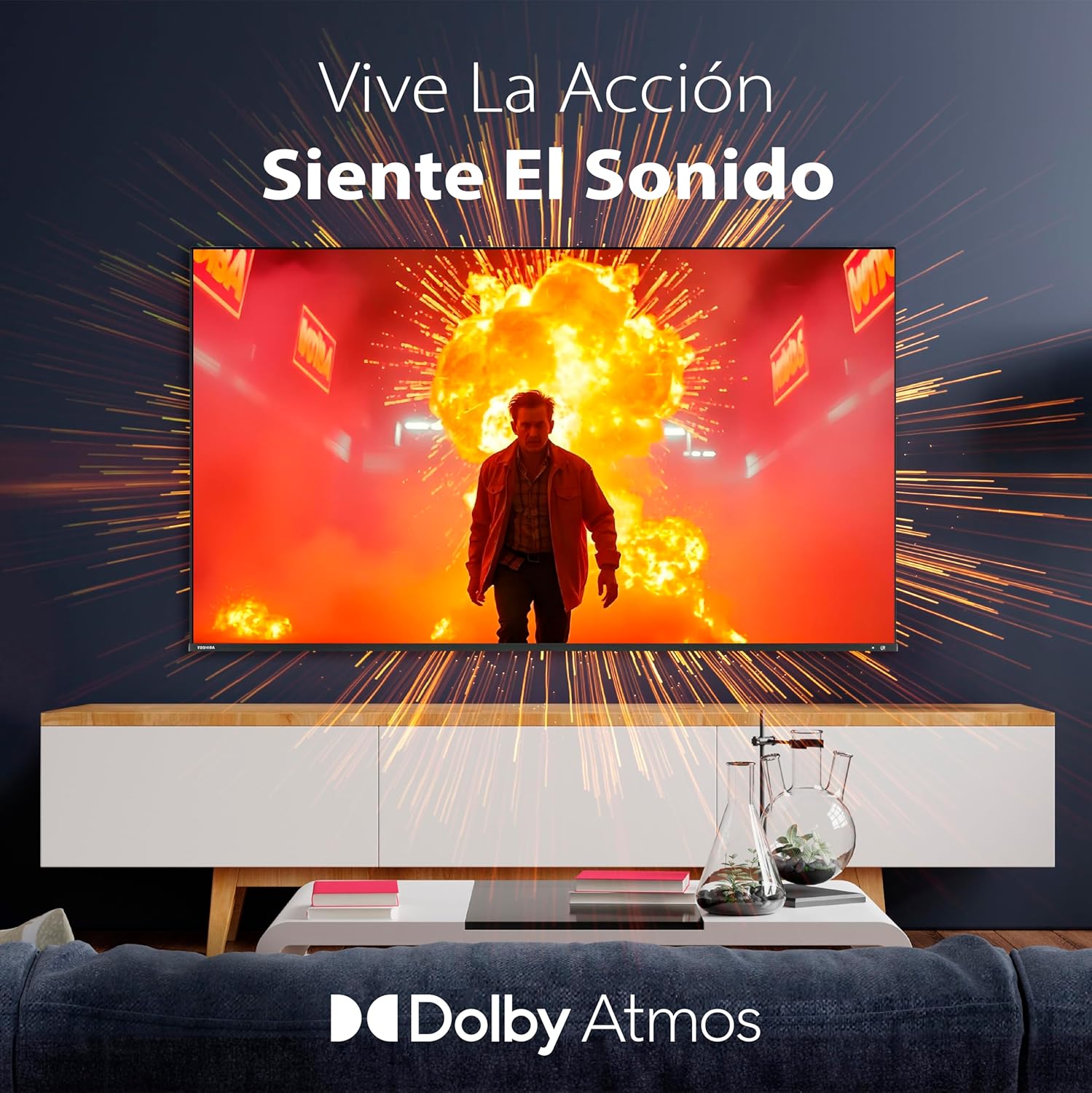
Image 4.4.1: The TV screen displays an action scene, accompanied by the Dolby Atmos logo, indicating an immersive audio experience.
4.5 Gaming Mode
Activate Gaming Mode for reduced input lag and improved fluidity during gameplay. This mode optimizes the TV's settings to provide a more responsive gaming experience.

Image 4.5.1: A user is shown playing a video game on the TV, illustrating the dedicated Gaming Mode for reduced latency and enhanced fluidity.
5. Maintenance
5.1 Cleaning the Screen
Gently wipe the screen with a soft, dry, lint-free cloth. For stubborn marks, slightly dampen the cloth with water or a specialized screen cleaner. Avoid using harsh chemicals or abrasive materials.
5.2 Software Updates
Ensure your TV's software is up to date for optimal performance and security. The TV may automatically prompt you for updates when connected to the internet. You can also manually check for updates in the settings menu.
6. Troubleshooting
If you encounter issues with your TV, refer to the following common problems and solutions:
- No Power: Ensure the power cable is securely connected and the power outlet is functional.
- No Picture/Sound: Check the input source selection. Verify all cables are correctly connected.
- Remote Control Not Working: Replace the batteries. Ensure there are no obstructions between the remote and the TV's IR sensor.
- Poor Picture Quality: Check antenna/cable connections. Adjust picture settings. Ensure the source content is high quality.
- No Internet Connection: Verify Wi-Fi password or Ethernet cable connection. Restart your router.
For more complex issues, consult the full electronic manual or contact customer support.
7. Specifications
Detailed technical specifications for the Toshiba 55QV3F63DG QLED Smart TV:
| Feature | Specification |
|---|---|
| Model Number | 55QV3F63DG |
| Screen Size | 55 inches / 140 cm |
| Display Technology | QLED |
| Resolution | 4K Ultra HD (3840 x 2160) |
| Refresh Rate | 60 Hz |
| HDR Support | HDR10, HLG, Dolby Vision |
| Audio Technology | Dolby Audio, DTS Virtual:X |
| Smart TV Features | Integrated Smart TV OS, compatible with Alexa |
| Connectivity | Wi-Fi, Ethernet, HDMI, USB, RF, Bluetooth |
| Aspect Ratio | 16:9 |
| Dimensions (with stand) | 23.5 x 123.3 x 76.7 cm |
| Weight (with stand) | 14.8 kg |
| VESA Wall Mount | Supported |
7.1 Energy Efficiency Information
The Toshiba 55QV3F63DG TV has an energy efficiency rating of E.
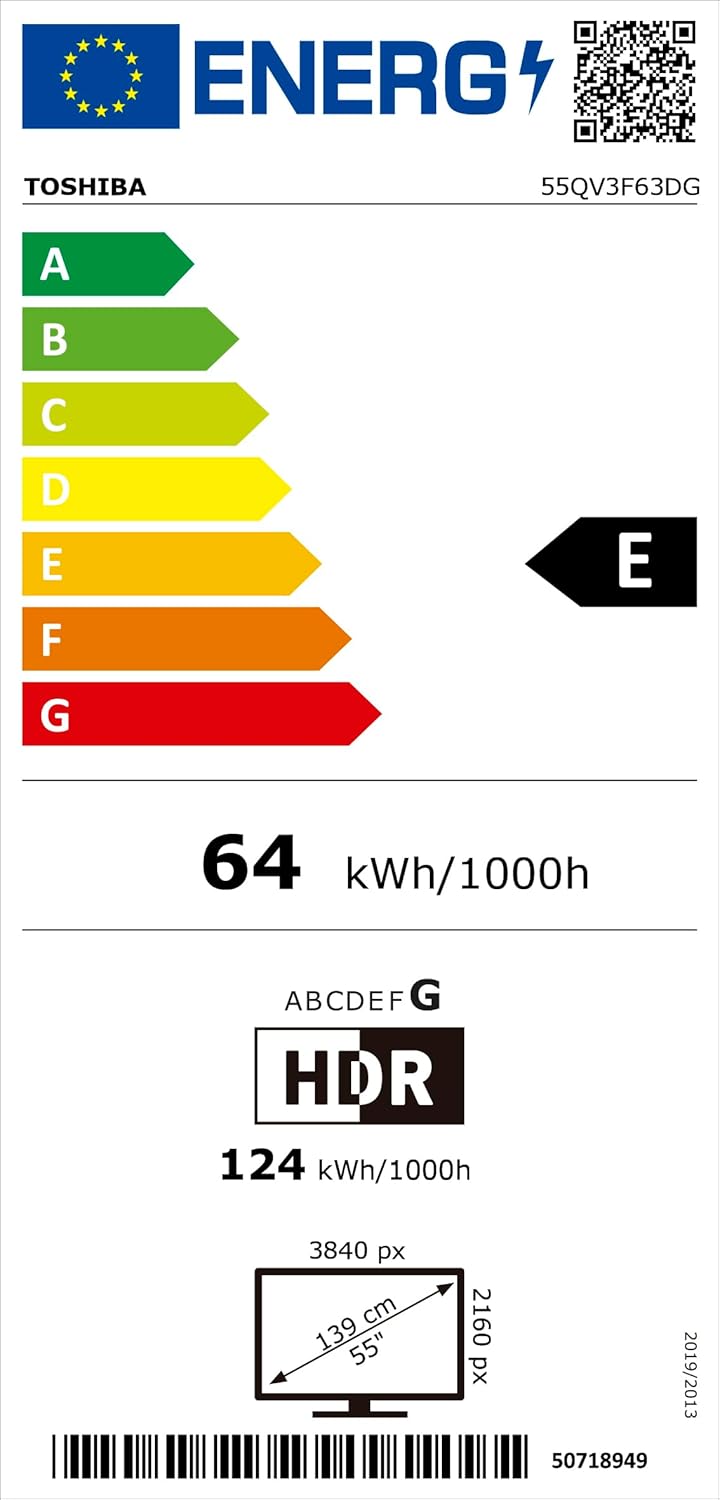
Image 7.1.1: The official EU energy efficiency label for the Toshiba 55QV3F63DG television, indicating its energy class E and power consumption.

Image 7.1.2: A detailed product information sheet providing technical specifications and energy consumption data for the Toshiba 55QV3F63DG TV.
For more detailed energy information, please visit the EPREL database:
8. Warranty and Support
8.1 Warranty Information
Your Toshiba 55QV3F63DG TV comes with a manufacturer's warranty. Please refer to the warranty card included with your product or visit the official Toshiba website for specific terms and conditions regarding warranty coverage and duration.
8.2 Customer Support
If you require technical assistance, have questions about your product, or need to report a fault, please contact Toshiba customer support. Contact details can typically be found on the official Toshiba website or in the warranty documentation.


