
1. Introduction
This manual provides essential instructions for the safe and efficient operation, maintenance, and troubleshooting of your Diveblues iTurbo Handheld Turbo Fan, model D5042-WH-US. Please read this manual thoroughly before using the product and retain it for future reference.
2. Product Overview
The Diveblues iTurbo Handheld Turbo Fan is a portable, rechargeable fan designed for personal cooling. It features a powerful airflow, multiple speed settings, and a versatile design for various uses.
2.1 Key Features
- Turbo Airflow: Equipped with a 6-blade design and a high-speed three-phase brushless motor, providing strong airflow up to 9.2m/s.
- Versatile Design: Can be used handheld, worn around the neck, or placed on a desktop.
- Long Battery Life: Integrated 4000mAh battery offers up to 11.5 hours of operation.
- Adjustable Speeds: Features 5 distinct wind speed settings.
- LED Display: Shows current wind speed and battery level.
- USB-C Charging: Convenient and fast charging via a Type-C port.
- Lightweight and Portable: Weighs approximately 190g, making it easy to carry.
2.2 Product Components
Familiarize yourself with the main components of your iTurbo fan:

Image 1: The Diveblues iTurbo Handheld Turbo Fan shown in both its compact, folded state and its extended, handheld configuration. The fan head is adjustable.

Image 2: Detailed view of the fan's features, including the USB-C charging port, the smart LED display, the protective grille designed for safety, and the non-slip silicone base for stability.
3. Setup
3.1 Initial Charging
Before first use, fully charge the fan. Connect the provided USB-C cable to the charging port on the fan and the other end to a compatible USB power adapter (not included) or a computer's USB port. The LED display will indicate charging status.
- A full charge typically takes a few hours.
- The 4000mAh battery provides up to 11.5 hours of operation on lower settings.
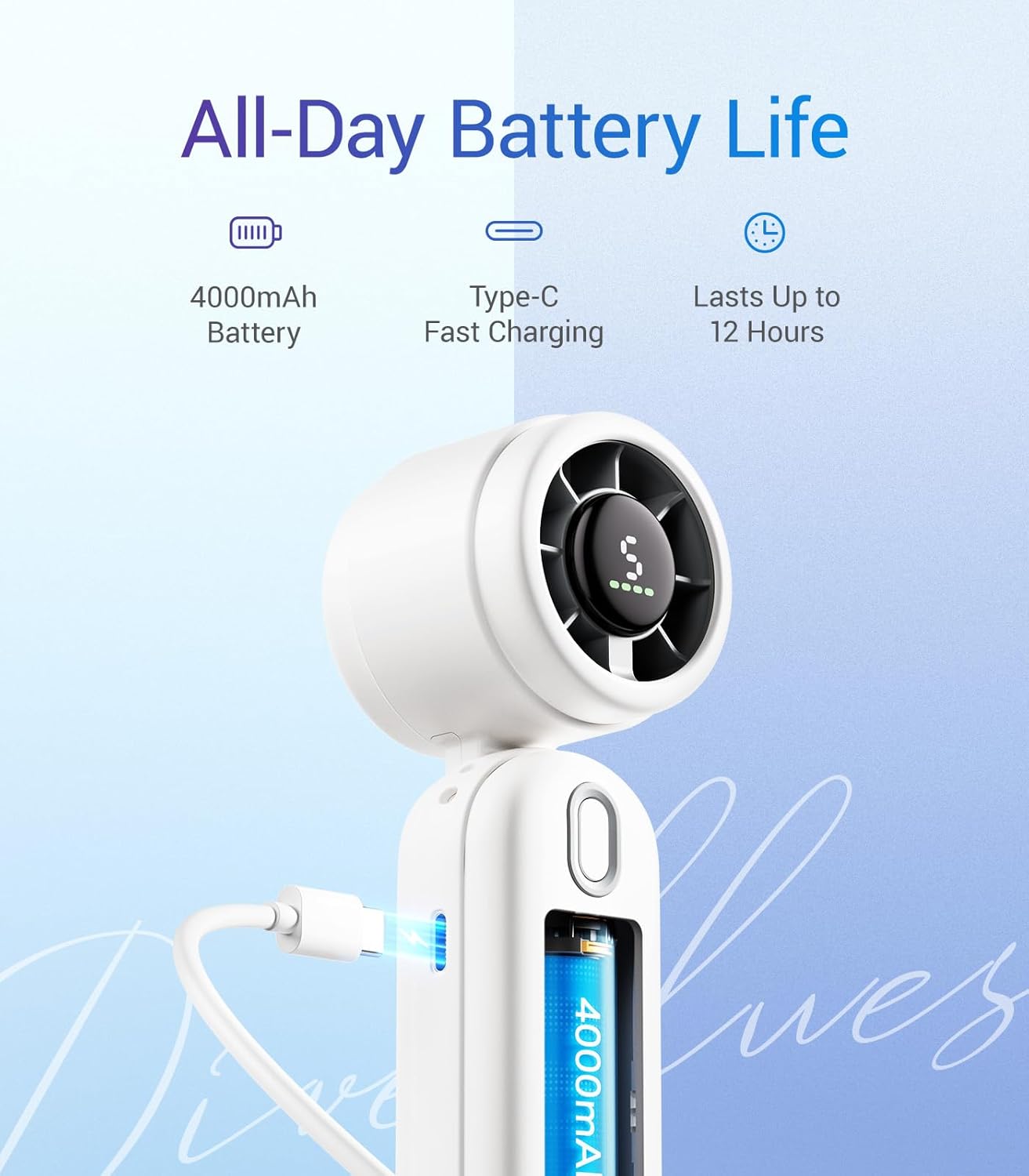
Image 3: The fan being charged via its USB-C port, highlighting its 4000mAh battery capacity and extended operating time.
4. Operating Instructions
4.1 Power On/Off
- To power on, press and hold the power button located on the handle. The fan will start at the lowest speed setting.
- To power off, press and hold the power button again.
4.2 Adjusting Wind Speed
The fan has 5 adjustable wind speed settings:
- While the fan is on, short press the power button to cycle through the speed settings (1 to 5).
- The LED display will show the current speed level.
- Speed 1 provides a gentle breeze, while Speed 5 delivers maximum airflow.

Image 4: Visual representation of the iTurbo fan's powerful airflow compared to a standard fan, demonstrating its superior wind speed.
4.3 Usage Modes
The iTurbo fan offers three versatile usage modes:
- Handheld: Hold the fan by its ergonomic handle for direct cooling.
- Wearable: Use the included lanyard to wear the fan around your neck, directing airflow upwards.
- Desktop: Fold the handle to create a stable base, allowing the fan to stand on a flat surface.

Image 5: Demonstrations of the fan's adaptability, showing it used as a handheld device, worn around the neck, and positioned on a desk.
5. Maintenance
5.1 Cleaning
- Ensure the fan is powered off and unplugged before cleaning.
- Wipe the exterior of the fan with a soft, dry cloth.
- For the fan grille, use a soft brush or cotton swab to gently remove dust.
- Do not use abrasive cleaners, solvents, or immerse the fan in water.
5.2 Storage
- Store the fan in a cool, dry place away from direct sunlight and extreme temperatures.
- If storing for an extended period, charge the battery to approximately 50% to prolong its lifespan.
6. Troubleshooting
If you encounter issues with your Diveblues iTurbo fan, please refer to the following common problems and solutions:
| Problem | Possible Cause | Solution |
|---|---|---|
| Fan does not turn on. | Battery is depleted. | Charge the fan using the USB-C cable. |
| Low airflow. | Fan speed is too low or grille is obstructed. | Increase the fan speed. Check and clean the fan grille for any obstructions. |
| Fan is not charging. | Faulty cable, adapter, or connection. | Ensure the USB-C cable is securely connected. Try a different USB-C cable or power adapter. |
| Unusual noise during operation. | Obstruction in fan blades or internal issue. | Power off the fan and carefully check for any foreign objects near the blades. If the noise persists, discontinue use and contact support. |
If the problem persists after attempting these solutions, please contact customer support for further assistance.
7. Specifications
| Feature | Detail |
|---|---|
| Brand | Diveblues |
| Model Number | D5042-WH-US |
| Color | White |
| Product Dimensions | 10.92 x 4.32 x 3.56 cm |
| Item Weight | 190 g |
| Power / Wattage | 10 watts |
| Material | Plastic |
| Number of Speeds | 5 |
| Special Features | Lightweight, LED Display |
| Power Source | Battery Powered (4000mAh) |
| Charging Port | USB-C |
8. Warranty and Support
For warranty information or technical support, please refer to the documentation included with your purchase or contact the Diveblues customer service directly. Contact details can typically be found on the product packaging or the official Diveblues website.


