
Introduction
This instruction manual provides essential information for the proper setup, operation, and maintenance of your EACHSHOT YC Onion Pineta Pro Carbon Fiber Monopod with FH60 Fluid Head and Pedal Base. Please read this manual thoroughly before using the product to ensure safe and efficient operation. Keep this manual for future reference.
Safety Information
- Always ensure your camera equipment is securely mounted before use.
- Do not exceed the maximum payload capacity of 5 kg (11 lbs) for the monopod, especially when using a gimbal.
- When the monopod is locked at a specific height, avoid applying excessive downward force on the top, as this may compromise stability and reduce the effective payload capacity.
- Exercise caution when adjusting the monopod's height to prevent accidental drops or pinching.
- Avoid using the monopod in extreme weather conditions (e.g., strong winds, heavy rain) without adequate protection for your equipment.
- Keep the monopod clean and free from dust, sand, and moisture to ensure smooth operation and longevity.
Package Contents
Verify that all items listed below are included in your package:
- Pineta Pro Monopod x 1
- FH60 Fluid Head x 1
- Set screw x 4
- Allen key M2 x 2
- Rubber pad x 1
- Storage bag x 1
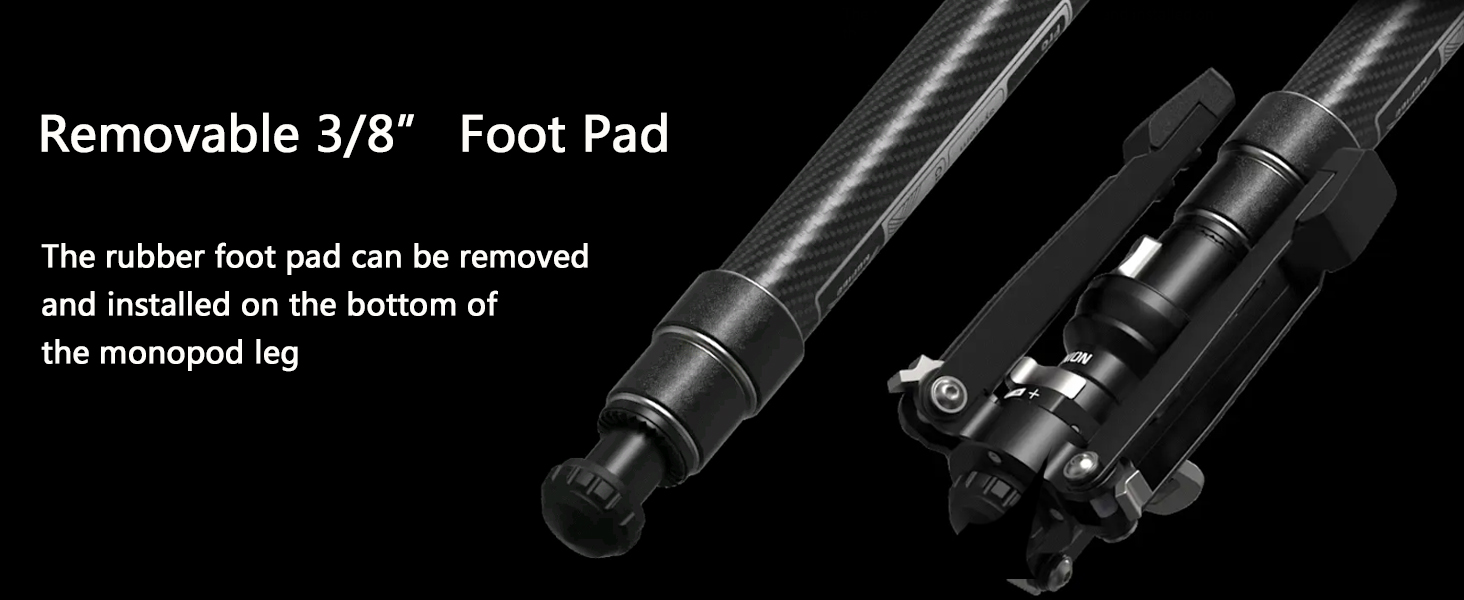
Figure 1: Included Package Contents
Product Overview
The YC Onion Pineta Pro Monopod is a versatile carbon fiber camera support system designed for stability and portability. It features an integrated FH60 Fluid Head and a pedal-operated base for enhanced functionality.
Key Features:
- FH60 Fluid Head: Provides smooth pan and tilt movements for video recording.
- Versatile Support Legs: Features semi-automatic angle adjustment, allowing for steep angles in narrow spaces or folded reverse positions for uneven terrain.
- Extended Stability Legs: Support legs are extended to 212mm for a larger and more stable footprint.
- Secure Quick Release System: Designed for rapid attachment and detachment of equipment with a deep internal travel to prevent accidental pop-ups.
- One-Click Safety Lock: A trigger lock mechanism ensures equipment safety.
- Low-Shot Angle Capability: Easily achieve low-angle shots by snapping the top plate onto the base.
- Anti-Deflection Set Screw: A 39mm carbon fiber tube with an anti-deflection screw on the quick-release plate enhances equipment stability.
- 2-in-1 Mounting Screw: The top plate features a spring-structured screw that can switch between 1/4" and 3/8" threads.
- 1/4" ARRI-style Mount: Integrated side mount for attaching accessories like magic arms.
- Swiveling Base with Adjustable Damping: The base allows for ±18° swivel and features adjustable damping for controlled pan and tilt movements.
- Pedal-Operated Base Release: A foot pedal allows for quick unlocking and locking of the swiveling base.
- Removable 3/8" Foot Pad: A rubber foot pad can be removed or installed on the monopod leg.
- One-Hand Operation (FRS): Enhanced FEISO Release System allows for quick height adjustment by pressing and releasing a trigger.
Setup
1. Attaching the FH60 Fluid Head
- Ensure the monopod's top plate is clean and free of debris.
- Align the FH60 Fluid Head with the monopod's mounting screw.
- Rotate the fluid head clockwise until it is securely tightened. Use the provided Allen key if necessary to further secure any set screws on the monopod's top plate to prevent rotation.
2. Mounting Your Camera Equipment
- Locate the quick release plate on the FH60 Fluid Head.
- Press the two PUSH buttons on the quick release system and lift the top plate to remove it.
- Attach your camera or gimbal to the quick release plate using the appropriate 1/4" or 3/8" screw. Ensure the screw is tightened firmly.
- Slide the quick release plate with your equipment back into the fluid head until it clicks securely into place. You do not need to press the PUSH buttons when re-inserting.
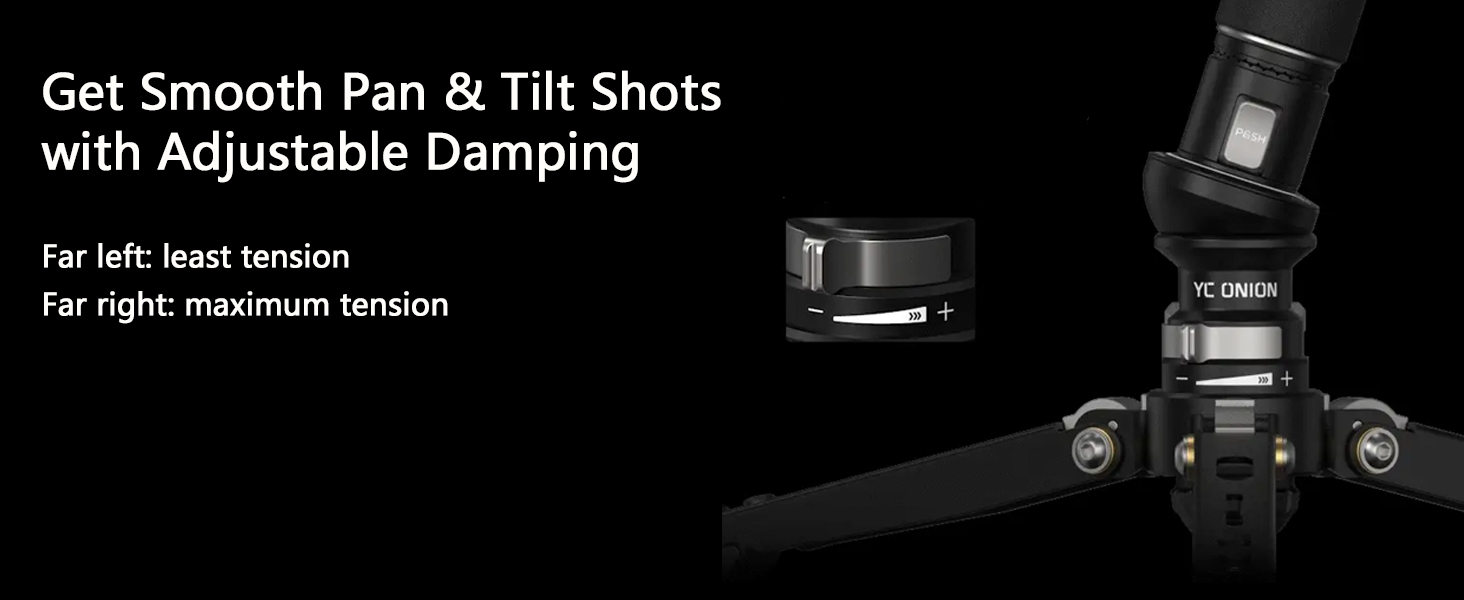
Figure 2: Quick Release System Operation

Figure 3: 2-in-1 Mounting Screw

Figure 4: Anti-Deflection Set Screw
Operating Instructions
1. Adjusting Monopod Height
- To extend the monopod, press the trigger on the handle. The sections will extend.
- Release the trigger at the desired height to lock the monopod in place.
- To retract, press the trigger and gently push the monopod sections back down.

Figure 5: One-Hand Height Adjustment
2. Adjusting Support Legs
- The support legs feature semi-auto angle adjustment. To change the angle, gently pull the legs outwards or push them inwards.
- For narrow spaces, use a steeper leg angle.
- For increased stability on uneven surfaces like sand or gravel, fold the legs in reverse to adapt to the terrain.
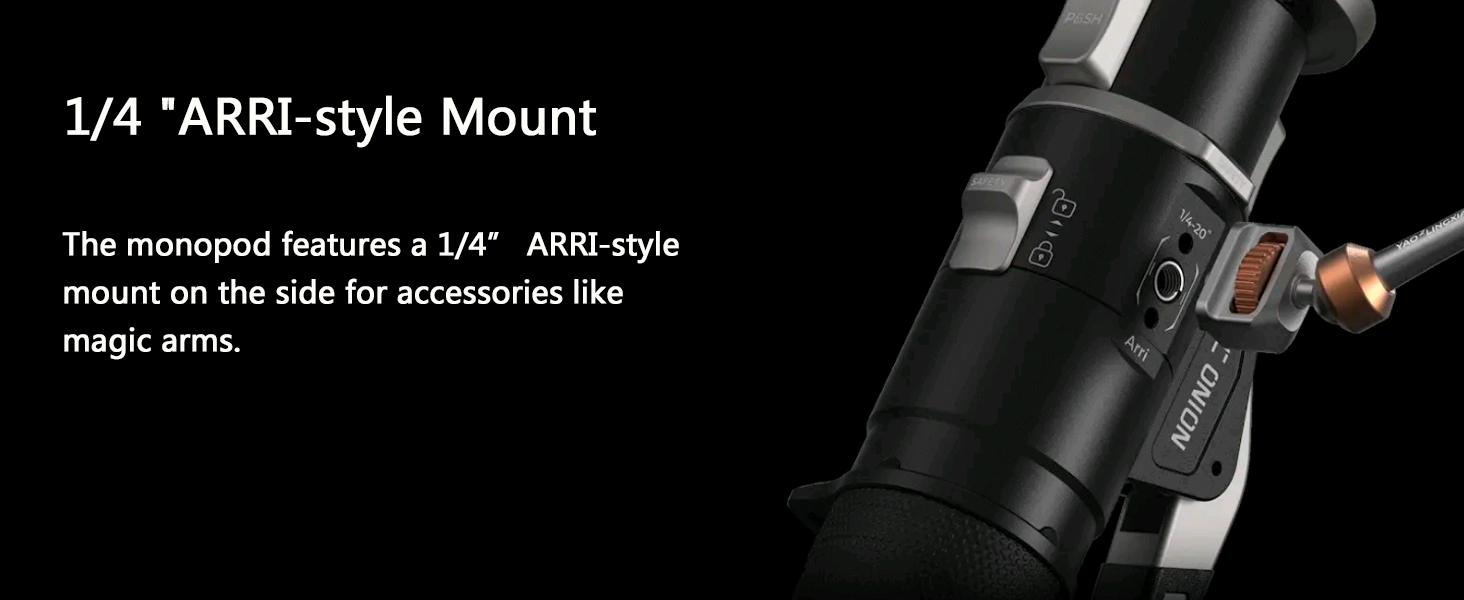
Figure 6: Versatile Support Leg Angles
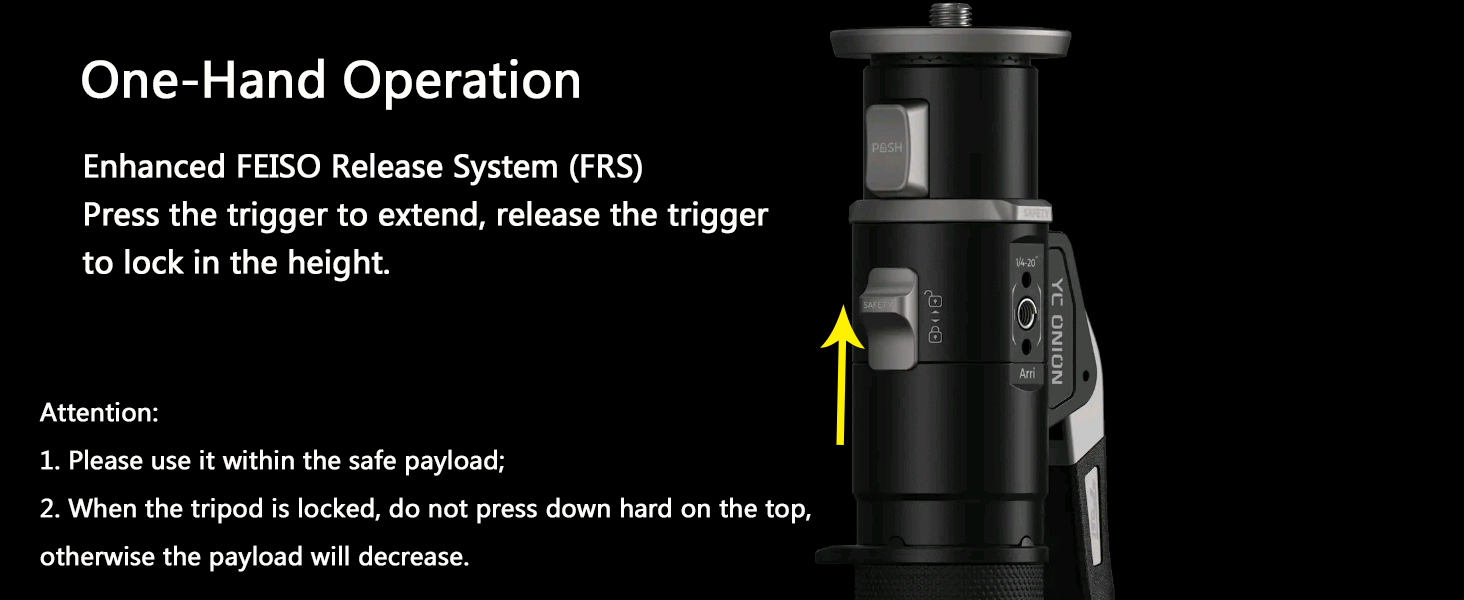
Figure 7: Extended Legs for Enhanced Stability
3. Using the Swiveling Base
- To unlock the swiveling base for free tilt and 360° horizontal rotation, step on the pedal located at the base.
- To lock the base back into a 90° upright position, step on the pedal again.
- Adjust the damping knob on the base to control the tension for smooth pan and tilt shots. Turn left for less tension, right for maximum tension.
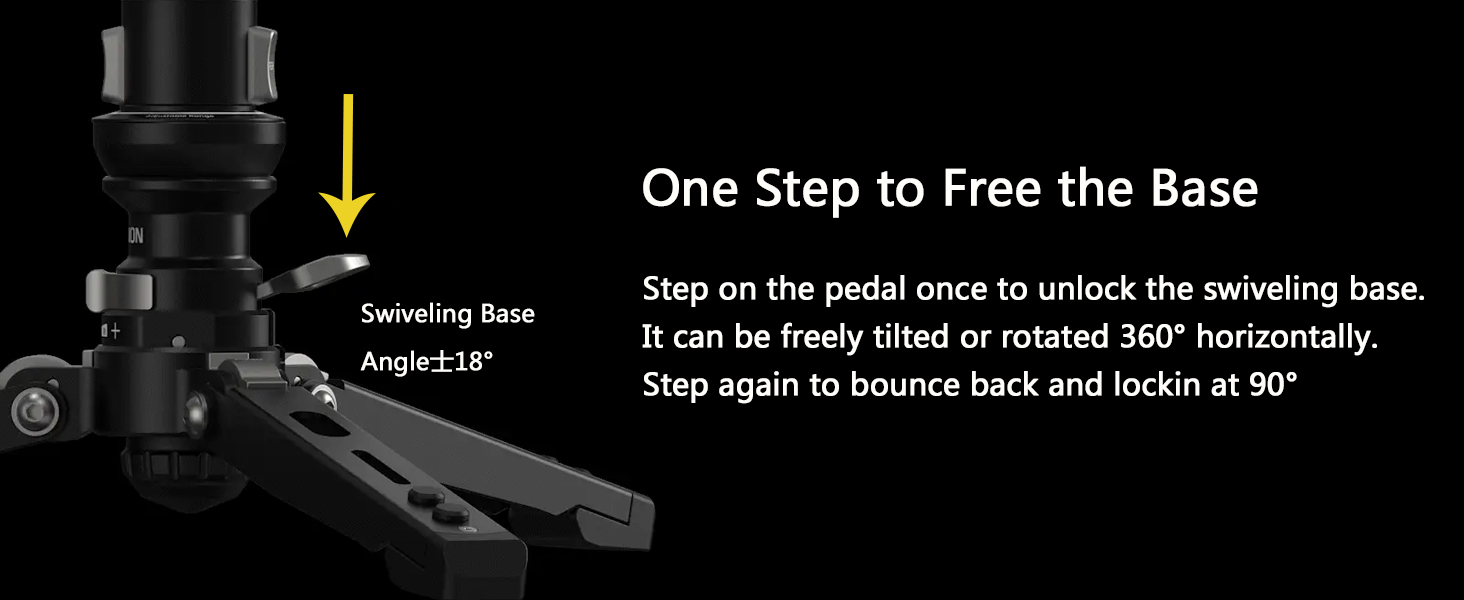
Figure 8: Swiveling Base and Damping Adjustment
4. Achieving Low-Shot Angles
- For very low-angle shots, detach the monopod from the base.
- Snap the quick release plate (with your camera attached) directly onto the monopod's base unit. This allows the camera to be positioned very close to the ground.

Figure 9: Low-Shot Angle Configuration
5. Using the 1/4" ARRI-style Mount
- The monopod features a 1/4" ARRI-style mount on its side.
- This mount is designed for attaching various accessories such as magic arms, external monitors, microphones, or LED lights.
- Ensure any attached accessories do not exceed the monopod's overall stability limits.

Figure 10: 1/4" ARRI-style Mount
Maintenance
- Cleaning: Wipe down the monopod and fluid head with a soft, dry cloth after each use. For stubborn dirt, use a slightly damp cloth and mild soap, then dry thoroughly. Avoid harsh chemicals.
- Lubrication: The moving parts of the fluid head are factory-lubricated. Do not attempt to lubricate them yourself unless specifically instructed by the manufacturer.
- Storage: Store the monopod in its provided storage bag in a cool, dry place, away from direct sunlight and extreme temperatures.
- Inspection: Periodically check all screws, levers, and locking mechanisms for tightness and proper function. Tighten any loose screws with the appropriate Allen key.
- Foot Pad: The 3/8" rubber foot pad can be removed for cleaning or replacement. Ensure it is securely re-installed if removed.

Figure 11: Removable Foot Pad
Troubleshooting
- Monopod sections not locking: Ensure the trigger mechanism is fully released after extending the monopod. Check for any obstructions in the locking mechanism.
- Fluid head movements are stiff or jerky: Adjust the damping knob on the fluid head. If the issue persists, clean the head to remove any dust or debris.
- Quick release plate not securing: Ensure the quick release plate is fully inserted until it clicks. Check that the PUSH buttons are not stuck. Verify that the camera or gimbal is properly attached to the plate and not interfering with the locking mechanism.
- Base not swiveling freely: Step on the pedal firmly to ensure the base is unlocked. Check for any debris around the pedal or swivel mechanism.
- Monopod feels unstable: Ensure all leg angles are set appropriately for the terrain. Verify that the monopod sections are fully extended and locked. Check that the anti-deflection set screw is tightened if applicable. Do not exceed the maximum payload.
Specifications
| Feature | Specification |
|---|---|
| Model Name | PINETA Pro |
| Material | Carbon Fiber |
| Product Dimensions | 36.22 x 6.3 x 6.3 inches (approx. 92 x 16 x 16 cm) |
| Item Weight | 7.04 pounds (3.2 Kilograms) |
| Weight Limit (Max Payload) | 5 Kilograms (11 lbs) |
| Tripod Head Type | Pan Heads (FH60 Fluid Head) |
| Compatible Devices | DSLR Camera, Gimbal |
| Maximum Height (Base Legs) | 212 Millimeters (approx. 8.3 inches - refers to the extended height of the base legs, not the monopod itself) |
| Minimum Height (Base Legs) | 212 Millimeters (approx. 8.3 inches - refers to the folded height of the base legs, not the monopod itself) |
Warranty & Support
For warranty information, technical support, or service inquiries, please refer to the official EACHSHOT website or contact your retailer. Keep your purchase receipt as proof of purchase for warranty claims.
Manufacturer: YC
Brand: EACHSHOT