Introduction
The AMTAST 2-in-1 Instant Read Thermometer (Model AMT206) is a versatile instrument designed for accurate temperature measurement in various applications, including food processing, preparation, brewing, and laboratory settings. It features both a non-contact infrared sensor for surface temperatures and a foldable thermocouple probe for internal temperatures. This manual provides detailed instructions for proper use and maintenance to ensure optimal performance and longevity of your device.
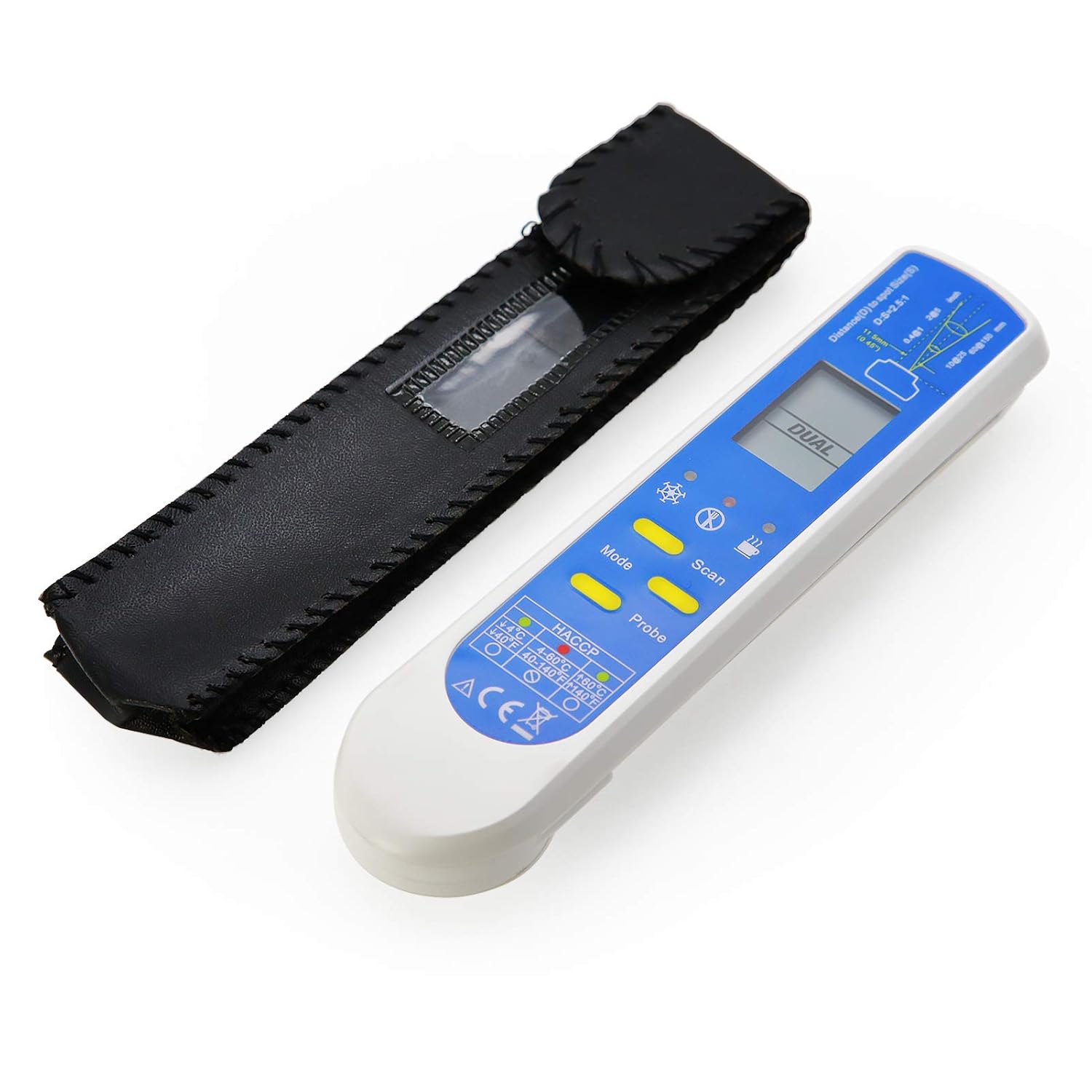
Figure 1: AMTAST 2-in-1 Instant Read Thermometer with its protective case.
Key Features
- 2-in-1 Design: Combines non-contact infrared (IR) for surface temperature and a foldable thermocouple probe for internal temperature.
- Wide Temperature Ranges:
- Infrared: -67 to 572°F (-55 to 250°C)
- Probe: -67 to 626°F (-55 to 330°C)
- HACCP Check Function: Clearly indicates if food is in a dangerous (4~60°C / 40~140°F) or safe temperature zone.
- High Accuracy: Infrared Accuracy ±1.8°F (32-149°F), Probe Accuracy ±0.9°F (0.5°C).
- Adjustable Emissivity: User-adjustable from 0.10 to 1.00 in 0.01 steps (factory preset to 0.95).
- Measurement Modes: Includes Minimum, Maximum, and Lock modes for continuous scanning.
- Dual Display: Shows both IR and probe readings simultaneously.
- IP65 Protection: Provides protection against dust and low-pressure water jets.
- Portable Design: Ultra-thin, fits into a shirt pocket, comes with a storage case.
- Auto Power Off: Conserves battery life.
Setup
1. Battery Installation
The AMTAST AMT206 thermometer requires one Lithium battery for operation. Please note that batteries are not included in the package due to aviation security regulations.
- Locate the battery compartment on the back of the device.
- Open the battery cover.
- Insert the Lithium battery, ensuring correct polarity (+/-).
- Close the battery cover securely.
2. Initial Power On and Unit Selection
Press any button to power on the device. The default temperature unit is usually Fahrenheit (°F). To switch between Celsius (°C) and Fahrenheit (°F):
- With the device on, press the Mode button repeatedly until the desired unit is displayed.
3. Emissivity Adjustment
Emissivity (ε) is a measure of an object's ability to emit infrared energy. Different materials have different emissivity values. The factory preset is 0.95, which is suitable for most organic materials and painted surfaces. For highly reflective surfaces, you may need to adjust the emissivity for accurate IR readings.
- Press the Mode button until 'ε' appears on the display.
- Use the Scan or Probe buttons to adjust the emissivity value from 0.10 to 1.00 in 0.01 steps.
- Press Mode again to confirm and exit.

Figure 2: Rear view of the thermometer, showing the battery compartment and serial number.
Operating Instructions
1. Infrared (IR) Temperature Measurement
The IR function measures the surface temperature of an object without contact.
- Ensure the probe is folded into the device.
- Point the infrared sensor towards the target object.
- Press and hold the Scan button. The display will show the real-time surface temperature.
- Release the Scan button to hold the reading on the display.
Distance-to-Spot Ratio (D:S): The AMT206 has a D:S ratio of 2.5:1. This means that at a distance of 2.5 units, the measurement spot diameter is 1 unit. For example, if you are 2.5 inches away from the target, the measurement area will be 1 inch in diameter. Ensure the target is larger than the spot size for accurate readings.

Figure 3: Close-up of the thermometer display, showing an infrared reading and the HACCP temperature zone indicators.

Figure 4: Detailed view of the thermometer display, illustrating the Distance-to-Spot (D:S) ratio for infrared measurements.
2. Probe Temperature Measurement
The foldable probe measures the internal temperature of liquids or semi-solid materials.
- Unfold the stainless steel probe from the side of the device.
- Insert the probe into the center of the food or liquid you wish to measure. Ensure the probe tip is fully immersed and not touching bones or the bottom of the container.
- The display will automatically switch to probe mode and show the internal temperature.
- Wait for the reading to stabilize (usually a few seconds).

Figure 5: The AMTAST thermometer with its foldable probe extended, ready for internal temperature measurement.
3. Measurement Modes (Min/Max/Lock)
The thermometer offers various modes to enhance measurement utility:
- Minimum (MIN) Mode: Displays the lowest temperature recorded during a continuous scan.
- Maximum (MAX) Mode: Displays the highest temperature recorded during a continuous scan.
- Lock Mode: Allows for continuous temperature scanning without holding the scan button.
To cycle through these modes, press the Mode button after initiating a scan or with the probe extended. The display will indicate the active mode.
4. HACCP Check
The HACCP (Hazard Analysis and Critical Control Point) check feature provides a visual indication of food safety zones.
- The display will show indicators for safe and dangerous temperature zones.
- A specific indicator will light up to show if the measured temperature falls into the safe zone (below 4°C/40°F or above 60°C/140°F) or the dangerous zone (4~60°C / 40~140°F).
Maintenance
1. Cleaning
To ensure hygiene and proper functioning, clean the thermometer regularly.
- Wipe the body of the thermometer with a damp cloth. Do not immerse the device in water.
- For the stainless steel probe, wipe it clean with a mild detergent solution and rinse thoroughly before and after each use, especially when measuring food.
- Do not use abrasive cleaners or solvents, as they may damage the device.
2. Storage
When not in use, store the thermometer properly to protect it from damage.
- Fold the probe back into its housing.
- Store the thermometer in its provided protective case.
- Keep the device in a cool, dry place, away from direct sunlight and extreme temperatures.
3. Battery Replacement
Replace the battery when the low battery indicator appears on the display or the device fails to power on.
- Follow the battery installation steps outlined in the Setup section.
- Dispose of old batteries according to local regulations.
Troubleshooting
If you encounter issues with your AMTAST AMT206 thermometer, refer to the following common problems and solutions:
| Problem | Possible Cause | Solution |
|---|---|---|
| Device does not power on. | Low or dead battery; incorrect battery installation. | Replace battery; ensure correct polarity. |
| Inaccurate IR readings. | Incorrect emissivity setting; target too small or too far. | Adjust emissivity for the material; ensure target is larger than spot size and within D:S ratio. |
| Inaccurate probe readings. | Probe not fully inserted; probe touching bone/container. | Ensure probe tip is fully immersed in the center of the material, avoiding contact with hard surfaces. |
| Display shows "OL" or "LO". | Temperature is outside the measurable range. | Move to a target within the specified temperature range. |
| Buttons are unresponsive. | Temporary software glitch; low battery. | Remove and reinsert battery; replace battery. |
Specifications
| Feature | Specification |
|---|---|
| Model Name | AMT206 |
| Infrared Temperature Range | -67 to 572°F (-55 to 250°C) |
| Infrared Accuracy (HACCP) | ±1.8°F (32 to 149°F); otherwise ±1.5% of reading |
| Probe Temperature Range | -67 to 626°F (-55 to 330°C) |
| Probe Accuracy | ±0.9°F (0.5°C) |
| Resolution | 0.1° |
| Distance-to-Spot Ratio (D:S) | 2.5:1 |
| Emissivity | Adjustable from 0.10 to 1.00 (preset 0.95) |
| IP Rating | IP65 |
| Power Source | Battery Powered (Lithium battery, not included) |
| Battery Life | Approx. 40 hours (IR mode), 100 hours (probe mode) |
| Material | Plastic |
| Dimensions | 6.73 x 2.4 x 2.05 inches |
| Weight | 6.38 ounces |
Warranty and Support
AMTAST products are manufactured to high-quality standards. For any questions, technical assistance, or warranty inquiries regarding your AMT206 thermometer, please contact AMTAST customer support through the official channels provided at the point of purchase or on the AMTAST website. Please retain your proof of purchase for warranty claims.


