
ROVSUN JHS-A019G-06KR-D3
ROVSUN WiFi Enabled Smart Portable Air Conditioner User Manual
Model: JHS-A019G-06KR-D3
1. Introduction
Thank you for choosing the ROVSUN WiFi Enabled Smart Portable Air Conditioner. This 3-in-1 unit provides efficient cooling, dehumidifying, and fan functions to ensure a comfortable indoor environment. With its smart features, including WiFi and remote control, and easy installation, it is designed for convenience and performance.
2. Safety Information
Please read all safety warnings and instructions carefully before using this appliance to prevent injury or damage. Keep this manual for future reference.
- Ensure the unit is placed on a flat, stable surface.
- Do not block air inlets or outlets.
- Always unplug the unit before cleaning or servicing.
- Do not operate the unit with a damaged cord or plug.
- This appliance is filled with flammable gas R32. Refer to the manual for safe handling and disposal.
- Before installing the appliance, read the manual.
- Only use the accessories provided by the manufacturer.
3. Package Contents
Verify that all items are included in your package:

Image showing the ROVSUN portable air conditioner unit alongside its accessories: window kit, adapter, exhaust hose, manual, drain hose, and remote control.
- ROVSUN Portable Air Conditioner Unit
- Remote Control
- Exhaust Hose
- Window Venting Kit (Window panel, adapter)
- Drain Hose
- User Manual
4. Product Features
- Efficient Cooling: 9,000 BTU ASHRAE (6,000 BTU SACC) for rooms up to 350 sq ft.
- 3-in-1 Multifunctional: Combines cooling, dehumidifying, and fan functions. Temperature range 60℉~86℉ with 2 speeds (high/low).
- WiFi-Enabled & Simple Control: Control via panel, remote, or smartphone APP. Set routines for optimal temperature changes.
- Effortless Rolling: Four 360° universal casters and hidden handles for easy mobility.
- Easy Installation: Includes a window kit for simple setup in traditional double-hung and sliding windows.
- Quiet Operation: Designed for quiet performance, especially in sleep mode.
- Reusable Air Filter: Removable and reusable air filter for easy cleaning and optimal performance.

The portable air conditioner efficiently cools a living space, demonstrating its fast cooling capability with a 9,000 BTU capacity and a temperature range of 60-86°F, suitable for areas up to 350 sq ft.

The image illustrates the multiple control options for the air conditioner: smartphone app control, direct panel control on the unit, and remote control for convenience.
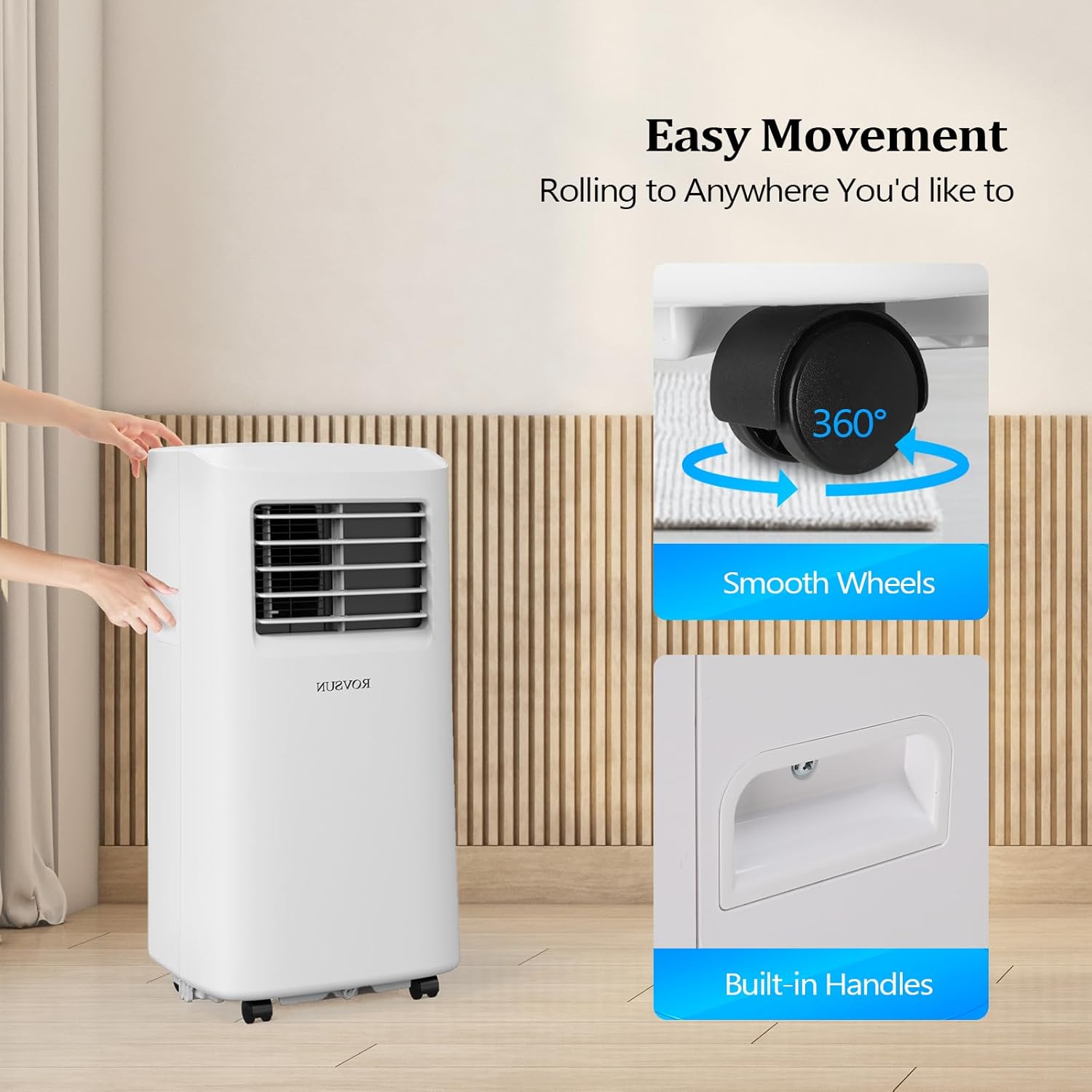
This image highlights the easy movement features of the portable air conditioner, showing its smooth 360° universal casters and convenient built-in handles for effortless relocation between rooms.
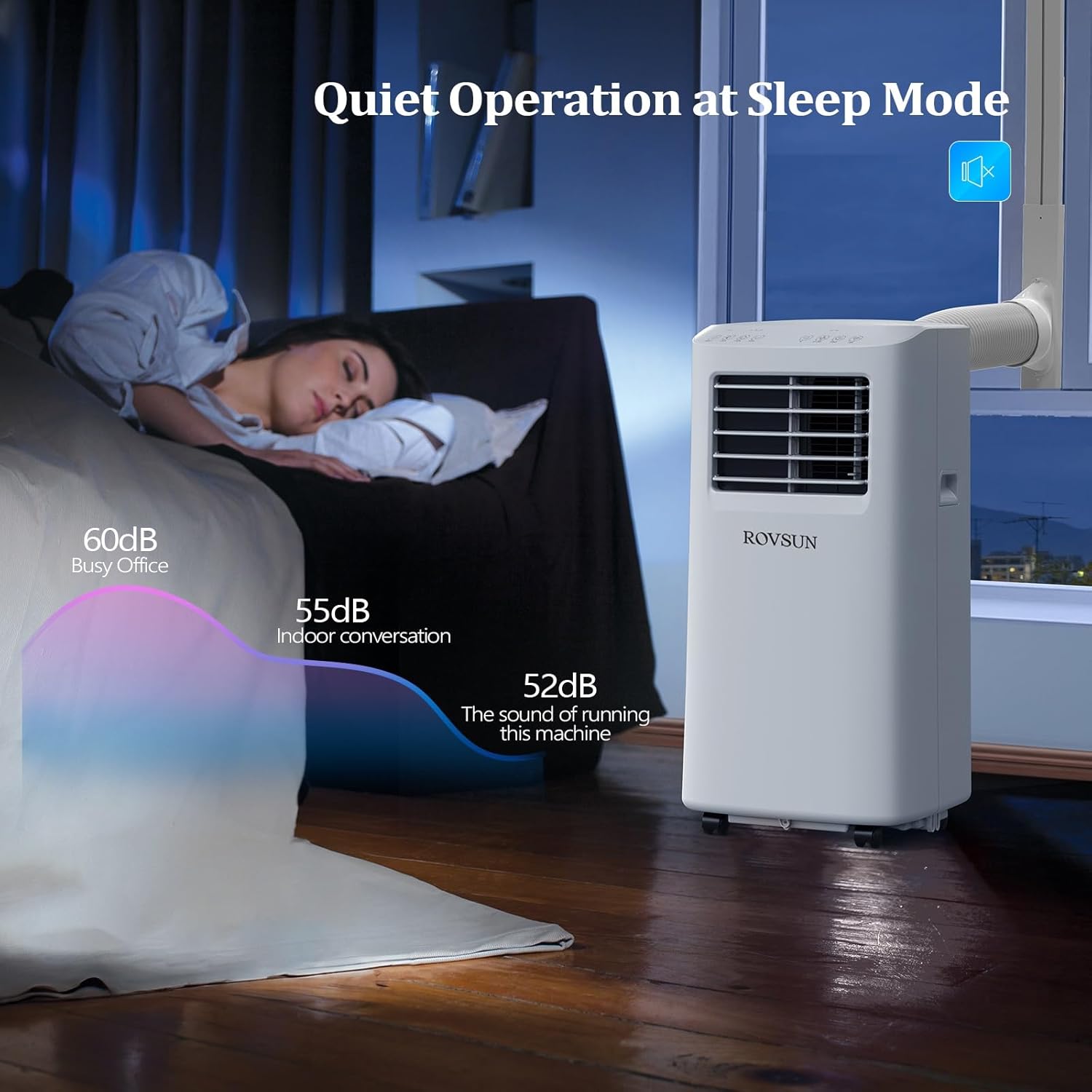
The air conditioner operates quietly in sleep mode, as depicted by a sleeping person in a bedroom, with a visual representation of sound levels indicating it is quieter than indoor conversation or a busy office.
5. Setup and Installation
Follow these steps for proper setup and installation:
- Placement: Place the portable air conditioner on a flat, stable surface near a window and a power outlet. Ensure there is at least 20 inches of space around the unit for proper airflow.
- Window Kit Assembly:
- Assemble the window panel kit according to your window type (horizontal or vertical sliding window).
- Attach the exhaust hose adapter to the window panel.
- Exhaust Hose Connection:
- Connect one end of the exhaust hose to the adapter on the window panel.
- Connect the other end of the exhaust hose to the exhaust outlet on the back of the air conditioner unit. Ensure a secure fit to prevent hot air from re-entering the room.
- Drain Hose Connection (Dehumidifier Mode): For continuous drainage in dehumidifier mode, connect the drain hose to the drain port at the back of the unit and direct it to a suitable drain or container.
- Power Connection: Plug the power cord into a grounded 115V AC outlet.

The image demonstrates the easy installation process of the portable air conditioner, showing the unit connected to a window via its exhaust hose and window kit, suitable for both horizontal and vertical sliding windows.
6. Operating Instructions
Your ROVSUN portable air conditioner offers multiple ways to control its functions:
Control Panel Operation:
The control panel on top of the unit allows direct access to all settings.
- Power Button: Press to turn the unit ON or OFF.
- Mode Button: Cycle through Cool, Dry (Dehumidify), and Fan modes.
- Up/Down Buttons: Adjust the desired temperature (60℉-86℉) or set the timer.
- Speed Button: Select fan speed (High or Low).
- Timer Button: Set a timer for automatic ON/OFF operation.
- Sleep Button: Activates sleep mode for quieter operation and energy saving during night.
- WiFi Button: Activates WiFi pairing mode for app control.
Remote Control Operation:
The included remote control provides convenient operation from a distance. All functions available on the control panel are also accessible via the remote.
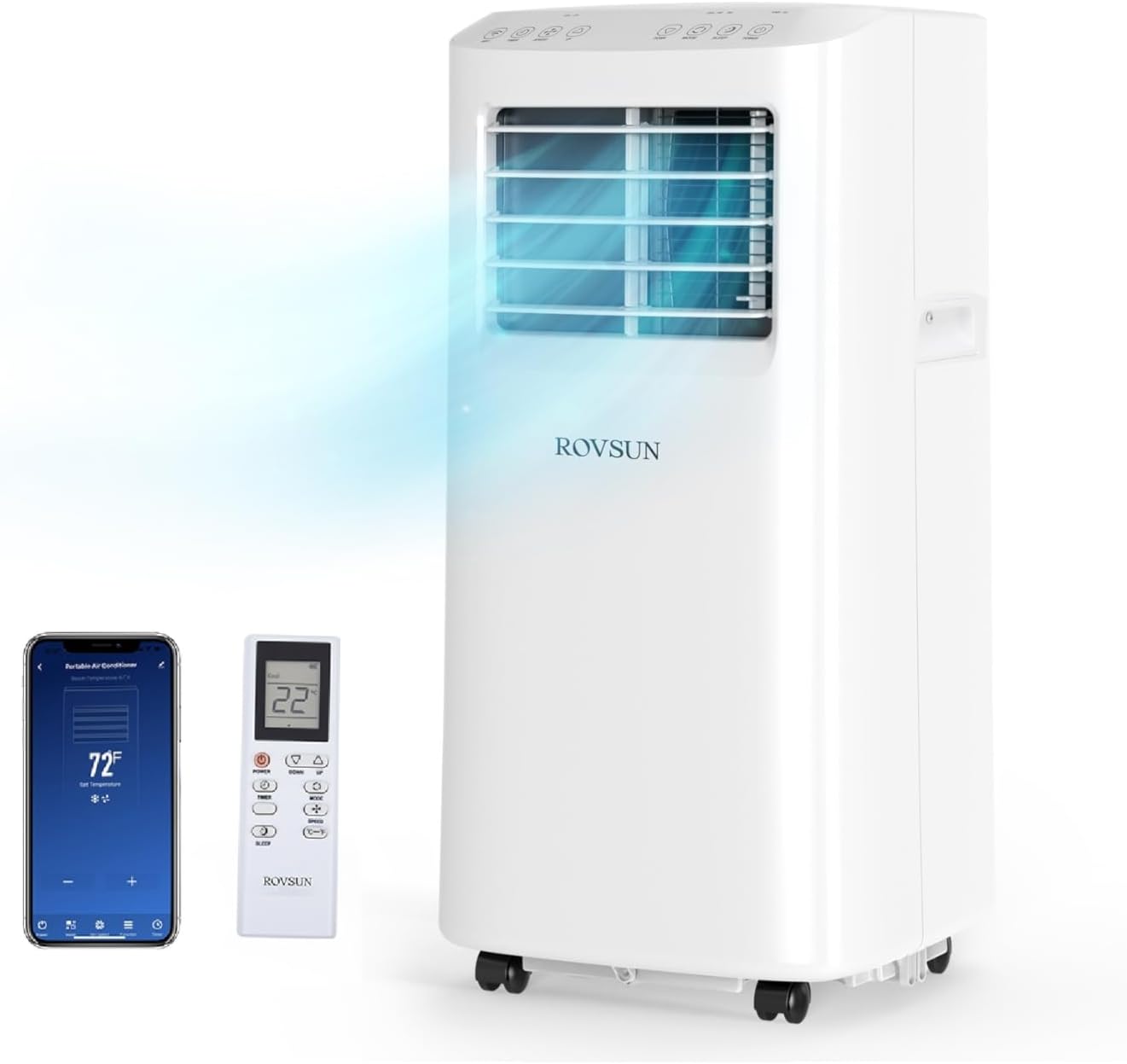
The main product image shows the ROVSUN portable air conditioner, its remote control, and a smartphone displaying the control app, highlighting the multiple ways to operate the unit.
Smartphone APP Control:
Download the ROVSUN app from your app store. Follow the in-app instructions to connect your portable AC unit to your home WiFi network. Once connected, you can control the unit, set schedules, and monitor its status from anywhere.
7. Maintenance
Regular maintenance ensures optimal performance and longevity of your unit:
- Air Filter Cleaning: The unit features a removable and reusable air filter. Clean the filter regularly (every two weeks or more often depending on usage) by rinsing it under running water. Allow it to dry completely before reinserting.
- Water Drainage: In dehumidifier mode or high humidity conditions, the internal water tank may fill up. The "Power Full" indicator light will illuminate. Drain the water manually by removing the drain plug at the bottom rear of the unit, or use the continuous drain hose.
- Exterior Cleaning: Wipe the exterior of the unit with a soft, damp cloth. Do not use harsh chemicals or abrasive cleaners.
- Storage: Before long-term storage, ensure the unit is completely drained of water. Clean the air filter and store the unit in a dry, cool place.
8. Troubleshooting
If you encounter issues with your portable air conditioner, refer to the following common troubleshooting tips:
| Problem | Possible Cause | Solution |
|---|---|---|
| Unit does not turn on | No power; Power cord unplugged; Full water tank | Check power outlet; Plug in power cord securely; Drain water tank. |
| Unit not cooling effectively | Dirty air filter; Exhaust hose not properly installed; Room too large; Doors/windows open | Clean air filter; Ensure exhaust hose is sealed; Use in recommended room size; Close doors/windows. |
| Noisy operation | Unit not on a level surface; Obstruction in fan/grille | Place on a level surface; Check for and remove obstructions. |
| Water leaking | Drain plug loose; Drain hose not connected properly | Secure drain plug; Ensure drain hose is properly attached and directed. |
| WiFi connection issues | Incorrect WiFi password; Router too far; App not updated | Verify password; Move unit closer to router or use extender; Update app. |
For further assistance, please contact ROVSUN customer support.
9. Specifications
| Feature | Detail |
|---|---|
| Brand | ROVSUN |
| Model Number | JHS-A019G-06KR-D3 |
| Cooling Capacity | 9,000 BTU (ASHRAE) / 6,000 BTU (SACC) |
| Product Dimensions | 12.9"D x 13.2"W x 27"H |
| Installation Type | Window |
| Form Factor | Portable |
| Voltage | 115 Volts (DC) |
| Wattage | 950 watts |
| Control Method | App, Remote, Touch |
| BEE Star Rating | Energy Star Certified |
10. Warranty and Support
This ROVSUN product comes with a Limited Warranty. For specific warranty terms and conditions, please refer to the documentation included with your purchase or contact ROVSUN customer service.
For technical support, troubleshooting, or warranty claims, please contact the seller, ROVSUN, directly through your purchase platform or their official website.
Seller Information: ROVSUN (Seller ID: A3OOOH8WJV7B82)
Ask a question about this manual
Ask about setup, troubleshooting, compatibility, parts, safety, or missing instructions. Manuals+ will review the question and use this page’s manual context to help answer it.