
Introduction
This manual provides essential information for the installation, operation, and maintenance of your Nispira HAPF300AP AER1 Performance Plus True HEPA Air Purifier Filter. Please read these instructions carefully before use to ensure optimal performance and longevity of your filter.
Product Overview
The Nispira HAPF300AP AER1 Performance Plus filter is a True HEPA filter designed to capture airborne particles. It is constructed with a pleated HEPA material and often includes an activated carbon layer for odor absorption.

Image: Front and side view of the Nispira HAPF300AP AER1 Performance Plus True HEPA Air Purifier Filter, showing its purple frame and white pleated filter material.
Filter Capabilities:
- True HEPA Filtration: Captures up to 99.97% of airborne particles as small as 0.3 microns.
- Particle Removal: Effectively removes dust, pollen, pet dander, and other allergens.
- Odor Reduction: Activated carbon layer helps reduce common household odors, volatile organic compounds (VOCs), and smoke.
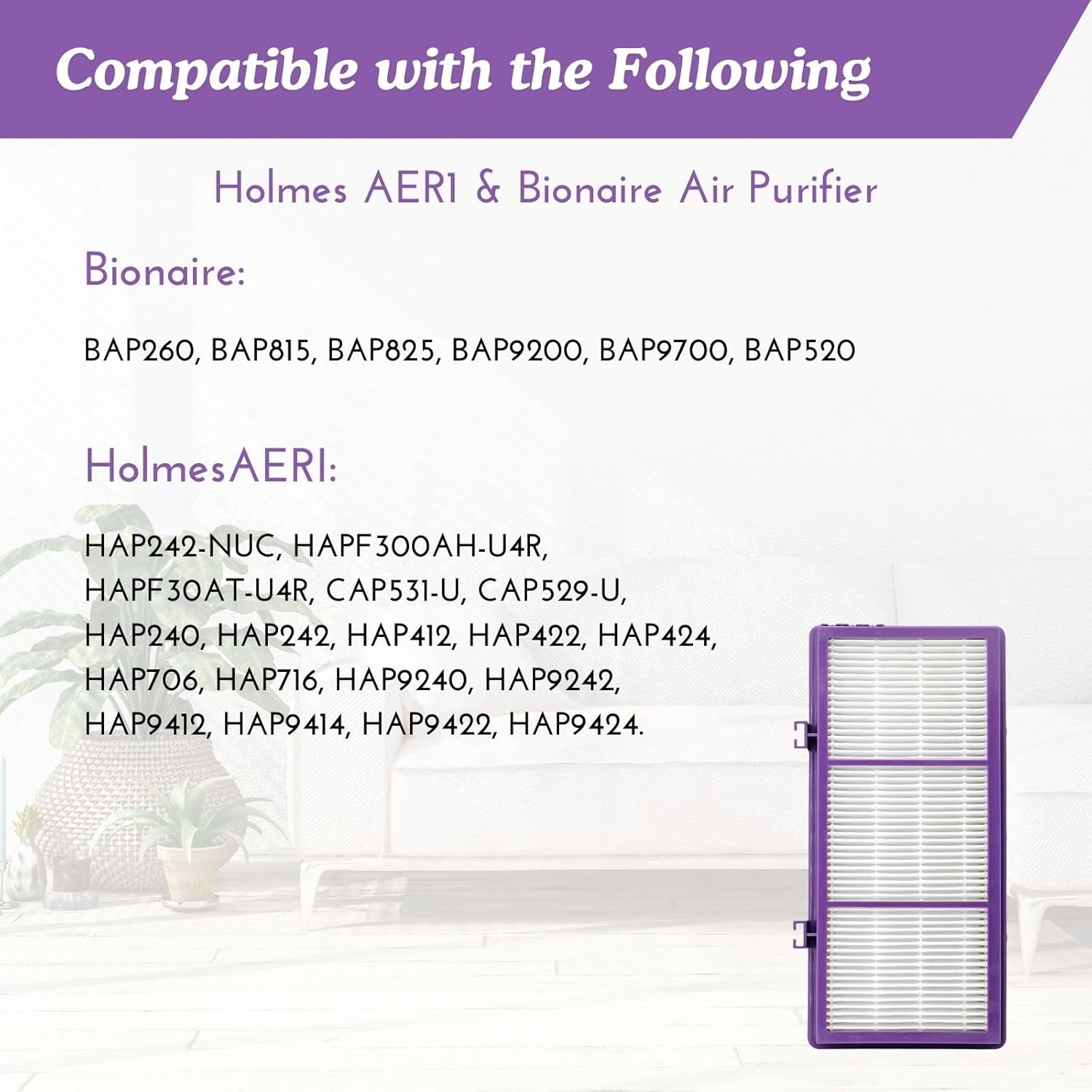
Image: Diagram illustrating the filter's ability to remove pollen, cooking odors, VOCs, smoke, dust, and pet hair, indicating its comprehensive air purification function.
Compatibility
This Nispira HAPF300AP filter is compatible with AER1 ready air purifiers, including various Holmes and Bionaire models. Please verify your air purifier model number against the list below:

Image: A visual representation of compatible Holmes and Bionaire air purifier models, alongside an image of the filter.
Compatible Holmes Units:
- CAP531-U, CAP529-U
- HAP240, HAP242, HAP412, HAP422, HAP424, HAP702, HAP706, HAP716, HAP1702, HAP2400
- HAP9240, HAP9241, HAP9242, HAP9243, HAP9412, HAP9413, HAP9414, HAP9415, HAP9422, HAP9423, HAP9424, HAP9425
Compatible Bionaire Units:
- BAP260, BAP815, BAP825, BAP9200, BAP9700, BAP520, BAP9417, BAP9427, BAP9435
Setup (Installation)
Installing the Nispira HAPF300AP filter is a straightforward process. Always ensure your air purifier is turned off and unplugged before attempting filter replacement.
- Power Off and Unplug: Disconnect the air purifier from the power outlet.
- Access Filter Compartment: Open the filter compartment of your air purifier. Refer to your air purifier's specific manual for instructions on how to access the filter.
- Remove Old Filter: Carefully remove the used filter. Dispose of the old filter according to local regulations.
- Insert New Filter: Place the new Nispira HAPF300AP filter into the compartment. Ensure it is seated correctly and securely.
- Close Compartment: Close the filter compartment door or cover.
- Restore Power: Plug the air purifier back into the power outlet.
- Reset Filter Indicator (if applicable): If your air purifier has a filter change indicator, follow its instructions to reset it.
Operating
Once installed, the Nispira HAPF300AP filter works continuously with your air purifier to clean the air. The True HEPA material captures microscopic particles, while the activated carbon layer absorbs odors and gases. The air purifier draws in untreated air, passes it through the filter, and releases cleaner air back into the room.

Image: An illustration demonstrating how a True HEPA filter captures 99.7% of airborne suspended particles as small as 0.3 microns, including smoke and environmental pollutants.
Maintenance
Regular filter replacement is crucial for maintaining the efficiency of your air purifier and ensuring continuous clean air. The Nispira HAPF300AP filter is designed for optimal performance over a specific period.
Filter Replacement Frequency:
It is suggested to replace the filters every 6 months to optimize the efficiency of your air purifier. Actual replacement frequency may vary based on air quality, usage duration, and the presence of pets or smokers in the environment.
Do not attempt to wash or clean the filter, as this can damage the filter media and reduce its effectiveness.
Troubleshooting
If you experience issues after replacing your filter, consider the following:
- Air Purifier Not Turning On: Ensure the filter compartment is fully closed and secured. Some air purifiers have a safety switch that prevents operation if the compartment is open.
- Reduced Airflow or Purification: Double-check that the filter is installed correctly and not obstructed. If the filter is old, it may be clogged and require replacement.
- Filter Indicator Light Remains On: After replacing the filter, you may need to manually reset the filter indicator on your air purifier. Refer to your air purifier's user manual for specific instructions on resetting the filter light.
Specifications
| Brand | Nispira |
| Model Number | HAPF300AP (also JAJ0308, HBHAPF30AT) |
| Item Weight | 2 pounds (for 4-pack) |
| Product Dimensions (per filter) | 10 inches (L) x 4.62 inches (W) x 1.37 inches (Th) |
| Material Type | Activated Carbon, Plastic, Polypropylene |
| Included Components | Filter (typically sold in multi-packs) |
| UPC | 810135627238 |

Image: A diagram illustrating the precise dimensions of the Nispira HAPF300AP filter: 10 inches in length and 4.62 inches in width.
Warranty and Support
Specific warranty information for the Nispira HAPF300AP AER1 Performance Plus True HEPA Air Purifier Filter is not provided in the available product data. For warranty details or customer support, please refer to the Nispira official website or contact the retailer where the product was purchased.