
1. Introduction
The DREAM SPORT Smart Ring DSR09 is a health tracker designed to monitor various vital metrics throughout the day and night. This device offers comprehensive health insights without requiring a subscription. It is waterproof, features a long-lasting battery, and is compatible with both iOS and Android devices. This manual provides instructions for setup, operation, maintenance, and troubleshooting to ensure optimal use of your smart ring.
2. Product Features
- No Subscription Required: Access all features and app updates for a lifetime without additional fees.
- Extensive Sports Modes: Over 170 sports modes available for tracking various physical activities.
- Comprehensive Health Tracking: Monitors Heart Rate, SpO₂, HRV Stress, Skin Temperature, Steps, Distance, and Calories.
- Advanced Sleep Analysis: Analyzes REM, Deep, and Light sleep stages, providing tips for improvement.
- Long Battery Life: Up to 7 days of use and 15 days of standby time on a single charge.
- 5ATM Waterproof Rating: Suitable for swimming and water-related activities up to 50 meters.
- Durable and Lightweight Design: Made from hypoallergenic stainless steel, weighing only 3.5g.
- Smart Tools: Includes Remote Photo control, Find Ring function, Female Reminders, and Stress Games.
- Size Exchange Guarantee: Free size exchange within 30 days if the initial fit is not ideal.
3. Setup Guide
3.1 Initial Charging
Before first use, fully charge the smart ring. Place the ring in its charging case. The charging indicator light on the ring will turn green when fully charged. A full charge typically takes 1.5 hours.
3.2 App Installation and Pairing
To utilize the full features of your Smart Ring, download and install the companion application on your smartphone (iOS or Android).
- Download App: Search for and download the 'QRing' app from your device's app store. Register for an account.
- Open App and Bind: Open the 'QRing' app and select 'Bind immediately' to begin the pairing process.
- Search for Device: Ensure your phone's Bluetooth is enabled. The app will search for available devices. Select the corresponding device from the list (e.g., 'B0S_7607').
- Match with Device: Confirm the pairing request on your phone.
- Wear the Ring: For accurate data monitoring, wear the ring preferably on your index or middle finger.

Image: Step-by-step guide for connecting the Smart Ring to the companion app.
3.3 Sizing Guide
Selecting the correct ring size is crucial for accurate data collection. Refer to the table below for inner diameter and perimeter measurements. If unsure, use the provided measurement method.
| Size | Inner Diameter (mm) | Perimeter (mm) |
|---|---|---|
| #8 | 18.3mm | 57.5mm |
| #9 | 19.2mm | 60mm |
| #10 | 20mm | 62.8mm |
| #11 | 20.9mm | 65.4mm |
| #12 | 21.6mm | 67.8mm |
| #13 | 22.4mm | 70.4mm |

Image: Ring size chart with inner diameter and perimeter measurements.

Image: Instructions on how to measure your finger size for the Smart Ring.
4. Operating Instructions
4.1 Health Monitoring
The Smart Ring continuously monitors your health data. Wear the ring on your finger, and the built-in biosensors will track various metrics. All summarized data can be viewed in the companion app.

Image: The Smart Ring actively monitoring health data with visible internal sensors.
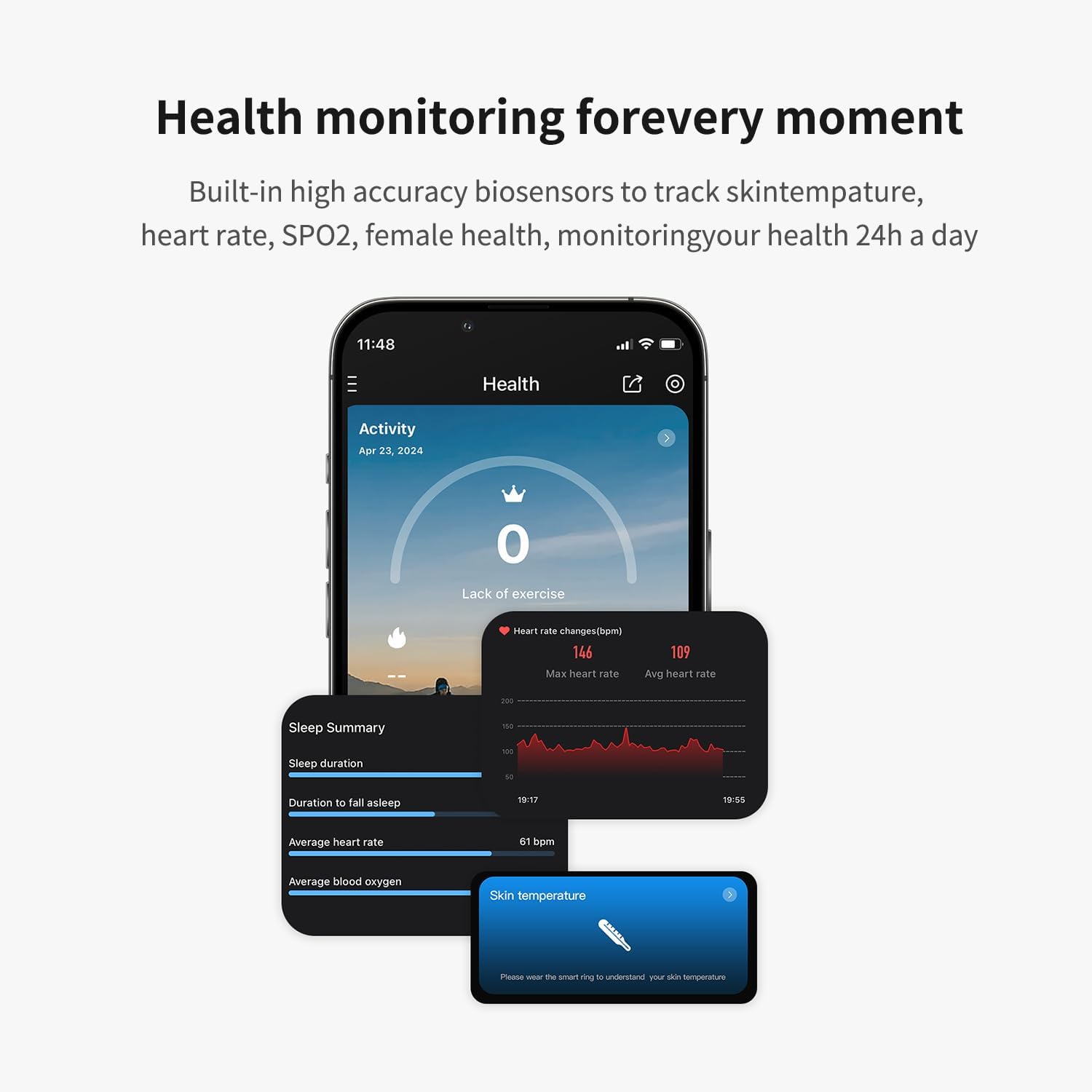
Image: Overview of health monitoring data, including sleep, heart rate, and skin temperature, displayed in the app.
4.1.1 Sleep Monitoring
The ring automatically monitors your sleep quality when worn during sleep. It generates a detailed sleep report, including REM, Deep, and Light sleep stages, to help you understand and improve your sleeping habits.
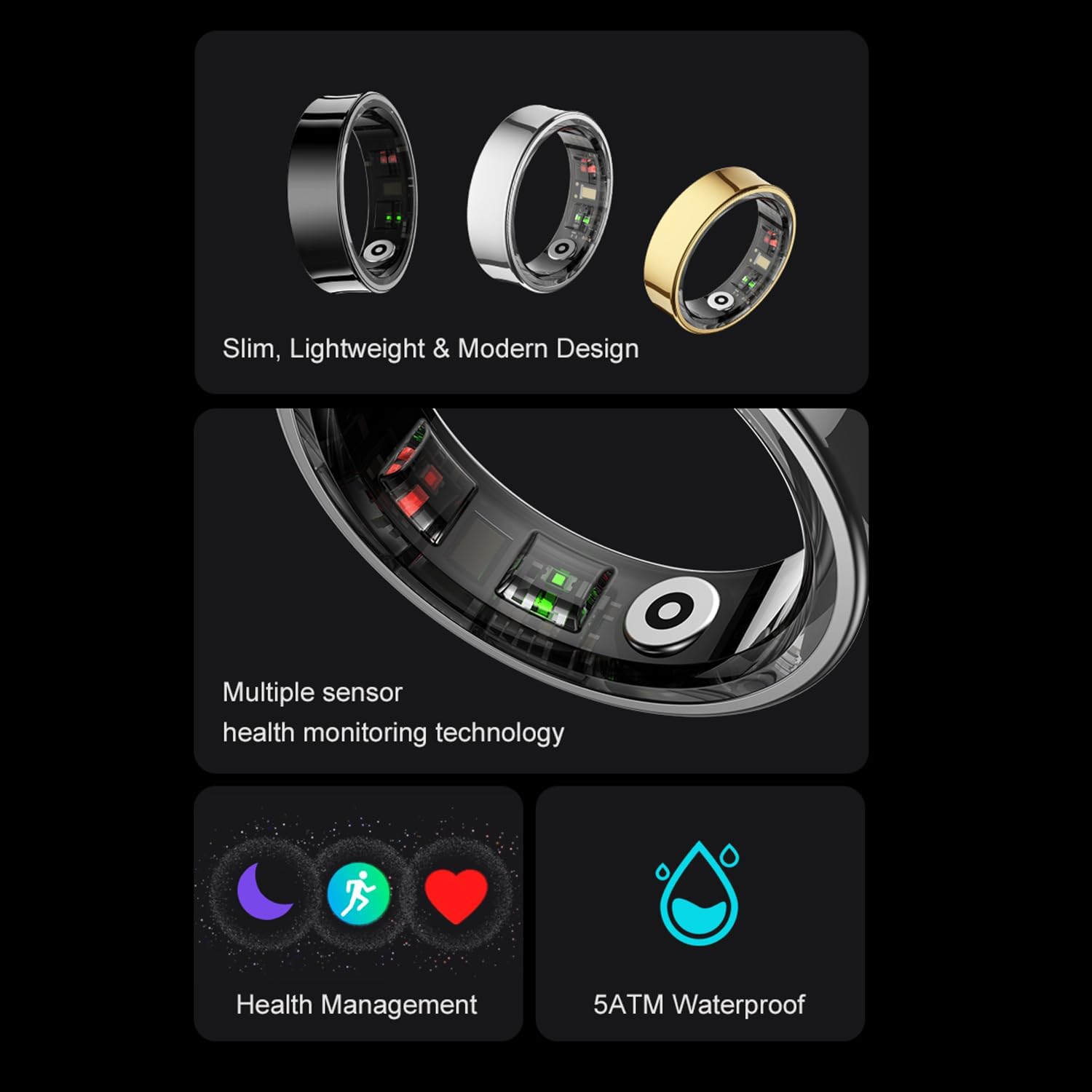
Image: The Smart Ring's sleep monitoring feature providing a detailed sleep analysis.
4.1.2 Heart Rate and SpO₂ Tracking
The ring tracks your heart rate (with an accuracy of ±2 BPM) and blood oxygen saturation (SpO₂) continuously. This data is crucial for understanding your cardiovascular health and overall well-being.
4.1.3 HRV Stress and Skin Temperature
The Smart Ring also measures Heart Rate Variability (HRV) to assess stress levels and monitors skin temperature, an important indicator of overall health. You can enable auto-measurement for skin temperature in the mobile app.

Image: Skin temperature measurement feature of the Smart Ring.
4.2 Sports Modes and Activity Tracking
The Smart Ring supports over 170 sports modes, including walking, running, riding, and swimming. It tracks real-time heart rate, steps, distance, calories burned, and exercise time for each activity.

Image: The Smart Ring tracking various sports activities and displaying fitness data.
4.3 Smart Controls
The Smart Ring offers convenient controls for your smartphone through gesture recognition.
Video: Demonstrates the Smart Ring's smart control features, including music control, short video switching, remote photography, and game controls via gesture shaking.
- Music Control: Use gesture shaking to easily switch between music tracks.
- Short Video Control: Easily switch between short videos with gesture shaking.
- Remote Photography: Control your phone's camera remotely to take pictures.
- Game Controls: Enjoy relaxed entertainment by controlling games with ring gestures.
5. Maintenance
5.1 Cleaning
Regularly clean your Smart Ring with a soft, dry cloth. Avoid using harsh chemicals or abrasive materials. For the charging contacts, use a cotton swab to gently clean any dust or debris.
5.2 Water Resistance
The Smart Ring has a 5ATM waterproof rating, meaning it can withstand water pressure equivalent to a depth of 50 meters. It is suitable for showering, swimming, and other shallow water activities. However, it is not recommended for diving or high-pressure water activities.

Image: The Smart Ring demonstrating its 5ATM waterproof rating.
5.3 Battery Care
To prolong battery life, avoid extreme temperatures and fully discharging the ring frequently. Charge the ring using the provided charging case.

Image: Information on the Smart Ring's long standby time and charging duration.
6. Troubleshooting
This section addresses common issues you might encounter with your Smart Ring.
6.1 App Cannot Find Ring Bluetooth Signal
If the app cannot find the ring's Bluetooth signal after downloading:
- The ring's Bluetooth is turned off when it leaves the factory. After unpacking, it needs to be charged and activated for the first time.
- When charging is activated, the charging indicator light on the ring will turn green.
- If the indicator light is not green, the ring has not been turned on. For first-time use, please keep charging for at least 1 hour until the charging indicator light on the ring turns green.
6.2 Ring Not Charging
If your ring is not charging:
- Use a cotton swab to clean the charging contacts on both the ring and the charging case. Dust or debris can prevent proper contact.
- Avoid using sharp objects like toothpicks to clean the charging port, as this may cause damage.
6.3 Sleep Data Synchronization Issues
If sleep data is inaccurate or fails to synchronize:
- The ring will not generate sleep data if it is not worn and enters sleep mode.
- The ring records sleep data at night and cannot record sleep during the day.
- The user must wear the ring and start recording sleep data at night. The ring will automatically record sleep after 30 minutes of lying down.
- All sleep records will be viewed on the QRing app once the ring synchronizes with the app.
- There may be a deviation between the entry and exit sleep time recorded in sleep records and personal feelings due to the physiological changes in the human body when entering and exiting sleep.
7. Specifications
| Feature | Detail |
|---|---|
| Model Number | DSR09 |
| Brand | DREAM SPORT |
| Operating System | Watch OS 8 (Compatible) |
| Memory Storage Capacity | 1 MB |
| Special Feature | Activity Tracker, Health Monitoring |
| Battery Capacity | 18 Milliamp Hours |
| Battery Cell Composition | Lithium Polymer |
| Battery Average Life | 12 days (standby) |
| Battery Charge Time | 1.5 Hours |
| Connectivity Technology | Bluetooth |
| Wireless Communication Standard | Bluetooth |
| GPS | No GPS |
| Shape | Round |
| Screen Size | 0.5 Inches (Internal Display) |
| Band Material Type | Metal |
| Case Material Type | Metal |
| Water Resistance Level | Waterproof (5ATM) |
| Water Resistance Depth | 30 Feet (equivalent to 50m) |
| Waterproof Rating | IP68 |
| Sport Type | Fitness |
| Human Interface Input | Touchscreen (App) |
| Supported Application | Android, iOS |
| Metrics Measured | Blood Oxygen Monitor, Heart Rate Monitor, Sleep Monitor |
| Item Weight | 0.5 Ounces (approx. 14g) |
| Item Dimensions (D x W x H) | 0.1"D x 0.3"W x 0.3"H |
| UPC | 727458160987 |
8. Warranty and Support
The DREAM SPORT Smart Ring DSR09 comes with a 1-year manufacturer's warranty. This warranty covers defects in materials and workmanship under normal use.
For any quality issues, free repair or replacement will be provided within 12 months from the date of purchase. For pre-sales sizing assistance or post-sales support, please contact DREAM SPORT customer service. A response is typically provided within 24 hours.
Please retain your proof of purchase for warranty claims.