
NAGFAK XF31
ERAZER XF31 AI Language Translator Earbuds User Manual
Model: XF31
Brand: NAGFAK
Introduction
The ERAZER XF31 AI Language Translator Earbuds are designed to facilitate seamless communication across language barriers. These 3-in-1 earbuds offer real-time translation in 135 languages and accents, alongside standard audio functions for music and calls. Featuring Bluetooth 5.4 connectivity and a comfortable open-ear design, they are suitable for various activities, from daily use to international travel and sports.
What's in the Box
Upon unboxing your ERAZER XF31 AI Language Translator Earbuds, please verify that all components are present:
- 1 Pair x ERAZER XF31 AI Language Translator Earbuds
- 1 x Charging Case
- 1 x Charging Cable
- 1 x Silicone Neck Strap
- 1 x User Manual for Headphones
- 1 x User Manual for APP

Image: Contents of the ERAZER XF31 package, showing the earbuds, charging case, charging cable, silicone neck strap, and two user manuals.
Setup and Initial Use
1. Charging the Earbuds and Case
Before first use, fully charge the earbuds and the charging case. Connect the provided charging cable to the charging case and a USB power source. The LED indicator on the case will show charging status.

Image: The ERAZER XF31 earbuds and their charging case, highlighting the long-lasting battery capacity of up to 40 hours with the case.
2. Connecting to Your Phone via Bluetooth
- Ensure the earbuds are charged.
- Take both earbuds out of the charging case. They will automatically enter pairing mode.
- On your smartphone (iOS or Android), go to Bluetooth settings and turn Bluetooth on.
- Select "ERAZER XF31" from the list of available devices to pair.
- A confirmation sound or notification will indicate successful pairing.
3. Downloading and Connecting to the APP
The AI translation function requires the dedicated app. Follow these steps:
- Scan the QR code provided in the manual or on the product packaging, or visit the official download link: https://earjoy.watchfun-intelligence.com/app-download-h5 to download the app.
- Install the app on your iOS or Android device.
- Open the app and log in or create an account.
- Within the app, follow the prompts to add your ERAZER XF31 headphones. Ensure Bluetooth is connected as per step 2.

Image: A visual guide showing the three steps to download the app, connect the earbuds via Bluetooth, and add them within the app for full functionality.
Operating Instructions
Translation Modes
The ERAZER XF31 earbuds support multiple translation modes to suit different communication scenarios:
- AI Dialogue Mode: Communicate directly with the AI for instant answers and information. This mode is ideal for quick queries or conversational practice.
- Translation Machine Mode: Speak into your phone, and the translation will be delivered through your earbuds in real-time. This is useful for one-on-one conversations where one person uses the phone and the other listens via the earbuds.
- Binaural Mode (Dual-Ear Click Mode): Click or double-click the earbuds to initiate real-time translation. Both users wear an earbud, allowing for natural, bidirectional conversation.
- Phone + Headphones Mode: Enter the app to translate text or audio files, and synchronize the audio output with the headphones. This mode is suitable for translating pre-recorded content or text.

Image: Illustration of the four distinct translation modes available with the ERAZER XF31 earbuds, demonstrating their application in various communication settings.
Basic Controls (Touch Mode)
The earbuds feature touch controls for various functions. Specific gestures (tap, double-tap, long press) will control playback, calls, and translation activation. Refer to the in-app guide for detailed touch control customization and functions.

Image: An overview of key features including Touch Mode, Lide-Free Design, Free Talk Mode, AI Dialogue Mode, 135 Languages Online Translation, Speaker Mode, AI Noise Reduction, and Hi-Res Audio.
Features and Capabilities
- Real-Time Translation: Supports 135 languages and accents with a high-precision AI engine for smooth and accurate communication.
- Bluetooth 5.4: Provides stable connections, clear sound, and low latency for both audio and translation.
- LED Ear Hooks: Built-in LED lights on the ear hooks enhance visibility during nighttime activities.
- IPX5 Waterproofing: Resistant to sweat and light splashes, making them suitable for sports and outdoor use.
- Smart App Integration: Unlocks AI translation, 42 offline sleep sound effects, and multiple sound modes.
- Long Battery Life: Up to 6.5 hours of playtime, extended to 40 hours with the charging case.
- Crystal-Clear Sound: Delivers high-quality audio for music, calls, and translation.
- CVC 8.0 Algorithm Dual Microphone: Enhances call clarity and voice pickup for translation.

Image: The ERAZER XF31 earbuds showcasing Bluetooth 5.4 technology for stable and long-distance connections, compatible with iOS, Android, and Windows devices.
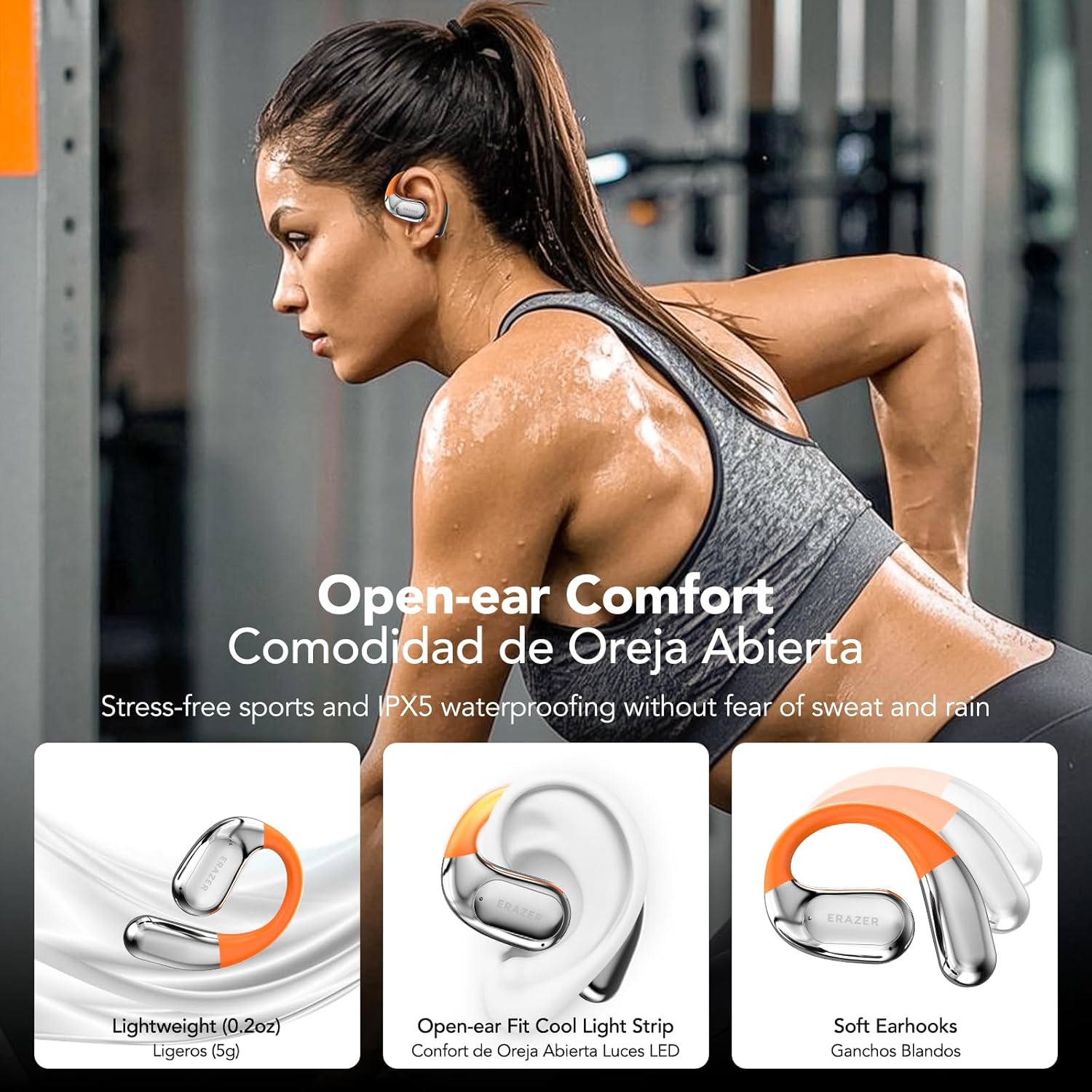
Image: The ERAZER XF31 earbuds highlighting their open-ear comfort, lightweight design, LED light strip, soft earhooks, and IPX5 waterproofing for stress-free sports.
Maintenance and Care
- Cleaning: Use a soft, dry cloth to clean the earbuds and charging case. Avoid using abrasive materials or harsh chemicals.
- Storage: When not in use, store the earbuds in their charging case to protect them and keep them charged.
- Water Exposure: While IPX5 water-resistant, avoid submerging the earbuds in water or exposing them to strong jets of water. Dry them thoroughly if they get wet.
- Charging: Use the provided charging cable and a compatible USB power adapter. Do not use damaged cables or chargers.
Troubleshooting
| Problem | Possible Solution |
|---|---|
| Earbuds not pairing with phone. |
|
| Translation function not working. |
|
| Poor audio quality or disconnections. |
|
If you encounter any issues not listed here, please refer to the detailed user manual provided with the product or contact customer support.
Specifications
- Model: XF31
- Product Dimensions: 1.97 x 1.81 x 0.87 inches
- Item Weight: 5.9 ounces
- Bluetooth Version: 5.4
- Translation Languages: 135+ (online)
- Water Resistance: IPX5
- Playtime (Earbuds): Up to 6.5 hours
- Total Playtime (with Charging Case): Up to 40 hours
- Manufacturer: NAGFAK
- Country of Origin: China
Warranty and Support
For warranty information and customer support, please refer to the specific warranty card included in your product packaging or visit the official NAGFAK website. If you have any problems with using the product, please feel free to contact the seller or manufacturer directly.
Ask a question about this manual
Ask about setup, troubleshooting, compatibility, parts, safety, or missing instructions. Manuals+ will review the question and use this page’s manual context to help answer it.