1. Introduction
This manual provides detailed instructions for the installation, operation, and maintenance of your CAMECHO Reverse Camera. Please read this manual thoroughly before installation and use to ensure proper function and safety. This camera is designed to enhance rear visibility for specific vehicle models, aiding in safer reversing and parking maneuvers.
2. Product Overview
2.1 Components Included
- CAMECHO Reverse Camera (integrated into brake light housing)
- 10m Video Extension Cable (RCA)
- 20cm Video Adapter
- 1m Power Cord
- User Manual

Image: Contents of the product package, including the camera, cables, and user manual, alongside dimensional measurements of the camera unit.
2.2 Key Features
- High-Mount Brake Light Integration: Designed to replace the original high-mount brake light for a seamless factory-like appearance.
- IP67 Waterproof Rating: Ensures reliable operation in various weather conditions, resistant to dust and water immersion.
- IR Night Vision: Equipped with infrared LEDs and a photosensitive sensor for clear visibility in low-light or nighttime conditions.
- 140-Degree Wide Angle Lens: Provides an expansive view of the area behind the vehicle, minimizing blind spots.
- AHD 720P & CVBS Image Output: Supports both Analog High Definition (AHD) 720P and Composite Video Broadcast Signal (CVBS) outputs, switchable via a control line.
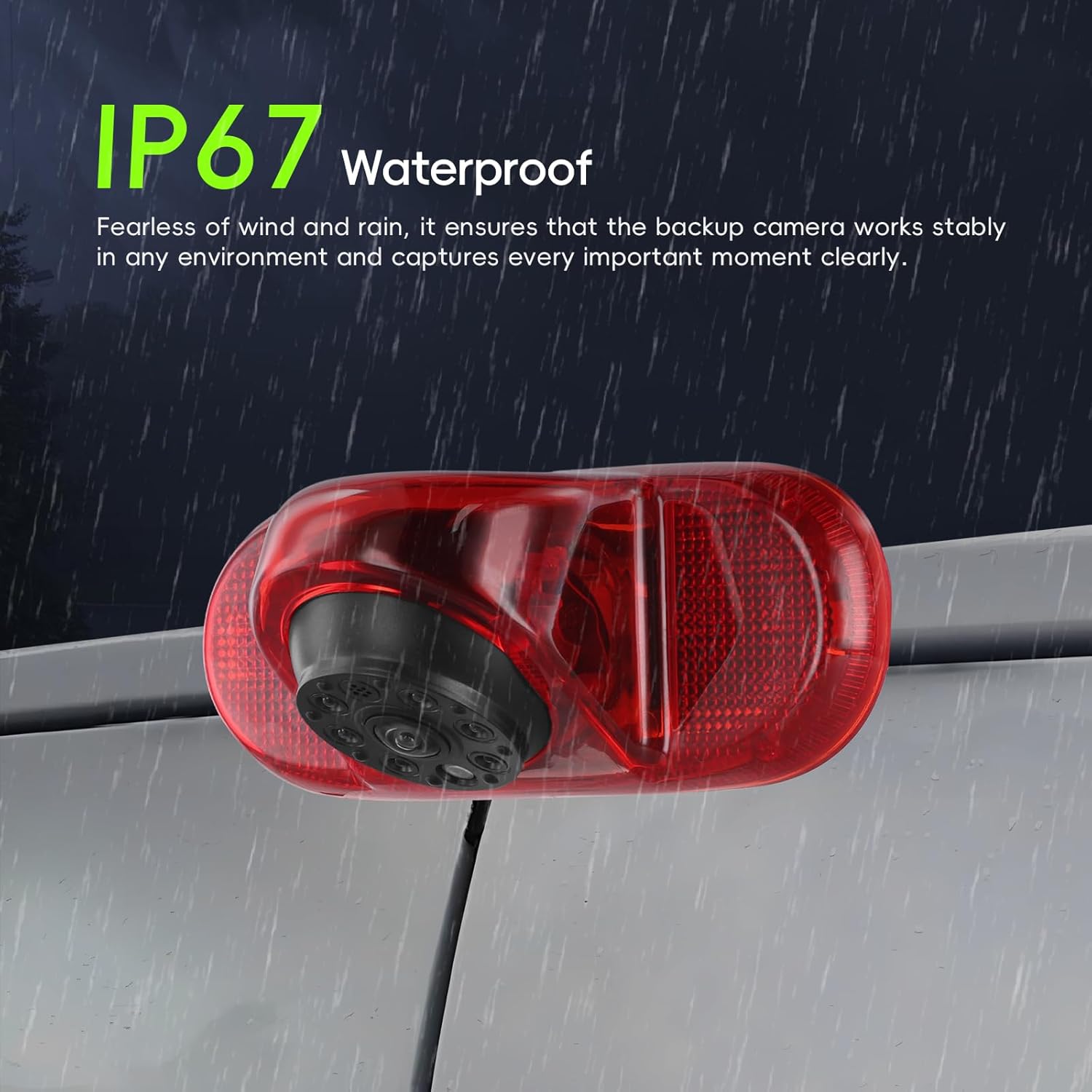
Image: The reverse camera unit shown in a rainy environment, illustrating its IP67 waterproof capability.

Image: The reverse camera highlighting its HD IR Night Vision capability with 6 infrared LEDs and a photosensitive sensor, showing a clear night view comparison.

Image: A visual representation of the 140-degree wide-angle view provided by the camera, showing an expanded panoramic perspective behind a vehicle.
3. Compatibility
This CAMECHO Reverse Camera is specifically designed for the following vehicle models:
- Renault Trafic: 2001-2014 models
- Opel Vauxhall Vivaro: 2001-2014 models
- Combo: 2001-2011 models
Ensure your vehicle matches these specifications for proper fitment and function.

Image: Depicts the reverse camera installed on the rear of a van, with illustrations of compatible vehicles: Renault Trafic (2001-2014), Renault Combo (2001-2011), and Renault Vauxhall Vivaro (2001-2014).
4. Setup and Installation
Professional installation is recommended for this product. Incorrect wiring can damage the camera or vehicle electrical system.
4.1 Wiring Diagram
Follow the wiring diagram carefully to connect the camera to your vehicle's power supply and display monitor.

Image: A detailed wiring diagram showing connections from the camera to the monitor. The camera power cable connects to the reversing lamp (red wire to Power+, black to GND). The video signal connects via RCA to the monitor.
4.2 Connection Steps
- Mount the Camera: Replace the existing high-mount brake light with the CAMECHO camera unit. Ensure a secure fit.
- Connect Power: Connect the camera's red power wire to the vehicle's reversing lamp positive (+) and the black ground wire to a suitable chassis ground (-). This ensures the camera activates when reverse gear is engaged.
- Connect Video Cable: Run the 10m video extension cable from the camera to your display monitor (e.g., car stereo with screen, dedicated monitor). Connect the yellow RCA connectors.
- Signal Mode Selection (AHD/CVBS): The camera supports both AHD 720P and CVBS video signals. To switch between modes, locate the green control line on the camera's wiring harness.
- For CVBS signal: Connect the green control line.
- For AHD 720P signal: Cut off the green control line.
Note: Ensure your display monitor supports the selected video signal type (AHD or CVBS). If your monitor does not support AHD, use the CVBS signal.

Image: Illustrates the difference between AHD 720P and CVBS image quality, and shows how to switch between these modes by connecting or cutting the green control line.
4.3 Important Installation Notes
- Ensure all connections are secure and insulated to prevent short circuits.
- Route cables carefully to avoid pinching, abrasion, or interference with vehicle moving parts.
- Test the camera functionality before reassembling all vehicle panels.
5. Operating Instructions
Once properly installed, the CAMECHO Reverse Camera operates automatically when the vehicle is shifted into reverse gear.
- Power On: Turn on your vehicle's ignition.
- Engage Reverse Gear: Shift the vehicle's transmission into reverse.
- View Display: The image from the reverse camera will automatically appear on your connected display monitor.
- Parking Guidelines: The camera provides parking guidelines on the display to assist with parking maneuvers.
5.1 Display Compatibility
The camera output can be displayed on various compatible monitors, including:
- Aftermarket car stereos with video input.
- Dedicated rearview monitors.
- Other displays supporting CVBS PAL or AHD 720P PAL mirror image formats.

Image: Shows various types of monitors (car stereos, dedicated screens) that can display the camera feed, and reiterates the method for switching between CVBS and AHD signal modes.
6. Maintenance
To ensure the longevity and optimal performance of your CAMECHO Reverse Camera, follow these maintenance guidelines:
- Regular Cleaning: Periodically clean the camera lens with a soft, damp cloth to remove dirt, dust, or water spots that may obstruct the view. Avoid abrasive cleaners.
- Inspect Wiring: Occasionally check the visible wiring for any signs of wear, damage, or loose connections. Address any issues promptly.
- Avoid High-Pressure Washing: While the camera is IP67 waterproof, direct high-pressure water jets at close range should be avoided, as they can potentially compromise seals over time.
- Environmental Considerations: The camera is designed for outdoor use. Extreme temperatures or prolonged exposure to harsh chemicals should be avoided.
7. Troubleshooting
If you encounter issues with your reverse camera, refer to the following troubleshooting steps:
| Problem | Possible Cause | Solution |
|---|---|---|
| No image on display |
|
|
| Poor image quality (blurry, distorted) |
|
|
| Image flickers or cuts out |
|
|
| Parking lines not visible/incorrect |
|
|
7.1 Compatibility Notes
Please note the following specific compatibility limitations:
- Android Auto does not support Huawei phones.
- Mirror Link functionality does not support Samsung models.
8. Specifications
| Feature | Specification |
|---|---|
| Brand | CAMECHO |
| Model | B0DY7HBWN4 |
| Voltage | 12 Volts |
| Actual Viewing Angle | 140 Degrees |
| Waterproof Rating | IP67 |
| Night Vision | IR Night Vision (6 pcs Infrared LEDs, 1 pc Photosensitive sensor) |
| Video Output | AHD 720P / CVBS (Switchable) |
| Product Dimensions | 14 x 5 x 12 cm |
| Product Weight | 100 g |
9. Warranty and Support
For warranty information and technical support, please refer to the documentation provided with your purchase or contact CAMECHO customer service through the retailer where the product was purchased. Keep your purchase receipt as proof of purchase.