
1. Introduction
This manual provides detailed instructions for installing and operating your Hilighting LED Light Kit, specifically designed to enhance the LEGO Ideas The Evolution of STEM Building Set (Model 21355). This light kit is intended to illuminate your LEGO model, bringing it to life with vibrant lighting effects. Please note that the LEGO model itself is not included with this light kit.
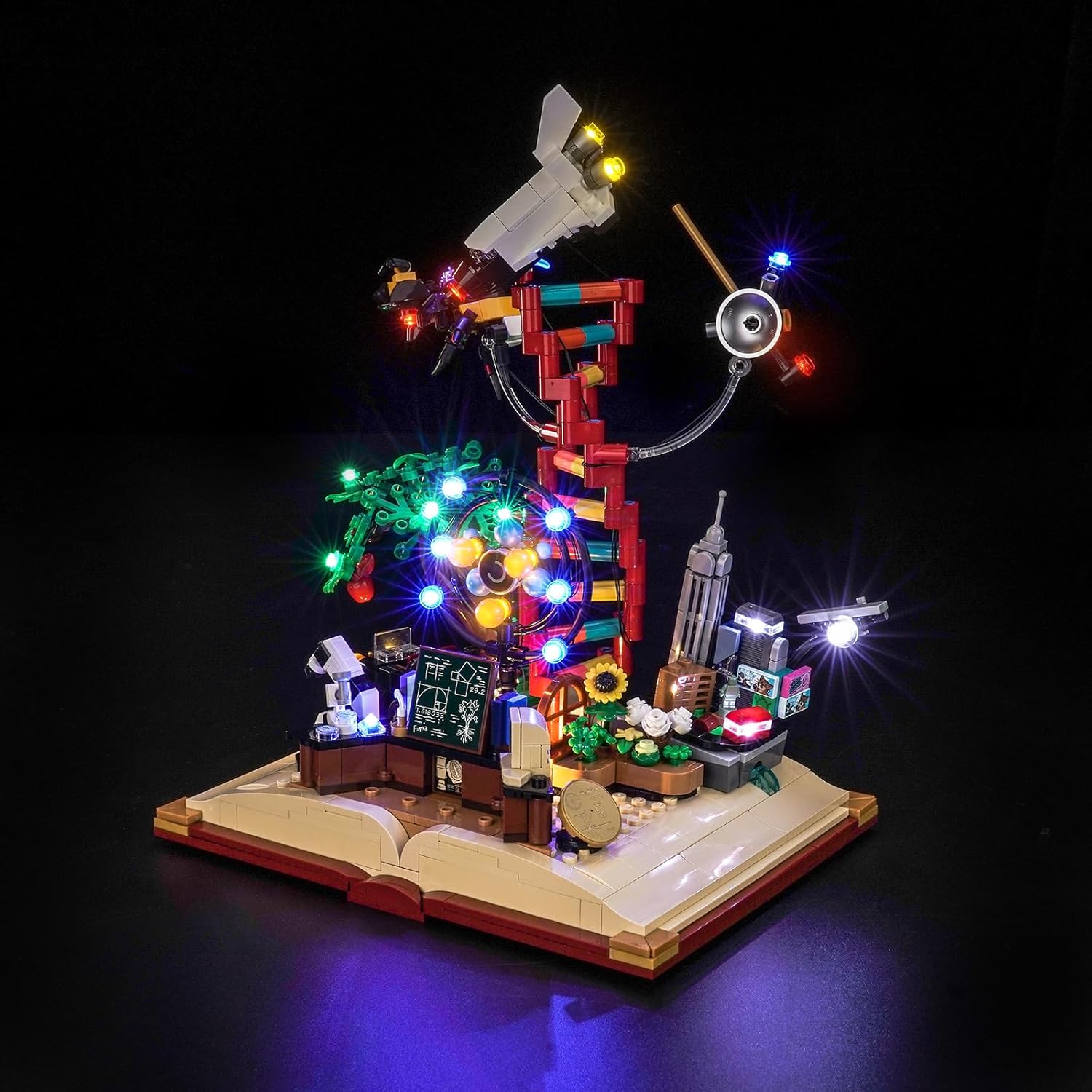
Image 1.1: The LEGO Evolution of STEM model illuminated by the Hilighting LED Light Kit.
2. Package Contents
Before beginning installation, please verify that all components listed below are present in your package. If any parts are missing or damaged, please contact Hilighting customer support.

Image 2.1: Contents of the Hilighting LED Light Kit package.
- USB Power Cable
- AAA Battery Case (Batteries not included)
- LED Light Strips/Individual LEDs
- Connecting Cables
- Socket Expansion Board(s)
- Instruction Manual
3. Setup and Installation
Installation of the Hilighting LED Light Kit is designed to be straightforward. Follow these steps carefully. It is recommended to have your LEGO model fully assembled before installing the light kit.
- Prepare Your LEGO Model: Ensure your LEGO Ideas The Evolution of STEM model (21355) is fully built and stable.
- Identify Light Placement: Refer to the included instruction manual (paper copy) for specific light placement diagrams. The lights are designed to integrate seamlessly with the model's structure.
- Connect LEDs: Carefully attach the individual LEDs and light strips to the designated areas on your LEGO model. Use the connecting cables to link them to the expansion board. Ensure connections are firm but do not force them.
- Install Expansion Board: Place the socket expansion board in a discreet location within or around the model, ensuring all cables can reach it without strain.
- Connect Power Source:
- USB Power: Connect the USB power cable to the expansion board and then to a 5V USB power source (e.g., a USB wall adapter, power bank, or computer USB port).
- Battery Power: Insert 3 AAA batteries (not included) into the AAA battery case. Connect the battery case to the expansion board.
- Test Lights: Once all connections are made, activate the power source to test the lights. If any lights do not illuminate, check the connections.

Image 3.1: Before and After installation of the Hilighting LED Light Kit.
For detailed visual guidance, please refer to the specific installation steps provided in the physical instruction manual included in your package.
4. Operating Instructions
The Hilighting LED Light Kit is designed for simple operation.
- Power On/Off: The lights will turn on automatically when connected to a power source (USB or battery case with batteries inserted). To turn off, disconnect the power source.
- Light Effects: The kit may feature seven-color self-flashing lights or ordinary steady lights, depending on the specific components included. No external controls are typically required for these effects; they are pre-programmed.
5. Maintenance
To ensure the longevity and optimal performance of your Hilighting LED Light Kit, follow these maintenance guidelines:
- Cleaning: Gently dust the LED components and cables with a soft, dry cloth. Avoid using liquid cleaners, which can damage electrical components.
- Cable Management: Ensure all cables are neatly tucked away and not pinched or strained, which can lead to damage.
- Power Source: If using the AAA battery case, replace batteries when lights dim or cease to function. Always use fresh batteries of the same type. When not in use for extended periods, remove batteries to prevent leakage.
- Storage: If disassembling the light kit, store components in a dry, cool place, away from direct sunlight and extreme temperatures.
6. Troubleshooting
If you encounter issues with your Hilighting LED Light Kit, refer to the following common problems and solutions:
| Problem | Possible Cause | Solution |
|---|---|---|
| Lights do not turn on. | No power, loose connection, or faulty component. |
|
| Some lights are dim or flickering. | Insufficient power or loose connection. |
|
| Lights are not the expected color/effect. | Incorrect component or pre-programmed effect. |
|
If the problem persists after trying these solutions, please contact Hilighting customer support for further assistance.
7. Specifications
- Brand: Hilighting
- Model Compatibility: LEGO Ideas The Evolution of STEM Building Set (Model 21355)
- Power Input: 5V DC (via USB) or 3x AAA Batteries (not included)
- Material: Plastic
- Recommended Age: 8 years and up
- Package Dimensions: Approximately 14.96 x 10.28 x 2.87 inches
- Item Weight: Approximately 2.05 pounds
8. Warranty and Support
Hilighting is committed to providing high-quality products. For any questions, concerns, or issues regarding your LED Light Kit, please contact our customer support team.
Please refer to your purchase documentation or the Hilighting official website for specific warranty information and contact details. When contacting support, please have your product model number (21355) and purchase date available.
You can often find support information on the seller's page or by searching for "Hilighting customer support" online.