
Introduction
The Fyzuf Hidden Camera Detector is a versatile electronic device designed to enhance personal privacy and security by detecting various types of hidden surveillance equipment. This includes hidden cameras, listening devices, RF signals, and GPS trackers. It is suitable for use in a variety of environments such as homes, offices, hotels, and vehicles, providing peace of mind by identifying unauthorized monitoring devices.
The device features multiple detection modes, adjustable sensitivity, and a portable design, making it an essential tool for individuals concerned about their privacy.
Product Features
- Professional All-in-One Detection: Capable of detecting hidden cameras, listening devices, RF signals, and GPS trackers.
- Multiple Detection Modes:
- Camera Detector & Camera Lens Finder: Utilizes infrared laser scanning for direct visual inspection to locate hidden pinhole cameras.
- RF Signal Detection: Detects active RF transmitters such as wireless cameras, GPS trackers, and wireless audio devices.
- Magnetic Field Detection: Identifies invisible or unrealized GPS trackers by detecting magnetic fields.
- Flashlight Function: Assists in pinhole camera detection, especially in low-light environments.
- Adjustable Sensitivity: Features 5 levels of adjustable sensitivity with a receiving frequency range of 1MHz to 6.5GHz, allowing for precise detection of various wireless signals.
- Portable Design: Lightweight and compact, ideal for travel and discreet use in various locations.
- Long Battery Life: Equipped with a rechargeable battery providing up to 24 hours of usage, depending on the mode.

Image: The Fyzuf Hidden Camera Detector, showcasing its sleek black design and indicator lights.

Image: Internal view highlighting the upgraded smart chip, which provides higher sensitivity and a wide receiving frequency range for accurate detection.
Setup
- Unboxing: Carefully remove the detector and all accessories from the packaging.
- Initial Charge: Before first use, fully charge the device using the provided DC 5V/1A power adapter. The charging indicator will typically change or turn off when fully charged.
- Power On: Press and hold the power button (usually marked with a power symbol) to turn on the device.
- Familiarization: Take a moment to identify the different buttons and indicators on the device, such as the sensitivity adjustment, mode selection, and signal strength indicators.
Operating Instructions
1. RF Signal Detection (Wireless Devices)
This mode is used to detect wireless cameras, listening devices, and GPS trackers that emit radio frequency signals.
- Turn on the device.
- Select the RF detection mode (refer to device specific button/indicator).
- Adjust the sensitivity level. Start with a lower sensitivity and gradually increase it if no signals are detected. Higher sensitivity allows detection of weaker signals but may also pick up more ambient interference.
- Slowly sweep the device around the area you wish to inspect. Pay close attention to walls, furniture, electronic devices, and any suspicious objects.
- The device will indicate signal strength through LED lights or an audible alert. As you get closer to a signal source, the indicators will increase in intensity.
2. Camera Lens Detection (Wired/Wireless Cameras)
This mode uses an infrared laser to locate hidden camera lenses, regardless of whether they are transmitting a signal or not.
- Turn on the device.
- Activate the camera lens detection mode (often involves looking through a red viewing window on the device while the laser flashes).
- Slowly scan the room, moving the detector up, down, left, and right.
- Look through the viewing window. If you see a bright, flickering red spot, it indicates the presence of a camera lens reflecting the laser light.
- Investigate any suspicious reflections to confirm if it is a hidden camera.
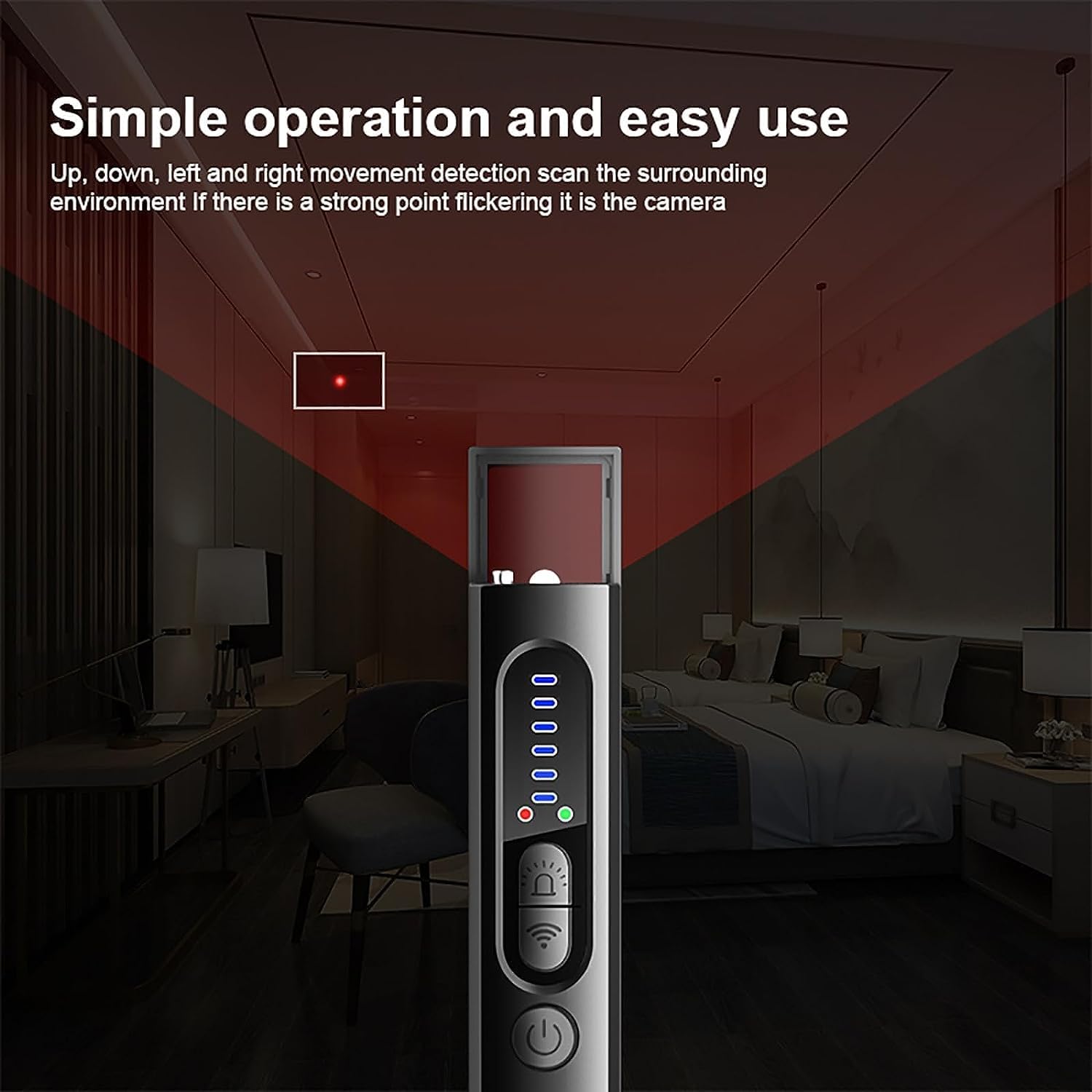
Image: Demonstrates the simple operation of the detector, showing how to scan an environment to find hidden cameras by looking for flickering red spots.
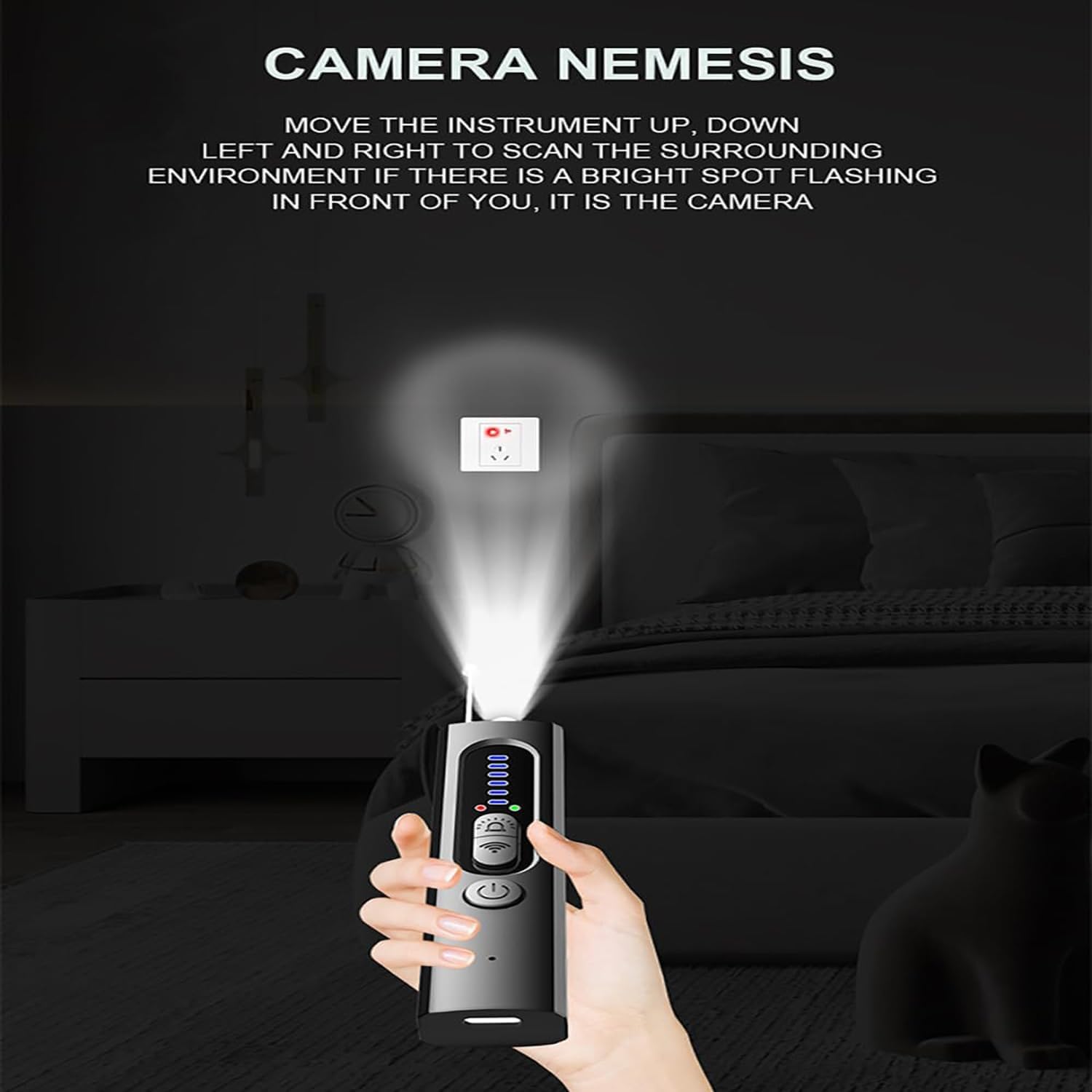
Image: Illustrates the detector being used to scan a room for hidden cameras, with the laser beam highlighting a potential camera lens.
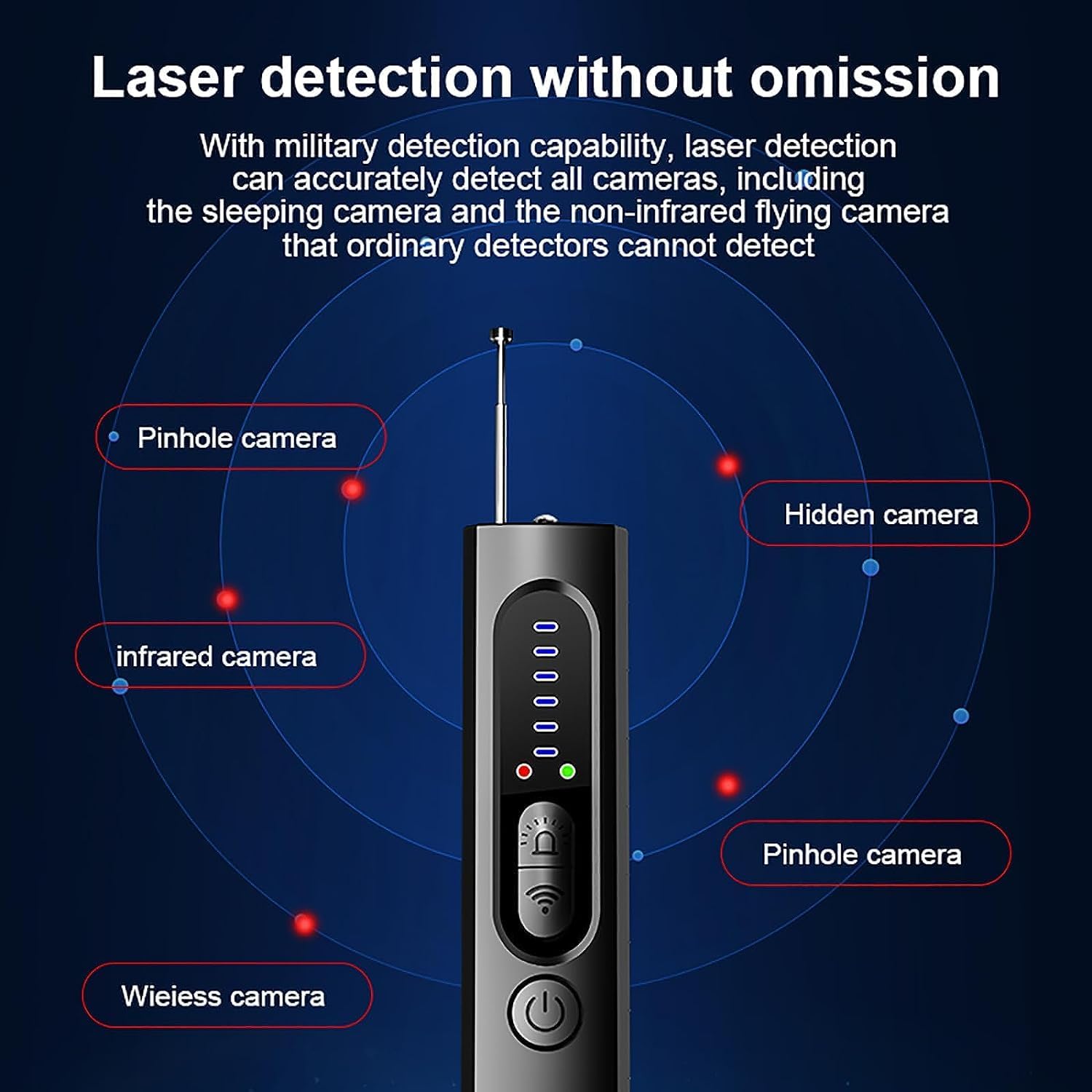
Image: Visual representation of the detector's laser detection capability, showing how it can identify various types of hidden cameras, including pinhole and infrared cameras, by reflecting light.
3. Magnetic Field Detection (GPS Trackers)
This mode is specifically designed to find GPS trackers that are often magnetically attached to vehicles or other metal surfaces.
- Turn on the device.
- Select the magnetic field detection mode.
- Move the detector close to areas where GPS trackers might be hidden, such as under vehicles, inside wheel wells, or attached to metal objects.
- The device will alert you (e.g., vibrate, sound, or light up) when it detects a strong magnetic field, indicating a potential GPS tracker.
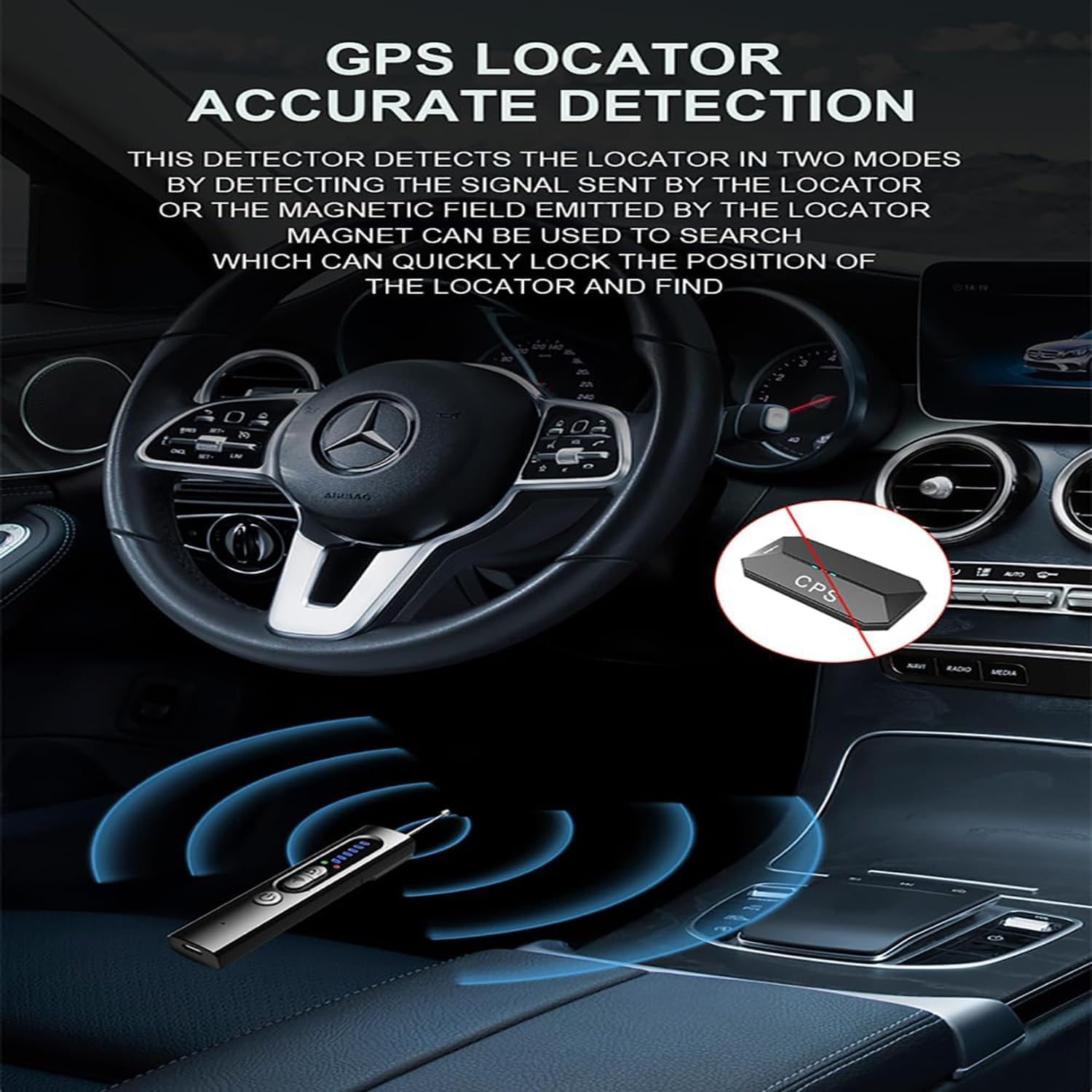
Image: Depicts the detector's use for accurate GPS locator detection within a car, showing how it can identify both signal-emitting and magnetically attached trackers.
4. Flashlight Function
The built-in flashlight can be used to illuminate dark areas, aiding in visual inspection and camera detection.
- Activate the flashlight function (refer to device specific button).
- Use it to inspect dimly lit spaces where hidden devices might be concealed.
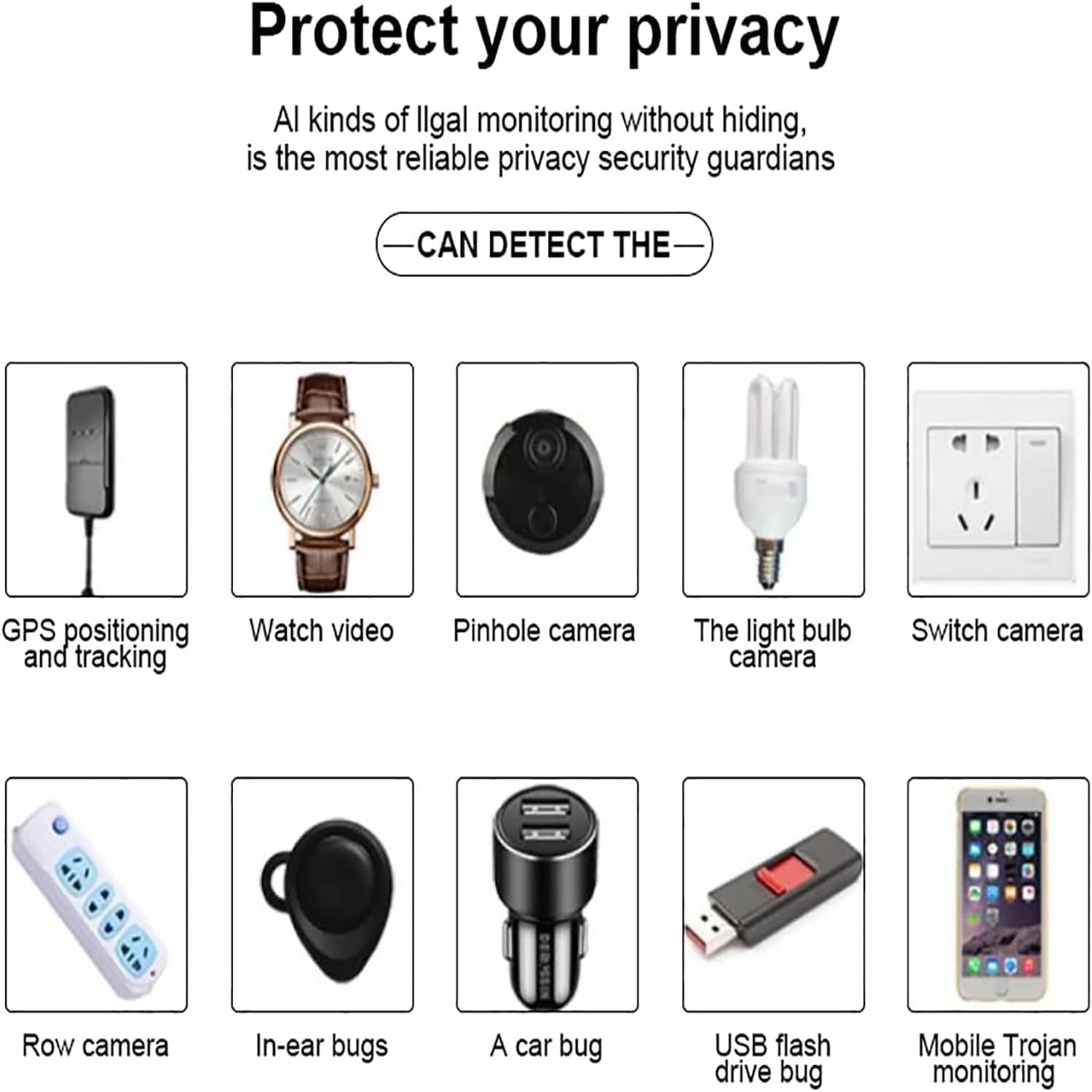
Image: An illustrative diagram showing various types of illegal monitoring devices the Fyzuf detector can identify, including GPS trackers, watch cameras, pinhole cameras, light bulb cameras, switch cameras, row cameras, in-ear bugs, car bugs, USB flash drive bugs, and mobile Trojan monitoring.
Maintenance
- Cleaning: Wipe the device with a soft, dry cloth. Do not use abrasive cleaners or solvents.
- Storage: Store the detector in a cool, dry place away from direct sunlight and extreme temperatures.
- Battery Care: Recharge the battery regularly, even if not in frequent use, to maintain battery health. Avoid fully discharging the battery for extended periods.
- Avoid Impact: Protect the device from drops and impacts, which can damage internal components.
Troubleshooting
- Device does not power on:
- Ensure the device is fully charged. Connect it to a power source and allow it to charge for at least 30 minutes before attempting to power on again.
- No signal detected / False positives:
- Adjust the sensitivity level. If too low, it might miss signals; if too high, it might pick up ambient electronic noise (e.g., Wi-Fi routers, cell phones).
- Ensure you are sweeping the area slowly and thoroughly.
- Minimize other electronic devices in the immediate vicinity during detection to reduce interference.
- Check for strong magnetic fields from common household items if in magnetic detection mode.
- Laser detection not showing reflections:
- Ensure the laser is active and flashing.
- Scan the area very slowly and from different angles. Camera lenses can be very small and require precise alignment to reflect the laser.
- Try dimming the room lights for better visibility of reflections.
- Short battery life:
- Ensure the device is fully charged before use.
- Battery life can vary based on the detection mode used (e.g., continuous laser scanning might consume more power).
- If the battery life significantly degrades over time, it may indicate the battery needs replacement.
Specifications
| Feature | Detail |
|---|---|
| Model Name | X19 (BFDGB) |
| Dimensions (L x W x H) | 10.8 x 2.4 x 1.5 CM (4.25 x 0.94 x 0.59 inches) |
| Weight | 30 grams (1.06 ounces) |
| Power Input | DC 5V/1A |
| Battery | 3.7V/400mA (Rechargeable) |
| Working Hours | Up to 25-30 hours (varies with mode) |
| Sensitivity | 5 levels adjustable |
| Receiving Frequency Range | 1MHz - 6.5GHz |
| Signal Detection Range | 5cm - 8m (1.97 inches - 26.25 feet) |
| Optical Lens | Special lens for camera detection |
| Laser Detection Distance | 10cm - 6m (3.94 inches - 19.69 feet) |
| Included Components | Hidden Camera Detector, Charging Cable, User Manual |
Warranty and Support
Fyzuf is committed to providing high-quality products and customer satisfaction. For any questions, concerns, or technical support regarding your Fyzuf Hidden Camera Detector, please contact our customer support team.
Please refer to your purchase documentation or the product packaging for specific warranty details and contact information. Our customer support team is always ready to help you with any questions or concerns you may have about our product or customer service.