
Product Overview
The Vaku Luxos 4-in-1 Magnetic Bluetooth Speaker is a versatile device designed to enhance your audio and charging experience. It integrates a powerful Bluetooth speaker, a 15W wireless charger, TWS (True Wireless Stereo) pairing capability, and a portable magnetic phone stand, all complemented by colorful RGB lighting.
Key features include:
- Magnetic Mini Speaker: Compact and portable with a strong magnetic base for attachment to phones or metal surfaces.
- 4-in-1 Multifunctional Design: Combines speaker, 15W wireless charger, TWS connectivity, and phone stand.
- Bluetooth 5.3 & TWS Technology: For seamless device connection and stereo sound pairing with multiple speakers.
- Colorful RGB Lighting: Transparent design with vibrant RGB effects for an enhanced visual experience.
- Magnetic Phone Stand: Compatible with MagSafe iPhones (12, 13, 14, 15, 16 series) and other phones using the included steel ring component.
- Easy Charging: USB-C charging with approximately 7 hours of playback time.

Image: The Vaku Luxos 4-in-1 Magnetic Bluetooth Speaker, showcasing its compact design and RGB lighting.
Setup
1. Initial Charging
Before first use, fully charge the speaker using the provided USB-C cable. Connect the USB-C end to the speaker's charging port and the other end to a compatible USB power adapter (not included).
2. Powering On/Off
Press and hold the power button located on the device to turn it on or off. An indicator light will confirm the status.
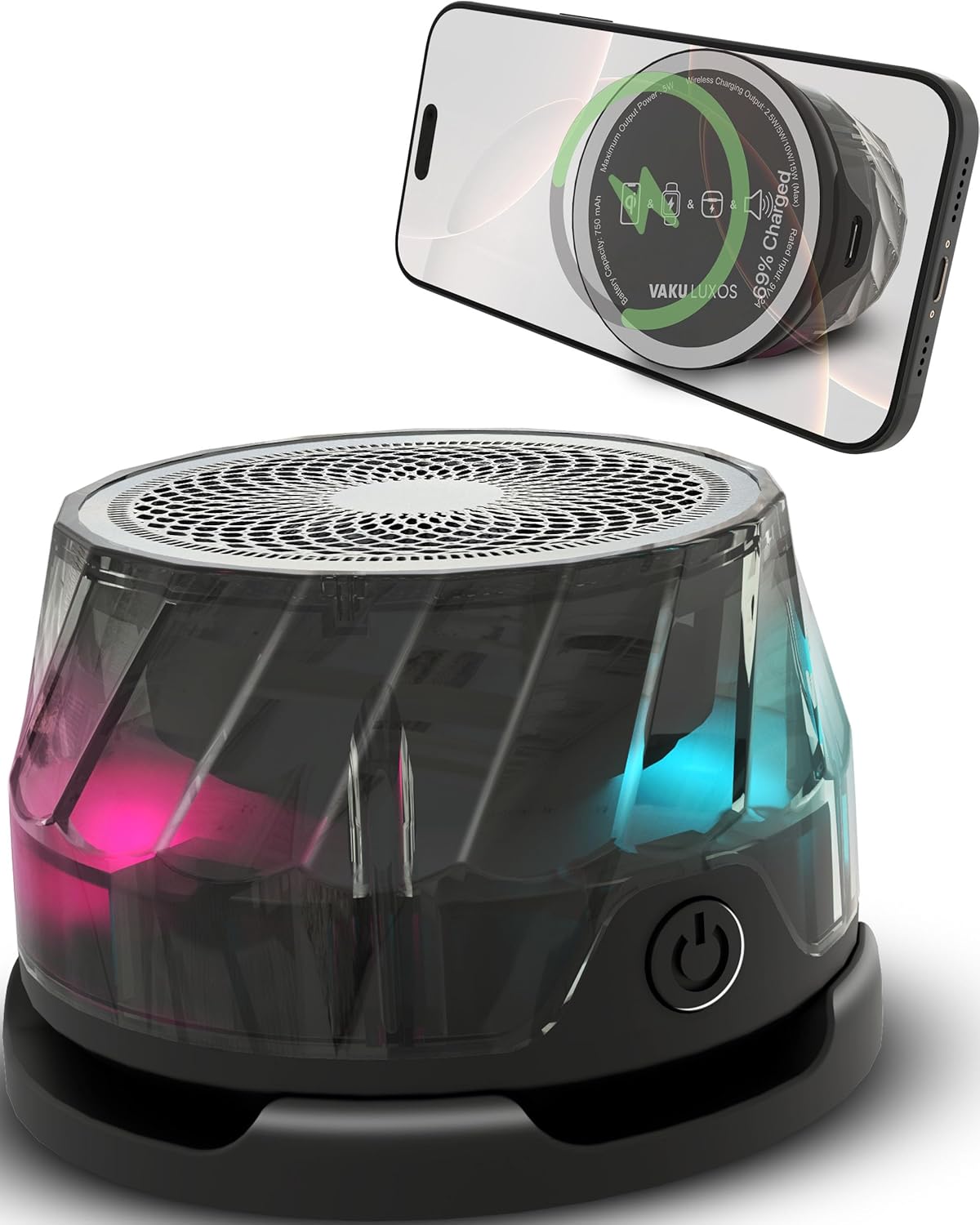
Image: Close-up view of the speaker, highlighting the power button and transparent design.
Operating Instructions
1. Bluetooth Pairing
- Ensure the speaker is powered on and in Bluetooth pairing mode (indicated by a flashing light).
- On your device (phone, tablet, laptop), navigate to Bluetooth settings.
- Select "Vaku Luxos Speaker" from the list of available devices.
- Once connected, the indicator light will become solid, and you will hear an audible confirmation.

Image: Illustration showing the speaker wirelessly connected to a phone, tablet, and laptop.
2. TWS (True Wireless Stereo) Pairing
To achieve stereo sound, you can pair two Vaku Luxos 4-in-1 speakers together:
- Ensure both speakers are powered on and not connected to any other Bluetooth device.
- On one speaker, double-press the power button (or designated TWS button if available) to initiate TWS pairing.
- The speakers will automatically search for and connect to each other. An audible prompt will confirm successful pairing.
- Once paired, connect your device to one of the speakers via Bluetooth as described above. Both speakers will then play audio in stereo.

Image: Two Vaku Luxos speakers positioned to demonstrate TWS pairing for separate left and right audio channels.
3. Wireless Charging Function
The speaker features a 15W wireless charging pad for compatible devices.
- Place your iPhone (MagSafe compatible models), iWatch, or AirPods case directly onto the designated charging area on the speaker.
- Ensure the device is properly aligned for optimal charging. A charging indicator on your device or the speaker will confirm charging status.

Image: The Vaku Luxos speaker simultaneously charging an iPhone, AirPods, and an iWatch, demonstrating its multi-device charging capability.
4. Magnetic Phone Stand
The speaker's magnetic base allows it to function as a phone stand.
- For MagSafe compatible iPhones (iPhone 12, 13, 14, 15, 16 series), simply attach the back of your phone to the speaker's magnetic surface.
- For older iPhones or Android phones, use the provided steel ring component. Attach the steel ring to the back of your phone or phone case, then align it with the speaker's magnetic surface.

Image: A smartphone magnetically attached to the Vaku Luxos speaker, demonstrating its use as a phone stand.
5. RGB Lighting Control
The speaker features colorful RGB lighting. Specific controls for changing light modes or turning them off may be integrated with the power button or a dedicated button (refer to product packaging if a specific button is not evident). Typically, a short press of a button might cycle through modes, while a long press might turn the lights off.

Image: The Vaku Luxos speaker displaying its dynamic RGB light effects, enhancing the visual experience.
6. Game / Music Mode
The speaker may offer optimized sound profiles for gaming or music. If available, a dedicated button or a combination of button presses will allow you to switch between these modes for an enhanced audio experience. Game mode typically provides low latency, while music mode focuses on rich audio details.

Image: A user holding a smartphone with the Vaku Luxos speaker attached, illustrating its use during gaming or music playback.
Maintenance
- Cleaning: Use a soft, dry cloth to wipe the surface of the speaker. Avoid using abrasive cleaners, solvents, or harsh chemicals.
- Storage: Store the device in a cool, dry place away from direct sunlight and extreme temperatures.
- Water Exposure: This device is not waterproof. Avoid exposure to water or excessive moisture.
- Handling: Handle the speaker with care to prevent drops or impacts that could damage internal components.
Troubleshooting
| Problem | Solution |
|---|---|
| Speaker does not power on. | Ensure the battery is charged. Connect the speaker to a power source using the USB-C cable. |
| Cannot pair via Bluetooth. |
|
| Wireless charging is not working. |
|
| No sound from the speaker. |
|
Specifications
| Feature | Detail |
|---|---|
| Brand | Vaku Luxos |
| Model Name | Rizmo (4-in-1 Speaker) |
| Product Dimensions | 4 x 4 x 3 cm |
| Item Weight | 80 g |
| Wireless Charger Output | 15 Watts |
| Speaker Output Power | 15 Watts (Max), 5 Watts (Peak) |
| Speaker Amplification Type | Active |
| Speaker Connectivity | Wireless (Bluetooth 5.3) |
| Audio Output Mode | Stereo (with TWS pairing) |
| Power Source | Battery Powered |
| Battery Average Life | 7 Hours |
| Material | Acrylonitrile Butadiene Styrene |
| Special Features | Lightweight Design, Magnetic Phone Stand, RGB Light, Sleek Design & Comfortable Grip |
| Compatible Devices | iPhone 12/13/14/15/16 series, iPad Pro/Air/Mini, AirPods (2nd/3rd Gen, Pro), iWatch Ultra 2/Series 9/8/7/6/5/4/SE, and other MagSafe compatible devices. |
| Included Components | 1X Rizmo Speaker |
| Country of Origin | China |
Warranty and Support
Warranty Information
The Vaku Luxos 4-in-1 Magnetic Bluetooth Speaker comes with a 1-year warranty. An optional 1-year extended warranty is available through OneAssist.

Image: Vaku Luxos brand logo.
Customer Support
For product knowledge, instant support, installation assistance, warranty claims, or replacement services, please contact Vaku Luxos customer support:
- Toll-Free Helpline: 1800-102-8258 (Monday to Saturday, 10 AM to 5 PM)
- Manufacturer/Importer: Zibbri India Pvt.Ltd, 293 Basement, Lane No. 2, Kehar Singh Estate, Westend Marg, Saidulajab, 110030 NEW DELHI, India. Phone: +91 9218024678

Image: Visual representation of Vaku Luxos customer support services and contact details.
Official Product Videos
Video: Demonstration of the Vaku Luxos 4-in-1 Magnetic Bluetooth Speaker's features and functionality.
Video: Overview of the Vaku Luxos 4-in-1 Magnetic Bluetooth Speaker's design and usage scenarios.