
Introduction
This manual provides detailed instructions for the installation and care of your new TV base stand legs. These original replacement legs are designed to provide stable support for your LG 60-inch television, specifically model 60UM7200PUA.
It is crucial to verify your television's model number before proceeding with installation to ensure compatibility. The model number can typically be found on a sticker on the back of your TV or within the TV's settings menu under the "About TV" option.

Image: The two TV base stand legs included in the package, designed for stable television support.
Package Contents
Please ensure all the following components are present in your package:
- One (1) Left TV Base Stand Leg (often marked 'A')
- One (1) Right TV Base Stand Leg (often marked 'B')
- Required mounting screws
A Phillips head screwdriver is required for installation and is not included.
Setup and Installation
Follow these steps carefully to install the TV base stand legs:
- Preparation: Place your television face down on a clean, soft, and stable surface (e.g., a blanket or foam pad on a table) to prevent scratching the screen. Ensure the surface is large enough to support the TV safely.
- Identify Legs: Locate the left and right stand legs. They are typically marked with 'A' for the left leg and 'B' for the right leg, or have distinct shapes that align with specific sides of the TV.
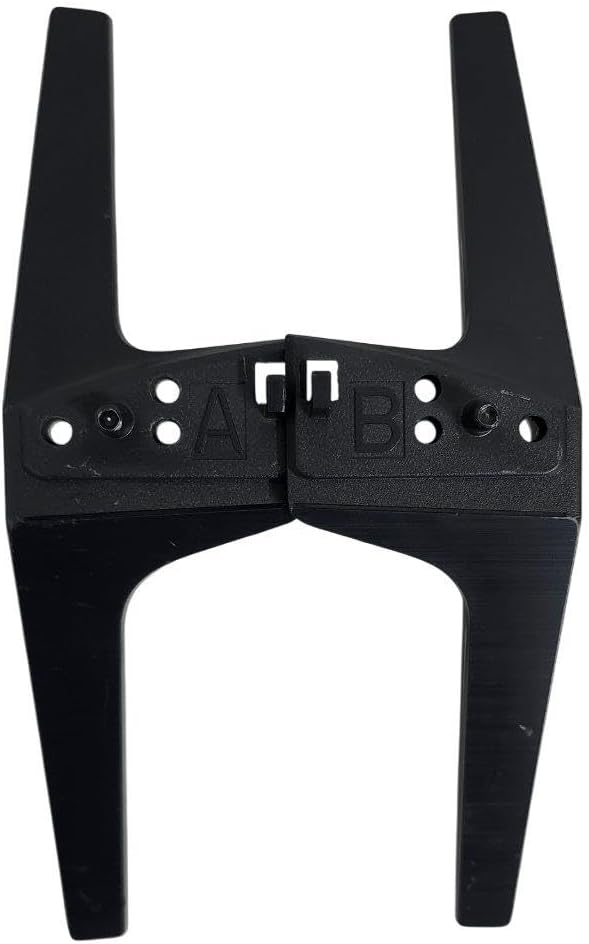
Image: Underside of the TV legs, showing the 'A' and 'B' markings for left and right identification, and the screw attachment points.
- Align Left Leg: Carefully align the left TV base stand leg (marked 'A') with the corresponding mounting holes on the left side of the television's bottom panel. Ensure the leg is oriented correctly, with the flat base facing downwards.
- Secure Left Leg: Insert the provided mounting screws into the aligned holes. Using a Phillips head screwdriver, tighten the screws firmly but do not overtighten, as this can damage the TV or the leg.
- Align and Secure Right Leg: Repeat steps 3 and 4 for the right TV base stand leg (marked 'B') on the right side of the television.
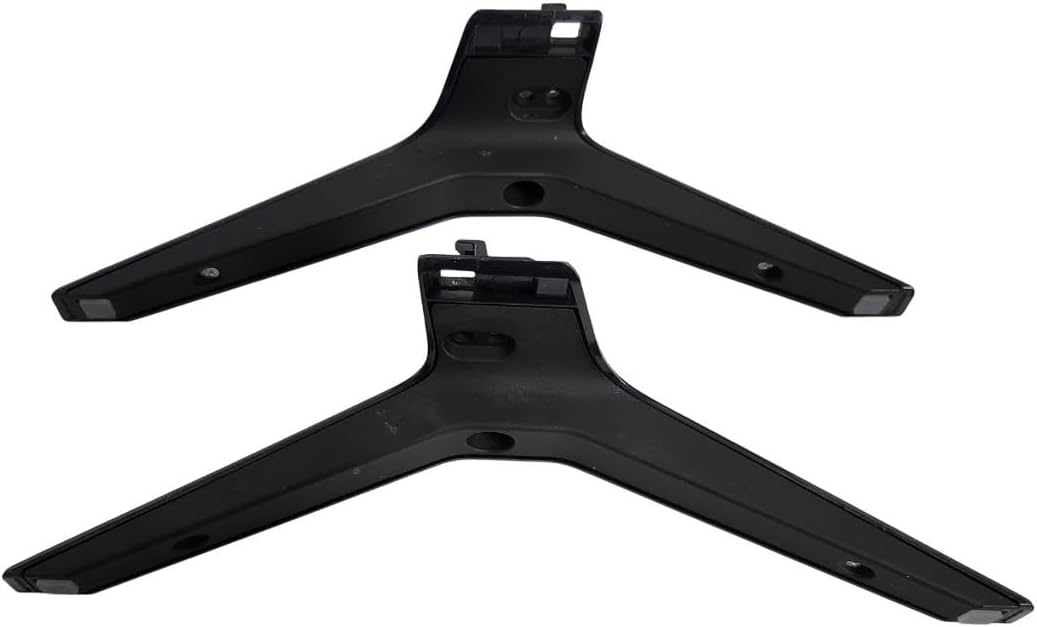
Image: Top view of the TV legs, illustrating how they connect to the television's mounting points.
- Final Placement: With both legs securely attached, carefully lift the television and place it upright on a stable, level, and clean surface. Ensure the TV is balanced and does not wobble.
Operating Considerations
Once installed, the TV base stand legs provide a fixed, stable platform for your television. To ensure continued stability and safety:
- Always place the television on a flat, level, and sturdy surface that can support its weight.
- Avoid placing excessive weight or objects on top of the television.
- Do not push or pull the television by the screen; always move it by gripping the frame or the stand legs firmly.
Maintenance
To maintain the appearance and integrity of your TV base stand legs:
- Cleaning: Wipe the legs with a dry, soft cloth to remove dust and smudges. Avoid using abrasive cleaners or solvents, as these may damage the finish.
- Screw Tightness: Periodically check the mounting screws to ensure they remain tight. If any screws feel loose, gently tighten them with a Phillips head screwdriver. Do not overtighten.
Troubleshooting
If you encounter any issues during installation or use, consider the following:
- Legs do not fit: Double-check that your TV model number is precisely 60UM7200PUA. These legs are specifically designed for this model. If your model matches and the legs still do not fit, ensure you are aligning the correct leg (left/right) with the correct side of the TV.
- Screws do not tighten: Ensure you are using the provided screws and that they are correctly aligned with the screw holes on both the leg and the TV. Do not force screws; if resistance is met, re-align.
- TV wobbles after installation: Verify that all screws are securely tightened on both legs. Also, ensure the surface on which the TV is placed is completely flat and stable.
Specifications
| Attribute | Detail |
|---|---|
| Brand | Generic |
| Model Number | 60UM7200PUA |
| Compatibility | LG 60" Model 60UM7200PUA |
| Color | Black |
| Installation Type | Screw-In |
| Leg Style | Straight |
| Approximate Product Dimensions (L x W x H) | 7 x 7 x 18 inches |
| Approximate Item Weight | 1 pound |
Support
For further assistance, compatibility inquiries, or if you require replacement parts, please contact the manufacturer or seller directly. Providing your TV's exact model number (60UM7200PUA) will help expedite support.