
AiJoy ASP-10F
AiJoy ASP-10F 88 Key Semi-Weighted Portable Folding Piano Instruction Manual
Model: ASP-10F
1. Introduction
This manual provides essential information for the safe and effective use of your AiJoy ASP-10F 88 Key Semi-Weighted Portable Folding Piano. Please read it thoroughly before operating the instrument and retain it for future reference.
Key Features:
- 88 Semi-Weighted Keys: Offers a balanced touch between synth-action and fully weighted piano keys, suitable for beginners and experienced players.
- Portable & Folding Design: Full-size keyboard that folds for easy transport and storage, weighing approximately 8.8 lbs.
- Versatile Sound & Function: Includes 128 tones (e.g., piano, organs, guitars, strings), 128 rhythms, and 20 demo songs. Features auto-chord, record, metronome, transpose, and dual piano modes.
- Connectivity: USB-MIDI for connecting to devices and music apps, headphone jack for private practice, and microphone input.
- Built-in Speakers: Integrated speakers for clear audio output.
- Long Battery Life: Runs on built-in batteries for up to 10 hours of playtime on a single charge.
2. What's in the Box
Verify that all items listed below are included in your package:
- Full-size folding digital piano
- Music stand
- USB Charger
- Sustain pedal
- Instruction manual
- Carrying bag

Figure 2.1: Package contents of the AiJoy ASP-10F piano.
3. Setup
3.1 Unfolding the Piano
Carefully unfold the piano until it locks into its full 88-key position. Ensure the two halves are securely connected.

Figure 3.1: Dimensions of the piano in folded and unfolded states.
3.2 Attaching the Music Stand
Insert the music stand into the designated slot on the top panel of the piano. Ensure it is firmly seated.
3.3 Connecting the Sustain Pedal
Plug the sustain pedal into the 'Sustain Pedal' port located on the rear panel of the piano.
3.4 Powering On and Charging
Press the Power button to turn on the piano. To charge the internal battery, connect the USB charger to the charging port on the rear panel. The charging indicator will illuminate during charging.

Figure 3.2: Rear panel connectivity ports.
4. Operating Instructions
4.1 Adjusting Volume
Use the Volume control knob or dedicated Volume buttons (if present) to adjust the overall output level of the piano.
4.2 Selecting Tones and Rhythms
The piano features 128 different tones and 128 rhythms. Use the 'Tone' and 'Rhythm' buttons, often in conjunction with the '+' and '-' buttons or a data wheel, to cycle through the available options. The display will show the selected number.

Figure 4.1: Control panel with sound and function buttons.
4.3 Using the Metronome
Press the 'Metronome' button to activate the metronome. You can typically adjust the tempo using dedicated 'Tempo' buttons or the data wheel. Press 'Metronome' again to deactivate it.
4.4 Playing Demo Songs
The piano includes 20 demo songs. Press the 'Demo' button to start playback. Use the '+' and '-' buttons to select different demo songs.
4.5 Recording and Playback
To record your performance, press the 'Record' button. Play your desired piece. Press 'Record' again to stop recording. To play back your recorded piece, press the 'Play' button.
4.6 USB-MIDI Connectivity
Connect the piano to a computer or smart device using a USB-MIDI cable. This allows you to use the piano as a MIDI controller for music production software or educational apps.
4.7 Bluetooth Connectivity
The piano supports Bluetooth for wireless connection to mobile devices. This enables streaming audio from your device through the piano's speakers or using MIDI over Bluetooth with compatible applications.

Figure 4.2: Wireless MIDI connection to a tablet.
4.8 Headphone and Microphone Use
Plug headphones into the dedicated headphone jack for private practice. A microphone can be connected to the mic input to amplify vocals through the piano's speakers.
5. Maintenance
5.1 Cleaning
Wipe the piano's surface with a soft, dry cloth. Do not use abrasive cleaners, solvents, or waxes, as these can damage the finish. For keys, a slightly damp cloth can be used, followed by a dry cloth.
5.2 Storage
When not in use, fold the piano and store it in the provided carrying bag to protect it from dust and physical damage. Store in a cool, dry place away from direct sunlight and extreme temperatures.
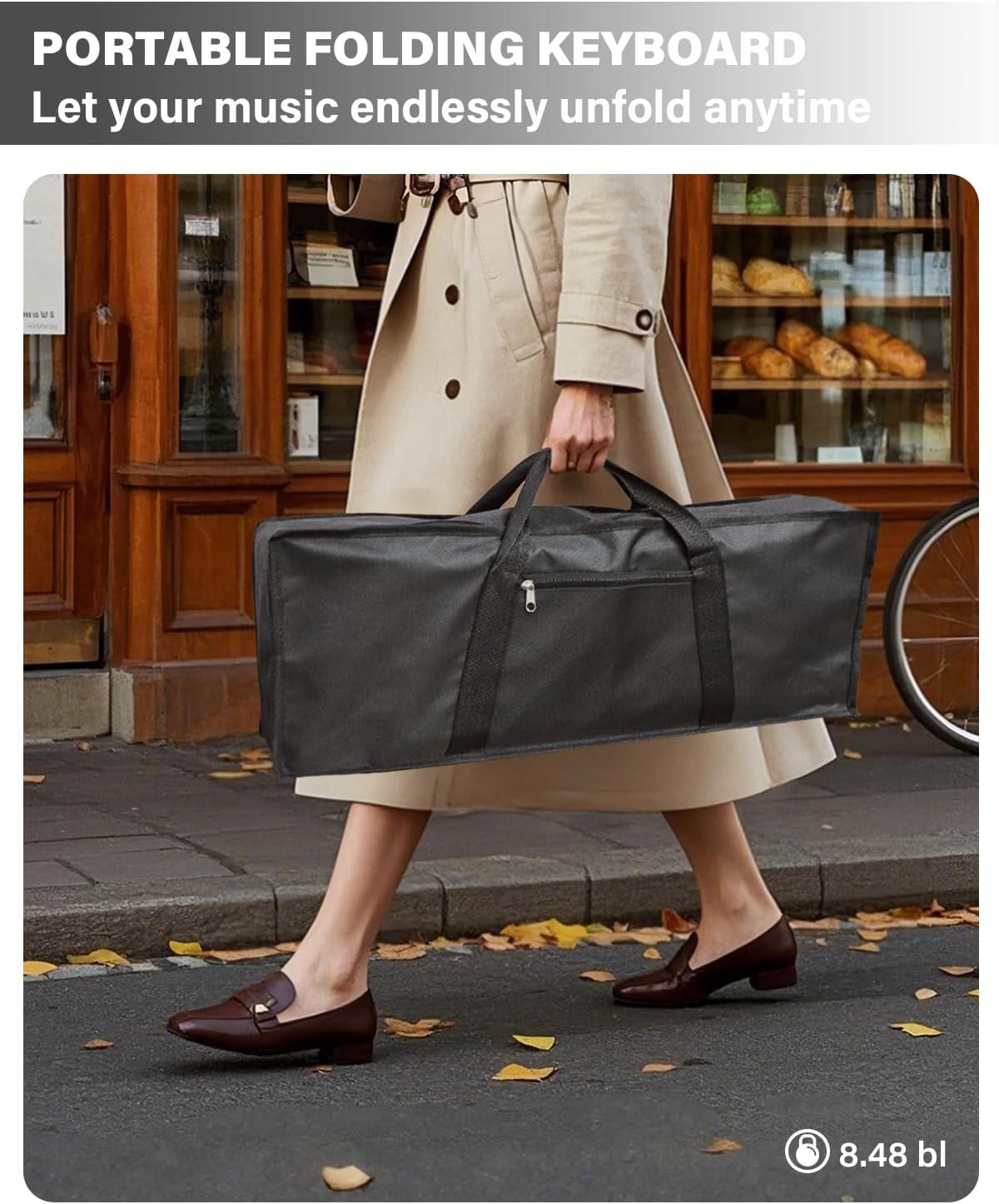
Figure 5.1: The piano stored in its carrying bag.
6. Troubleshooting
6.1 No Sound Output
- Ensure the piano is powered on.
- Check the volume level and increase if necessary.
- If headphones are plugged in, unplug them to hear sound from the speakers.
- Verify that the correct tone is selected.
6.2 Keys Not Responding
- Ensure the piano is fully unfolded and locked.
- Check for any foreign objects lodged between the keys.
6.3 Bluetooth Connectivity Issues
- Ensure Bluetooth is enabled on both the piano and your device.
- Make sure the piano is in pairing mode (refer to specific instructions in the full manual if available).
- Try restarting both the piano and your device.
6.4 Volume Resets on Power Cycle
The piano's volume may reset to a default level each time it is powered on. This is a normal operational characteristic; adjust the volume to your preferred level after each power-up.
7. Specifications
| Feature | Detail |
|---|---|
| Model Name | ASP-10F |
| Number of Keys | 88 |
| Key Type | Semi-Weighted |
| Dimensions (Unfolded) | 48.45 inches (Length) |
| Item Weight | 8.8 lbs (Product), 11.73 lbs (Package) |
| Tones | 128 |
| Rhythms | 128 |
| Demo Songs | 20 |
| Connectivity | USB-MIDI, 3.5mm Jack (Headphones, Mic, Audio In), USB Type C (Charging) |
| Power Source | Built-in Lithium Polymer Battery, Corded Electric (USB Charger) |
| Battery Life | Up to 10 hours |
| Manufacturer | Shenzhenshilefeifan e-commerce Co, Ltd. |
8. Warranty and Support
For warranty information or technical support, please refer to the contact details provided with your purchase documentation or visit the official AiJoy website. Protection plans may be available for extended coverage.
9. Product Videos
AiJoy 88 Key Semi-Weighted Piano Keyboard Overview
This video provides an overview of the AiJoy 88 Key Semi-Weighted Piano Keyboard, highlighting its features and functionality.
AiJoy Semi-Weighted Keyboard Piano for Beginners
This video demonstrates the AiJoy Semi-Weighted Keyboard Piano, focusing on its suitability for beginners and ease of use.
Ask a question about this manual
Ask about setup, troubleshooting, compatibility, parts, safety, or missing instructions. Manuals+ will review the question and use this page’s manual context to help answer it.