
Hbws48d2ace
CANDY Built-In Washing Machine User Manual
Model: Hbws48d2ace
Introduction
This user manual provides essential information for the safe and efficient operation, installation, and maintenance of your new CANDY Built-In Washing Machine. Please read this manual thoroughly before using the appliance and keep it for future reference.
Your CANDY Built-In Washing Machine is designed to seamlessly integrate into your kitchen, offering an 8kg capacity and a powerful 1400 RPM spin speed for optimal laundry care.
Safety Instructions
Always follow basic safety precautions when using electrical appliances to reduce the risk of fire, electric shock, and injury to persons.
- Ensure the appliance is properly grounded.
- Do not allow children to play on or in the appliance.
- Unplug the appliance before cleaning or performing any maintenance.
- Do not operate the appliance if it is damaged or malfunctioning.
- Keep flammable materials away from the appliance.
Setup and Installation
The CANDY Built-In Washing Machine is designed for integration into standard kitchen cabinetry. Proper installation is crucial for performance and safety.
Unpacking
- Carefully remove all packaging materials.
- Inspect the appliance for any transit damage. Report any damage immediately to your retailer.
- Remove all transport bolts from the rear of the machine. Keep them for future transport if needed.
Positioning
- Place the washing machine on a firm, level floor.
- Ensure adequate ventilation around the appliance.
- The appliance dimensions are approximately 21.5"D x 23.5"W x 33.5"H. Ensure your cabinet space accommodates these dimensions.
Water and Electrical Connections
- Connect the water inlet hose to a cold water tap. Ensure the minimum inlet pressure is 1 Bar.
- Position the drain hose into a suitable drain pipe or sink.
- Connect the power cord to a properly grounded 240 Volt electrical outlet.
- For integrated installation, refer to the specific instructions provided with your cabinetry for securing the appliance.
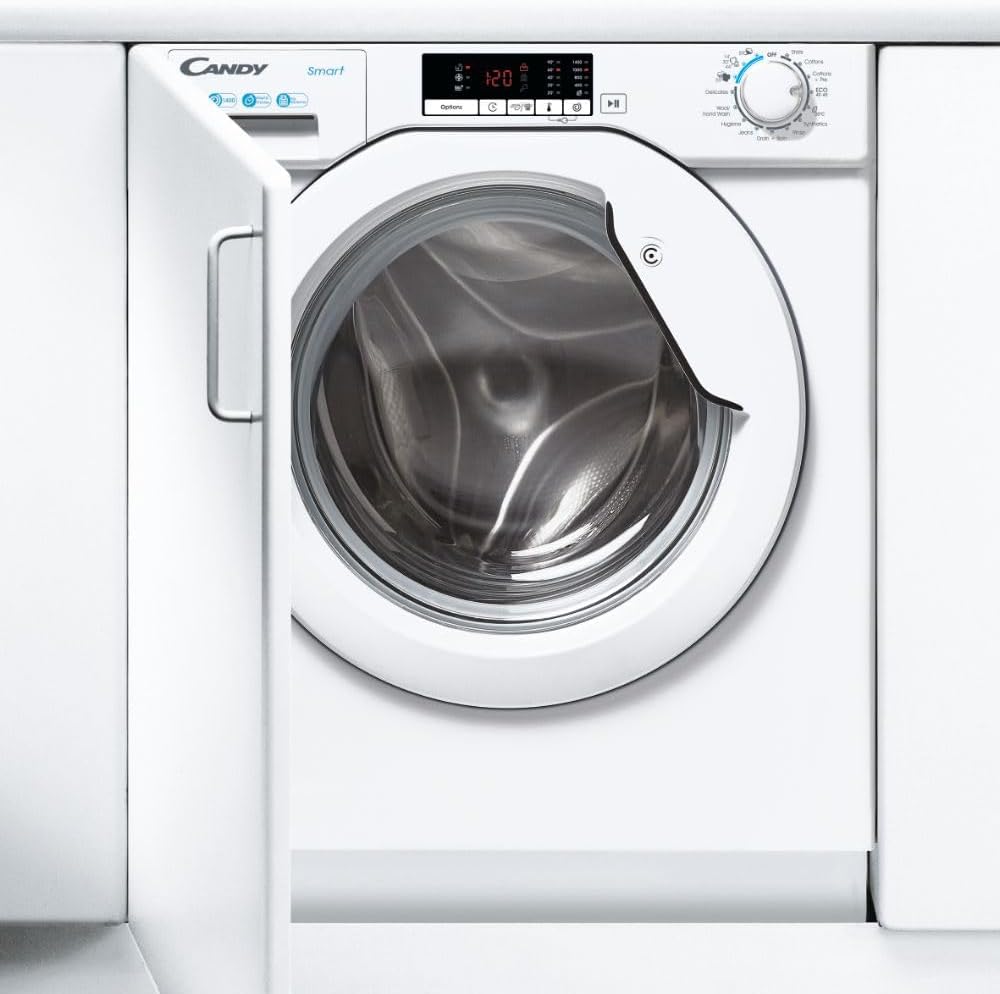
Image: The CANDY Built-In Washing Machine seamlessly integrated into kitchen cabinetry, demonstrating its design for a streamlined look.
Operating Instructions
Your washing machine features an intuitive control panel and multiple wash programs for various fabric types.

Image: Front view of the CANDY Built-In Washing Machine, showing the control panel, detergent dispenser, and large drum.
Loading Laundry
- Open the door and load laundry into the stainless steel drum. Do not overload; the maximum capacity is 8kg.
- Close the door firmly until it clicks.
Adding Detergent
- Pull out the detergent dispenser drawer.
- Add appropriate detergent to the main wash compartment. Fabric softener can be added to its designated compartment.
- Push the dispenser drawer back in.
Selecting a Program
- Turn the program selector dial to choose one of the 15 standard cycles.
- Use the electronic controls and digital display to adjust temperature and spin speed (up to 1400 RPM) as needed.
- Press the Start/Pause button to begin the cycle.
Cycle Completion
- The machine will signal when the cycle is complete.
- Open the door and remove your laundry.
- Leave the door slightly ajar to allow the drum to air dry.
Maintenance
Regular maintenance ensures the longevity and optimal performance of your washing machine.
Cleaning the Exterior
- Wipe the exterior with a soft, damp cloth. Do not use abrasive cleaners.
Cleaning the Detergent Dispenser
- Remove the dispenser drawer and rinse it under running water to remove any detergent residue.
- Clean the housing of the dispenser drawer with a brush.
Cleaning the Drum
- Run a maintenance wash cycle (e.g., a hot wash with no laundry and a descaling agent) periodically to prevent odor and residue buildup.
Filter Cleaning
- Locate the drain pump filter, typically at the bottom front of the machine.
- Place a shallow container underneath to catch any water.
- Unscrew the filter slowly and remove any lint or foreign objects.
- Clean the filter and screw it back in securely.
Troubleshooting
Before contacting service, refer to the following common issues and solutions.
| Problem | Possible Cause | Solution |
|---|---|---|
| Machine does not start | No power; Door not closed; Program not selected. | Check power supply; Ensure door is firmly closed; Select a wash program and press Start. |
| Water not filling | Water tap closed; Inlet hose kinked; Water pressure too low. | Open water tap; Straighten hose; Check household water pressure. |
| Machine vibrating excessively | Transport bolts not removed; Machine not level; Uneven load. | Remove transport bolts; Adjust leveling feet; Redistribute laundry inside drum. |
| Water not draining | Drain hose kinked or blocked; Drain pump filter clogged. | Check and clear drain hose; Clean drain pump filter. |
Specifications
| Feature | Detail |
|---|---|
| Model Number | Hbws48d2ace |
| Capacity | 8 Kilograms |
| Maximum Rotational Speed | 1400 RPM |
| Installation Type | Built-in |
| Product Dimensions (D x W x H) | 21.5"D x 23.5"W x 33.5"H |
| Item Weight | 154 Pounds |
| Voltage | 240 Volts |
| Noise Level | 58 dB |
| Standard Cycles | 15 |
| Drum Material | Stainless Steel |
| Control Type | Electronic |
| Color | White |
| Manufacturer | Candy and Hoover |
Warranty and Support
For warranty information and customer support, please refer to the documentation provided with your purchase or contact the manufacturer directly. General customer support information may be available via the retailer's website.
Manufacturer: Candy and Hoover
For further assistance, please visit the product page on Amazon.