
1. Introduction
This manual provides comprehensive instructions for the installation, operation, and maintenance of your THRONMAX S7 TUNE Low Profile Microphone Boom Arm. Designed for streaming, podcasting, and gaming, this all-metal mic arm offers 360° rotation, integrated cable management, and easy desk clamping for a clean and professional setup.
2. What's in the Box
Please verify that all components are present before proceeding with installation.
- THRONMAX S7 Tune Boom Arm
- Desk Clamp
- User Guide
- THRONMAX Stickers
- 1/4” Thread Adapter
- Hex Keys (for tension adjustment)

Figure 1: THRONMAX S7 TUNE Boom Arm packaging and contents.
3. Key Features
- Premium All-Metal & Low-Profile Design: Crafted with anti-torsional all-metal construction for durability and a sleek, unobstructed look that saves desk space.
- Hidden Cable Management: Features built-in hidden cable trays with a magnetic lid for effortless cable organization, ensuring a tidy workspace.
- 360° Adjustable Tension & Full Rotation: Enjoy precise control with tension-adjustable joints (sway/fall resistance) and 360° horizontal rotation. The arm offers 150° vertical tilt and a 32-inch horizontal reach for flexible positioning.
- Multi-Device Compatibility & Heavy-Duty Load: Supports microphones, DSLR cameras, and lights via 1/4", 3/8", and 5/8" threads. Pre-weighted to counterbalance heavy gear up to 5.5 lbs (2.5 kg).
- Complete Kit for Quick Setup: Includes a desk clamp, hex keys, and a 1/4” thread adapter. The expandable clamp fits desks up to 3.15” (80mm) thick.
4. Setup
4.1 Attaching the Desk Clamp
- Unpack the desk clamp from the box.
- Place the clamp onto the edge of your desk. Ensure the desk surface is clean and free of obstructions.
- Tighten the screw mechanism until the clamp is securely fastened to the desk. The clamp can expand up to 3.15 inches (80mm) thick.
- Insert the base of the boom arm into the vertical socket of the desk clamp. Use the provided hex key to tighten the set screw on the clamp to secure the arm in place.
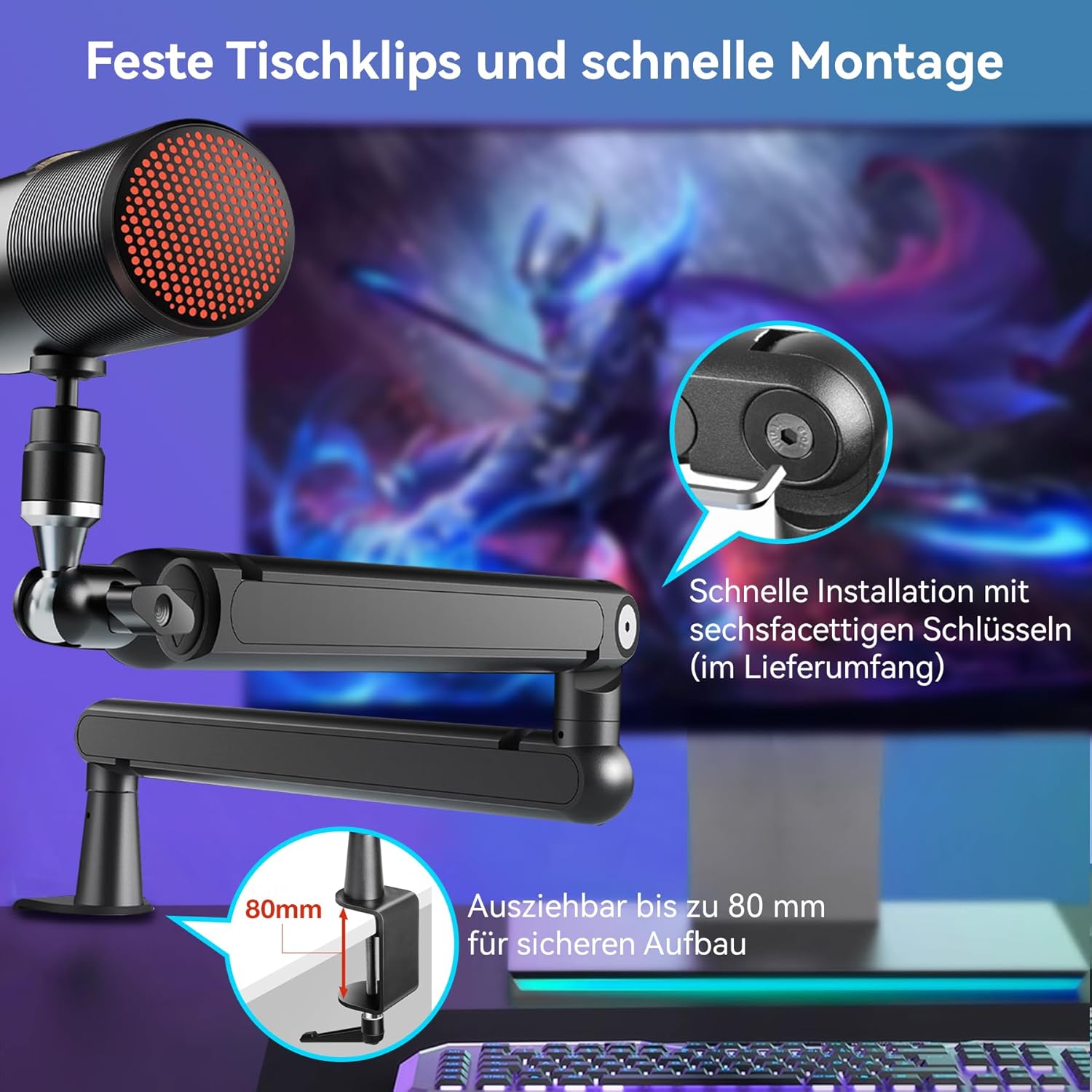
Figure 2: The desk clamp securely attached to a desk, ready for the boom arm.
4.2 Assembling the Boom Arm
- Connect the two main sections of the boom arm by aligning the pivot points and gently pushing them together.
- Attach your microphone, camera, or streaming light to the 1/4", 3/8", or 5/8" thread adapter at the end of the arm. Ensure it is securely tightened.
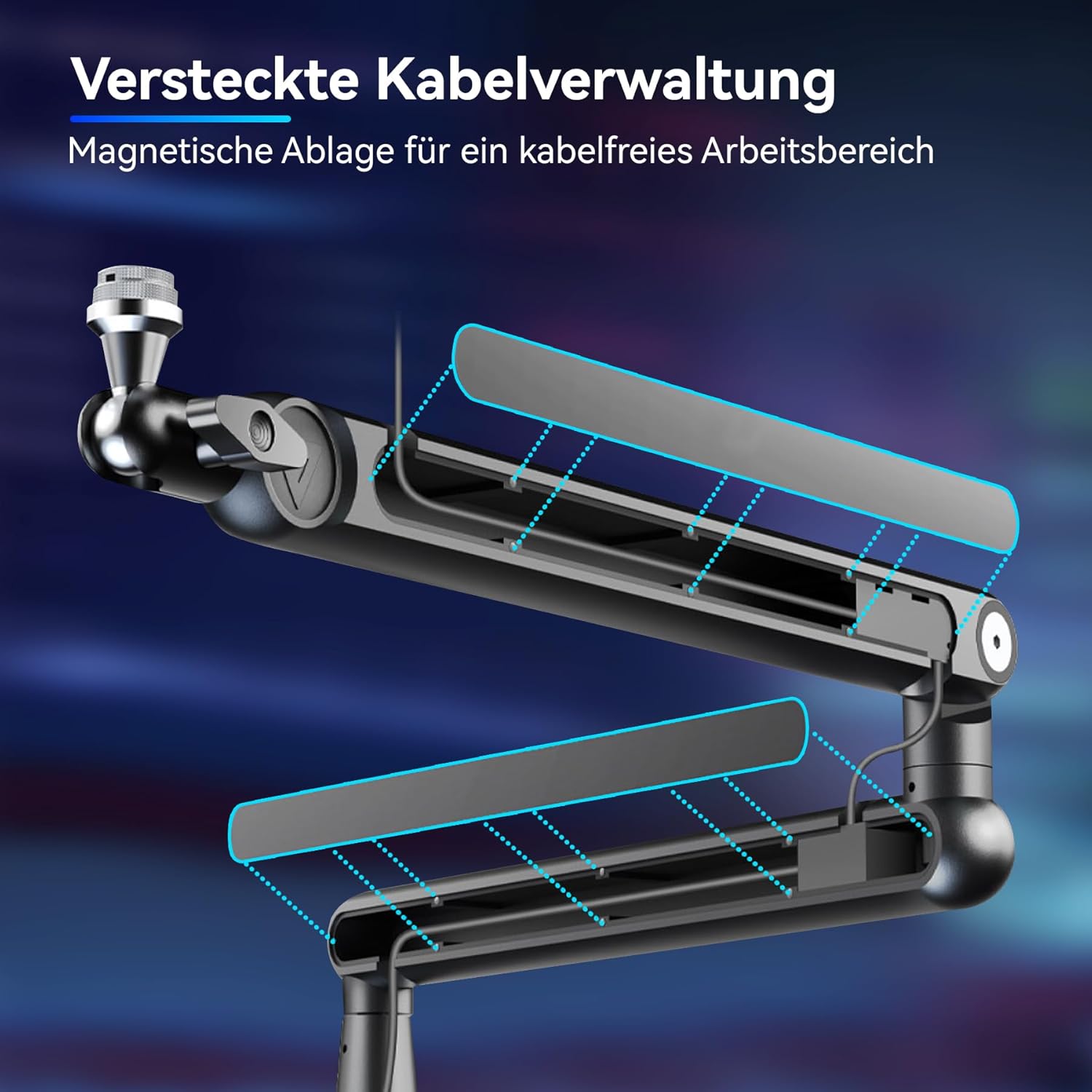
Figure 3: The THRONMAX S7 TUNE Boom Arm with a microphone mounted, showcasing its low-profile design.
5. Operating the Boom Arm
5.1 Adjusting Position and Tension
- The arm features 360° horizontal rotation at the base and elbow joints, allowing for flexible positioning.
- Adjust the vertical tilt up to 150° (90° up / 60° down at the elbow) to achieve your desired height and angle.
- Use the provided hex keys to adjust the tension of the joints. This allows you to customize the arm's resistance to sway and fall, accommodating different equipment weights up to 5.5 lbs (2.5 kg).
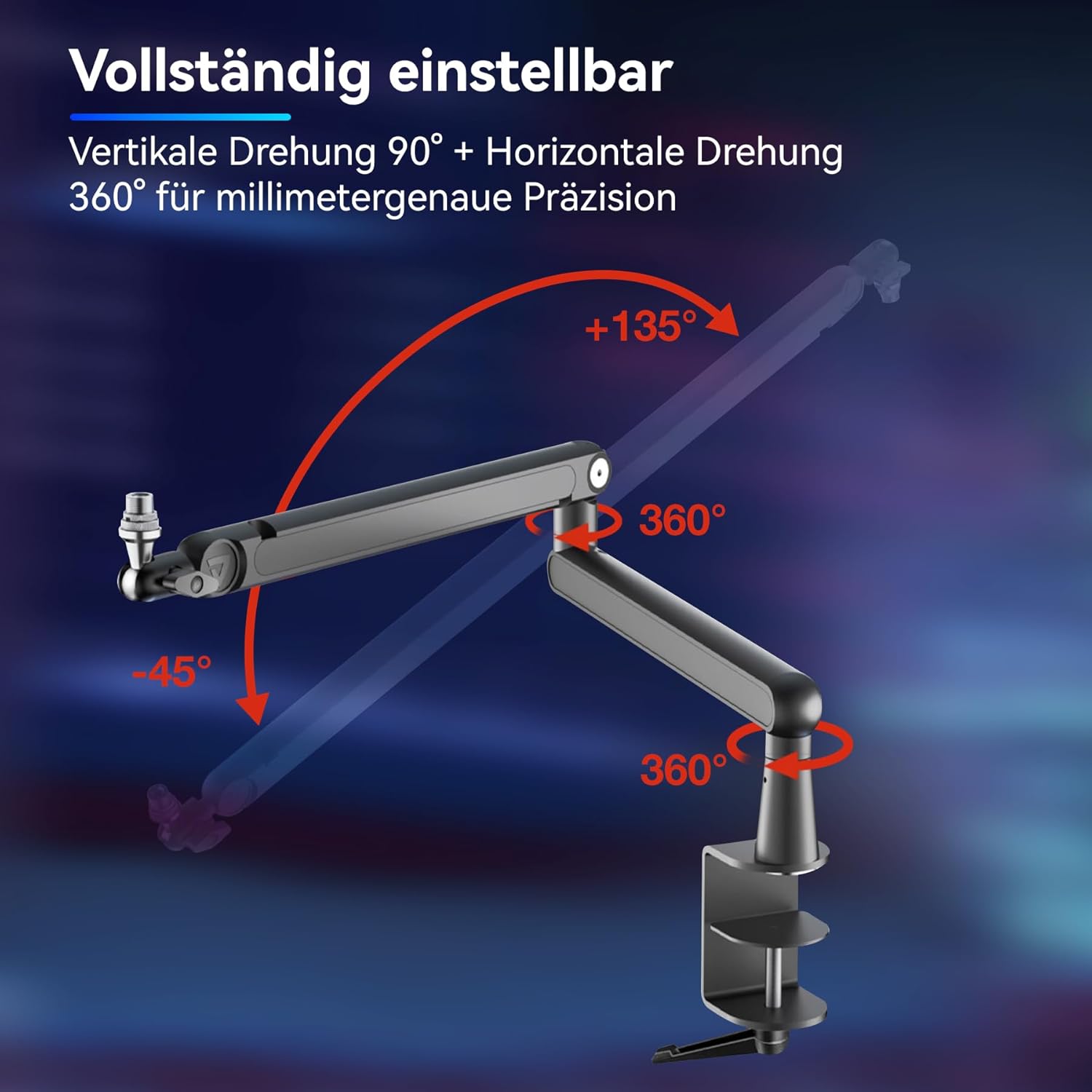
Figure 4: Illustration of the arm's extensive adjustability, including 360° horizontal rotation and 150° vertical tilt.
5.2 Cable Management
- To manage cables, gently lift the magnetic covers on the top of the arm sections.
- Route your microphone or camera cables through the hidden cable trays.
- Once cables are routed, replace the magnetic covers to maintain a clean and organized setup.
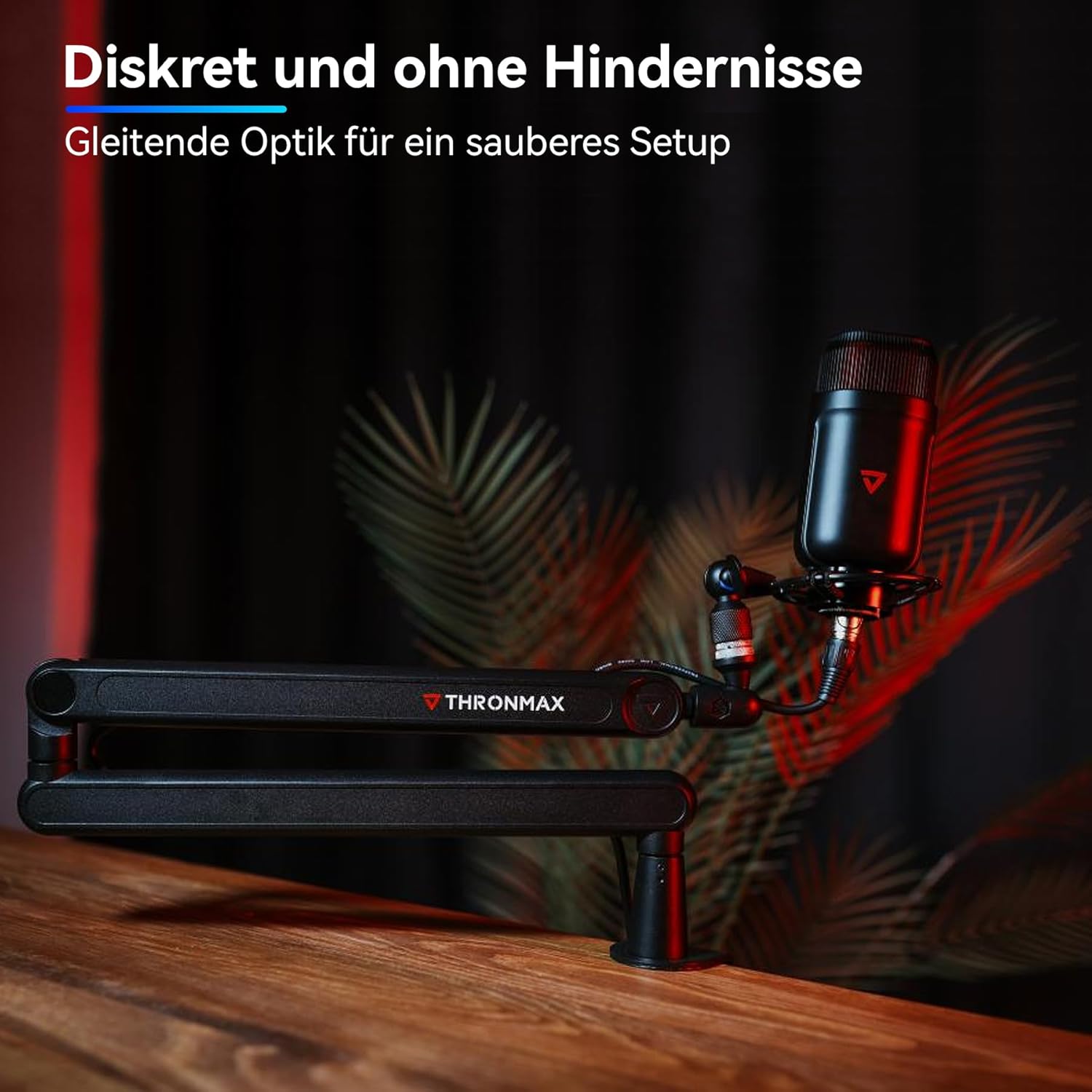
Figure 5: The magnetic cable management system keeps your workspace tidy.
6. Maintenance
- Cleaning: Wipe the arm with a soft, dry cloth to remove dust. Avoid abrasive cleaners or solvents.
- Joint Tension: Periodically check the tension of the joints. If the arm feels too loose or too stiff, use the provided hex keys to adjust the tension screws until the desired resistance is achieved.
- Cable Management: Ensure cables are not pinched or excessively bent within the cable trays to prevent damage.
7. Troubleshooting
| Problem | Possible Cause | Solution |
|---|---|---|
| Arm is too loose/sags | Joint tension is too low for the attached equipment. | Use the hex keys to tighten the tension screws at the joints until the arm holds its position. |
| Arm is too stiff/difficult to move | Joint tension is too high. | Use the hex keys to loosen the tension screws at the joints until the arm moves smoothly. |
| Desk clamp is unstable | Clamp not tightened sufficiently or desk surface is uneven. | Ensure the clamp screw is fully tightened. If the desk surface is uneven, consider using a protective pad (not included) to create a stable contact point. |
| Cables are visible or messy | Cable management covers are open or cables are not routed correctly. | Open the magnetic covers, route cables neatly through the internal channels, and re-attach the covers. |
8. Specifications
| Feature | Detail |
|---|---|
| Brand | THRONMAX |
| Model Name | S7 TUNE |
| Model Number | THR-S7 |
| Material | Alloy Steel |
| Color | BLACK |
| Horizontal Reach | 715 mm / 28.1 in |
| Horizontal Rotation | 360 degrees (base and elbow) |
| Vertical Rotation | 90 degrees up / 60 degrees down (elbow) |
| Desk Clamp Compatibility | Expandable up to 85 mm / 3.15 in |
| Maximum Load | 2.5 kg / 5.5 lbs (mic and accessories) |
| Microphone Stand Thread Size | 1/4 inch, 3/8 inch, 5/8 Inch |
9. Warranty
The THRONMAX S7 TUNE Low Profile Microphone Boom Arm comes with a 2-year warranty. Please retain your proof of purchase for warranty claims. For detailed warranty terms and conditions, refer to the official THRONMAX website or contact customer support.
10. Support
For further assistance, technical support, or to provide feedback, please visit the official THRONMAX website or contact our customer service team.
- Website: www.thronmax.com
- Email: support@thronmax.com
- Social Media: Follow THRONMAX on social media platforms for updates and community support.