
1. Safety Information
Please read and understand all instructions before assembly and use. Retain this manual for future reference.
- Ensure all components are present and undamaged before beginning assembly.
- Assemble the bed frame on a soft, clean surface to prevent scratches.
- Do not overtighten screws during assembly. Tighten all fasteners securely once assembly is complete.
- The maximum weight recommendation for this bed frame is 1000 pounds. Do not exceed this limit.
- Keep small parts and packaging materials away from children and pets.
- Periodically check all connections to ensure they remain tight.
- Avoid placing the bed frame near heat sources or in direct sunlight to prevent material degradation.
- Exercise caution when using the charging station and LED lights. Do not expose electrical components to moisture.
2. Package Contents
Verify that all parts are included in your package before starting assembly. If any parts are missing or damaged, please contact customer service.
- Headboard with integrated storage, LED lights, and charging station
- Bed frame side rails
- Metal bed slats
- Support legs
- Assembly hardware (screws, bolts, Allen wrench)
- LED light strips with remote control
- Power adapter for LED lights and charging station

3. Assembly Instructions
Assembly typically requires two adults. Follow the included detailed installation instructions step-by-step. Do not fully tighten bolts until all components are aligned.
3.1. Headboard Assembly
- Attach the headboard components, ensuring the storage shelves and charging station are correctly oriented.
- Connect the LED light strips to the designated areas on the headboard.


3.2. Bed Frame Assembly
- Connect the side rails to the headboard and footboard using the provided hardware.
- Install the metal bed slats into the frame. The iron bed slats are designed for snap-on installation.
- Attach the support legs, including the 9 hidden leg supports that contribute to the floating effect.
- Ensure the EVA foam mute bar is pressed onto the metal beam to prevent noise.
- Secure the LED light strip under the bed frame using the integrated Velcro.

3.3. Final Steps
- Once all components are assembled, fully tighten all bolts and screws.
- Place your mattress (8-11 inches thick recommended) onto the bed frame. The outer frame is designed to prevent mattress sliding.
- Plug in the power adapter for the LED lights and charging station.
For visual guidance, refer to the official installation videos provided by the seller:
Video 3.1: Assembly overview for the Floating Bed Frame with Hidden Storage Headboard.
Video 3.2: Detailed look at the Hidden Storage Headboard features.
Video 3.3: Another perspective on the Hidden Storage Headboard.
4. Operating Instructions
4.1. RGB LED Lights
The bed frame is equipped with RGB LED light strips on the headboard and under the frame. These lights can be controlled via a remote control or a dedicated mobile application.
- Power On/Off: Use the designated button on the remote or app to turn the lights on or off.
- Color Selection: Choose from over 60,000 colors to customize your lighting.
- Brightness Adjustment: Adjust the light intensity to your preference.
- Modes: Explore various modes such as Mic Mode (lights react to sound), Music Mode (lights sync with music), and Timing Mode (set schedules for lights).
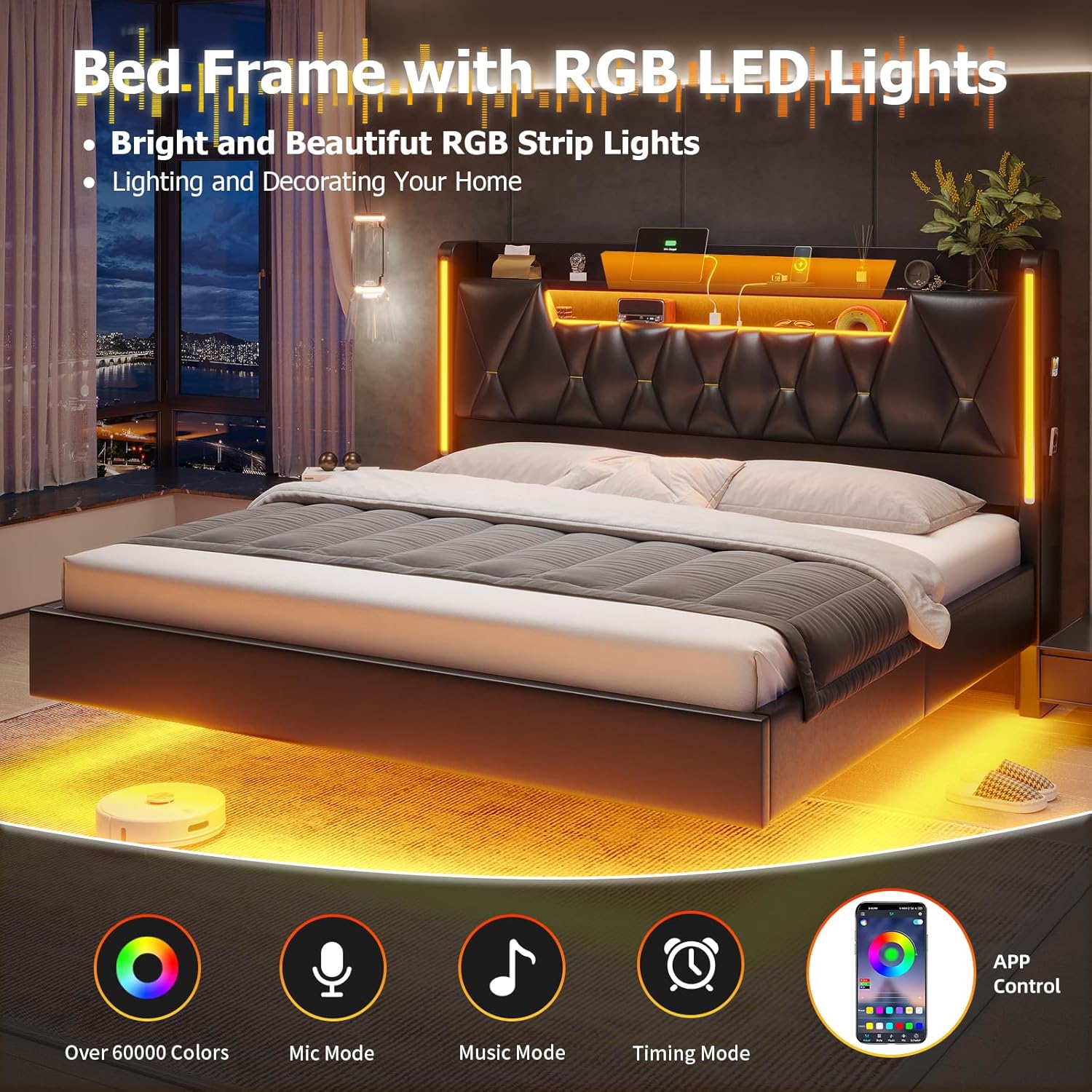
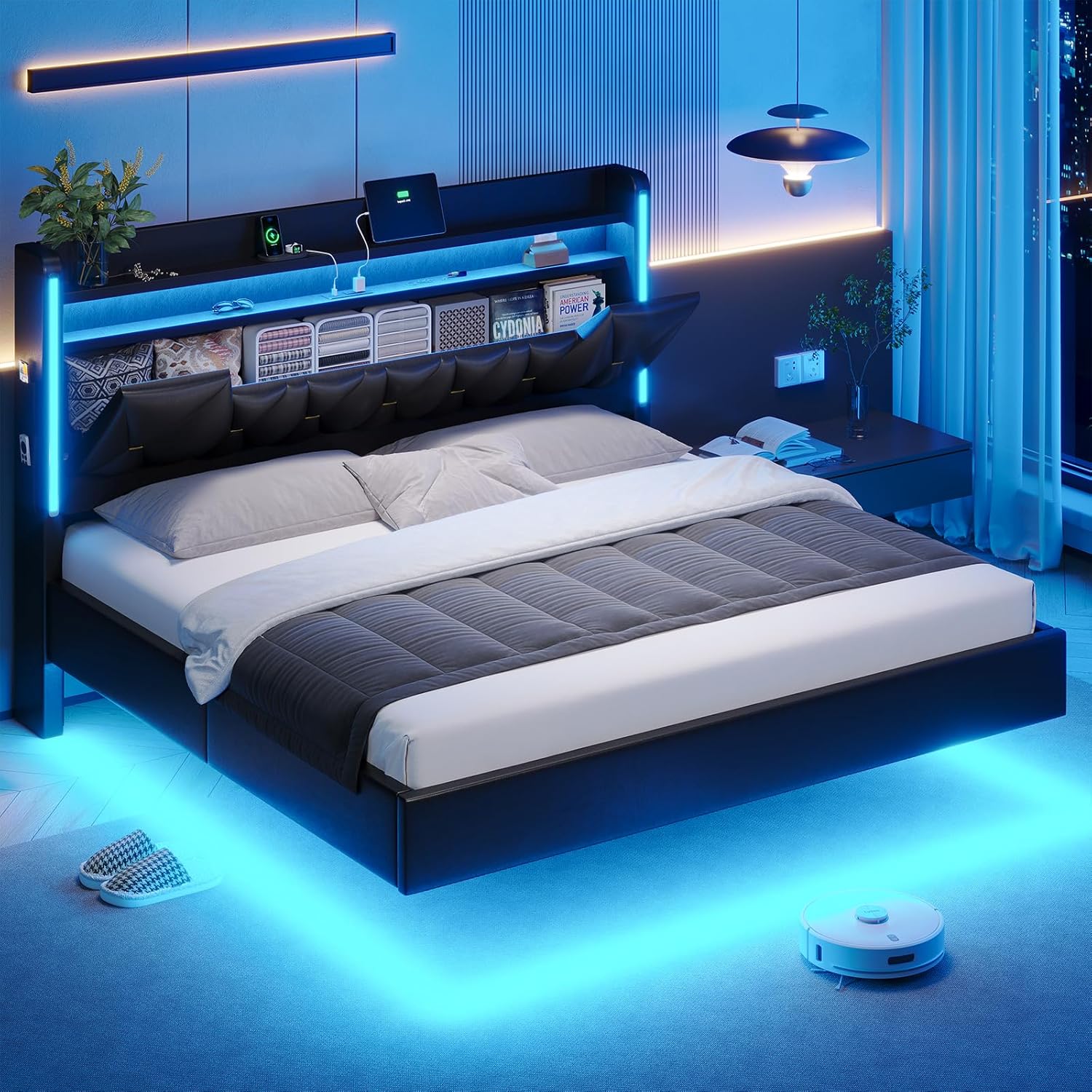
Video 4.1: Demonstration of the BYSAUD Floating Bed Frame with its charging station and LED lights.
4.2. Charging Station
The headboard includes a built-in charging station for convenient access to power.
- Outlets: Two 125V/12A AC outlets are available for standard electrical devices.
- USB Ports: One 5V/2.1A USB port and one 5V/2.1A Type-C port are provided for charging smartphones, tablets, and other compatible devices.
- Ensure devices are compatible with the provided voltage and current specifications.
4.3. Storage Features
- Headboard Shelves: Utilize the two-tier open shelves on the headboard for easy access to daily essentials like phones, glasses, or books.
- Hidden Storage: The lower section of the headboard features hidden storage cabinets for privacy and organization.
- Side Pockets: Four small storage pockets are located on both sides of the headboard, ideal for remotes or small personal items.

5. Maintenance
Regular maintenance helps prolong the life and appearance of your bed frame.
- Cleaning: For the PU leather surfaces, wipe with a soft, damp cloth. Avoid harsh chemicals or abrasive cleaners. For metal parts, use a dry or slightly damp cloth.
- Fasteners: Periodically check all bolts and screws to ensure they are tight. Retighten if necessary.
- LED Lights: If LED lights malfunction, check the power connection and remote control battery.
- Charging Station: Keep the charging ports free of dust and debris.
6. Troubleshooting
Refer to this section for common issues and their solutions.
| Problem | Possible Cause | Solution |
|---|---|---|
| Bed frame is noisy/squeaks | Loose fasteners; metal parts rubbing. | Ensure all bolts and screws are tightened. Verify the EVA foam mute bar is correctly installed on the metal beams. |
| LED lights not working | Power connection issue; remote control battery low/dead; defective LED strip. | Check if the power adapter is securely plugged in. Replace remote control batteries. If issue persists, contact customer service. |
| Charging station not providing power | Power connection issue; device incompatibility. | Ensure the bed frame's power adapter is plugged in. Verify your device is compatible with the charging station's output specifications. |
| Mattress slides on the frame | Mattress not properly seated; anti-slip design not effective. | Ensure the mattress is centered within the outer frame designed to prevent sliding. |
| Missing or damaged parts during assembly | Packaging error; shipping damage. | Contact BYSAUD customer service immediately for replacement parts. |
7. Specifications
| Feature | Detail |
|---|---|
| Size | King |
| Product Dimensions (L x W x H) | 87" x 79" x 44" |
| Item Weight | 121 pounds |
| Maximum Weight Recommendation | 1000 pounds |
| Material | PU Leather, Metal, Wood |
| Headboard Material | PU Leather |
| Compatible Mattress Thickness | 8-11 inches |
| Special Features | Floating Design, RGB LED Lights, Charging Station (2 AC, 1 USB, 1 Type-C), Hidden Storage Headboard, Side Pockets, No Box Spring Needed |
| Color | Black |
| Manufacturer | BYSAUD |
| Model Number | Floating bed frame PU leather |
8. Warranty and Support
BYSAUD is committed to providing quality products and customer satisfaction.
- Warranty: Specific warranty details are not provided in this manual. Please refer to your purchase documentation or contact BYSAUD customer service for warranty information.
- Customer Service: For any questions, assistance with assembly, or troubleshooting, please contact BYSAUD customer service. We offer 24-hour support to guide you.