
Enya NEXG 2N
Enya NEXG 2N Acoustic-Electric Carbon Fiber Classical Nylon String Travel Guitar User Manual
Model: NEXG 2N | Brand: Enya
1. Introduction
Welcome to the user manual for your Enya NEXG 2N Acoustic-Electric Carbon Fiber Classical Nylon String Travel Guitar. This manual provides essential information for the proper setup, operation, maintenance, and troubleshooting of your instrument. Please read this manual thoroughly before using your NEXG 2N guitar to ensure optimal performance and longevity.
2. Package Contents
Upon unboxing, please verify that all the following items are included in your package:
- Enya NEXG 2N Acoustic-Electric Guitar
- Magnetic Guitar Strap (MS1)
- Wired Monitor Earphones
- USB Charging Cable
- Adjustment Wrench
- Foot Pedal (if included in your specific bundle)
- Protective Carrying Case

Image 2.1: Enya NEXG 2N Guitar and its complete set of accessories.
3. Setup
3.1 Initial Inspection
Before first use, carefully inspect the guitar for any signs of damage that may have occurred during shipping. Ensure all components are securely attached.
3.2 Charging the Guitar
Connect the provided USB charging cable to the guitar's charging port and to a suitable USB power adapter (not included). The guitar features an internal rechargeable battery. A full charge is recommended before initial use.
3.3 Attaching the Magnetic Strap (MS1)
The MS1 guitar strap utilizes powerful magnets for secure attachment. Tie the male buckle component of the strap to the strap button on your guitar. Bring the female buckle closer to the male buckle; they will automatically connect and lock. To detach, manually separate the buckles.

Image 3.1: The Enya MS1 magnetic guitar strap.
3.4 Connecting Monitor Earphones
Plug the wired monitor earphones into the designated audio output jack on the guitar. Ensure a firm connection for optimal sound monitoring.

Image 3.2: Enya wired monitor earphones.
4. Operating the NEXG 2N Guitar
4.1 Power On/Off
Locate the power button on the guitar's control panel. Press and hold to power the instrument on or off. The color touch screen will illuminate upon startup.
4.2 Color Touch Screen Navigation
The NEXG 2N features an intuitive color touch screen for accessing various functions. Navigate through menus, select presets, and adjust settings by tapping and swiping on the screen. The screen provides access to 20 onboard presets, which are customizable via the ENYA MUSIC App.
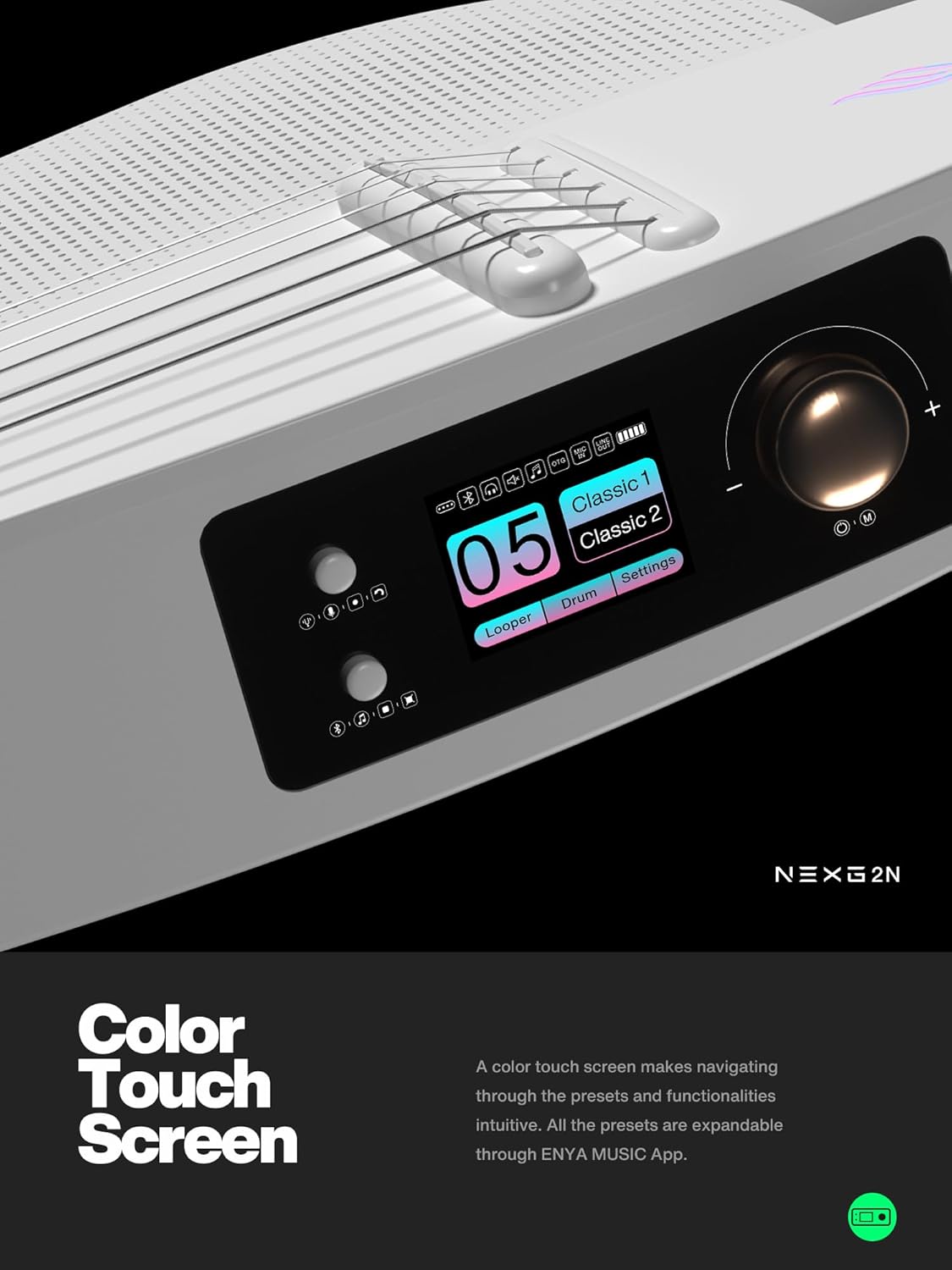
Image 4.1: The NEXG 2N guitar's color touch screen.
4.3 Onboard Speaker Functionality
The integrated speaker system delivers enhanced sonic performance, offering louder volume, a wider dynamic range, and a prominent frequency response. This speaker can also function as a home stereo via wireless connectivity.
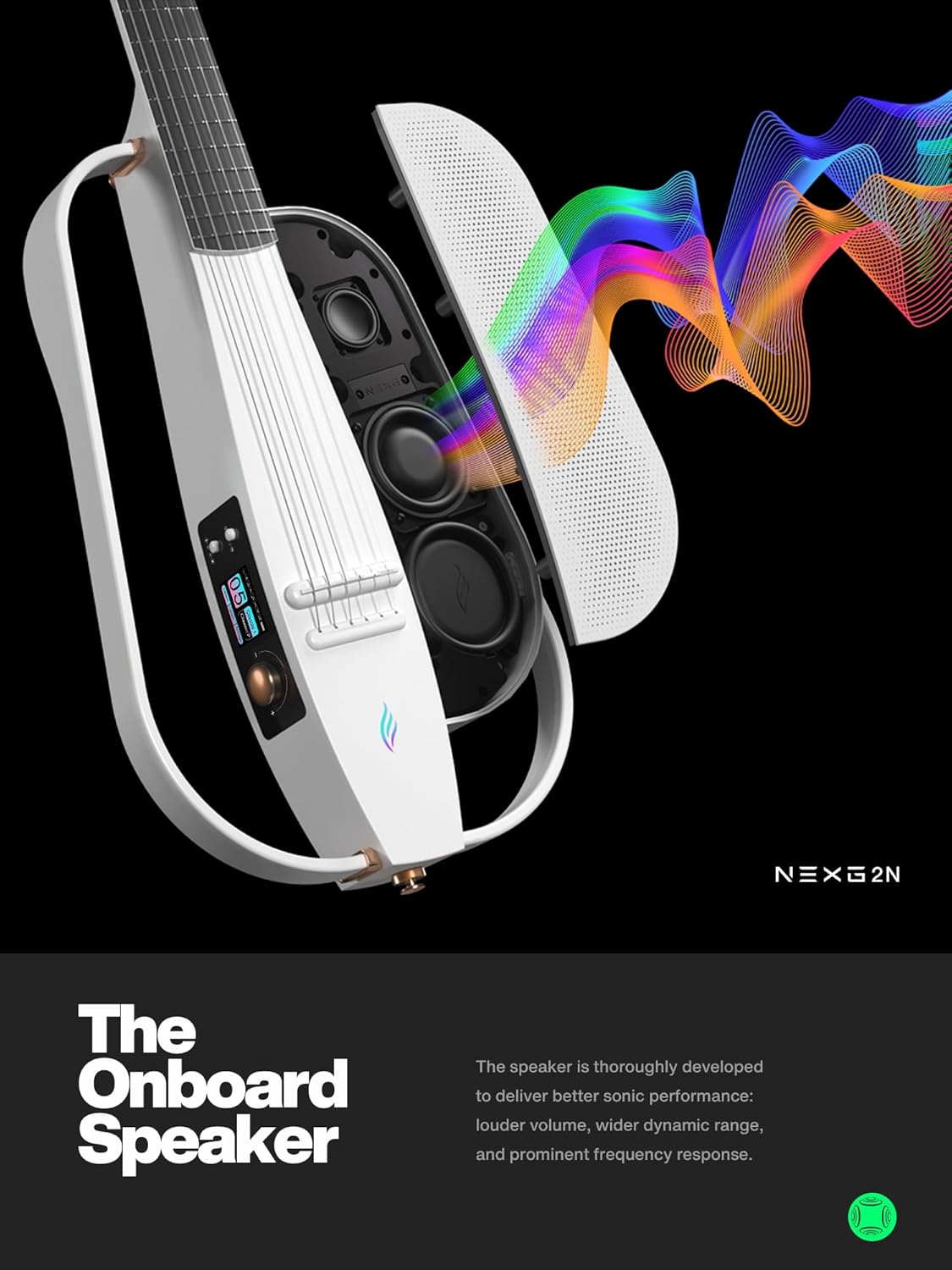
Image 4.2: Internal view of the NEXG 2N's onboard speaker system.
4.4 Effects and DSP
The NEXG 2N incorporates Digital Signal Processing (DSP) to allow for the application of various effects to your nylon string sound. These effects include compression, chorus, vibrato, octave, delay, and reverb. Adjustments can be made directly through the touch screen or the ENYA MUSIC App.
4.5 Looper and Drum Machine
The guitar features an onboard looper and drum machine. These tools enable you to create layered guitar parts and rhythmic accompaniments, facilitating creative experimentation and practice. Use the OTG recording function to capture your ideas.

Image 4.3: Touch screen interface showing Looper and Drum functions.
4.6 ENYA MUSIC App Integration
For advanced customization and control, download the ENYA MUSIC App. The app allows for detailed adjustment of presets, effects, and features a unique 'Profiling' function to copy tones from other acoustic guitars onto your NEXG 2N.

Image 4.4: The ENYA MUSIC App interface on a smartphone.
5. Maintenance
- Cleaning: Wipe the guitar body and neck with a soft, dry, lint-free cloth after each use. For stubborn marks, use a slightly damp cloth and dry immediately. Avoid abrasive cleaners or solvents.
- String Care: Nylon strings are durable but should be replaced when they show signs of wear, fraying, or loss of tone. Refer to standard classical guitar string changing procedures.
- Storage: Store the guitar in its protective carrying case when not in use to shield it from dust, temperature fluctuations, and physical damage. Avoid prolonged exposure to direct sunlight or extreme humidity.
- Battery Care: For optimal battery life, avoid fully discharging the guitar's battery frequently. If storing for an extended period, charge the battery to approximately 50% and recharge every few months.
6. Troubleshooting
This section addresses common issues you might encounter with your NEXG 2N guitar.
| Problem | Possible Cause | Solution |
|---|---|---|
| No sound from speaker/earphones | Guitar not powered on; Volume too low; Earphones not fully plugged in; Battery low. | Ensure guitar is powered on; Increase volume; Re-insert earphones firmly; Charge the guitar. |
| Touch screen unresponsive | Temporary software glitch; Extreme temperature. | Restart the guitar; Ensure operating within recommended temperature range. |
| Magnetic strap detaches easily | Improper attachment; Excessive force. | Ensure buckles are fully engaged; Avoid sudden, strong tugs on the strap. |
| Cannot connect to ENYA MUSIC App | Bluetooth not enabled; App not updated; Guitar not in pairing mode. | Enable Bluetooth on your device; Update the app; Refer to app instructions for pairing. |
7. Specifications
- Model: NEXG 2N
- Type: Acoustic-Electric Classical Nylon String Travel Guitar
- Body Material: Carbon Fiber
- Strings: Nylon
- Electronics: Integrated DSP with various effects (Comp, Chorus, Vibrato, Octave, Delay, Reverb)
- Display: Color Touch Screen
- Features: Onboard Speaker, Looper, Drum Machine, Wireless Connectivity, OTG Recording
- App Compatibility: ENYA MUSIC App (for customization and profiling)
8. Warranty and Support
For warranty information, please refer to the documentation included with your purchase or visit the official Enya website. If you require technical support or have questions not covered in this manual, please contact Enya customer service through their official channels.
Related documentsNEXG 2N


Ask a question about this manual
Ask about setup, troubleshooting, compatibility, parts, safety, or missing instructions. Manuals+ will review the question and use this page’s manual context to help answer it.