
1. Introduction
The Carrborg S959 is a state-of-the-art 4G+UHF dual mode walkie-talkie designed for global, unlimited range communication. It combines cellular network capabilities with traditional UHF signals, offering versatile and reliable communication solutions. This manual provides essential information for setting up, operating, maintaining, and troubleshooting your S959 walkie-talkie.
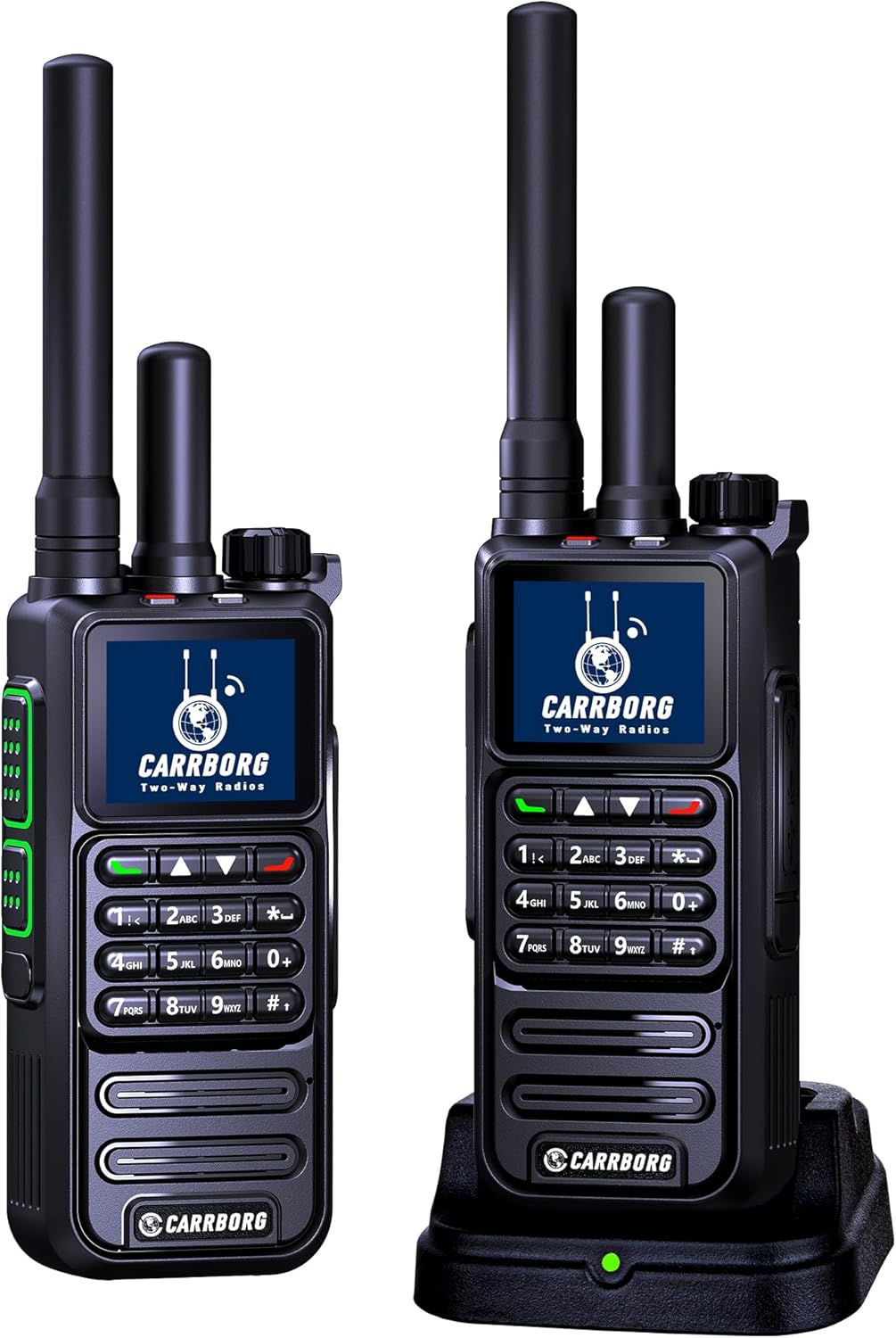
Figure 1: Carrborg S959 Walkie Talkies
2. Package Contents
Upon unpacking your Carrborg S959, please verify that all the following items are included:
- Dual Mode Radios (2 units)
- SIM Cards (2 units)
- Desktop Chargers (2 units)
- USB Type-C Cables (2 units)
- Screwdrivers (2 units)
- Back Clips (2 units)
- Headphones (2 units)
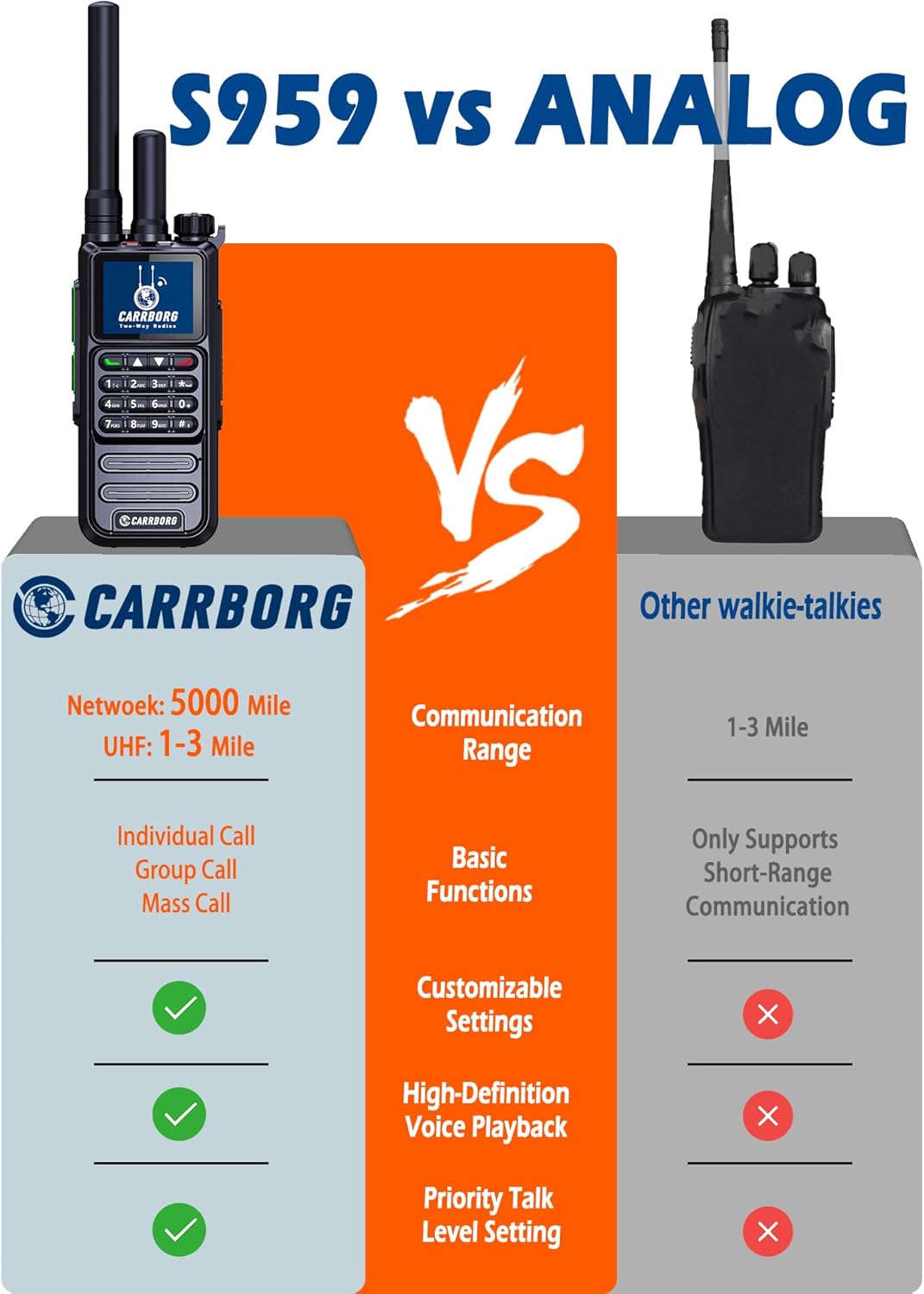
Figure 2: Included Accessories
Unboxing Video
Video 1: An unboxing video showcasing the accessories included with the KSUN CT58 walkie-talkie, such as SIM cards, antennas, chargers, and back clips, relevant for understanding the Carrborg S959 package contents.
3. Product Overview
3.1 Components
Familiarize yourself with the main components of your Carrborg S959 walkie-talkie:

Figure 3: Carrborg S959 Labeled Diagram
- Analog Antenna: For UHF signal transmission.
- Network Antenna: For 4G-LTE cellular network connectivity.
- Power On/Off Volume +/-: Rotary knob for power and volume control.
- Indicator Light: Displays device status.
- Display: Shows channel, network status, battery, and menu options.
- Headset Data Port: For connecting headphones and data transfer.
- Network PTT: Push-to-Talk button for network communication.
- Analog PTT: Push-to-Talk button for analog UHF communication.
- Numeric Keypad: For channel input, menu navigation, and other functions.
- Menu Key: Accesses device settings.
- Confirm Key: Confirms selections.
- Up/Down Navigation Keys: For menu navigation and channel selection.
- Back/Screen Off Key: Returns to previous screen or turns off display (long press for keypad lock/unlock).
- Mic: Microphone for voice input.
- Speaker: For audio output.
4. Setup
4.1 Battery Installation
The Carrborg S959 comes with a removable battery. To install or replace the battery:
- Ensure the walkie-talkie is powered off.
- Locate the battery compartment cover on the back of the device.
- Slide the latch or press the release button to open the cover.
- Insert the battery, ensuring the contacts align correctly.
- Close the battery compartment cover until it clicks securely into place.
4.2 SIM Card Installation
Your Carrborg S959 includes a pre-installed SIM card for lifetime free data service. If you need to access or replace the SIM card:
- Remove the battery as described in Section 4.1.
- Locate the SIM card slot(s) within the battery compartment. The S959 features a dual card slot design.
- Carefully insert or remove the Nano SIM card(s) as needed, ensuring correct orientation.
- Reinstall the battery and cover.

Figure 4: SIM Card Slot Location
4.3 Antenna Attachment
The S959 uses two antennas: one for network (4G) and one for analog (UHF). Attach them by screwing them clockwise into their respective ports on top of the radio until snug.
4.4 Charging
To charge your walkie-talkie:
- Place the walkie-talkie into the desktop charging cradle.
- Connect the USB Type-C cable to the desktop charger and then to the power adapter.
- Plug the power adapter into a wall outlet.
- The indicator light on the charger will show the charging status.
5. Operating Instructions
5.1 Power On/Off
To power on the device, rotate the Power On/Off Volume +/- knob clockwise until you hear a click and the screen illuminates. To power off, rotate the knob counter-clockwise until it clicks off.
5.2 Basic Call Functions
The S959 supports various call types for flexible communication:
- Single Call (One-on-One): For private conversations with a specific member.
- Group Call (Free Group Call): For communication within a pre-defined group of users.
- Mass Call (Call All Members): To broadcast a message to all members on the network.
- Priority Call: Allows administrators to interrupt ongoing conversations for urgent messages.
5.3 Dual Mode Operation (4G-LTE / UHF)
The S959 operates in two modes:
- Network Mode (4G-LTE): Utilizes cellular data networks for global, unlimited range communication with high-quality voice transmission. Ideal for areas with cellular signal.
- Analog Mode (UHF): Uses traditional UHF signals for short-range communication (1-3 miles). Suitable for areas with poor or no cellular signal.
The device allows seamless switching between these modes based on signal availability and user preference.

Figure 5: Dual Mode Radio Comparison
5.4 Advanced Repeater Function
The S959 features an advanced repeater function that extends the range of traditional analog radios. It connects analog radios via UHF signals to a dual-mode walkie-talkie, which then transmits the audio over cellular networks to another dual-mode walkie-talkie at a remote location. The remote walkie-talkie receives the signal and sends it back to the original analog radio via UHF, enabling real-time, long-distance communication between two analog radio groups without direct network access.

Figure 6: Relay Function Diagram
5.5 Backend Management Features
Administrators can manage all members directly from a computer using the backend management system. This includes setting up groups, adding or removing members, naming groups, and adjusting members' speaking privileges.
5.6 Pairing Multiple Radios
Typically, each set of radios is preset with default settings before shipment and can be used directly upon arrival. If you purchase additional units and need to pair them, please contact Carrborg customer service with the serial numbers of your devices for assistance.
5.7 Changing Channels
Channels can be changed using the numeric keypad. Refer to the video demonstration for detailed steps.
Video 2: This video demonstrates the process of changing channels on the walkie-talkie using the keypad, including entering VFO mode and saving the desired channel.
6. Maintenance
6.1 Battery Care
To maximize battery life and performance:
- Charge the battery fully before first use.
- Avoid overcharging or completely draining the battery.
- Store the device and battery in a cool, dry place when not in use.
6.2 Cleaning
Clean the device with a soft, damp cloth. Do not use harsh chemicals or abrasive cleaners.
6.3 Water Resistance
The Carrborg S959 is not water resistant. Avoid exposing the device to water or high humidity to prevent damage.
7. Troubleshooting
If you encounter issues with your Carrborg S959, try the following basic troubleshooting steps:
- No Power: Ensure the battery is properly installed and charged. Check the power knob.
- No Signal (4G): Verify that you are in an area with cellular network coverage. Check the SIM card installation.
- No Signal (UHF): Ensure both antennas are securely attached. Adjust your position for better line-of-sight.
- Audio Issues: Check volume settings. Ensure headphones are properly connected if in use.
- Cannot Communicate with Other Radios: Verify that all radios are on the same group/channel and operating in the correct mode (Network or Analog). For new pairings, contact customer service.
For further assistance, please refer to the Warranty and Support section.
8. Specifications
Detailed technical specifications for the Carrborg S959 walkie-talkie:

Figure 7: Model S959 Specifications
| Feature | Specification |
|---|---|
| Item Weight | 2 pounds |
| Product Dimensions | 1.5 x 2.36 x 7.87 inches |
| Item Model Number | S959 |
| Batteries | 1 Nonstandard Battery (included) |
| Number of Channels | 999 |
| Special Feature | Dual Mode, Lifetime Free, Long Range, Relay Function |
| Talking Range Maximum | 5000 Mile (Network Mode) |
| Water Resistance Level | Not Water Resistant |
| Battery Life | 2 days |
9. Warranty and Support
The Carrborg S959 comes with a 1 Year Manufacturer Warranty. Carrborg is committed to providing prompt responses and satisfying after-sales services.
If you have any problems or questions regarding your POC radio, please feel free to contact Carrborg customer support for assistance.