
VISAUTO M30
VISAUTO M30 Dash Cam User Manual
Model: M30 | Brand: VISAUTO
Product Overview
The VISAUTO M30 is a 12-inch mirror dash camera system designed to enhance driving safety and provide comprehensive recording capabilities. It features dual high-definition cameras, advanced driver-assistance systems, and smart connectivity options.
- Dual High-Definition Cameras: Front 4K Ultra HD (3840x2160) and Rear 2.5K (2560x1440) for clear, detailed recording day and night, enhanced by WDR technology and improved night vision.
- 12-inch IPS Touchscreen & Voice Control: Intuitive interface for easy navigation and hands-free operation, allowing control without diverting attention from the road.
- WiFi Connectivity & Integrated App: Manage recordings, download videos, and adjust settings remotely via your smartphone.
- Advanced Driver-Assistance Systems (ADAS): Includes voice alerts for lane departure, frontal collision, and pedestrian detection, along with Blind Spot Detection (BSD) and Lane Change Assist (LCA).
- 24/7 Parking Monitor & Reversing Assistant: Ensures continuous recording when parked (requires additional power cable) and provides a real-time rear view for safe parking.
- Integrated GPS, Loop Recording & G-Sensor: Records route, speed, and location. Loop recording ensures continuous footage, while the G-sensor automatically locks important videos during collisions. A 64 GB memory card is included.
Package Contents
Please verify that all items listed below are included in your package:
- 1 x VISAUTO M30 12-inch Touchscreen Dash Camera Mirror
- 1 x Front Camera (integrated)
- 1 x Rear Camera
- 1 x GPS Module
- 1 x 64 GB Memory Card
- Mounting Hardware (straps/bands for mirror attachment, power cable for cigarette lighter)
- User Manual (this document)

Image: Overview of the VISAUTO M30 Dash Cam and its main components, including the mirror unit, rear camera, GPS module, and memory card.
Setup and Installation
Follow these steps to properly install your VISAUTO M30 Dash Cam:
- Insert Memory Card: Locate the memory card slot on the side of the mirror unit. Insert the included 64 GB memory card until it clicks into place. Ensure the card is inserted correctly to avoid damage.
- Mount the Mirror Unit: Secure the 12-inch mirror dash cam over your existing rearview mirror using the provided rubber straps or bands. Ensure it is firmly attached and does not obstruct your view.
- Connect Power: Connect the power cable to the mirror unit and plug the other end into your vehicle's cigarette lighter socket. The dash cam requires a direct power connection from the vehicle and does not have an internal battery for operation.
- Install Rear Camera:
- Mount the rear camera at the back of your vehicle, typically above the license plate or inside the rear window.
- Route the rear camera cable neatly to the front of the vehicle and connect it to the designated port on the mirror unit.
- For reversing assistance, connect the red wire from the rear camera cable to your vehicle's reverse light power supply.
- Install GPS Module: Connect the GPS module to its dedicated port on the mirror unit. Position the GPS module on your dashboard or windshield where it has a clear view of the sky for optimal signal reception.
Operating Instructions
Power On/Off
The device will automatically power on and begin recording when your vehicle's ignition is turned on. It will power off automatically when the ignition is turned off.
Touchscreen Interface
The 12-inch IPS touchscreen allows for intuitive control. Swipe left or right to switch between front, rear, or split-screen views. Tap icons to access settings, playback, and other functions.
Camera Resolution and Quality
The front camera records in 4K Ultra HD (3840x2160) and the rear camera in 2.5K (2560x1440). Both cameras utilize WDR (Wide Dynamic Range) technology for balanced exposure in varying light conditions, ensuring clear footage.

Image: Depicts the high-resolution recording capabilities of the front 4K and rear 2.5K cameras, highlighting their clarity.
Voice Control (English Only)
The M30 supports voice commands for hands-free operation. This feature is available in English only. Common commands include:
- "Turn on screen"
- "Turn on Audio"
- "Take photo"
- "Show front camera"
- "Show rear camera"
- "Show all cameras"

Image: Illustrates the voice control functionality, showing a driver using voice commands to operate the dash cam.
Night Vision
The dash cam features enhanced night vision technology, ensuring clear video recordings even in low-light conditions or during nighttime driving. This improves visibility and detail capture when ambient light is scarce.
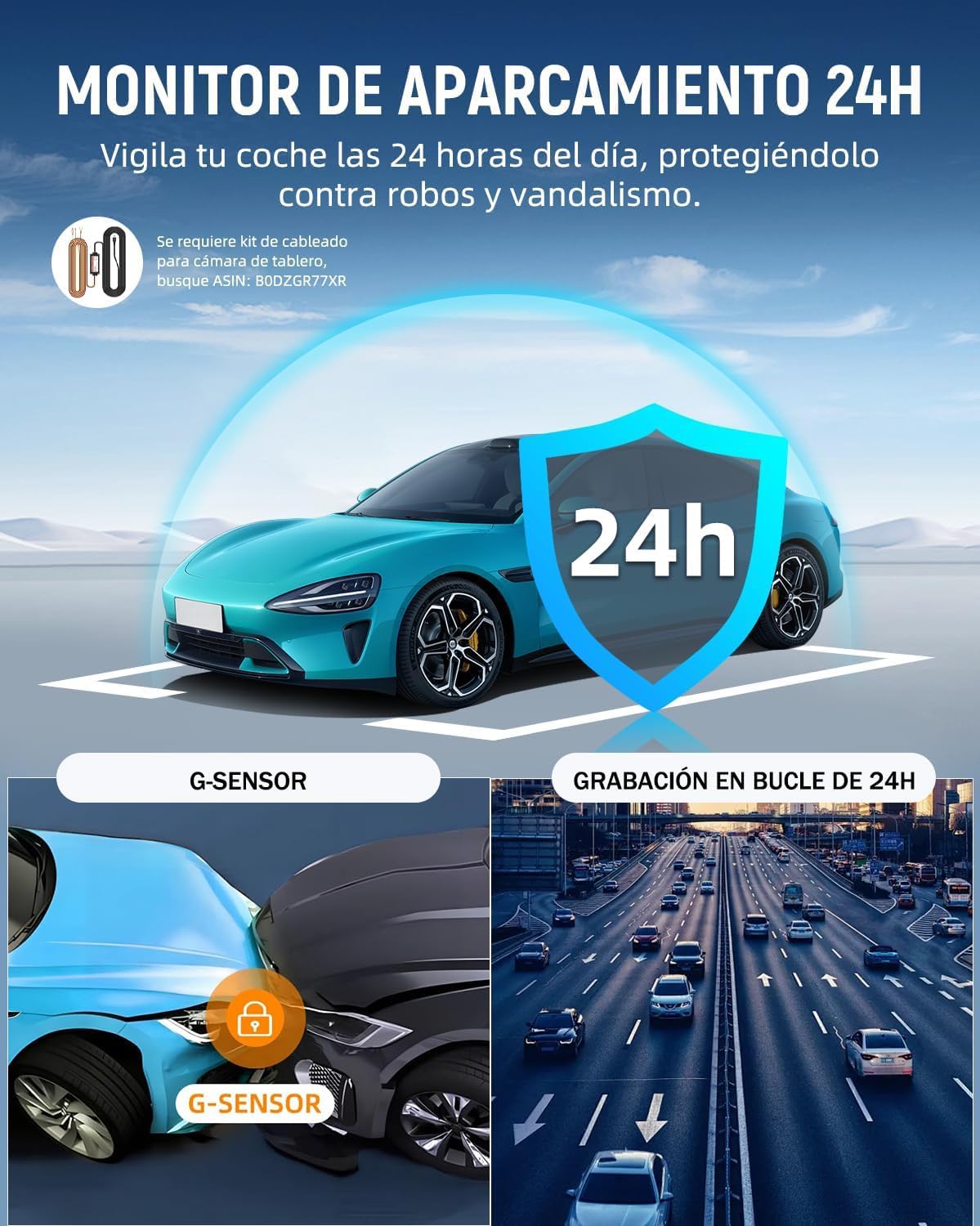
Image: Compares the superior night vision of the VISAUTO M30 against other dash cams, showing clearer images in dark environments.
Advanced Driver-Assistance Systems (ADAS)
Equipped with a new-generation chip, the M30 provides intelligent driving assistance:
- ADAS: Provides voice alerts for critical situations like lane departure, frontal collision, and pedestrian detection.
- BSD (Blind Spot Detection): Warns the driver of objects in the vehicle's blind spot.
- LCA (Lane Change Assist): Alerts the driver to vehicles approaching in adjacent lanes, aiding in safe lane changes.
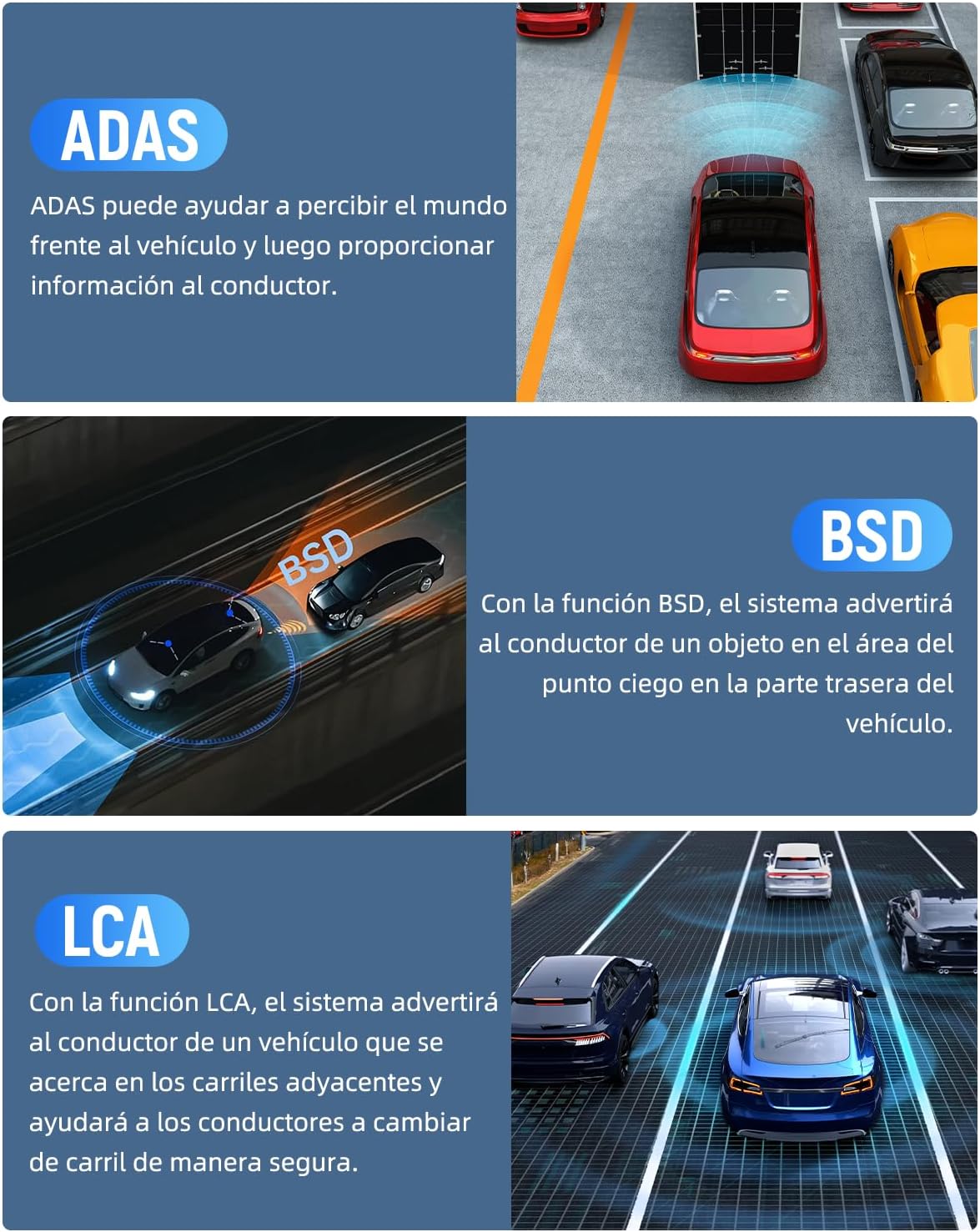
Image: Visual representation of ADAS, BSD, and LCA functionalities, demonstrating how the system detects and alerts drivers to potential hazards.
24/7 Parking Monitor
When properly connected with an optional hardwire kit (ASIN: B0DZGR77XR), the parking monitor function allows the dash cam to record continuously even when the vehicle is parked, protecting against theft and vandalism.

Image: Illustrates the 24-hour parking monitoring feature, showing vehicle protection and the G-sensor's role in detecting impacts while parked.
Reversing Assistant
When the vehicle is put into reverse, the dash cam automatically displays a real-time view from the rear camera on the 12-inch screen, complete with parking guidelines. This feature significantly aids in safe parking and maneuvering.

Image: Shows the HD 1080 rear camera view with parking guidelines, demonstrating its wide field of view and assistance during reversing.
Integrated GPS
The built-in GPS module continuously records your driving route, speed, and location data. This information can be reviewed later using compatible software on macOS or Windows, providing a comprehensive record of your journeys.

Image: Illustrates the GPS tracking capability, showing a vehicle's route and how the data can be viewed on a computer or smartphone.
WiFi Connectivity and App
Connect your smartphone to the dash cam via Wi-Fi to access the dedicated app. The app allows you to:
- View live footage from both cameras.
- Download recorded videos directly to your phone.
- Adjust camera settings.
- Share videos on social media platforms.
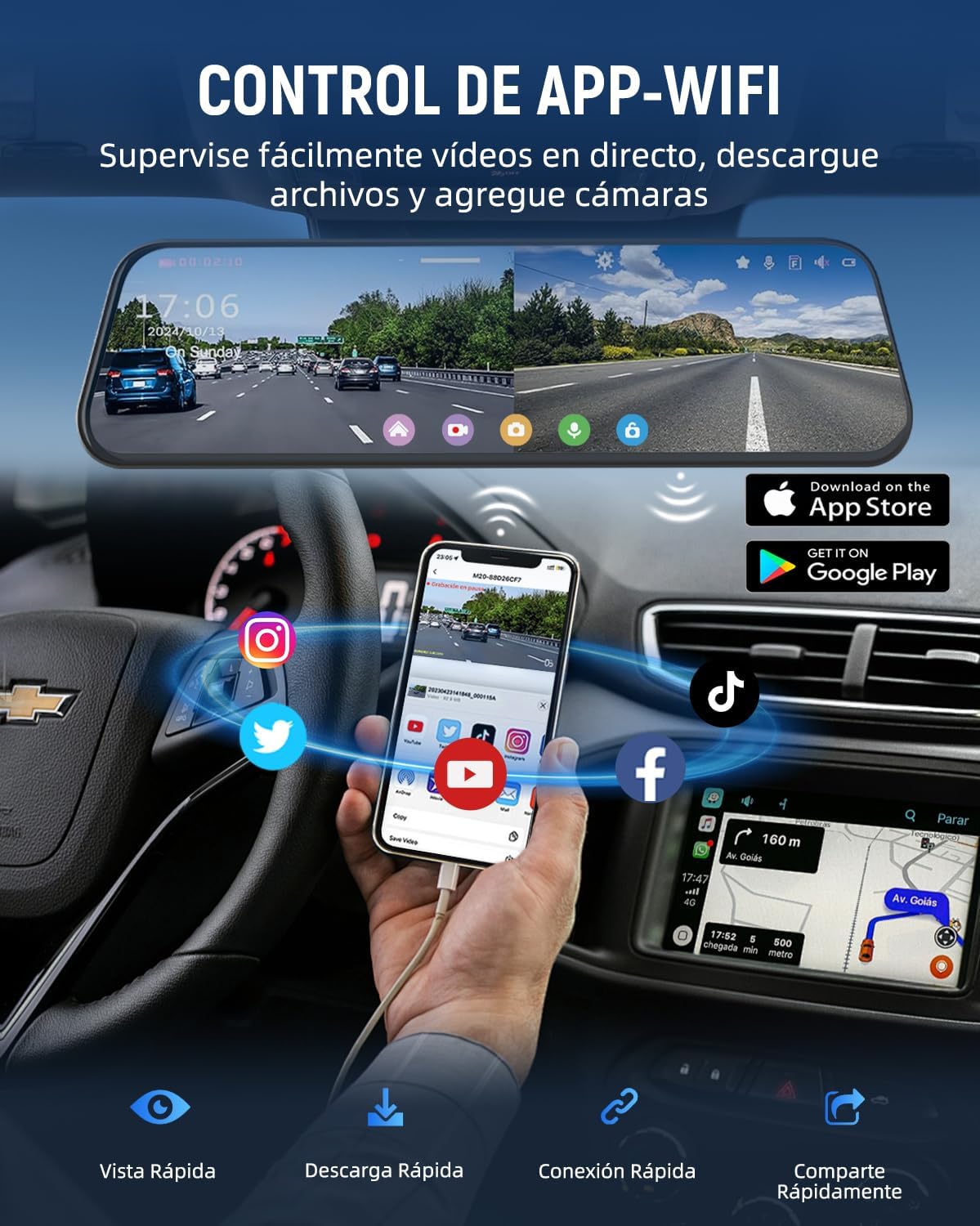
Image: Demonstrates the Wi-Fi connectivity and app control, showing a smartphone connected to the dash cam for live viewing and file management.
Loop Recording and G-Sensor
The dash cam records in a continuous loop, overwriting the oldest files when the memory card is full. The integrated G-sensor detects sudden impacts or collisions and automatically locks the current video segment, preventing it from being overwritten.
Maintenance
- Cleaning: Use a soft, dry cloth to clean the screen and camera lenses. Avoid using abrasive cleaners or solvents that could damage the surfaces.
- Memory Card Management:
- Regularly format the memory card (at least once a month) through the device's settings to ensure optimal performance and prevent data corruption.
- Replace the memory card if you experience frequent recording errors or degraded performance.
- Firmware Updates: Check the official VISAUTO website or app periodically for firmware updates to ensure your device has the latest features and bug fixes.
Troubleshooting
| Problem | Possible Cause / Solution |
|---|---|
| Device does not power on. |
|
| Recording stops or freezes. |
|
| Poor video quality. |
|
| GPS signal not found. |
|
| Voice control not responding. |
|
Specifications
| Feature | Detail |
|---|---|
| Model Name | M30 |
| Brand | VISAUTO |
| Screen Size | 12 Inches (31 cm) |
| Screen Type | IPS Touchscreen LCD |
| Front Camera Resolution | 4K Ultra HD (3840x2160p) |
| Rear Camera Resolution | 2.5K (2560x1440p) |
| Included Memory Card | 64 GB |
| Special Features | Parking Monitor Function, ADAS, BSD, LCA, Voice Control, Night Vision, GPS |
| Connectivity Technology | Wi-Fi |
| Mounting Type | Rearview Mirror Mount |
| Power Source | Vehicle Cigarette Lighter (no internal battery) |
| Dimensions | 6.5 x 26 x 7.5 cm; 1.12 kg |
Warranty and Support
VISAUTO products are designed for durability and reliability. While specific warranty details are not provided in this manual, VISAUTO offers responsive technical support to address any questions or issues you may encounter with your device.
For technical assistance, troubleshooting, or warranty inquiries, please refer to the contact information provided on the official VISAUTO website or the product packaging.
Please note that the parking monitor function requires an additional hardwire kit (ASIN: B0DZGR77XR) which is sold separately and is not covered by the standard product package.
Related Documents - M30
 |
M30 Tubular Inductive Proximity Sensor Datasheet Datasheet for the M30 series tubular inductive proximity sensors, featuring special line-out design for bending resistance, IP67 waterproof rating, and sensing distances up to 25mm. Includes specifications and wiring diagrams for NPN/PNP models. |
 |
Praxis M30 Bearing Rebuild Kit - Installation and Maintenance Guide Comprehensive guide for rebuilding Praxis M30 bottom bracket bearings. Learn how to identify bearing sizes, use correct tools for removal and installation, and ensure proper fit for various M30 BB models. |
 |
Praxis M30 Bearing Rebuild Kit Installation Guide Detailed guide for rebuilding Praxis M30 bottom bracket bearings, including tool recommendations, model compatibility, and step-by-step visual references for bearing removal and installation. |
 |
Brewers Heat Exchanger Manual - Brewers Hut User manual for the Brewers Heat Exchanger by Brewers Hut, including specifications, assembly, cleaning, and installation instructions for the M30-1 model. |
 |
Bosch GTS 10 XC Professional Tischkreissäge Bedienungsanleitung Die offizielle Bedienungsanleitung für die Bosch GTS 10 XC Professional Tischkreissäge. Enthält Sicherheitshinweise, Montageanleitungen und technische Daten für den sicheren und effektiven Gebrauch. |
 |
DJI Matrice 30 Series Quick Start Guide: Industrial Drone Operations Begin your operations with the DJI Matrice 30 Series industrial drone. This Quick Start Guide covers aircraft features, the DJI RC Plus controller, setup, flight basics, and technical specifications for professional aerial tasks. |