1. Introduction and Overview
The Generic USB Rechargeable Fine-Tip Stylus Pen Model 036 is designed to enhance your interaction with touch screen devices. It provides a precise and fluid experience for various digital tasks, including writing, drawing, and navigating. This stylus features instant activation, a long-lasting battery, and a comfortable, lightweight design, making it a versatile tool for students, professionals, and creative users.
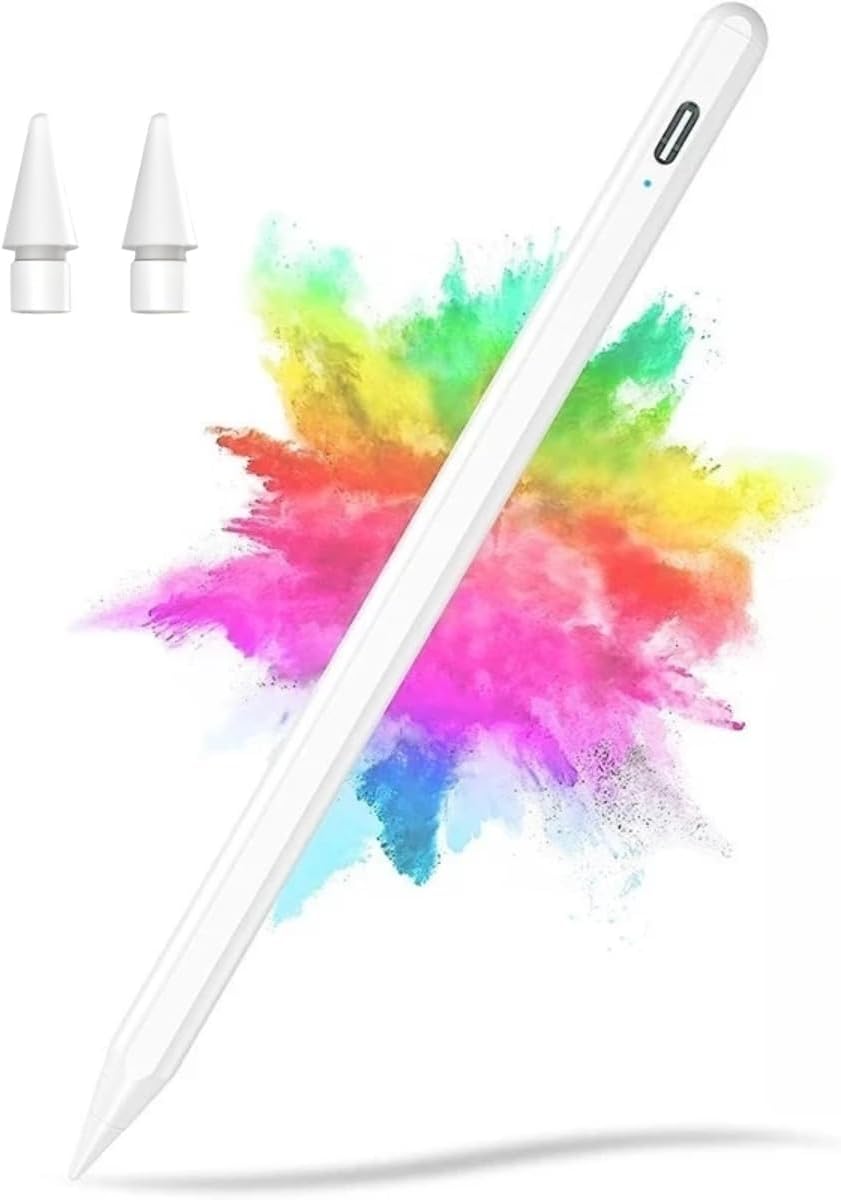
The stylus pen, showcasing its sleek design and fine tip, accompanied by two replacement tips.
Key Features:
- High Precision and Zero Lag: Equipped with an ultra-fine tip and advanced technology for smooth, uninterrupted writing and drawing.
- Instant Activation: No Bluetooth pairing required. Simply tap the power button to turn on and begin use.
- Long-Lasting Battery: Offers extended usage time with quick recharging capabilities.
- Lightweight and Ergonomic Design: Comfortable for prolonged use and easy to transport.
- Universal Compatibility: Works seamlessly with iPads, tablets, smartphones, and notebooks across Android and iOS platforms.
2. Setup
2.1 Charging the Stylus
Before initial use, fully charge your stylus pen. The stylus features a USB-C charging port for convenience.
- Locate the USB-C charging port on the stylus body.
- Connect the provided USB-C cable to the stylus and the other end to a compatible USB power source (e.g., computer, wall adapter).
- The LED indicator will illuminate during charging and change color or turn off when fully charged.
A full charge typically takes approximately 80 minutes and provides up to 8 hours of continuous use.

A close-up of the stylus's USB-C charging port, accompanied by text indicating up to 8 hours of continuous use and an 80-minute charging time, with automatic sleep after 5 minutes of inactivity.
2.2 Powering On/Off
The stylus pen does not require Bluetooth pairing. It activates instantly.
- To Power On: Gently double-tap the top end of the stylus. The LED indicator will light up.
- To Power Off: Double-tap the top end of the stylus again. The LED indicator will turn off.
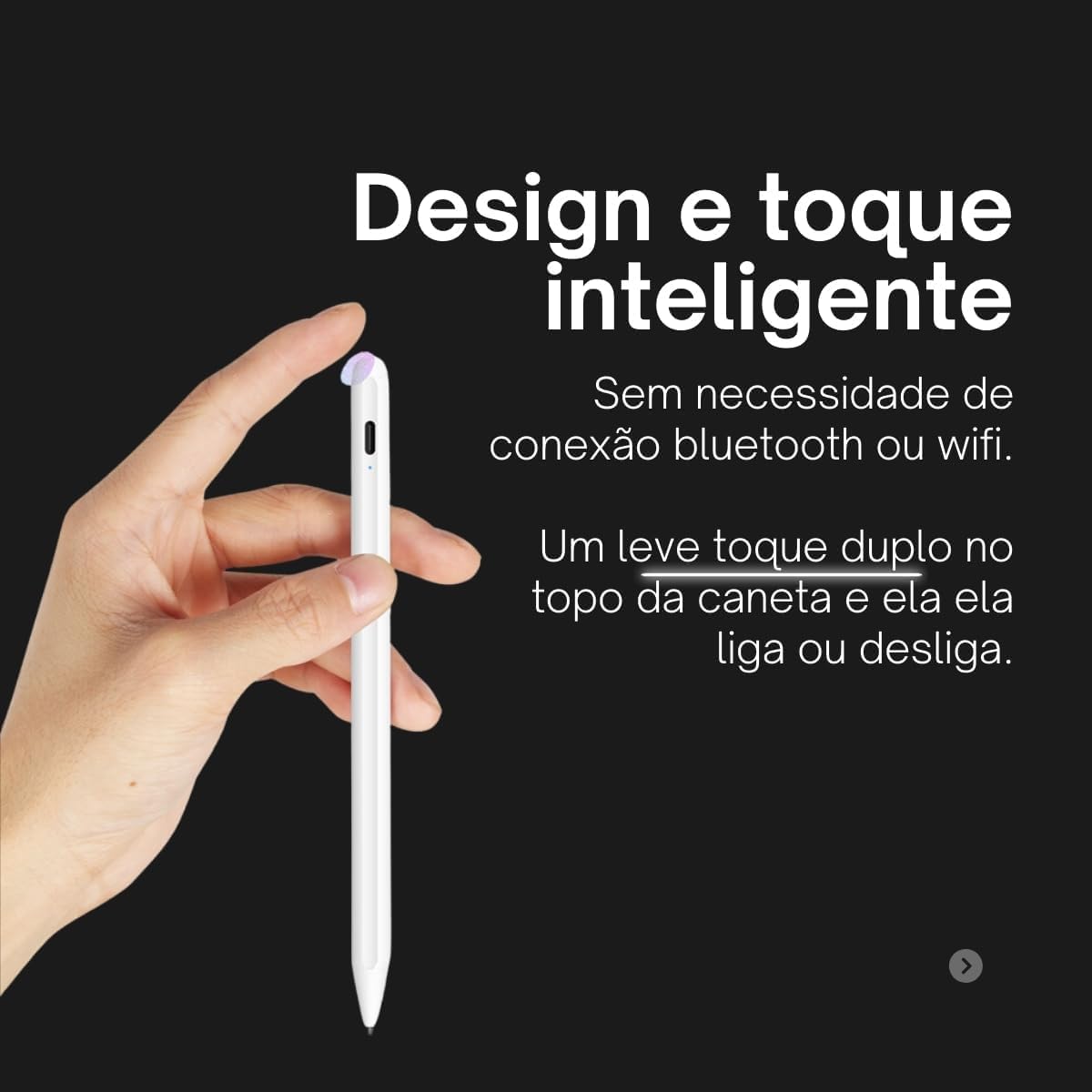
A hand interacting with the stylus, illustrating the simple double-tap gesture on the top to power it on or off, without requiring Bluetooth.
3. Operating Instructions
3.1 General Use
Once powered on, the stylus is ready for immediate use on any compatible touch screen device.
- Hold the stylus as you would a regular pen for comfortable writing or drawing.
- Gently touch the fine tip to your device's screen to interact.
- The stylus is compatible with various drawing, note-taking, and productivity applications across iOS and Android platforms.

An image showcasing the stylus's broad compatibility with different operating systems (iOS, Android) and device categories (tablets, smartphones, notebooks), along with icons of various compatible drawing and writing applications.
3.2 Automatic Sleep Mode
To conserve battery life, the stylus will automatically enter sleep mode after 5 minutes of inactivity. To reactivate, simply double-tap the top end of the stylus.
4. Maintenance
4.1 Cleaning
- Wipe the stylus body with a soft, dry cloth.
- For the tip, use a slightly damp cloth if necessary, ensuring no moisture enters the stylus body.
- Avoid using harsh chemicals or abrasive materials.
4.2 Tip Replacement
The stylus comes with two spare tips. If the tip becomes worn or damaged, it can be easily replaced.
- Gently pull the old tip straight out from the stylus body.
- Align a new tip with the stylus opening and push it firmly until it clicks into place.

The stylus pen is shown alongside two additional replacement tips, ensuring extended usability.
5. Troubleshooting
- Stylus not turning on: Ensure the stylus is charged. Double-tap the top end firmly to activate.
- Stylus not responding on screen:
- Confirm the stylus is powered on (LED indicator is lit).
- Check if the device screen is clean and free of debris.
- Ensure the stylus tip is clean and not damaged. Replace if necessary.
- Restart your device and try again.
- Inconsistent or skipping lines:
- Ensure the stylus tip is securely attached and clean.
- Clean your device's screen thoroughly.
- Try using a different application or on a different device to isolate the issue.
- No Palm Rejection: This stylus model does not feature palm rejection technology. To avoid unintended input, ensure your hand does not touch the screen while using the stylus.
6. Specifications
| Model | 036 |
| Brand | Generic |
| Material | Aluminum |
| Tip Size | 1.5mm |
| Compatible Devices | Notebooks, Smartphones, Tablets (iOS and Android) |
| Battery Type | Lithium-ion |
| Battery Life | Up to 8 hours continuous use |
| Charging Time | Approximately 80 minutes |
| Automatic Sleep | After 5 minutes of inactivity |
| Weight | 40 g |
| Dimensions | 18.5 x 5.9 x 1.4 cm (packaging) |
7. Warranty and Support
7.1 Warranty Information
This product is covered by a 7-day seller warranty from the date of purchase. This warranty covers manufacturing defects. Please retain your proof of purchase for any warranty claims.
7.2 Customer Support
For technical assistance, troubleshooting, or warranty inquiries, please contact the seller or retailer from whom you purchased the product. They will be able to provide specific support and guidance.


