
Rogbid CF53
Rogbid CF53 Smart Watch User Manual
Model: CF53
Introduction
This manual provides detailed instructions for the setup, operation, and maintenance of your Rogbid CF53 Smart Watch. Please read this manual thoroughly before using the device to ensure proper function and to maximize your user experience. Keep this manual for future reference.
What's in the Box
Verify that all items are present in the package:
- 1x Rogbid CF53 Smart Watch
- 1x Silicone Smartwatch band
- 1x Metal Smartwatch band
- 1x Charging Cable
- 1x User Manual (this document)
Product Overview
The Rogbid CF53 Smart Watch features a durable design with a 1.75-inch AMOLED display. It includes a magnetic rotating button for navigation and various sensors on the rear for health monitoring.

Image: Front view of the Rogbid CF53 Smart Watch, showcasing its round 1.75-inch AMOLED display and robust casing.

Image: Rogbid CF53 Smart Watch highlighting its military-grade durability, including IP68 waterproof rating, salt spray test, low/high temperature resistance, and shock test capabilities.
Setup
1. Charging the Smart Watch
Before initial use, fully charge the smart watch. Connect the charging cable to the magnetic charging points on the back of the watch and to a USB power source. A full charge takes approximately 5 hours. The watch features a 620mAh battery, providing up to 15 days of typical use and 80-90 days of standby time.
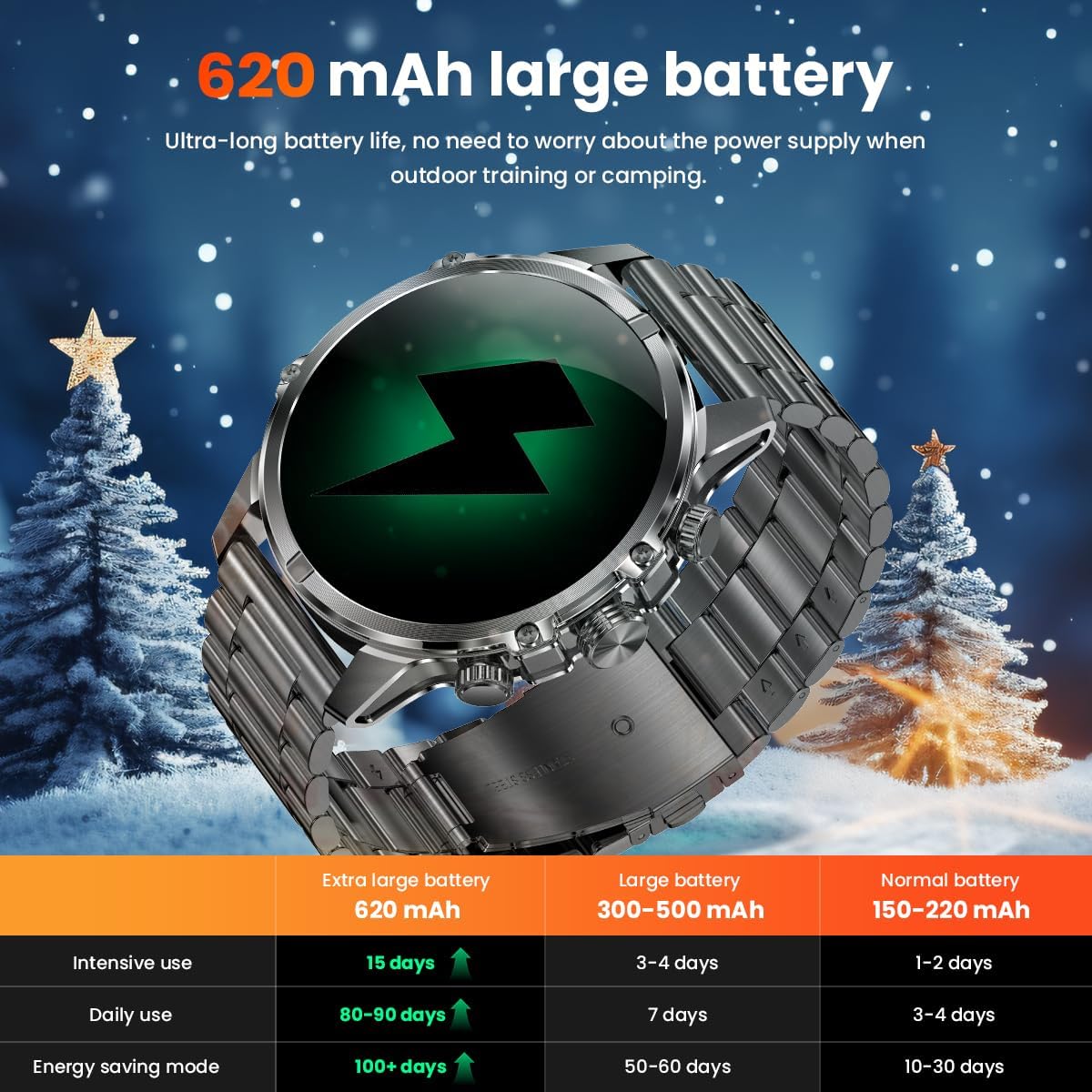
Image: Visual representation of the Rogbid CF53 Smart Watch's 620mAh large battery, illustrating its extended battery life compared to watches with smaller capacities.
2. App Installation and Pairing
To unlock the full functionality of your Rogbid CF53 Smart Watch, download the companion application on your smartphone. The watch is compatible with Android 6.0+ and iOS 10.0+ devices.
- Scan the QR code provided in the quick start guide or search for the official app in your smartphone's app store (Google Play Store for Android, Apple App Store for iOS).
- Install the application and create an account if prompted.
- Enable Bluetooth on your smartphone.
- Open the app and follow the on-screen instructions to pair your Rogbid CF53 Smart Watch. Ensure the watch is sufficiently charged and within Bluetooth range of your phone.
- Grant necessary permissions to the app for full functionality, including notifications, health data access, and location services (for GPS via smartphone).
Operating the Smart Watch
Basic Navigation
- Touchscreen: Swipe left, right, up, or down to navigate through menus and features. Tap to select.
- Magnetic Rotating Button: Use the side button to scroll through lists, adjust settings, or return to the home screen.
- Wrist-Raise to Wake: The display will automatically turn on when you raise your wrist. This can be adjusted in settings.
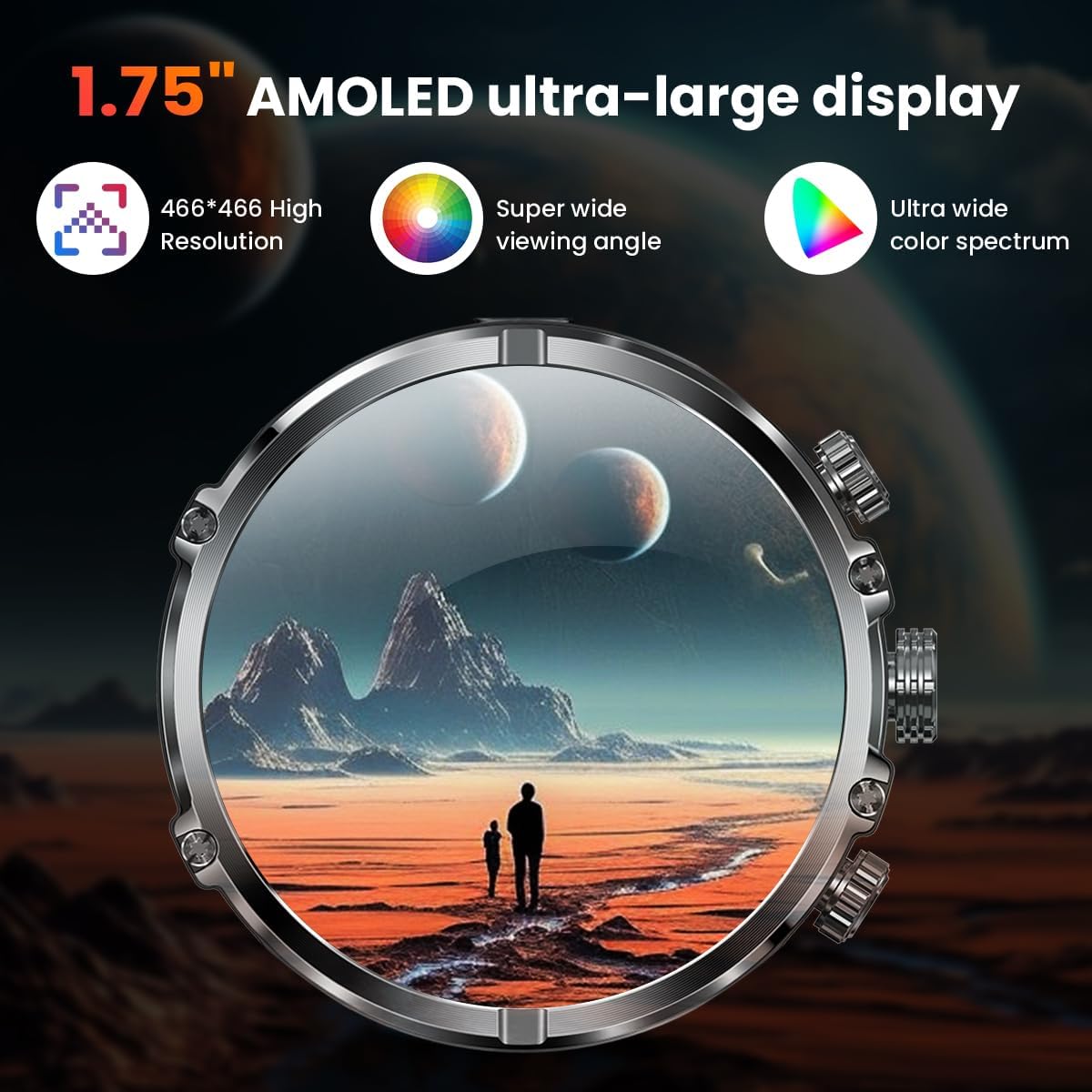
Image: The 1.75-inch AMOLED display of the Rogbid CF53 Smart Watch, showcasing its high resolution and wide color spectrum for clear visibility.
Bluetooth Calling and Notifications
Once paired with your smartphone, the Rogbid CF53 Smart Watch supports Bluetooth calling and real-time message notifications.
- Answering/Making Calls: You can answer incoming calls directly from your wrist or dial numbers using the watch's interface.
- Notifications: Receive alerts for calls, messages, and app notifications. Vibration intensity can be adjusted, or silent mode can be activated via the watch settings or companion app.

Image: A user making a call using the Rogbid CF53 Smart Watch, demonstrating its Bluetooth calling capabilities with a dial keypad and call logs.
Sports Modes and Activity Tracking
The watch offers over 120 sports modes to track various physical activities. It records steps, duration, calories burned, and distance.
- Selecting a Sport Mode: Navigate to the sports mode menu on the watch and select your desired activity.
- Data Storage: The watch can store up to 7 days of activity data locally. Sync with the mobile app for in-depth analysis and long-term trend tracking.
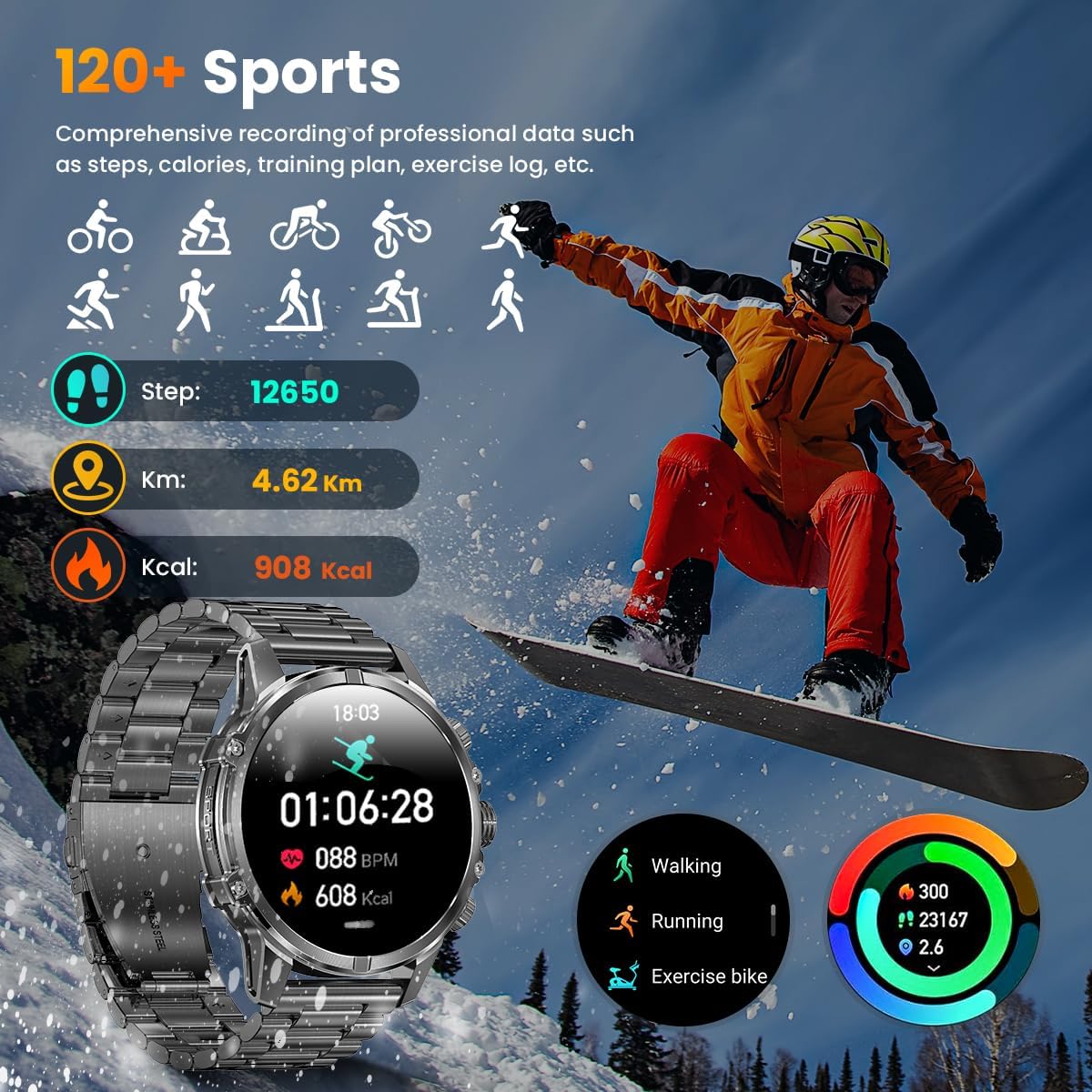
Image: The Rogbid CF53 Smart Watch displaying activity tracking data, including steps, distance, and calories, with an illustration of various sports modes.
Health Monitoring
The Rogbid CF53 Smart Watch continuously monitors key health metrics.
- Heart Rate Monitoring: Tracks your heart rate 24/7.
- Blood Oxygen Monitoring (SpO2): Measures blood oxygen saturation levels.
- Sleep Monitoring: Provides detailed analysis of sleep stages (deep, light, wake-up time) to help understand sleep quality.
- Breathing Exercises: Guides you through exercises to help manage stress.
- Sedentary and Hydration Reminders: Can be set up in the app to encourage activity and water intake.

Image: A person exercising while the Rogbid CF53 Smart Watch displays real-time heart rate and blood oxygen levels, along with sleep data analysis.
Integrated Utility Features
The watch includes several practical tools:
- Flashlight: A high-brightness flashlight for emergency lighting.
- Voice Assistant: Access your smartphone's voice assistant directly from the watch.
- Camera/Music Control: Remotely control your smartphone's camera and music playback.
- Weather: View current weather conditions and forecasts.
- Alarm Clock, Stopwatch, Calculator, Calendar: Standard utility functions.
- Find My Phone/Watch: Locate your paired device.
- Female Cycle Tracker: For tracking menstrual cycles.
- Mini-Games: For entertainment.

Image: The Rogbid CF53 Smart Watch demonstrating its powerful built-in flashlight feature, useful for night-time activities.

Image: A collage showcasing various multifunctional features of the Rogbid CF53 Smart Watch, including Find Phone, Notifications, Calendar, Weather, Alarm clock, Music control, and Camera control.
Maintenance
Cleaning
Regularly clean your smart watch to maintain its appearance and functionality. Use a soft, lint-free cloth. For stubborn dirt, slightly dampen the cloth with water. Avoid using harsh chemicals or abrasive materials.
Water Resistance (IP67)
The Rogbid CF53 Smart Watch is IP67 waterproof, meaning it is protected against dust ingress and can withstand immersion in water up to 1 meter for 30 minutes. While it is designed to be durable against splashes and brief immersion, it is not recommended for prolonged underwater activities like swimming or diving. Ensure the watch is dry before charging.
Battery Care
To prolong battery life, avoid exposing the watch to extreme temperatures. Charge the watch regularly, but avoid leaving it fully discharged for extended periods.
Troubleshooting
| Problem | Possible Solution |
|---|---|
| Watch not turning on | Ensure the watch is fully charged. Press and hold the power button for several seconds. |
| Cannot pair with smartphone |
|
| Notifications not received |
|
| Inaccurate health data | Ensure the watch is worn snugly on your wrist, not too tight or too loose. Clean the sensors on the back of the watch. Avoid excessive movement during measurements. |
| Short battery life | Reduce screen brightness, disable unnecessary features (e.g., always-on display), and limit frequent heart rate monitoring if not needed. Ensure background app refresh is optimized. |
Specifications
| Feature | Detail |
|---|---|
| Model Name | CF53 (Tank M6-hei) |
| Brand | Rogbid |
| Display | 1.75-inch AMOLED, 466 x 466 Resolution, 800 Nit Max Brightness |
| Operating System | Android Wear 2.9 (Note: This refers to compatibility with Android phones, not a full Wear OS device.) |
| Memory Storage Capacity | 128 MB |
| Battery Capacity | 620 mAh Lithium Polymer |
| Battery Life (Average) | 15 days (usage), 80-90 days (standby) |
| Battery Charge Time | 5 Hours |
| Connectivity | Bluetooth |
| GPS | Via Smartphone |
| Water Resistance Level | IP67 (Protected against dust and temporary immersion in water up to 1 meter for 30 minutes.) |
| Case Material | Metal |
| Band Material | Stainless Steel (also includes Silicone band) |
| Item Weight | 50 Grams |
| Supported Applications | Alarm, Calendar, Find My Phone, Voice Assistant, Weather, Fitness Tracking, Health Monitoring |
| Compatible Phone Models | Android 6.0+, iOS 10.0+ |
Warranty and Support
The Rogbid CF53 Smart Watch comes with a 2-year warranty from the date of purchase. This warranty covers manufacturing defects and malfunctions under normal use. It does not cover damage caused by misuse, accidents, unauthorized modifications, or normal wear and tear.
For technical support, warranty claims, or further assistance, please contact Rogbid customer service through the contact information provided on the official Rogbid website or your purchase platform.
Product Video
Video: An official product video showcasing the Rogbid CF53 Smart Watch's features, including its durable design, display, sports tracking, health monitoring, and other functionalities. This video is provided by the seller, smartrogbid.
Ask a question about this manual
Ask about setup, troubleshooting, compatibility, parts, safety, or missing instructions. Manuals+ will review the question and use this page’s manual context to help answer it.