
1. Introduction
Thank you for choosing imuto rechargeable AA lithium batteries. This manual provides essential information for the safe and efficient use of your new battery and charger set. Please read it thoroughly before use.
The imuto AA lithium batteries are designed for high-performance devices, offering a 3A peak current output and a high capacity of 3600mWh. They feature smart voltage control to mimic alkaline battery discharge curves, ensuring compatibility with a wide range of devices and accurate battery level readings. With over 1,600 recharge cycles, these batteries offer long-lasting power and durability. The included 4-slot charger provides fast charging capabilities, fully charging batteries within 3 hours, and can activate over-discharged imuto lithium batteries. These batteries are also engineered for reliable performance in extreme temperatures, from -40°F to 140°F.
2. Product Components
Your imuto Rechargeable AA Lithium Batteries with 4-Slot Charger package includes:
- 8 Pack 3600mWh Rechargeable AA Lithium Batteries
- 1 x 4-slot AA Lithium Battery Charger
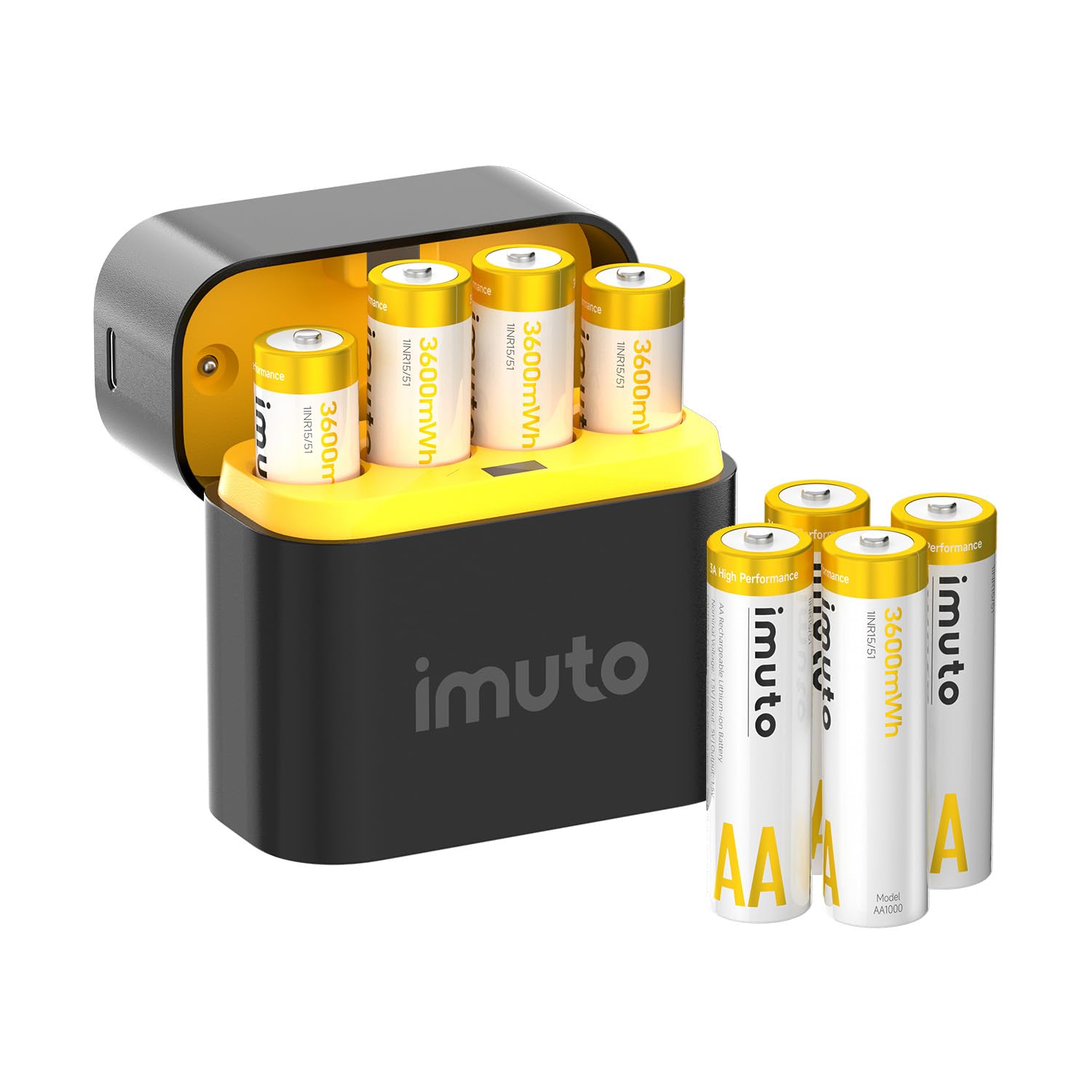
Image: The complete imuto rechargeable AA lithium battery and charger kit, showing the 4-slot charger case and eight AA batteries.
3. Setup and Charging
3.1 Charging the Batteries
- Connect the Charger: Plug the provided USB-C charging cable into the charger's USB-C port. Connect the other end of the cable to a compatible USB power adapter (not included) or a USB port on your computer.
- Insert Batteries: Open the magnetic lid of the charger. Insert the imuto AA lithium batteries into the 4 charging slots, ensuring correct polarity (+ and - ends match the indicators in the slots). The charger supports charging 1 to 4 batteries independently.
- Monitor Charging Status: The LED indicators on the charger will show the charging status:
- Blinking Green: Battery is charging.
- Solid Green: Battery is fully charged.
- Blinking Red: Incompatible battery detected.
- Static Red: Over-temperature warning.
- Charging Time: A 3600mWh battery typically takes approximately 3 hours to fully charge.

Image: The imuto 4-slot charger with AA batteries correctly inserted, ready for charging.

Image: Diagram illustrating the LED indicator meanings for charging status (blinking green for charging, solid green for fully charged, blinking red for incompatible, static red for over-temperature).
3.2 Battery Insertion into Devices
Once fully charged, remove the batteries from the charger. Insert them into your devices according to the device's polarity markings. These batteries are compatible with most devices that use standard AA alkaline batteries.

Image: A hand inserting an imuto AA battery into a device's battery compartment.
4. Operating Instructions
imuto AA lithium batteries are designed for a wide range of applications, particularly high-drain devices that benefit from a stable 1.5V output and 3A peak current. This includes:
- Security cameras
- RC cars
- Trail cameras
- Power tools
- Wireless mice and keyboards
- Smart door locks
- Flashlights
- Toys
The smart voltage control ensures that devices can accurately read battery levels, preventing sudden power loss often associated with other lithium-ion batteries.

Image: A collage of devices such as security cameras, trail cameras, smart doorbells, and smart locks, demonstrating the wide compatibility of imuto AA batteries.
4.1 Product Video: imuto Rechargeable AA Batteries with Charger
Video: An official product video from imuto-Direct showcasing the features and benefits of the imuto rechargeable AA batteries and charger, including fast charging, safety features, and various application scenarios like powering remotes, smart locks, and toys.
5. Maintenance
- Cycle Life: These batteries support over 1,600 recharge cycles. To maximize battery lifespan, avoid deep discharge whenever possible.
- Storage: Store batteries in the provided charger case when not in use. The case offers protective storage.
- Temperature Range: The batteries operate reliably in extreme cold, down to -40°F, and up to 140°F.
- Cleaning: Keep battery terminals and charger contacts clean and dry. Use a soft, dry cloth to wipe away any dust or debris.

Image: A visual representation highlighting the 1600+ cycle life of imuto rechargeable batteries compared to traditional alkaline batteries.

Image: The imuto charging case shown open with batteries inside, emphasizing its function as both a charger and a protective storage solution.
6. Troubleshooting
- Batteries not charging (Blinking Red LED): This indicates an incompatible battery. The imuto charger is designed specifically for imuto lithium AA batteries. Do not attempt to charge other types of batteries (e.g., NiMH, alkaline) in this charger.
- Charger showing Static Red LED (Over-temperature): Disconnect the charger from the power source and remove the batteries. Allow the charger and batteries to cool down in a well-ventilated area before attempting to charge again. Ensure the charger is not covered during operation.
- Device not powering on with charged batteries: Double-check the battery polarity in your device. Ensure the device itself is functioning correctly. If the issue persists, try the batteries in another compatible device to confirm they are fully charged and operational.
- Reduced battery life: While imuto batteries offer long cycle life, extreme operating conditions or frequent deep discharges can affect overall lifespan. Ensure proper storage and avoid exposing batteries to temperatures outside the recommended range for extended periods.
7. Specifications
| Feature | Specification |
|---|---|
| Brand | imuto |
| Model Number | AA1000 |
| Battery Type | Lithium Ion (Li-ion) |
| Battery Size | AA |
| Capacity | 3600mWh |
| Output Voltage | Non-Constant Voltage, 1.5V |
| Peak Current Output | 3A |
| Cycle Life | 1600+ Recharges |
| Charger Slots | 4 (Independent Charging) |
| Charging Time | Approx. 3 hours (for 3600mWh battery) |
| Operating Temperature | -40°F to 140°F |
| Package Dimensions | 3.07 x 3.03 x 2.24 inches |
| Item Weight | 9.6 ounces |
8. Warranty and Support
For warranty information or technical support, please refer to the documentation included with your purchase or contact imuto customer service directly. Keep your proof of purchase for any warranty claims.