1. Introduction
The Fosi Audio Q6 Mini Desktop DAC is a versatile digital-to-analog audio converter designed to enhance your audio experience. It serves as a compact external DAC for various digital sources, seamlessly integrating with home audio amplifiers, headphone amplifiers, or powered speakers to deliver exceptional sound quality.
Equipped with audiophile-grade components, the Q6 supports high-resolution audio formats, ensuring a clear and immersive listening experience. Its robust aluminum alloy construction provides durability and a sleek aesthetic suitable for any desktop environment.
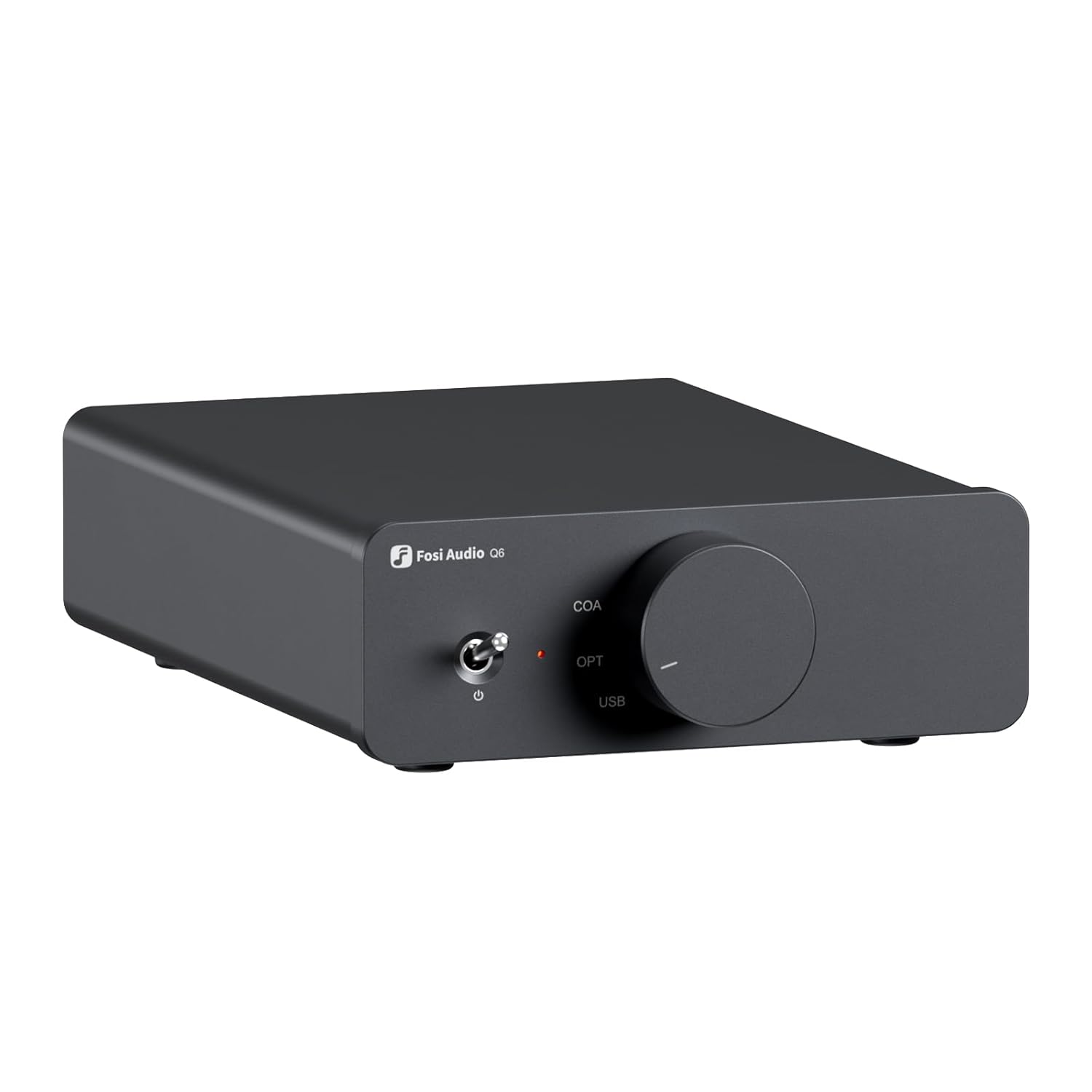
Image: Front view of the Fosi Audio Q6 Mini Desktop DAC, showcasing its compact design and input selection knob.
2. Key Features
- Versatile Mini DAC: Ideal as a compact external desktop digital-to-analog converter for your streamer, CD player, computer, TV, or tablet, seamlessly connecting to home audio amplifiers, headphone amps, or powered speakers for exceptional sound quality.
- Audiophile-Grade Chipset: Equipped with the AKM AK4493S DAC, XMOS XU316 audio processor, and OPA1612 operational amplifier, it supports maximum sampling frequencies of PCM 32-bit/768 kHz and DSD512. Enjoy crystal-clear sound for a truly immersive listening experience.
- Comprehensive Connectivity: Optical, Coaxial, and USB inputs, as well as RCA and Sub-Out outputs, for seamless connection to PCs, Macs, TVs, CD players, tablets, and other digital sources. Simple plug-and-play setup facilitates integration.
- Compact and Robust: Crafted from high-quality aluminum alloy, this compact DAC is elegant, durable, and space-saving. Its sleek profile integrates perfectly into any desktop environment, preserving the aesthetics of your setup while adding a touch of sophistication.
- Superior Performance: Offers an impressive signal-to-noise ratio of 121 dB, ultra-low distortion of 0.00012%, and an exceptional dynamic range of 121 dB, matching or surpassing more expensive DACs, thus bringing audiophile-quality sound easily within your reach.

Image: The Fosi Audio Q6 integrated into a home stereo system with speakers and a television.

Image: Detailed view of the Fosi Audio Q6's internal components, highlighting the AKM AK4493S DAC and XMOS XU316 audio processor.

Image: The Fosi Audio Q6 positioned on a desktop, demonstrating its compact size alongside a computer and speakers.
3. Product Overview and Connectivity
The Fosi Audio Q6 features intuitive controls and comprehensive input/output options for easy integration into your audio setup.

Image: Diagram showing the front and rear panels of the Fosi Audio Q6, with labels for the power switch, input selection knob, power/sampling rate indicator, USB power/input, optical input, coaxial input, RCA output, and sub-out.
Front Panel Controls:
- Power Switch: Toggles the device on/off.
- Input Selection Knob: Rotates to select between COAXIAL, OPTICAL, and USB inputs.
- Power/Sampling Rate Indicator: An LED light that indicates power status and the current sampling rate.
Rear Panel Connections:
- DC 5V USB Input: For power supply and USB audio input from a computer or other USB audio source.
- OPT (Optical) Input: For connecting digital audio sources via optical cable.
- COA (Coaxial) Input: For connecting digital audio sources via coaxial cable.
- RCA Output (L/R): Analog audio output for connecting to an amplifier or powered speakers.
- SUB OUT: Dedicated output for connecting to a powered subwoofer.
4. Setup and Connection
Follow these steps to set up your Fosi Audio Q6 DAC:
- Power Connection: Connect the provided USB power cable to the DC 5V USB input on the Q6 and to a suitable USB power adapter (not always included, check package contents) or a computer's USB port.
- Input Source Connection: Choose your desired digital audio input (USB, Optical, or Coaxial) and connect your source device (e.g., PC, TV, CD player, streamer) to the corresponding input on the Q6.
- Output Connection: Connect the RCA outputs of the Q6 to the analog inputs of your amplifier, powered speakers, or headphone amplifier using RCA cables. If you have a powered subwoofer, connect it to the SUB OUT port.
- Power On: Flip the power switch on the front panel to turn on the Q6. The indicator light will illuminate.
- Select Input: Rotate the input selection knob on the front panel to choose the active input source (USB, OPT, or COA) that matches your connected device.
- Play Audio: Begin playing audio from your source device. The Q6 will convert the digital signal to analog, sending it to your connected audio system.

Image: A detailed connection diagram illustrating how to connect the Fosi Audio Q6 to various input sources (streamer, computer, laptop, CD/DVD, TV/Projector) and output devices (powered subwoofer, amplifier with passive speakers, powered speakers).
5. Operating Instructions
Operating the Fosi Audio Q6 is straightforward:
- Input Selection: Use the rotary knob on the front panel to cycle through the available digital inputs: USB, Optical (OPT), and Coaxial (COA). Ensure the selected input matches your active audio source.
- Power Indicator: The LED indicator light will show the power status and may change color or blink to indicate the current sampling rate of the audio signal being processed. Refer to the full product manual for specific indicator meanings if available.
- Volume Control: The Fosi Audio Q6 is a DAC and does not have its own volume control. Volume adjustment should be done via your connected amplifier, powered speakers, or source device.
6. Technical Specifications
Detailed specifications for the Fosi Audio Q6 Mini Desktop DAC:
| Specification | Value |
|---|---|
| Package Dimensions | 21.5 x 20.1 x 6.7 cm; 580 grams |
| Date First Available on Amazon.com.be | March 11, 2025 |
| Manufacturer | Fosi Audio |
| ASIN | B0DXVJKMDR |
| Item Model Number | Q6 |
| Spare Parts Availability | Spare parts information unavailable |
| Amazon Best Sellers Rank | Top 100 in Industrial & Scientific |
| Brand | Fosi Audio |
| Mounting Type | Wall Mount |
| Number of Pins | 30 |
| Interface Type | Coaxial, Optical, RCA, USB |
| Number of Channels | 2 |
Performance Metrics:

Image: Graphs illustrating the Fosi Audio Q6's performance metrics, including THD+N (Total Harmonic Distortion + Noise) at ≤0.00012%, Noise Floor at ≤2.8µV, Frequency Response from 20Hz-20kHz, and Signal-to-Noise Ratio (SNR) at ≥121dB.
- THD+N: ≤0.00012%
- Noise Floor: ≤2.8µV
- Frequency Response: 20Hz-20kHz
- SNR (Signal-to-Noise Ratio): ≥121dB
7. What's in the Box?
The Fosi Audio Q6 package typically includes the following items:

Image: Contents of the Fosi Audio Q6 product box, showing the Q6 unit, a 2-in-1 USB-A to USB-C cable, and the user manual.
- Fosi Audio Q6 Unit (Weight: 410g, Dimensions: 142mm x 105mm x 37mm)
- 2-in-1 USB-A to USB-C Cable
- User Manual
8. Care and Maintenance
To ensure the longevity and optimal performance of your Fosi Audio Q6 DAC, follow these care and maintenance guidelines:
- Cleaning: Use a soft, dry cloth to clean the exterior of the device. Avoid using liquid cleaners, aerosols, or abrasive materials, as they may damage the finish or internal components.
- Placement: Place the DAC on a stable, flat surface away from direct sunlight, heat sources, and excessive moisture. Ensure adequate ventilation around the unit to prevent overheating.
- Handling: Handle the device with care. Avoid dropping it or subjecting it to strong impacts.
- Power Off When Not in Use: If the device will not be used for an extended period, it is advisable to power it off and disconnect it from the power source.
9. Troubleshooting
If you encounter issues with your Fosi Audio Q6, consider the following common troubleshooting steps:
- No Sound Output:
- Ensure the Q6 is powered on and the indicator light is active.
- Verify that the correct input source (USB, OPT, COA) is selected on the Q6.
- Check all cable connections (input and output) to ensure they are secure and correctly plugged in.
- Confirm that your amplifier or powered speakers are turned on and set to the correct input.
- Check the volume level on your amplifier/speakers and source device.
- If using USB, ensure the correct audio output device is selected in your computer's sound settings.
- Distorted Sound:
- Check for loose cable connections.
- Ensure the source audio file is not corrupted or of low quality.
- Reduce the volume level from your source device to prevent clipping if the input signal is too strong.
- Intermittent Audio:
- Verify that all cables are securely connected and not damaged.
- Ensure there are no external interferences (e.g., strong electromagnetic fields) near the device.
- Try a different input source or cable to isolate the issue.
If the problem persists after trying these steps, please refer to the support information provided in the next section.
10. Warranty and Support
Fosi Audio products are designed for reliability and performance. For specific warranty details, please refer to the warranty card included with your product or visit the official Fosi Audio website.
For technical support, troubleshooting assistance, or inquiries about spare parts, please contact Fosi Audio customer service through their official channels. You can often find support resources, FAQs, and contact information on the Fosi Audio brand store or website.
Visit the Fosi Audio Brand Store for more information and support.