
1. Introduction
Welcome to the TotsyFun T13 Kids Smart Watch. This device is designed to provide communication, safety, and entertainment for children aged 6-12. Featuring GPS tracking, 4G video calling, and a dedicated school mode, the T13 ensures your child stays connected and safe while offering engaging features.

Image: The TotsyFun T13 Smart Watch highlighting its 3rd generation upgrade with GPS and video call capabilities.
2. What's in the Box
- Kids Smart Watch (TotsyFun T13)
- 2 x Wrist Bands (Silicone and Nylon)
- 2 x Screen Protectors
- Charging Cable
- User Manual
3. Setup Guide
3.1 SIM Card Activation and Installation
The TotsyFun T13 Smart Watch requires a 4G SIM card with network, SMS, and calling functionality for full features. A SpeedTalk Mobile SIM card is recommended and included, with monthly fees starting at $16. For activation, visit the SpeedTalk Mobile website and enter the provided SIM card number. If using a non-SpeedTalk SIM, ensure it supports 4G and provide the carrier's APN name and MCC/MNC codes for network setup assistance.
To install the SIM card:
- Power off the smart watch.
- Locate the SIM card slot on the side of the watch.
- Carefully insert the activated Nano-SIM card into the slot, ensuring correct orientation.
- Close the SIM card tray securely.
- Power on the smart watch.
3.2 App Download and Pairing
Download the companion app (compatible with iPhone & Android) to your smartphone. Follow the in-app instructions to pair your phone with the TotsyFun T13 Smart Watch. This app allows you to manage contacts, track location, set safety zones, and configure watch settings.

Image: A close-up of the TotsyFun T13 Smart Watch next to its SIM card, illustrating the SIM card installation process.
4. Operating Instructions
4.1 GPS Tracking for Safety
The T13 Smart Watch features an advanced GPS Kid Tracker, combining WiFi, satellite, and cellular tower tracking for enhanced accuracy. Through the companion app, you can instantly check your child’s location, set safety zones, and receive alerts if they leave a designated area.
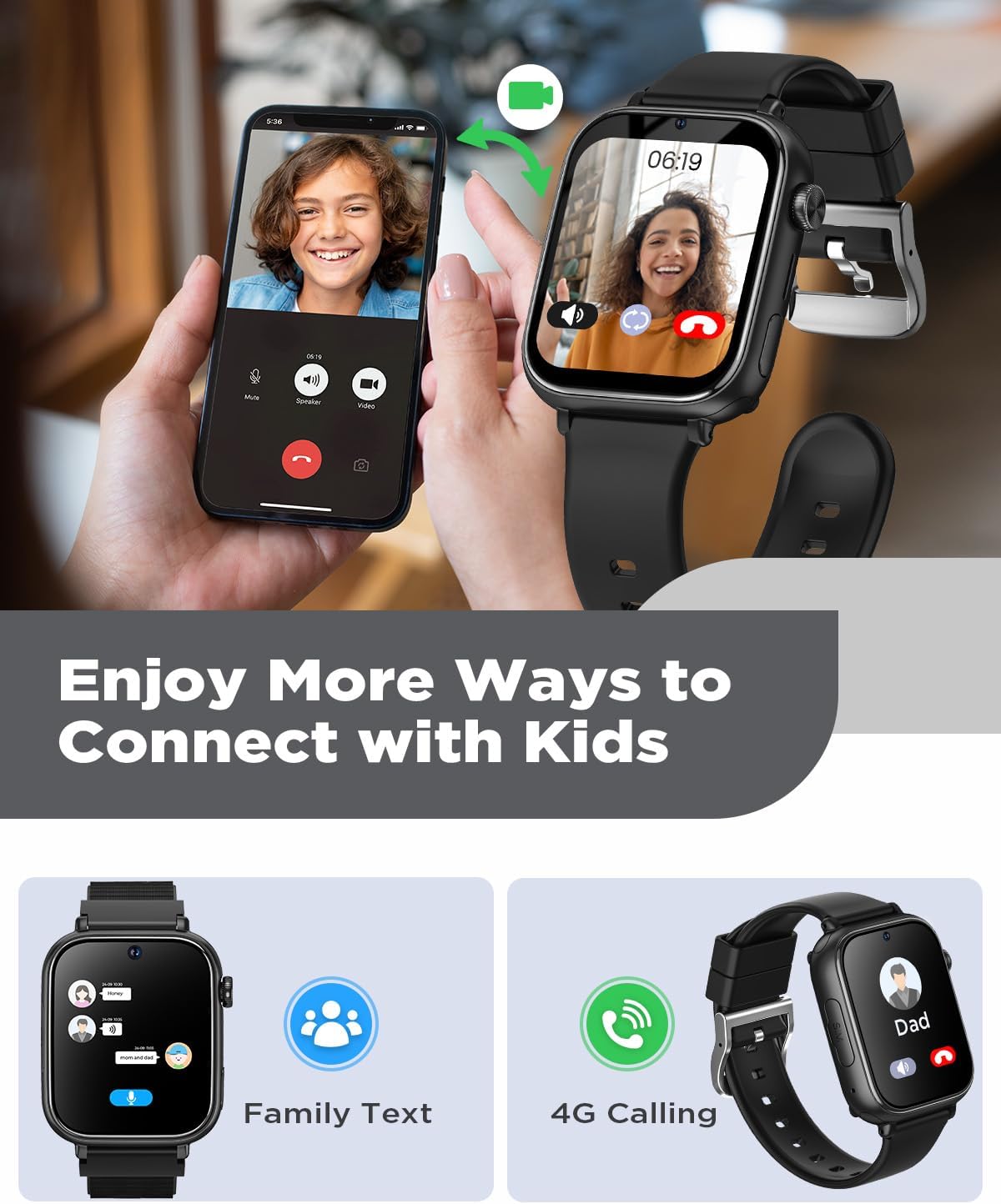
Image: A child riding a bicycle, with a smartphone displaying the real-time GPS tracking feature of the smart watch.
4.2 4G Video Calling and Communication
Stay connected with your child through 4G calling and video chats. Only approved contacts can communicate with the watch, ensuring a secure and reliable experience. All messages and calls are restricted to contacts you permit via the app.

Image: A smartphone and the smart watch displaying a video call, illustrating the 4G video calling feature.
4.3 School Mode and SOS Function
The T13 features a Class Mode, allowing parents to set specific times to disable watch functions, helping children focus during school or other activities. During this period, the SOS function remains active: pressing and holding the button for 3 seconds will contact emergency contacts. The watch is designed without social media or open internet access to prevent distractions and spam.

Image: A child in a classroom, with the smart watch displaying a shield icon, symbolizing the 'No Spam Messages' and 'DND Focus Mode' features.
4.4 Activity Tracking and Camera
The smart watch includes essential features like activity tracking to encourage physical activity and a front camera for taking photos and videos. It also supports reminders and alarms.

Image: Children opening gifts, with the smart watch displaying a photo of them, highlighting its camera and photo capabilities.
5. Maintenance
5.1 Durability and Straps
The TotsyFun T13 features a sturdy ABS casing and comes with two protective films to guard against bumps and scratches. It includes both a soft silicone strap and a comfort nylon strap, allowing you to choose based on your child's preference and preventing skin irritation.

Image: The TotsyFun T13 Smart Watch showcasing its two included wrist bands: soft silicone and comfort nylon, emphasizing comfort and durability.
5.2 Sustainable Design
TotsyFun operates sustainably, adhering to high environmental and social standards. The durable design of this smart watch reduces the need for frequent replacements, supporting an eco-friendly approach.
6. Troubleshooting
- Watch not powering on: Ensure the watch is fully charged using the provided charging cable.
- No network signal: Verify the SIM card is correctly installed and activated. Check your SIM card plan for 4G network, SMS, and calling functionality. For non-SpeedTalk SIMs, confirm APN settings are correct.
- GPS inaccuracy: Ensure the watch has a clear view of the sky for optimal satellite reception. Indoor or dense urban areas may affect accuracy.
- App connectivity issues: Ensure your smartphone has a stable internet connection and the watch is within network coverage. Restart both the watch and the app.
- Cannot make/receive calls: Check if the SIM card is active and has sufficient balance/data. Ensure contacts are approved and added correctly in the companion app.
- Screen unresponsive: Try restarting the watch. If the issue persists, contact customer support.
7. Specifications
| Feature | Detail |
|---|---|
| Model Number | T13 |
| Screen Size | 1.83 Inches |
| Display Shape | Square |
| GPS | Built-in GPS |
| Battery Capacity | 700 Milliamp Hours (Lithium Polymer) |
| Connectivity Technology | Cellular, Wi-Fi |
| Operating System | Compatible with iPhone & Android |
| Memory Storage Capacity | 128 MB |
| Item Weight | 6.4 ounces |
| Package Dimensions | 11.1 x 3.98 x 0.94 inches |
8. Warranty & Support
For warranty information and customer support, please refer to the documentation included with your product or visit the official TotsyFun website. Keep your purchase receipt for any warranty claims.