
1. Introduction
Thank you for choosing the Casaottima Single Motor Electric Standing Desk Frame. This manual provides detailed instructions for the assembly, operation, and maintenance of your new height-adjustable desk frame. Please read this manual thoroughly before assembly and use to ensure safe and correct operation.

Figure 1: Overview of the Casaottima Single Motor Electric Standing Desk Frame components.
2. Safety Instructions
- Ensure all parts are present and undamaged before assembly.
- Keep children and pets away from the desk during operation.
- Do not sit or stand on the desk frame.
- Avoid placing liquids directly on the control panel or motor.
- Ensure the power cord is not pinched or damaged.
- Do not overload the desk; the maximum load capacity is 154 lbs.
- Regularly check all screws and connections for tightness.
3. Package Contents
Verify that all components listed below are included in your package:
- 2 x Lifting Columns (Legs)
- 2 x Feet
- 1 x Crossbar Assembly (Extendable)
- 1 x Control Box
- 1 x Hand Controller (Digital Control Panel)
- 1 x Power Adapter
- 1 x Drive Rod
- Hardware Kit (Screws, Allen Wrench, Cable Clips)
4. Assembly Instructions
Follow these step-by-step instructions for proper assembly. All parts are clearly labeled for ease of installation.
4.1 Attaching the Crossbar to the Lifting Columns
The standing desk frame is designed with extendable crossbars that can be adjusted from 37 inches to 63 inches, providing maximum flexibility for DIY desk setups. Recommended desktop sizes range from 40 to 63 inches in length.

Figure 2: Recommended desktop dimensions (40-63 inches length).
- Lay the lifting columns and crossbar assembly on a soft, flat surface to prevent scratches.
- Attach the crossbar assembly to the top of each lifting column using the provided screws and Allen wrench. Ensure all screws are tightened securely.
4.2 Attaching the Feet
- Attach the feet to the bottom of each lifting column using the provided screws.
- Ensure the feet are oriented correctly for stability.
4.3 Installing the Drive Rod
The drive rod connects the two lifting columns, allowing them to move synchronously.
- Insert the drive rod into the designated openings on both lifting columns.
- Ensure the drive rod is fully engaged and secured with any retaining clips or screws as indicated in the detailed instructions.
4.4 Connecting the Control Box and Hand Controller
- Mount the control box to the underside of the crossbar using the provided screws.
- Connect the motor cable from the lifting column to the control box.
- Connect the hand controller cable to the control box.
- Connect the power adapter to the control box.
4.5 Attaching Your Desktop
The frame supports desktop sizes from 40 to 63 inches in length and 20 to 28 inches in width. The adjustable frame size allows for a height range of 28.4 inches to 46.5 inches.
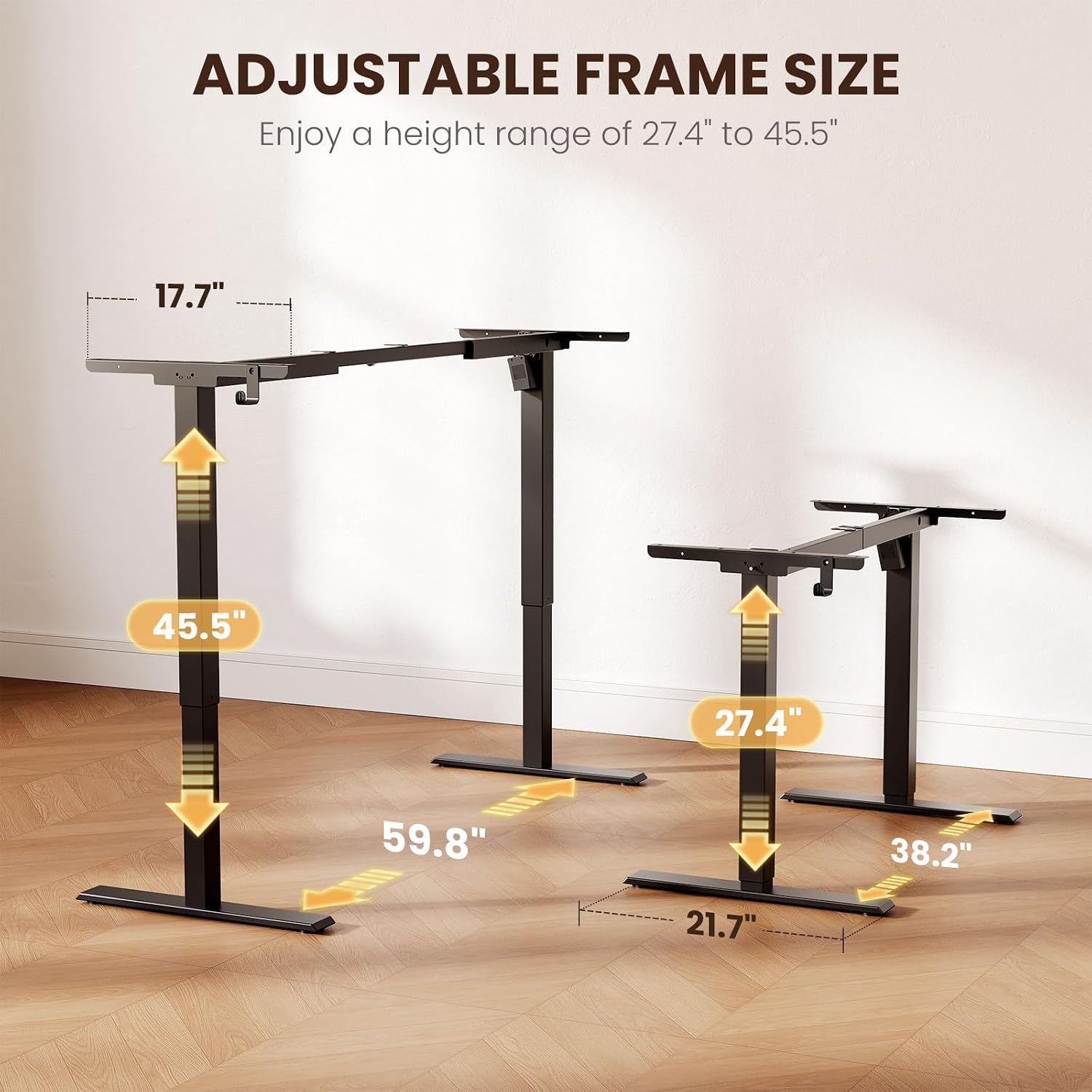
Figure 3: The desk frame's adjustable height and width capabilities.
- Carefully place your chosen desktop upside down on a soft surface.
- Position the assembled desk frame onto the desktop, ensuring it is centered and aligned.
- Secure the desktop to the frame using appropriate screws (not included with the frame, typically provided with the desktop or purchased separately).
4.6 Cable Management
Use the included cable clips to organize and secure all cables, preventing them from dangling or getting caught during height adjustments.
Video 1: Detailed installation guide for the Casaottima Single Motor Standing Desk Frame.
Video 2: Assembly process for an Electric Standing Desk Frame, demonstrating key steps.
5. Operating Instructions
The desk features a digital control panel for easy height adjustment and memory presets.
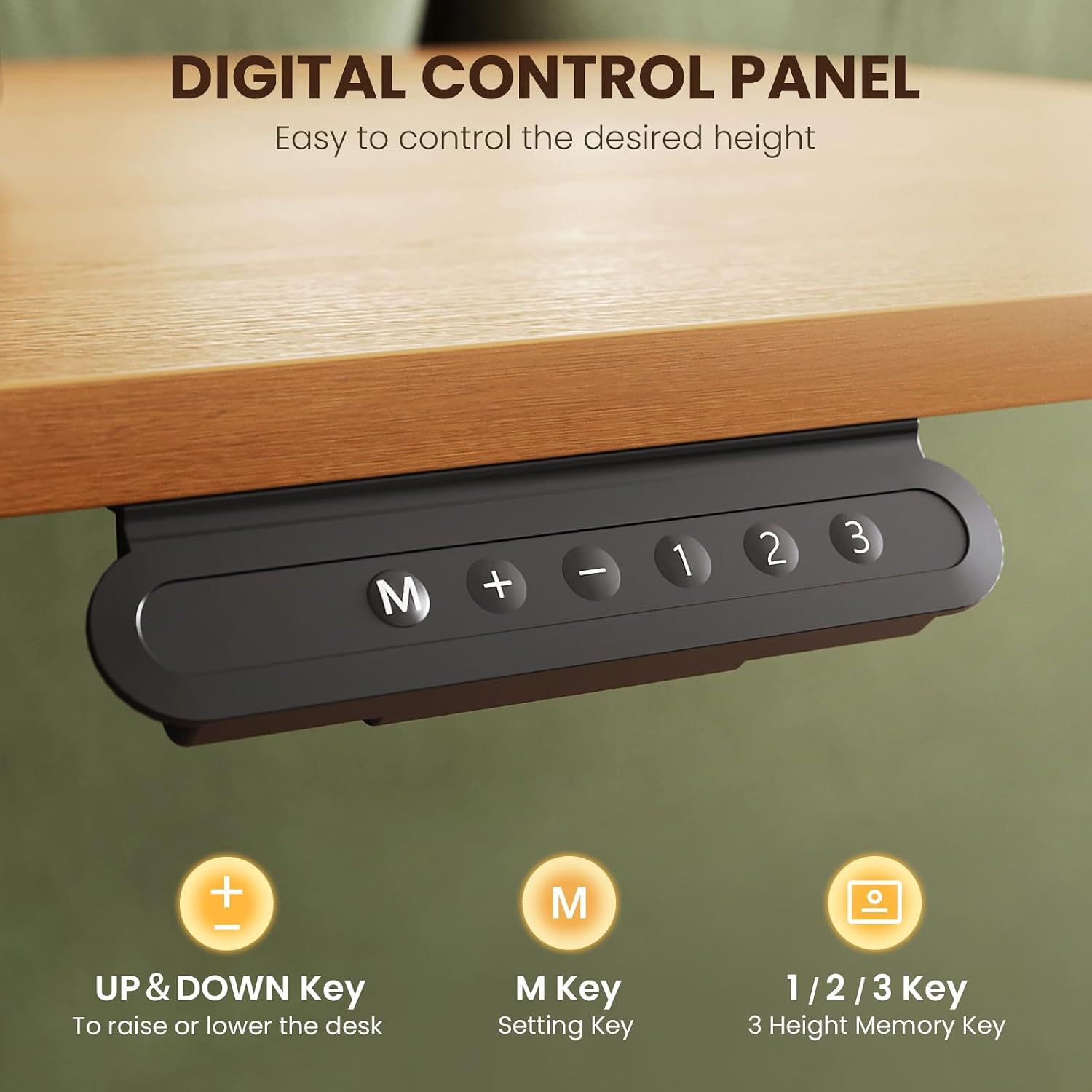
Figure 4: The digital control panel for height adjustment and memory presets.
5.1 Basic Height Adjustment
- Press the Up Arrow button to raise the desk.
- Press the Down Arrow button to lower the desk.
- Release the button at your desired height. The brushless motor ensures smoother, faster, and quieter operation.
5.2 Setting Memory Presets
The desk features 3 memory presets to save your favorite height settings.
- Adjust the desk to your desired height using the Up/Down arrows.
- Press the M button. The display will show 'S'.
- Immediately press one of the number buttons (1, 2, or 3) to save the current height to that preset.
5.3 Using Memory Presets
- Press the corresponding number button (1, 2, or 3) to automatically move the desk to the saved height.

Figure 5: The ergonomic design allows for comfortable sitting or standing postures.
Video 3: Demonstration of the Casaottima Single Motor Standing Desk Frame in action, showcasing height adjustments.
6. Maintenance
- Wipe the desk frame with a soft, damp cloth. Avoid harsh chemicals.
- Periodically check all screws and connections to ensure they remain tight.
- Do not attempt to disassemble or repair the motor or control box yourself. Contact customer support if issues arise.
7. Troubleshooting
7.1 Desk Not Moving
- Check if the power adapter is securely plugged into both the wall outlet and the control box.
- Ensure all cables are properly connected to the control box and motor.
- If the display shows an error code (e.g., E07), refer to the specific error code section in the full manual (if available) or contact customer support.
7.2 Uneven Movement
- Ensure the desk is not overloaded beyond its 154 lbs capacity.
- Verify that the drive rod is correctly installed and secured.
- Check for any obstructions under the desk.
8. Specifications
- Model Number: B030401SPD01001USDF
- Brand: Casaottima
- Type: Single Motor Electric Standing Desk Frame
- Material: Alloy Steel
- Color: Black
- Finish Type: Polished
- Base Type: Rectangle
- Load Capacity: 154 Pounds
- Height Adjustment Range: 28.4 inches to 46.5 inches
- Crossbar Adjustment Range: 37 inches to 63 inches
- Recommended Desktop Size: Length 40-63 inches, Width 20-28 inches
- Special Feature: Electric, Brushless Motor, Memory Presets
- Product Dimensions: 21.7 x 38.2 x 27.6 inches
- Item Weight: 23.2 Pounds
- Assembly Required: Yes
- UPC: 850073018330

Figure 6: The brushless motor ensures stable operation and supports up to 154 lbs.
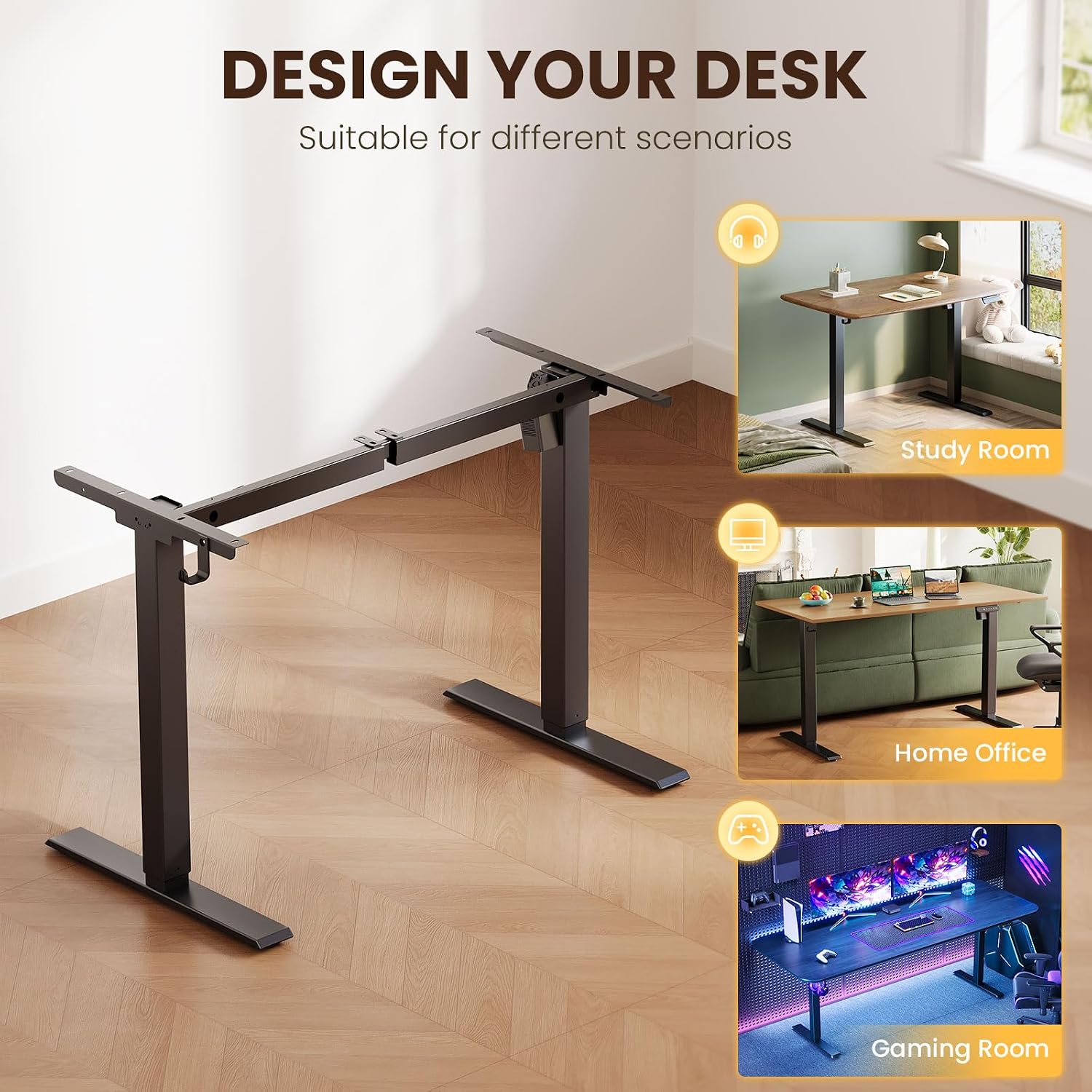
Figure 7: The versatile design is suitable for study rooms, home offices, and gaming setups.
9. Warranty and Support
For warranty information, technical support, or any questions regarding your Casaottima Electric Standing Desk Frame, please refer to the product packaging or contact Casaottima customer service directly. Keep your purchase receipt for warranty claims.