
ODK B010115SPD95USDF-1
ODK 40-Inch Computer Desk User Manual
Model: B010115SPD95USDF-1
Product Overview
The ODK 40-inch Computer Desk is designed for home office and small space environments, offering a functional and stylish workstation. Its minimalist design integrates seamlessly with various interior decors, providing ample space for computing, writing, and other tasks. Constructed with durable materials, this desk ensures stability and longevity for everyday use.

Image: The ODK 40-inch Computer Desk, white tabletop with black metal legs, shown with a computer setup and a headphone hook.
Setup and Assembly
Assembly of the ODK Computer Desk is designed to be straightforward and can typically be completed within 30 minutes. All necessary tools and clear, step-by-step instructions are included to facilitate the process. Ensure all parts are accounted for before beginning assembly.
Assembly Steps:
- Unpack all components and verify against the parts list provided in the instruction manual.
- Attach the metal frame legs to the desktop using the provided screws and Allen wrench.
- Ensure all connections are secure but do not overtighten until all parts are aligned.
- Once assembled, gently tighten all screws to ensure maximum stability.
- Attach the headphone hook to the designated slot on the side of the desk.
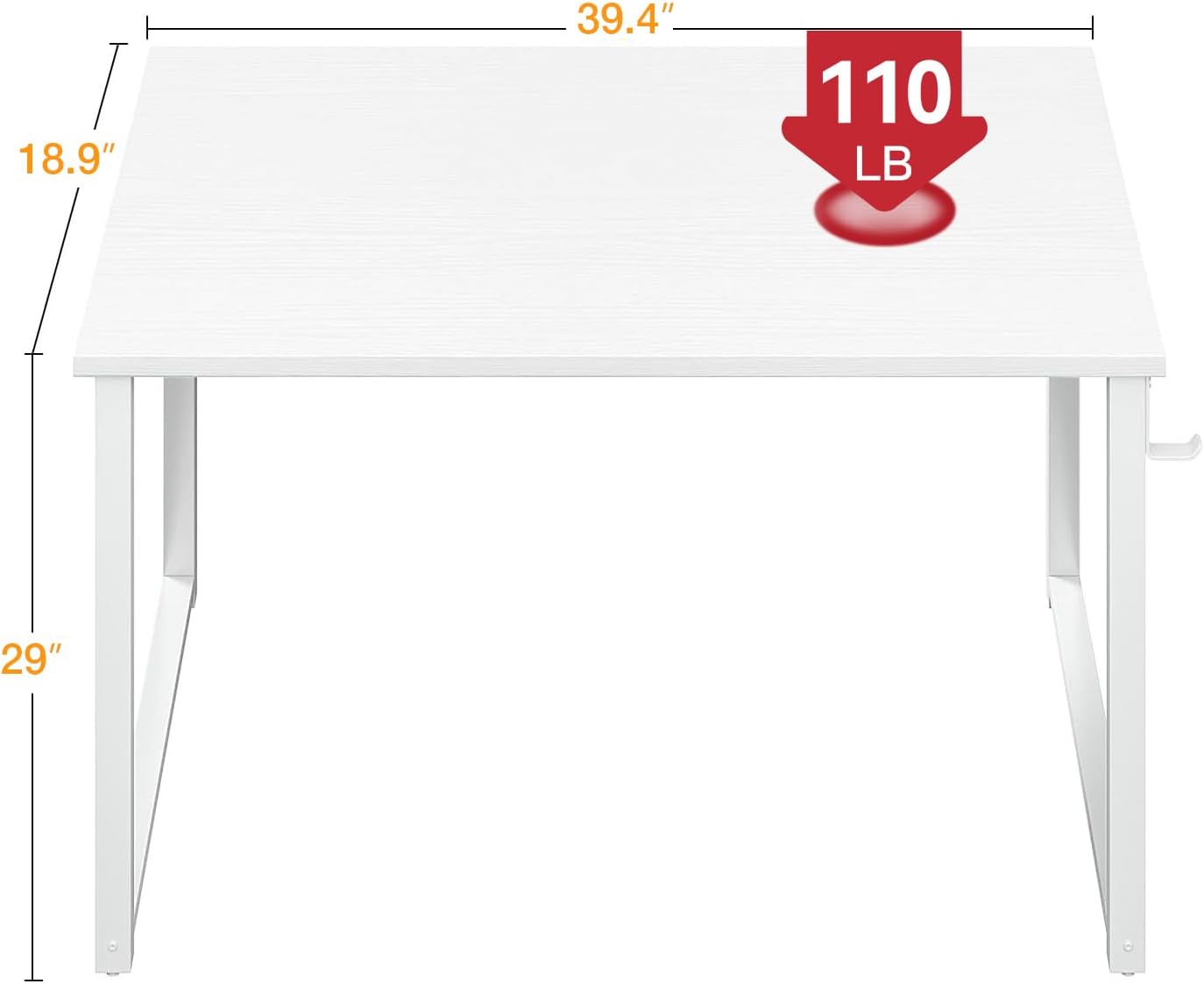
Image: Dimensional diagram of the desk, highlighting its compact size and weight capacity.
Operating and Usage
The ODK Computer Desk is designed for versatile use in various settings, including home offices, bedrooms, and dorms. Its spacious desktop can accommodate a computer, notebooks, and other office essentials, making it suitable for writing, studying, or gaming. The integrated side hook provides convenient storage for headphones, bags, or cables, helping to maintain an organized workspace.

Image: The desk configured as a vanity table, demonstrating its versatility beyond a typical computer desk.

Image: The desk in a home office setup, showcasing its suitability for focused work.
Maintenance
The high-quality particle board tabletop is waterproof and scratch-resistant, making it easy to clean. For general maintenance, wipe the surface with a soft, damp cloth. Avoid using abrasive cleaners or harsh chemicals that could damage the finish. Regularly check and tighten all screws to ensure the desk remains stable.
Troubleshooting
- Wobbling: If the desk wobbles, ensure all screws are securely tightened. Check that the adjustable feet pads are properly leveled on uneven surfaces.
- Stability: Always assemble the desk according to the provided instructions. Ensure the desk is stable and does not wobble before use.
- Tipping Prevention: This desk is not designed to be anchored to the wall. To prevent tipping, position the desk in an area with low foot traffic and avoid placing excessively heavy or unbalanced items on its edges.
Specifications
| Feature | Detail |
|---|---|
| Brand | ODK |
| Model Number | B010115SPD95USDF-1 |
| Product Dimensions | 40"D x 18.9"W x 29.13"H |
| Color | White |
| Material | Engineered Wood (Top), Metal (Base) |
| Item Weight | 15.43 Pounds |
| Special Feature | Headphone Hook, Adjustable Feet Pads |
| Assembly Required | Yes (Tools Included) |
Safety Information
- Always assemble the desk according to the provided instructions to ensure structural integrity.
- Verify the desk is stable and does not wobble before placing items on it or using it.
- This desk is not designed to be anchored to a wall.
- To prevent accidental tipping, position the desk in an area with low foot traffic and avoid placing excessively heavy or unbalanced items on its edges.
Warranty and Support
For any questions regarding assembly, parts, or product functionality, please contact ODK customer support. Refer to your purchase documentation for specific warranty details. Keep your proof of purchase for any warranty claims.
For further assistance, visit the official ODK Store: ODK Store on Amazon
Related documentsB010115SPD95USDF-1


Ask a question about this manual
Ask about setup, troubleshooting, compatibility, parts, safety, or missing instructions. Manuals+ will review the question and use this page’s manual context to help answer it.