
1. Introduction
Thank you for choosing the Matast DY210 Magnetic Portable Charger. This manual provides essential information for the safe and efficient use of your 10000mAh power bank. Please read these instructions carefully before use and retain them for future reference.
Package Contents:
- Matast DY210 Magnetic Portable Charger
- USB-C Charging Cable
- User Manual

This image displays the Matast DY210 power bank, its packaging, and the USB-C charging cable.
2. Product Overview
The Matast DY210 is a 10000mAh magnetic portable charger designed for convenient power on the go. It features both wireless and wired charging capabilities.
Key Features:
- 10000mAh High Capacity: Provides multiple charges for various devices.
- Strong Magnetic Wireless Charging: Compatible with MagSafe-enabled devices (iPhone 12/13/14/15/16 series).
- 20W PD Fast Charging: Supports Power Delivery for rapid wired charging via USB-C.
- USB-C Input & Output: Versatile port for charging the power bank and other devices.
- LED Digital Display: Shows remaining battery percentage.
- Multi-Protect Safety System: Built-in safeguards against overcharge, over-discharge, overheating, and short circuits.

This image shows the main body of the power bank with its magnetic charging ring and capacity indicator.

This image illustrates the various ports and the power button located on the side of the device.
3. Specifications
| Feature | Detail |
|---|---|
| Model Number | DY210 |
| Battery Capacity | 10000mAh |
| Wired Charging Output | 20W Power Delivery (PD) via USB-C |
| Wireless Charging Output | Up to 15W (MagSafe compatible) |
| Input (USB-C) | 20W PD |
| Input (Micro USB) | Standard 5V/2A |
| Dimensions | 4.05 x 2.67 x 0.78 inches |
| Item Weight | 9.1 ounces |
| Compatibility | MagSafe for iPhone 12/13/14/15/16 series; Wireless charging for Qi-enabled devices; Wired charging for USB-C devices. |
4. Setup
Initial Charging of the Power Bank:
- Before first use, fully charge your Matast DY210 power bank.
- Connect the included USB-C cable to the USB-C port on the power bank.
- Connect the other end of the USB-C cable to a compatible USB wall charger (not included). For fastest charging, use a 20W PD charger.
- The LED digital display will show the charging progress, indicating 100% when fully charged.
Understanding the LED Digital Display:
The LED display provides real-time information about the power bank's battery level.
- When charging the power bank, the percentage will increase.
- When charging a device, the percentage will decrease.
- Press the power button once to check the current battery level.
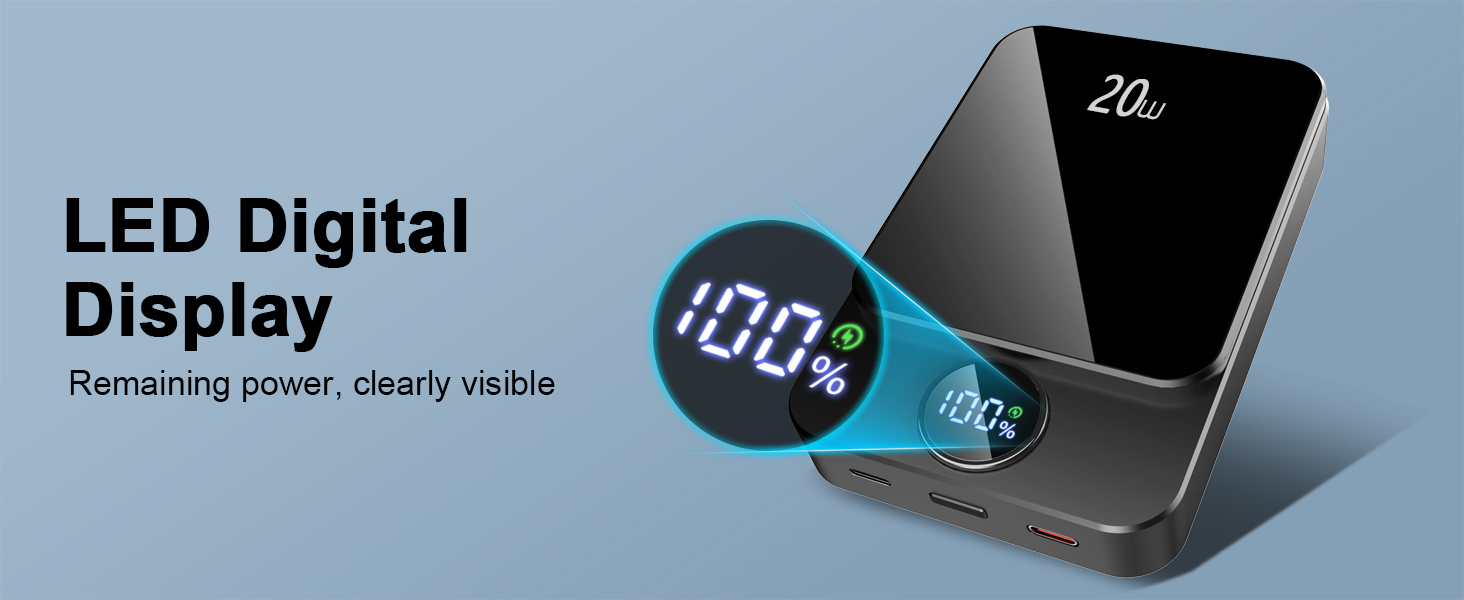
This image provides a clear view of the power bank's digital display, indicating the remaining charge.
5. Operating Instructions
5.1 Charging Devices Wirelessly (MagSafe Compatible)
- Ensure your device is MagSafe compatible (iPhone 12/13/14/15/16 series) or supports Qi wireless charging.
- Align the back of your device with the magnetic charging area on the power bank. The magnets will securely attach.
- Press the power button on the power bank once to initiate wireless charging.
- Your device's screen will indicate that charging has begun.

This image demonstrates the magnetic attachment of the power bank to a smartphone for wireless charging.

This image shows the power bank's strong magnetic attachment to a phone, allowing for portable wireless charging.
5.2 Charging Devices via Cable
- Connect your device's charging cable to the USB-C output port on the power bank.
- Connect the other end of the cable to your device.
- Press the power button on the power bank once to initiate wired charging.
- Your device will indicate that charging has begun.
5.3 Simultaneous Charging (2-in-1 Function)
The Matast DY210 can charge two devices simultaneously: one wirelessly and one via the USB-C cable.
- Attach one device for wireless charging as described in Section 5.1.
- Connect a second device via a USB-C cable to the power bank's USB-C port as described in Section 5.2.
- Press the power button once to activate both charging methods.

This image illustrates the pass-through charging capability, allowing the power bank to charge a device while being recharged.
6. Maintenance
Cleaning:
- Wipe the surface of the power bank with a soft, dry cloth.
- Do not use harsh chemicals or abrasive cleaners.
Storage:
- Store the power bank in a cool, dry place away from direct sunlight and extreme temperatures.
- If storing for extended periods, charge the power bank to approximately 50% every three months to maintain battery health.
7. Troubleshooting
| Problem | Possible Cause | Solution |
|---|---|---|
| Power bank not charging | Cable not connected properly; Faulty cable/charger; Power bank depleted. | Ensure cable is securely connected. Try a different cable or wall charger. Allow power bank to charge for a few minutes. |
| Device not charging wirelessly | Device not compatible; Misalignment; Thick phone case; Power button not pressed. | Verify device supports wireless charging. Realign device on the magnetic area. Remove thick phone cases. Press the power button once. |
| Device not charging via cable | Cable not connected properly; Faulty cable; Power bank depleted; Power button not pressed. | Ensure cable is securely connected. Try a different cable. Check power bank battery level. Press the power button once. |
| Power bank gets hot during use | Normal operation; Overload. | Slight warmth is normal. If excessively hot, disconnect devices and allow to cool. Ensure proper ventilation. |
8. Safety Information
To ensure safe operation and prevent damage, please observe the following precautions:
- Do not expose the power bank to extreme temperatures, direct sunlight, or fire.
- Do not immerse the power bank in water or other liquids.
- Avoid dropping, hitting, or disassembling the device.
- Keep out of reach of children.
- Use only original or certified cables for charging.
- Do not use the power bank if it is damaged or shows signs of swelling.
- The power bank is equipped with multiple safety protections, including overcharge, over-discharge, over-current, over-voltage, and short-circuit protection.

This image highlights the various safety features built into the power bank, such as protection against overcharge, short circuits, and temperature control.
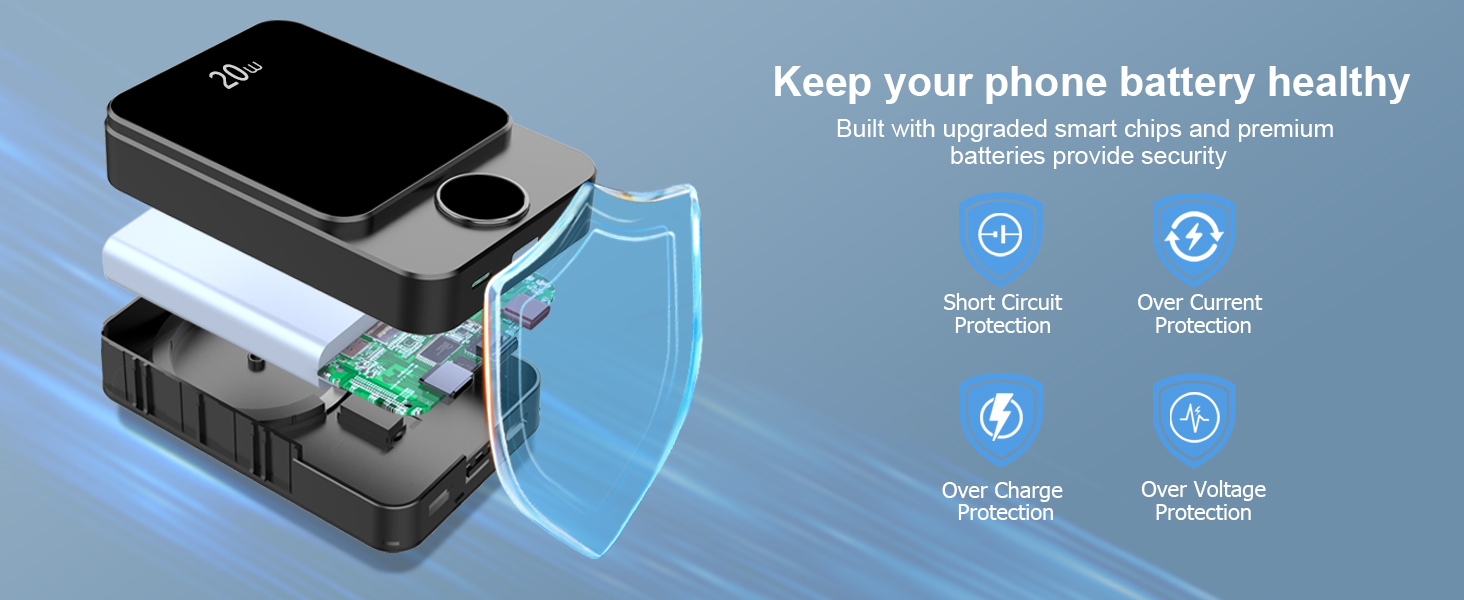
This diagram provides a visual explanation of the internal structure and safety components designed to protect your devices.
9. Warranty and Support
Matast products are designed and manufactured to the highest quality standards. For information regarding warranty coverage or technical support, please refer to the warranty card included with your product or contact Matast customer service through the retailer where the product was purchased.