Product Overview
The Philips 221V8LB3 is a compact and reliable 21.5-inch Full HD monitor designed for business and everyday use. It offers a 120Hz refresh rate and a 1ms MPRT response time for smooth visuals, suitable for multimedia, light gaming, and office tasks. The VA panel technology provides high contrast ratios and wide viewing angles, ensuring sharp and vivid images.
Key features include:
- Full HD Display: Enjoy crisp and clear visuals with a Full HD 1920x1080 resolution.
- 120Hz Refresh Rate & 1ms Response Time: Experience ultra-smooth visuals ideal for fast-paced applications and casual gaming.
- VA Panel Technology: Wide 178°/178° viewing angles with vibrant colors and a high contrast ratio of 3000:1.
- Adaptive-Sync Technology: Eliminates screen tearing and stuttering for seamless visuals.
- Eye Comfort Features: Flicker-Free technology and LowBlue Mode reduce eye strain during extended use.

Figure 1: Front view of the Philips 221V8LB3 monitor, showcasing its vibrant display capabilities.
Setup Guide
What's in the Box
Your Philips 221V8LB3 monitor package includes:
- Philips 221V8LB3 Monitor
- HDMI Cable
- Power Cord
- User Manual (this document)
Connecting Your Monitor
- Connect the Stand: Carefully attach the monitor panel to the stand base. Ensure it is securely fastened.
- Connect Video Cable: Connect one end of the provided HDMI cable to the HDMI port on your computer's graphics card and the other end to the HDMI 1.4 input port on the monitor. Alternatively, you can use a VGA cable for connection.
- Connect Power: Plug the power cord into the monitor's power input and then into a wall outlet.
- Power On: Press the power button on the monitor to turn it on.
The monitor also supports VESA mount compatibility for versatile installation options, allowing it to fit seamlessly into various workspaces.

Figure 2: Rear view of the monitor highlighting essential connection ports and VESA mount compatibility.
Operating Instructions
Basic Operation
Once connected and powered on, the monitor will automatically detect the input signal. You can use the buttons located on the bottom right bezel of the monitor to navigate the On-Screen Display (OSD) menu for various settings.
Display Settings
- Resolution: The monitor supports Full HD (1920x1080) resolution for sharp and detailed images.
- Refresh Rate: Enjoy a smooth visual experience with a 120Hz refresh rate, reducing motion blur in fast-paced content.
- Response Time: A 1ms MPRT (Moving Picture Response Time) ensures quick pixel transitions, minimizing ghosting.
- VA Panel: The VA panel provides excellent contrast and wide viewing angles (178°/178°), ensuring consistent image quality from various perspectives.

Figure 3: Visual comparison illustrating the crisp clarity of Full HD resolution on the monitor.

Figure 4: Illustration of the monitor's wide viewing angles, maintaining image quality from different perspectives.
Eye Comfort Features
The Philips 221V8LB3 incorporates features designed to reduce eye strain during prolonged use:
- Flicker-Free Technology: Regulates brightness and reduces flicker for a more comfortable viewing experience.
- LowBlue Mode: Uses smart software technology to reduce harmful shortwave blue light emitted by the monitor.
- EasyRead Mode: Optimizes display settings for a paper-like reading experience.

Figure 5: Icons representing the monitor's eye care features: LowBlue Mode, Flicker-free, and EasyRead.
Adaptive-Sync Technology
Adaptive-Sync technology ensures fluid action sequences and rapid response time by synchronizing the monitor's refresh rate with your graphics card's frame rate. This eliminates screen tearing and stuttering, providing a smoother experience for both work and entertainment.

Figure 6: Visual representation of Adaptive-Sync technology ensuring smooth action sequences.
Maintenance
Cleaning the Monitor
- Always unplug the monitor from the power outlet before cleaning.
- Use a soft, lint-free cloth slightly dampened with water or a mild, non-abrasive cleaner specifically designed for electronics.
- Do not spray cleaner directly onto the screen or monitor casing.
- Avoid using benzene, thinner, ammonia, or abrasive cleaners as they can damage the monitor.
Storage
When storing the monitor for an extended period, ensure it is kept in a cool, dry place away from direct sunlight and extreme temperatures. Use the original packaging if available to protect it from dust and physical damage.
Troubleshooting
If you encounter issues with your Philips 221V8LB3 monitor, please refer to the common problems and solutions below:
| Problem | Possible Cause | Solution |
|---|---|---|
| No image on screen | Power cable not connected; Video cable not connected; Incorrect input selected. | Ensure power and video cables are securely connected. Check the input source using the OSD menu. |
| Image is blurry or distorted | Incorrect resolution; Cable quality; Graphics card settings. | Set the display resolution to 1920x1080. Ensure the video cable is not damaged. Update graphics drivers. |
| Screen flickering | Flicker-Free technology not active; Graphics card issues. | Ensure Flicker-Free mode is enabled in OSD. Check graphics card settings and drivers. |
| Eye strain during use | Blue light emission; Prolonged viewing. | Activate LowBlue Mode and EasyRead Mode in the OSD menu. Take regular breaks. |
For further assistance, please refer to the Philips support website or contact customer service.
Specifications
| Feature | Detail |
|---|---|
| Screen Size | 21.5 Inches (22'' Class) |
| Resolution | 1920 x 1080 (Full HD) |
| Max Screen Resolution | 1920 x 1080 Pixels |
| Refresh Rate | 120Hz |
| Response Time | 1ms MPRT |
| Panel Type | VA Panel |
| Aspect Ratio | 16:9 |
| Viewing Angles | 178°/178° |
| Connectivity | HDMI 1.4, VGA, 3.5mm Audio Out |
| VESA Mount Compatible | Yes |
| Item Weight | 9.28 pounds |
| Product Dimensions (LxWxH) | 8.6 x 19.4 x 14.5 inches |
| Color | Black |
Warranty and Support
Warranty Information
All Philips monitors sold in the US come with a 4-Year Advance Replacement Warranty. This warranty ensures that in the event of a covered defect, a replacement unit will be sent to you in advance, minimizing downtime.
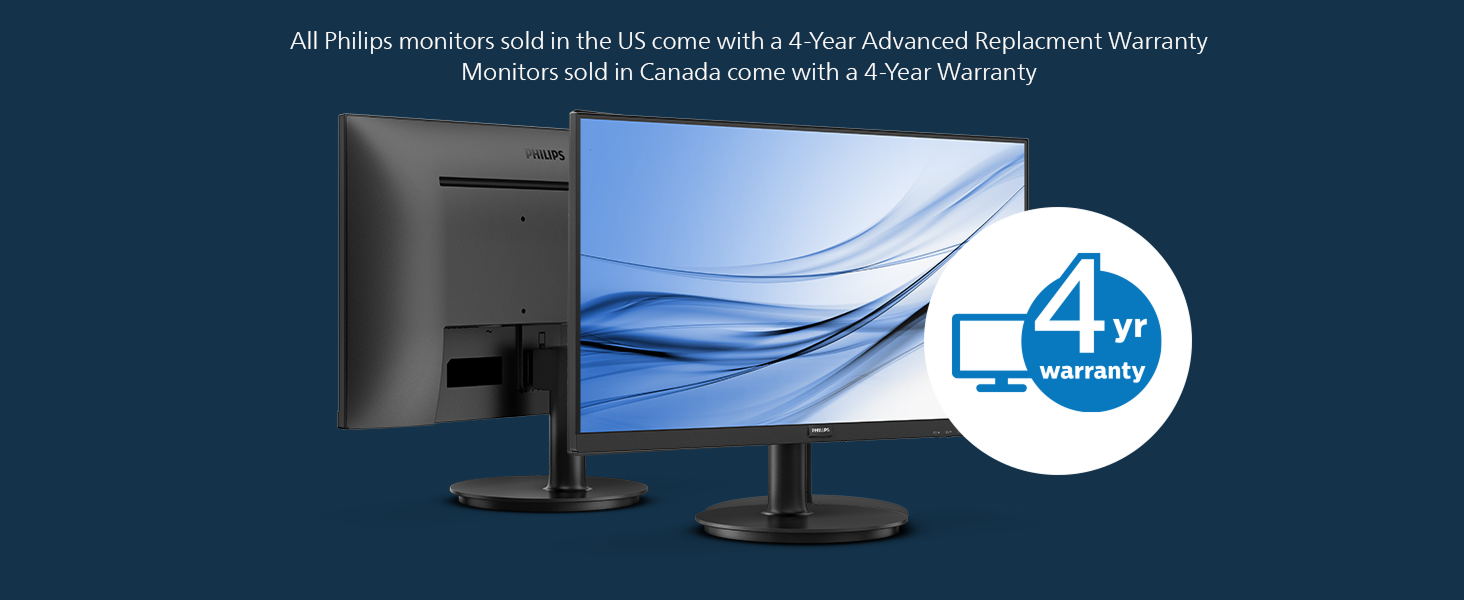
Figure 7: Illustration of the 4-Year Advance Replacement Warranty for Philips monitors.
Customer Support
For technical support, troubleshooting, or warranty claims, please visit the official Philips Computer Monitors support website or contact their customer service. Keep your product model number (221V8LB3) and purchase information ready when seeking support.