
Mainstays WSH10C2AWW
Mainstays WSH10C2AWW Ceramic Radiant Electric Heater User Manual
Model: WSH10C2AWW | Brand: Mainstays
1. Introduction and Overview
This manual provides essential information for the safe and efficient operation of your Mainstays WSH10C2AWW Ceramic Radiant Electric Heater. Designed for personal comfort, this compact and portable heater offers three heat settings (700W, 900W, 1500W) and a fan-only mode, making it suitable for year-round use. Its ceramic heating element ensures energy-efficient warmth, while built-in safety features provide peace of mind. Please read all instructions carefully before use and retain this manual for future reference.

Figure 1.1: Mainstays WSH10C2AWW Ceramic Radiant Electric Heater. This image shows the compact, white heater with its front grille and top control knobs.
2. Important Safety Instructions
WARNING: To reduce the risk of fire, electric shock, or injury, read and understand all instructions before using this heater.
- Always plug heaters directly into a wall outlet/receptacle. Never use with an extension cord or relocatable power tap (outlet/power strip).
- This heater is hot when in use. To avoid burns, do not let bare skin touch hot surfaces. Use the cool-touch carrying handle when moving this heater.
- Keep combustible materials, such as furniture, pillows, bedding, papers, clothes, and curtains at least 3 feet (0.9m) from the front and sides of the heater.
- Do not operate any heater with a damaged cord or plug or after the heater malfunctions, has been dropped or damaged in any manner.
- Do not use outdoors. This heater is intended for indoor use only.
- Do not run cord under carpeting. Do not cover cord with throw rugs, runners, or similar coverings. Arrange cord away from traffic area and where it will not be tripped over.
- To disconnect heater, turn controls to OFF, then remove plug from outlet.
- Do not insert or allow foreign objects to enter any ventilation or exhaust opening as this may cause an electric shock or fire, or damage the heater.
- To prevent a possible fire, do not block air intakes or exhaust in any manner. Do not use on soft surfaces, like a bed, where openings may become blocked.
- This heater includes a tip-over safety switch that automatically shuts off the heater if it is accidentally tipped over.
- This heater includes an overheat safety protection system that automatically shuts off the heater if it overheats.

Figure 2.1: Advanced Safety Features. This image illustrates the overheat protection, tip-over protection, and cool-touch exterior of the heater, ensuring user safety.
3. Product Features
The Mainstays WSH10C2AWW Ceramic Radiant Electric Heater is designed with user comfort and safety in mind. Key features include:
- Energy-Efficient Ceramic Heating Element: Provides rapid and consistent warmth.
- Compact and Portable Design: Lightweight and space-saving, making it easy to move between rooms.
- Cool-Touch Carrying Handle: Ensures safe transportation even when the unit is hot.
- Tip-Over Protection: Automatically shuts off the heater if it is accidentally knocked over.
- Overheat Safety Protection: Automatically turns off the heater if it reaches an unsafe temperature.
- Adjustable Thermostat: Allows you to set your desired comfort level.
- Multiple Heat Settings: Choose from 700W (Low), 900W (Medium), or 1500W (High) for customized heating.
- Fan-Only Setting: Provides air circulation without heat, perfect for warmer days.
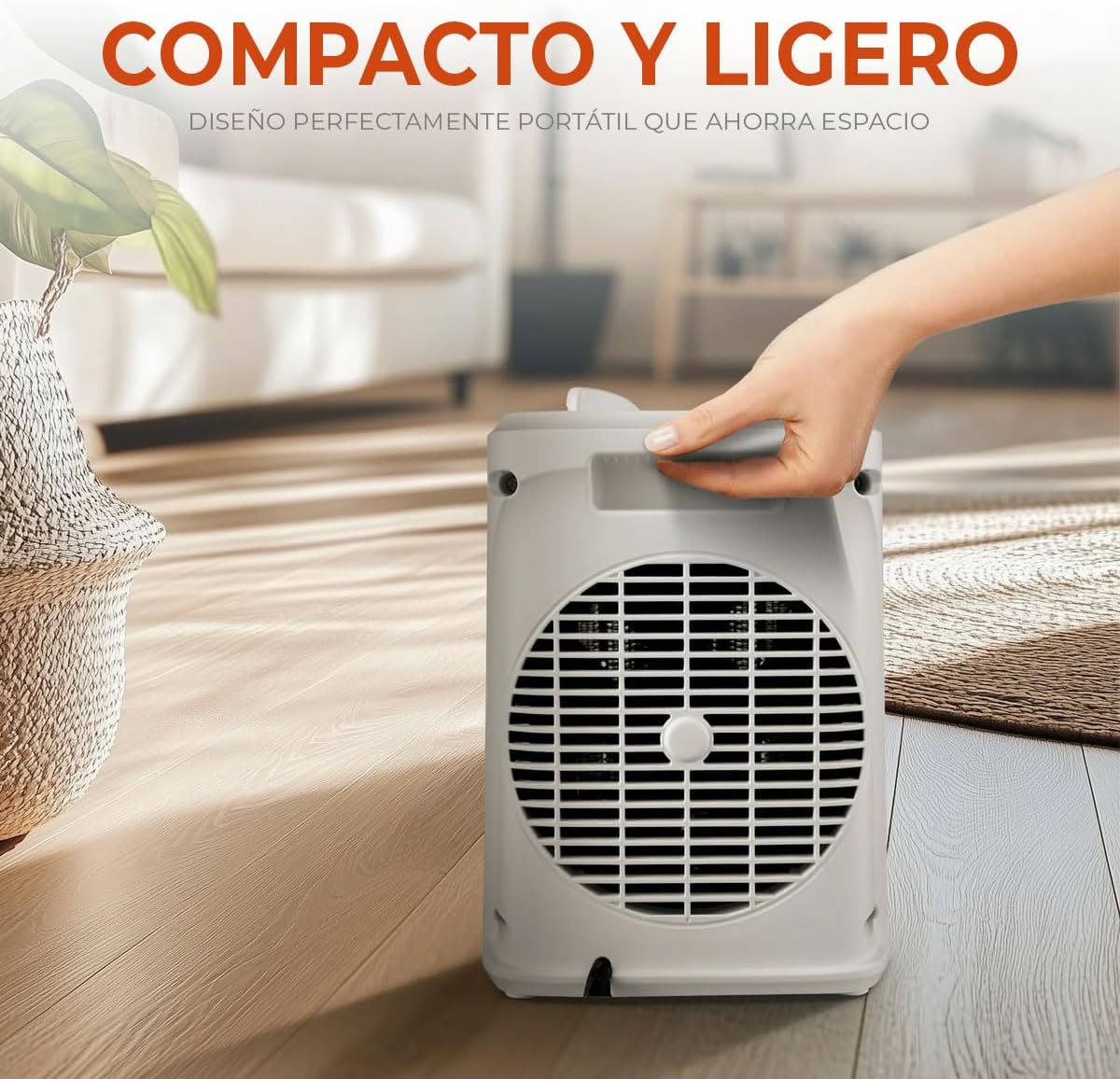
Figure 3.1: Compact and Lightweight Design. This image shows a hand easily carrying the heater, emphasizing its portability and space-saving attributes.
4. Package Contents
Please check the box for the following items:
- Mainstays WSH10C2AWW Ceramic Radiant Electric Heater Unit
- User Manual (this document)
If any items are missing or damaged, please contact customer service or your retailer.
5. Setup
- Unpacking: Carefully remove the heater from its packaging. Retain the packaging for off-season storage.
- Placement: Place the heater on a firm, level surface that is free from obstructions and at least 3 feet (0.9m) away from walls, furniture, and other combustible materials. Ensure the heater is not placed directly under a power outlet.
- Power Connection: Ensure the heater is in the OFF position before plugging it into a standard 120V AC electrical outlet. Do not use an extension cord or power strip.
6. Operating Instructions
Your Mainstays heater features two control knobs on the top for easy operation:

Figure 6.1: Easy-to-Use Controls. This image clearly labels the adjustable thermostat, power indicator, and heat/fan settings on the top panel of the heater.
- Powering On: Plug the heater into a suitable electrical outlet.
- Selecting Mode/Heat Level: Use the right knob (Mode Selector) to choose your desired setting:
- OFF: Turns the heater off.
- FAN ONLY: Activates the fan without heat for air circulation.
- 1 (700W): Low heat setting.
- 2 (900W): Medium heat setting.
- 3 (1500W): High heat setting.
- Adjusting Thermostat: Use the left knob (Thermostat Control) to set your desired room temperature. Turn the knob clockwise towards 'MAX' for higher temperatures and counter-clockwise towards 'MIN' for lower temperatures. The heater will cycle on and off to maintain the set temperature.
- Powering Off: Turn the Mode Selector knob to the 'OFF' position and unplug the heater from the wall outlet when not in use.
7. Maintenance and Cleaning
Regular maintenance helps ensure the longevity and efficient operation of your heater.
- Before Cleaning: Always unplug the heater from the power outlet and allow it to cool completely before cleaning.
- Cleaning the Exterior: Use a soft, damp cloth to wipe the exterior surfaces of the heater. Do not use abrasive cleaners or solvents, as these may damage the finish.
- Air Intake/Exhaust: Periodically check the air intake and exhaust openings for dust or lint buildup. Use a vacuum cleaner with a brush attachment to gently remove any debris. Do not attempt to open the heater for internal cleaning.
- Storage: When not in use, store the heater in a cool, dry place. It is recommended to store it in its original packaging to protect it from dust and damage.
8. Troubleshooting
If you experience issues with your heater, please refer to the following common problems and solutions:
| Problem | Possible Cause | Solution |
|---|---|---|
| Heater does not turn on. | No power to the unit. Tip-over switch activated. Overheat protection activated. | Ensure the heater is securely plugged into a working outlet. Place the heater on a firm, level surface. Unplug the heater, let it cool for 10-15 minutes, then plug it back in. |
| Heater stops working unexpectedly. | Overheat protection activated. Tip-over switch activated. | Unplug the heater, let it cool for 10-15 minutes, then plug it back in. Ensure air vents are not blocked. Ensure the heater is on a stable, level surface. |
| No heat, but fan is running. | Heater is in 'FAN ONLY' mode. Thermostat set too low. | Turn the Mode Selector knob to a heat setting (1, 2, or 3). Adjust the Thermostat Control knob to a higher setting. |
If the problem persists after trying these solutions, please contact customer support.
9. Specifications
| Feature | Specification |
|---|---|
| Brand | Mainstays |
| Model | WSH10C2AWW |
| Color | White |
| Dimensions (L x W x H) | 25.4 x 20.32 x 12.7 cm (approx. 10 x 8 x 5 inches) |
| Weight | 1.36 kg (approx. 3 lbs) |
| Heat Settings | 3 (700W, 900W, 1500W) |
| Fan Speeds | 1 (Fan Only mode) |
| Special Features | Automatic Shut-off, Portable, Tip-over Protection, Rapid Heating, Adjustable Thermostat |
| Form Factor | Cabinet |
| Intended Use | Indoor Use Only |
10. Warranty and Support
This Mainstays WSH10C2AWW Ceramic Radiant Electric Heater comes with a manufacturer's warranty. Please refer to the warranty information provided with your product packaging or contact your retailer for specific details regarding warranty coverage and duration.
For technical support, troubleshooting assistance, or to inquire about replacement parts, please contact Mainstays customer service or the retailer from whom you purchased the product. Keep your purchase receipt as proof of purchase for warranty claims.
Ask a question about this manual
Ask about setup, troubleshooting, compatibility, parts, safety, or missing instructions. Manuals+ will review the question and use this page’s manual context to help answer it.