
Introduction

Image: A clear front view of the oraolo BS11 portable Bluetooth speaker, showcasing its compact design and mesh grille.
Thank you for choosing the oraolo Portable Bluetooth Speaker BS11. This manual provides essential information for setting up, operating, and maintaining your speaker. Please read it carefully before use to ensure optimal performance and longevity of your device.
The oraolo BS11 is a compact, IPX7 waterproof portable Bluetooth speaker designed for both indoor and outdoor use, offering powerful 15W sound and convenient stereo pairing capabilities.
Product Overview
Package Contents
- oraolo Portable Bluetooth Speaker BS11
- USB Type-C Charging Cable
- Instruction Manual
Speaker Components and Controls
Familiarize yourself with the speaker's buttons and ports:
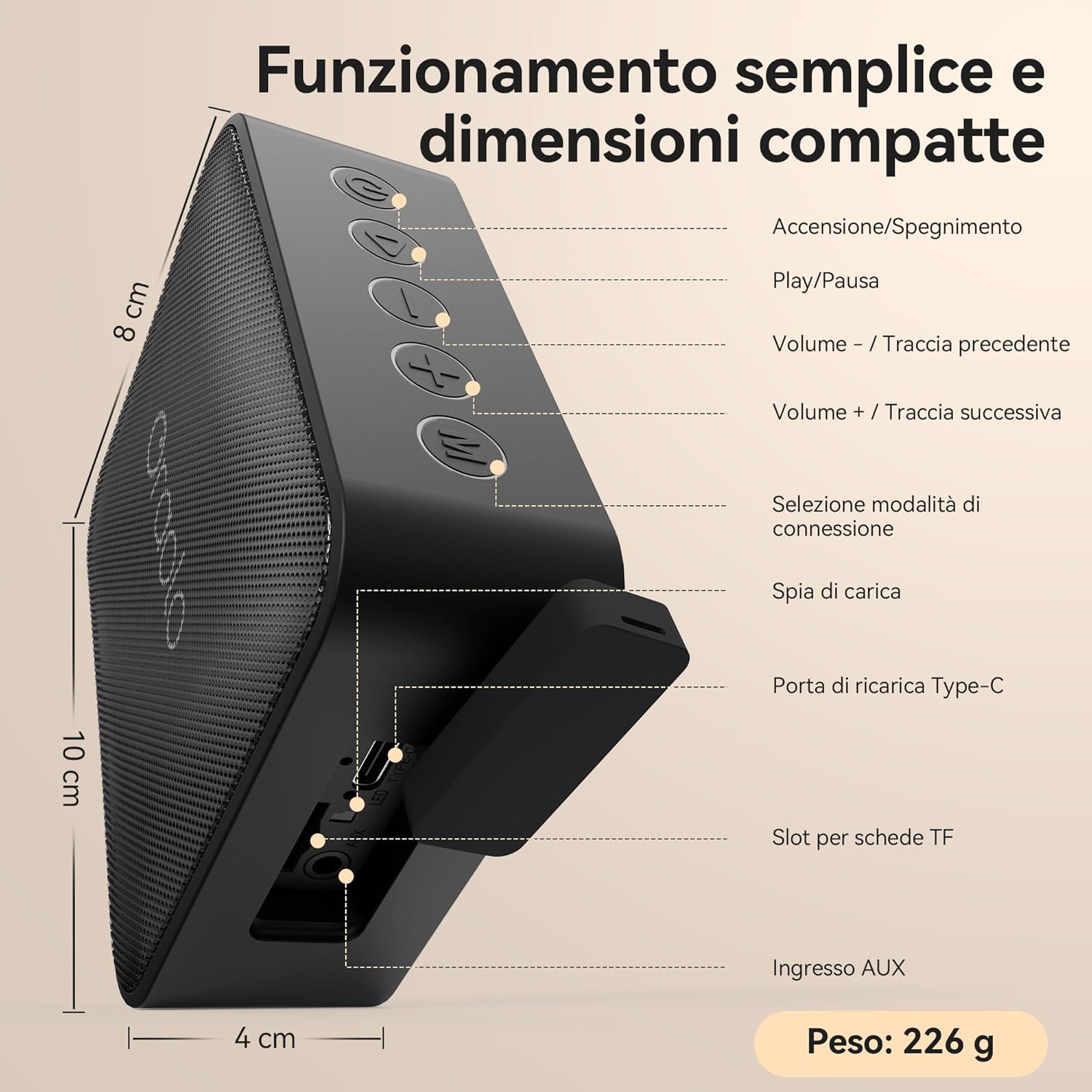
Image: Detailed view of the oraolo BS11 speaker, highlighting its various controls and ports. From left to right on the top panel: Power On/Off, Play/Pause, Volume Down/Previous Track, Volume Up/Next Track, Connection Mode Selection. On the side panel, under a protective flap: Charging Indicator, Type-C Charging Port, TF Card Slot, and AUX Input. The image also indicates dimensions: 8 cm height, 10 cm depth, 4 cm width, and a weight of 226g.
- Power On/Off Button: Press and hold for approximately 3 seconds to power the speaker on or off.
- Play/Pause Button: Press to play or pause audio.
- Volume - / Previous Track Button: Press to decrease volume. Press and hold for the previous track.
- Volume + / Next Track Button: Press to increase volume. Press and hold for the next track.
- Connection Mode Selection Button: Press to cycle through available input modes (Bluetooth, AUX, TF Card).
- Charging Indicator: LED light indicating charging status.
- Type-C Charging Port: For connecting the USB Type-C charging cable.
- TF Card Slot: For inserting a TF (MicroSD) card with audio files.
- AUX Input: For connecting external audio devices via a 3.5mm audio cable.
Setup
1. Charging the Speaker
Before first use, fully charge the speaker. Connect the provided USB Type-C cable to the speaker's charging port and the other end to a USB power adapter (not included) or a computer's USB port. The charging indicator will show the charging status and turn off or change color when fully charged.
2. Power On/Off
- To Power On: Press and hold the Power On/Off button for approximately 3 seconds. You will hear an audible prompt.
- To Power Off: Press and hold the Power On/Off button for approximately 3 seconds. You will hear an audible prompt.
3. Bluetooth Pairing
When powered on, the speaker will automatically enter Bluetooth pairing mode if no other mode is selected. The Bluetooth indicator light will flash.
- Ensure the speaker is powered on and in Bluetooth pairing mode.
- On your device (smartphone, tablet, etc.), enable Bluetooth and search for available devices.
- Select "oraolo BS11" from the list of devices.
- Once paired, the speaker will emit an audible confirmation, and the Bluetooth indicator light will stop flashing and remain solid.
The speaker will automatically reconnect to the last paired device when powered on, if the device is within range and Bluetooth is enabled.
4. True Wireless Stereo (TWS) Pairing
For an enhanced stereo experience, you can pair two oraolo BS11 speakers together.

Image: This image demonstrates the True Wireless Stereo (TWS) functionality, showing two oraolo BS11 speakers positioned to the left and right of a smartphone, creating a wider soundstage for music playback. The text "Audio Stereo Senza Fili" (Wireless Stereo Audio) and "Doppio suono, doppio divertimento" (Double sound, double fun) emphasize the feature.
- Ensure both oraolo BS11 speakers are powered on and not connected to any Bluetooth device.
- On one of the speakers (this will be the primary speaker), press and hold the Connection Mode Selection button for approximately 3 seconds until you hear a pairing tone.
- The two speakers will automatically search for and connect to each other. Once connected, you will hear a confirmation tone.
- Now, on your device, enable Bluetooth and search for "oraolo BS11". Connect to this single entry.
- Both speakers will now play audio in stereo.
To disconnect TWS, press and hold the Connection Mode Selection button on either speaker again.
5. AUX Mode
To use the speaker with a non-Bluetooth device:
- Connect one end of a 3.5mm audio cable (not included) to the speaker's AUX input port.
- Connect the other end to the audio output jack of your device.
- Press the Connection Mode Selection button on the speaker until it enters AUX mode.
- Audio will now play through the speaker from your connected device.
6. TF Card Mode
To play music directly from a TF (MicroSD) card:
- Insert a TF card (with supported audio files) into the TF card slot.
- Press the Connection Mode Selection button on the speaker until it enters TF Card mode.
- The speaker will automatically start playing music from the card.
Operating the Speaker
Basic Controls
- Play/Pause: Press the Play/Pause button.
- Volume Up: Press the Volume + button.
- Volume Down: Press the Volume - button.
- Next Track: Press and hold the Volume + button.
- Previous Track: Press and hold the Volume - button.
Maintenance
Cleaning
Wipe the speaker with a soft, damp cloth. Do not use abrasive cleaners or solvents. Ensure all port covers are securely closed before cleaning with water.
Water Resistance (IPX7)
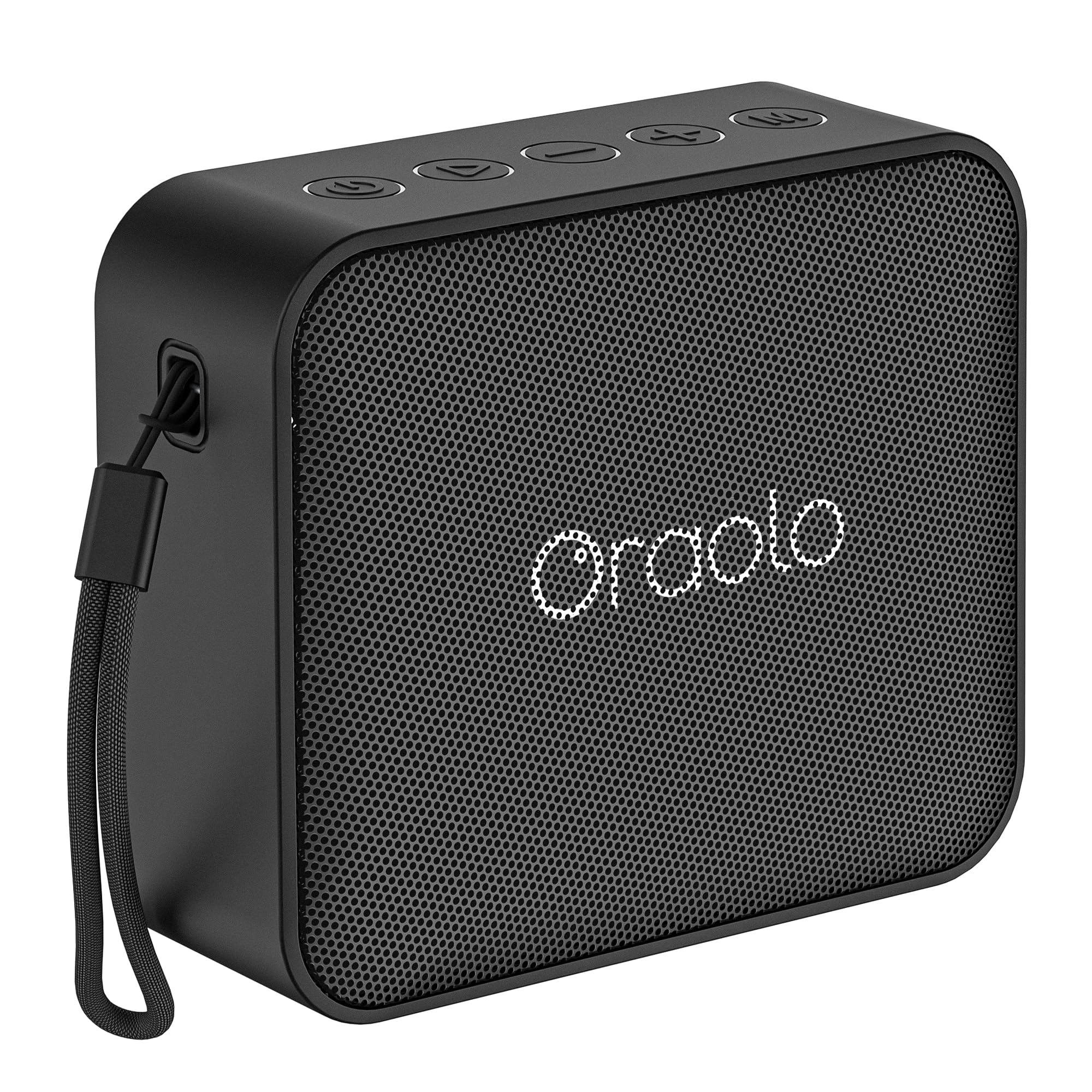
Image: The oraolo BS11 speaker is shown partially submerged in clear water, with bubbles around it, emphasizing its IPX7 waterproof capability. The text "IPX7 Impermeabile" (IPX7 Waterproof) and "Pronto per ogni avventura" (Ready for any adventure) highlight its durability for outdoor and wet environments.
The oraolo BS11 speaker is rated IPX7 waterproof, meaning it can be immersed in water up to 1 meter (3 feet) for up to 30 minutes. To maintain its waterproof integrity:
- Ensure the rubber flap covering the charging port, TF card slot, and AUX input is securely closed before exposing the speaker to water.
- Do not expose the speaker to salt water or other chemicals. If exposed, rinse with fresh water and dry thoroughly.
- Avoid prolonged immersion or use in extreme water conditions.
Storage
Store the speaker in a cool, dry place away from direct sunlight and extreme temperatures. If storing for an extended period, charge the battery periodically to maintain its health.
Troubleshooting
| Problem | Possible Cause | Solution |
|---|---|---|
| Speaker does not power on. | Low battery. | Charge the speaker fully. |
| Cannot pair via Bluetooth. | Speaker not in pairing mode; device Bluetooth off; too far from device. | Ensure speaker is in pairing mode. Turn device Bluetooth off and on. Move speaker closer to device (within 10 meters). |
| No sound. | Volume too low; incorrect input mode; device not playing. | Increase speaker and device volume. Select correct input mode (Bluetooth, AUX, TF Card). Ensure audio is playing on the connected device. |
| Sound distortion. | Volume too high; low battery; poor signal. | Reduce volume. Charge the speaker. Move closer to the Bluetooth device or check AUX cable connection. |
| TWS pairing fails. | Speakers already connected to other devices; not in TWS pairing mode. | Ensure both speakers are disconnected from other devices. Follow TWS pairing steps carefully. |
Specifications
| Brand: | oraolo |
| Model Name: | BS11 |
| Connectivity Technology: | Bluetooth, AUX, TF Card |
| Speaker Type: | Portable, Subwoofer (as per manufacturer spec) |
| Max Output Power: | 15W (Audio), 24W (Max Speaker Output Power) |
| Waterproof Rating: | IPX7 |
| Power Source: | Battery Powered |
| Battery Life: | Up to 7 hours (actual battery life may vary based on volume and content) |
| Dimensions (L x W x H): | 8.7 x 14 x 10 cm (3.4 x 5.5 x 3.9 inches) |
| Weight: | 300 grams (0.66 lbs) |
| Recommended Uses: | For smartphone or tablet, outdoor use |

Image: A collage showcasing the portability and versatility of the oraolo BS11 speaker. It depicts individuals enjoying music with the speaker during hiking, relaxing on a boat, cycling, and holding it casually, emphasizing its "Easy to Carry" feature for various adventures.

Image: The oraolo BS11 speaker is shown on a wooden table in an outdoor setting, with a visual overlay indicating "Fino a 7 ore di musica continua" (Up to 7 hours of continuous music). This highlights the speaker's battery life for extended listening sessions.
Warranty and Support
oraolo products are designed and manufactured to the highest quality standards. For warranty information and customer support, please refer to the warranty card included in your package or visit the official oraolo website. Please retain your proof of purchase for warranty claims.
If you encounter any issues not covered in this manual, please contact oraolo customer support for assistance.


