
AGPTEK T05(Black)
AGPTEK T05 MP3 Player User Manual
Model: T05(Black)
Introduction
This user manual provides detailed instructions for the AGPTEK T05 MP3 Player. Please read this manual thoroughly before using the device to ensure proper operation and to maximize your user experience. Keep this manual for future reference.
Safety Information
- Do not expose the device to extreme temperatures, direct sunlight, or high humidity.
- Avoid dropping or subjecting the device to strong impacts.
- Do not disassemble or attempt to repair the device yourself. This will void the warranty.
- Use only the provided charging cable and adapter.
- Listen at moderate volume levels to prevent hearing damage.
Package Contents

The image displays the AGPTEK T05 MP3 Player along with its standard accessories. The package typically includes:
- AGPTEK T05 MP3 Player
- USB Charging Cable
- 32GB Memory Card (pre-installed or included separately)
- User Manual (this document)
Product Overview
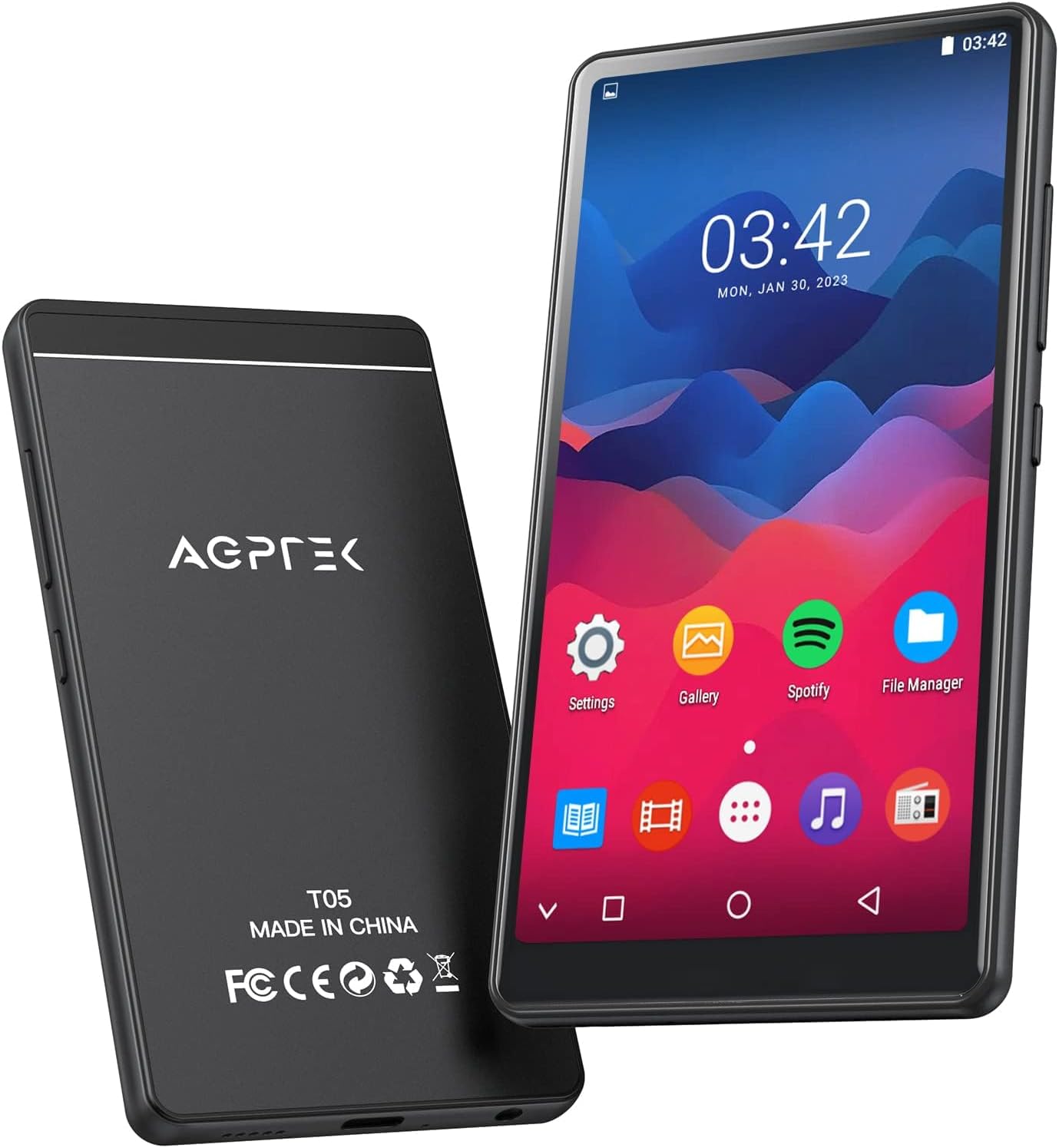
This image shows the front and back of the AGPTEK T05 MP3 Player. The front features a 4-inch full touch screen display, while the back displays the AGPTEK logo, model number (T05), and regulatory markings. The device is designed for portable music playback and multimedia functions.
Physical Components:
- 4-inch Full Touch Screen: Main interface for navigation and interaction.
- Power Button: Located on the side, used for turning the device on/off and screen lock.
- Volume Buttons: Adjust audio output level.
- USB-C Port: For charging and data transfer.
- 3.5mm Headphone Jack: For connecting wired headphones.
- MicroSD Card Slot: For expanding storage capacity.
- Built-in Speaker: For audio playback without headphones.
Setup
1. Charging the Device
Before first use, fully charge the MP3 player. Connect the provided USB cable to the device's USB-C port and the other end to a USB power adapter (not included) or a computer's USB port. The charging indicator will show the charging status. A full charge typically takes about 2 hours.
2. Inserting the Memory Card
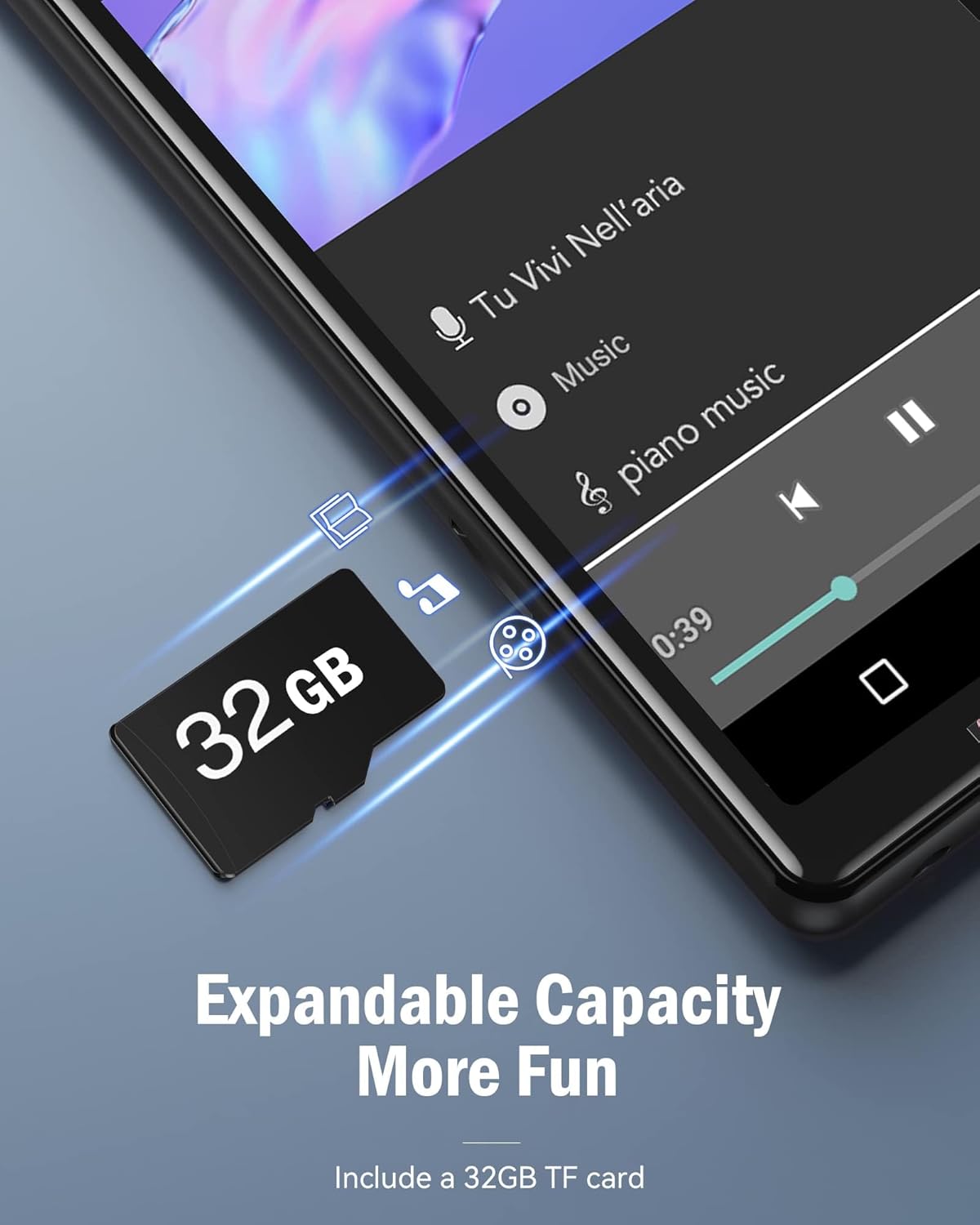
The device comes with a 32GB memory card to expand its storage capacity. Locate the MicroSD card slot on the side of the player. Gently insert the memory card into the slot until it clicks into place. Ensure the card is inserted in the correct orientation. This image illustrates the process of inserting the TF card, highlighting the expandable capacity feature.
3. Power On/Off
Press and hold the Power button on the side of the device for a few seconds to turn it on or off. A short press will turn the screen on or off (lock/unlock).
4. Connecting to Wi-Fi
- From the home screen, tap on the "Settings" icon.
- Select "Network & Internet" or "Wi-Fi".
- Toggle Wi-Fi to "On".
- Select your desired Wi-Fi network from the list and enter the password if prompted.
- Once connected, the Wi-Fi icon will appear in the status bar.
5. Bluetooth Pairing

This image demonstrates the AGPTEK T05 MP3 Player's ability to connect to Bluetooth audio devices, such as earbuds. The Bluetooth icon is prominently displayed, indicating a stable connection. To pair with Bluetooth headphones or speakers:
- Ensure your Bluetooth device is in pairing mode.
- On the MP3 player, go to "Settings" > "Connected devices" or "Bluetooth".
- Toggle Bluetooth to "On".
- Scan for available devices.
- Select your Bluetooth device from the list to pair.
Note: Avoid using Bluetooth near 2.4G signal source devices (base stations and routers) as it may cause signal interference.
Operating Instructions
1. Navigating the Touch Screen
The AGPTEK T05 features a responsive touch screen for intuitive navigation. Tap icons to open applications, swipe left/right to switch between screens, and swipe down from the top for quick settings and notifications.
2. Music Playback
Local Music:

The AGPTEK T05 supports a wide range of audio formats for local music playback, including MP3, FLAC, WAV, OGG, AAC, and APE. This image shows a user enjoying music, emphasizing the device's compatibility with various high-fidelity audio formats. To play local music, tap the "Music" or "File Manager" icon on the home screen, then browse and select your desired audio files.
Online Music (Wi-Fi Streaming):

The device comes with pre-installed applications for popular online music services like Spotify and Amazon Music. This image highlights the presence of these streaming apps on the device's screen. Ensure you are connected to Wi-Fi to use these services. Tap the respective app icon, log in with your account, and stream music directly. Please note that this device does not support the installation of additional third-party applications.
3. FM Radio
To use the FM Radio function, connect wired headphones (not included) as they act as the antenna. Open the "FM Radio" app, then scan for available stations or manually tune to a frequency.
4. Voice Recording
Tap the "Voice Recorder" app icon. Press the record button to start recording and press it again to stop. Recordings are saved to the device's internal storage or memory card.
5. Picture Browsing
Open the "Gallery" or "Photos" app to view images stored on the device or memory card. Swipe left or right to navigate through pictures.
6. E-book Reading
The device supports E-book reading. Transfer compatible e-book files (e.g., TXT, PDF) to the device and open them using the "E-book" app.
7. Calendar and Clock
Access the "Calendar" app to view dates and manage events. The "Clock" app provides time display, alarm, and stopwatch functions.
Maintenance
1. Cleaning
Wipe the device with a soft, dry, lint-free cloth. Do not use liquid cleaners or abrasive materials.
2. Storage
Store the device in a cool, dry place away from direct sunlight and extreme temperatures when not in use for extended periods.
3. Battery Care
To prolong battery life, avoid fully discharging the battery frequently. Charge the device regularly, even if not in constant use. If storing for a long time, charge it to about 50% every few months.
Troubleshooting
| Problem | Possible Cause | Solution |
|---|---|---|
| Device won't turn on | Low battery; System crash | Charge the device; Press and hold the power button for 10-15 seconds to force restart. |
| Cannot connect to Wi-Fi | Incorrect password; Out of range; Router issue | Verify password; Move closer to router; Restart router and device. |
| Bluetooth pairing fails | Device not in pairing mode; Interference | Ensure Bluetooth device is in pairing mode; Move away from 2.4G signal sources. |
| No sound | Volume too low; Headphones not connected properly; Corrupt audio file | Increase volume; Re-insert headphones; Try another audio file. |
| Device is slow/unresponsive | Too many apps open; Low storage | Close background apps; Free up storage space; Restart device. |
Specifications

This image provides a visual summary of the AGPTEK T05's battery performance, indicating a 1000 mAh battery capacity and various usage times. Below are the detailed specifications:
| Feature | Detail |
|---|---|
| Model Name | T05(Black) / MT05B-0FUS2 |
| Screen Size | 4 Inches (960*480 resolution) |
| Memory Storage Capacity | 8GB ROM (internal) + 32GB TF Card (included) = 40GB total |
| RAM | 1GB |
| Connectivity Technology | Bluetooth 4.0, Wi-Fi |
| Battery | 1000 mAh (approx. 30 hours music playtime, 2 hours charging time) |
| Supported Audio Formats | MP3, FLAC, WAV, OGG, AAC, APE |
| Pre-installed Apps | Spotify, Amazon Music (no additional app installation supported) |
| Dimensions | 6.14 x 3.86 x 1.65 inches (Package) |
| Item Weight | 7.8 ounces |
| Manufacturer | AGPTEK |
| Country of Origin | China |
Warranty and Support
AGPTEK products typically come with a standard manufacturer's warranty. For specific warranty details, please refer to the warranty card included in your package or visit the official AGPTEK website. For technical support, troubleshooting assistance, or warranty claims, please contact AGPTEK customer service through their official channels. Contact information can usually be found on the product packaging or the brand's website.
You can also visit the AGPTEK Store on Amazon for more information: AGPTEK Store