
1. Introduction
This manual provides comprehensive instructions for the installation, operation, and maintenance of the Generic Raise Canbus Box, available in models VW-RZ-08 and VW-RZ-58. This device is designed to facilitate the integration of aftermarket Android head units with the existing electrical systems of various Volkswagen, Skoda, and Seat vehicles, enabling functions such as steering wheel control, door status display, and climate control integration.
Please read this manual thoroughly before installation and use to ensure correct operation and to prevent damage to the product or your vehicle.
2. Safety Information
- Always disconnect the vehicle's battery before performing any electrical work to prevent short circuits and electrical shock.
- Ensure all connections are secure and properly insulated to avoid electrical hazards.
- If you are unsure about any part of the installation process, consult a qualified automotive technician.
- Do not modify the Canbus box or its wiring. Unauthorized modifications can void the warranty and lead to malfunction or damage.
- Keep the device away from moisture and extreme temperatures.
3. Package Contents
Verify that all items listed below are present in your package:
- Generic Raise Canbus Box (Model VW-RZ-08 or VW-RZ-58)
- Main Wiring Harness (specific to vehicle model)
- USB/Auxiliary Cables (if applicable)
- Instruction Manual (this document)
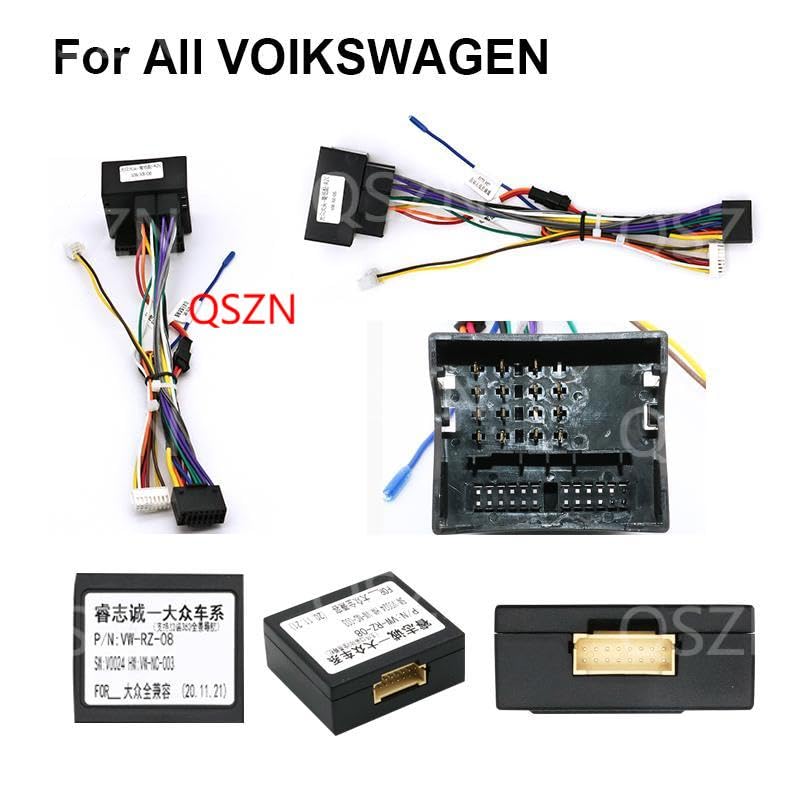
Image 3.1: Contents of the Canbus Box package, showing the main unit and associated wiring harness.
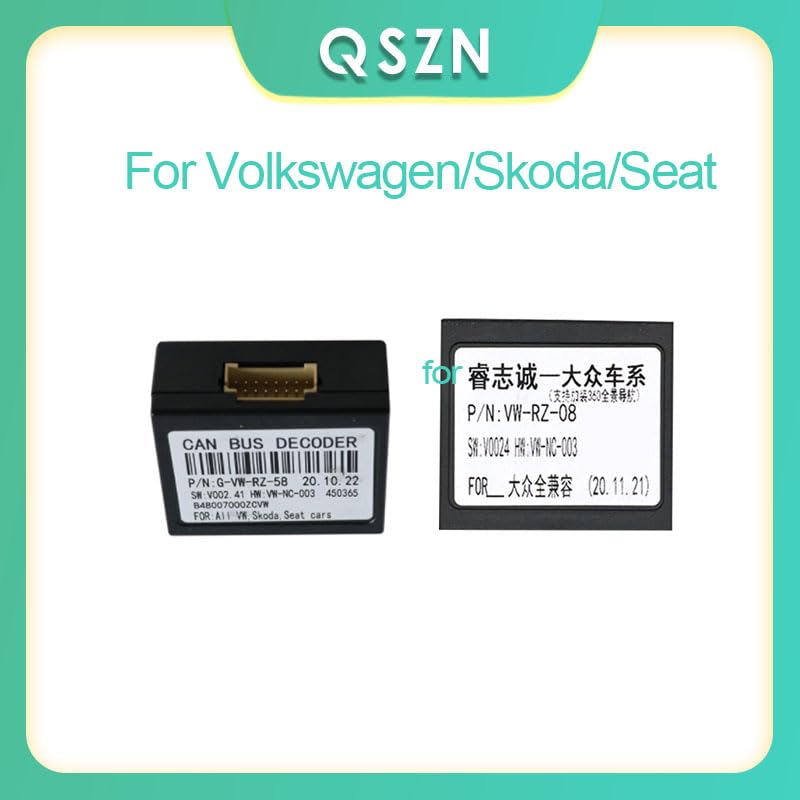
Image 3.2: Close-up view of the VW-RZ-58 and VW-RZ-08 Canbus boxes, highlighting their distinct labels.
4. Setup and Installation
4.1 Identifying Your Canbus Box Model
Before installation, identify your specific Canbus box model (VW-RZ-08 or VW-RZ-58) by checking the label on the device. This is crucial for ensuring compatibility with your vehicle and Android head unit.
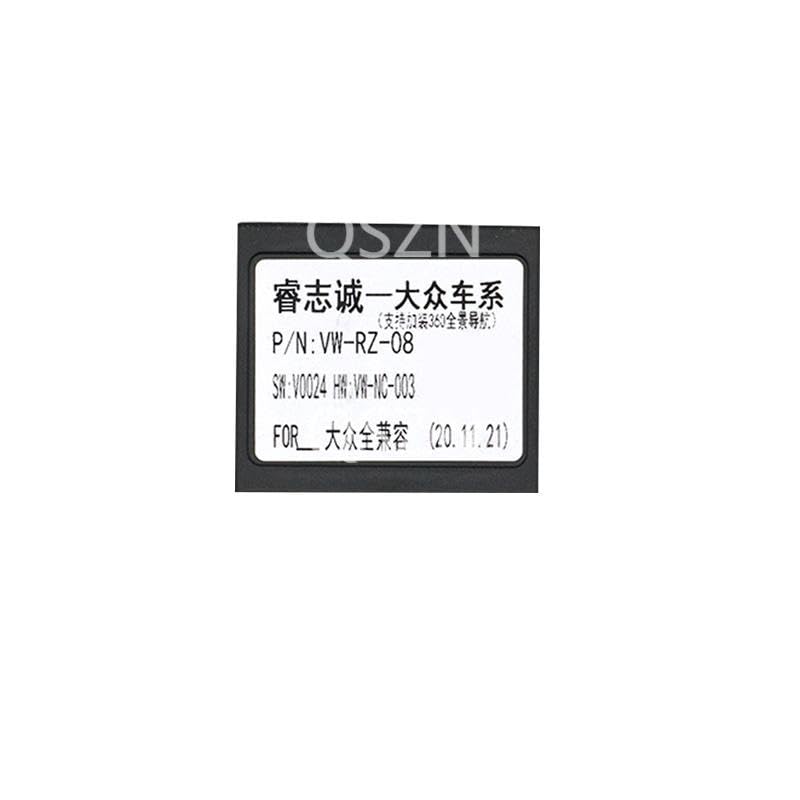
Image 4.1.1: Detailed view of the label for the VW-RZ-08 Canbus Box, showing the model number and serial information.
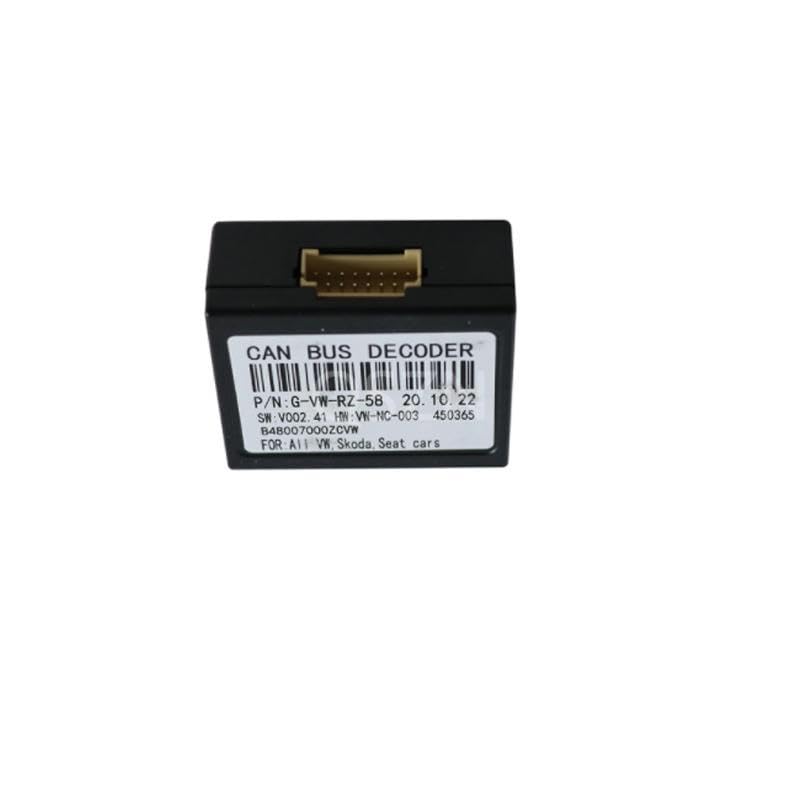
Image 4.1.2: Detailed view of the label for the VW-RZ-58 Canbus Box, showing the model number and serial information.
4.2 General Installation Steps
- Prepare the Vehicle: Ensure the vehicle's ignition is off and disconnect the negative terminal of the car battery.
- Remove Existing Head Unit: Carefully remove your vehicle's factory head unit or existing aftermarket unit. Refer to your vehicle's service manual for specific instructions on dashboard disassembly.
- Connect Canbus Box:
- Connect the main wiring harness from the Canbus box to the vehicle's factory wiring harness. These connections are typically plug-and-play.
- Connect the other end of the main wiring harness to your new Android head unit.
- Ensure the multi-pin connector on the Canbus box is firmly seated.
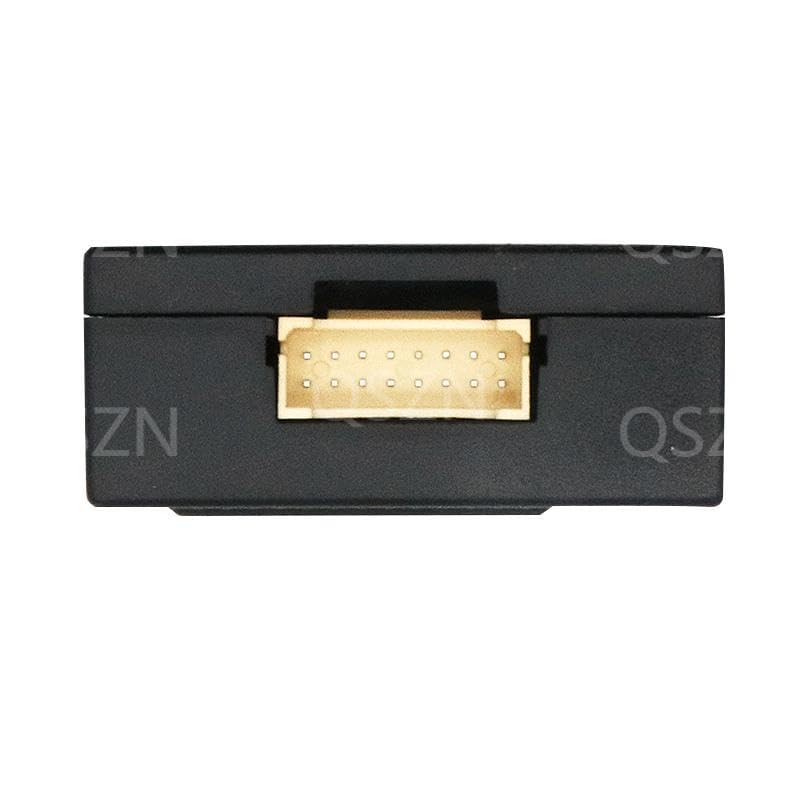
Image 4.2.1: View of the multi-pin connector on the Canbus Box, where the main wiring harness connects.
- Secure Wiring: Route all cables neatly and securely to prevent pinching or interference.
- Test Connections: Before fully reassembling the dashboard, reconnect the car battery and turn on the ignition. Power on the Android head unit and verify that all functions (e.g., steering wheel controls, door status, climate display) are working correctly.
- Reassemble Dashboard: Once all functions are confirmed, carefully reassemble the dashboard components.
5. Operation
The Generic Raise Canbus Box acts as an interface between your vehicle's Canbus system and your Android head unit. Once correctly installed, it enables the following functionalities:
- Steering Wheel Controls: Allows the vehicle's factory steering wheel buttons to control the Android head unit (e.g., volume up/down, track skip, mode change).
- Vehicle Information Display: Depending on the vehicle and head unit, information such as door open/closed status, climate control settings, and parking sensor data may be displayed on the Android screen.
- Ignition and Illumination Signals: Provides correct ignition (ACC) and illumination signals to the Android head unit, ensuring it powers on/off with the vehicle and dims with the headlights.
- Reverse Gear Signal: Supplies the reverse gear signal to the head unit, essential for automatic camera switching.
Specific features and their display may vary based on the Android head unit's software and the vehicle's original Canbus capabilities. Refer to your Android head unit's manual for configuration settings related to Canbus integration.
6. Maintenance
The Generic Raise Canbus Box is designed for maintenance-free operation. No user-serviceable parts are inside. To ensure longevity:
- Keep the device free from dust and moisture.
- Ensure it is securely mounted and not subject to excessive vibration.
- Avoid exposing the unit to extreme temperatures.
7. Troubleshooting
| Problem | Possible Cause | Solution |
|---|---|---|
| No power to Android head unit. | Loose power connection; vehicle battery disconnected; faulty fuse. | Check all power connections. Ensure battery is connected. Inspect vehicle fuses. |
| Steering wheel controls not working. | Canbus box not properly connected; incorrect head unit settings; incompatible head unit. | Verify Canbus box and harness connections. Check Android head unit's Canbus settings (usually under "Factory Settings" or "Car Settings"). Ensure head unit supports Canbus. |
| Vehicle information (doors, climate) not displayed. | Canbus box not fully integrated; head unit software issue; vehicle specific limitation. | Confirm Canbus box is correctly selected in head unit settings. Update head unit firmware if available. Some older vehicles may not transmit all data. |
| Intermittent functionality. | Loose connections; electrical interference. | Re-check all wiring connections for tightness. Ensure no wires are pinched or exposed. |
If problems persist after attempting these solutions, please contact your retailer or a qualified technician for further assistance.
8. Specifications
| Feature | Detail |
|---|---|
| Model Names | VW-RZ-08, VW-RZ-58 |
| Interface | Micro SD/TF (for potential firmware updates, not for user data) |
| Material Type | Plastic |
| Item Weight | 0.2 kg |
| Item Size | Normal size (compact for dashboard installation) |
| Out Power | 5W |
| Voltage | 5V (Operating voltage, typically supplied by head unit) |
| Origin | Mainland China |
| Item Type | Cables, Adapters & Sockets |
| Compatibility | Volkswagen Golf 5/6, Polo, Passat, Jetta, Tiguan, Touran; Skoda; Seat (specific models may vary, refer to product listing for full compatibility) |
9. Warranty and Support
This product is covered by a standard manufacturer's warranty against defects in materials and workmanship. The duration and terms of the warranty may vary by region and retailer. Please retain your proof of purchase for warranty claims.
For technical support, troubleshooting assistance beyond this manual, or warranty inquiries, please contact the retailer from whom you purchased the product. You may also refer to the manufacturer's official website for additional resources, if available.
Manufacturer: HUNTAN