
1. Product Overview
The Gyfimoie 9-Drawer Double Dresser is designed to provide ample storage and modern convenience for your bedroom. It features nine spacious drawers, two open storage compartments, integrated power outlets, USB charging ports, and multi-color LED lighting.
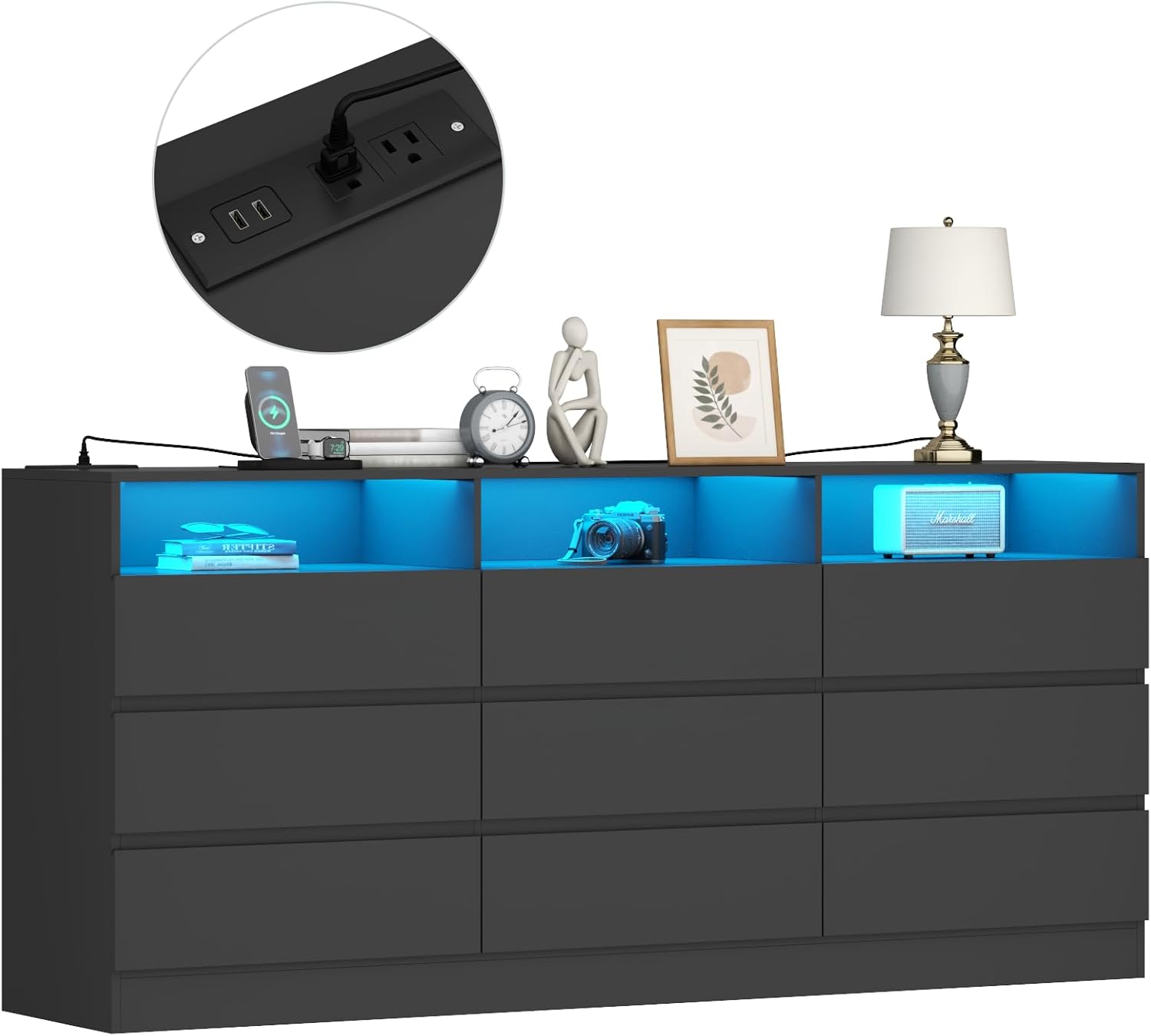
Image 1.1: Front view of the Gyfimoie 9-Drawer Double Dresser with LED lights illuminated.
2. Safety Information
- Always install the anti-tip device provided to prevent the dresser from tipping over.
- Do not overload drawers. Distribute weight evenly.
- Keep liquids away from electrical outlets and LED light connections.
- Ensure all screws and fasteners are securely tightened during assembly and periodically check for looseness.
3. Setup and Assembly
Assembly of this dresser is required. Please follow the detailed instructions provided in the separate assembly guide included with your product. Ensure you have all components and tools before beginning.
3.1. Dimensions

Image 3.1: Diagram showing the dimensions of the dresser and its drawers.
3.2. Power Outlet and LED Light Installation
The power outlet and LED light strip are integrated components. Follow the assembly guide for specific steps on how to install and connect these features. Ensure the power cord is routed safely and not pinched.
4. Operating Instructions
4.1. Using the Charging Station
The dresser includes a built-in charging station with 2 AC outlets and 2 USB ports. Simply plug the dresser's main power cord into a wall outlet. You can then connect your devices to the AC outlets or USB ports for convenient charging.

Image 4.1: Detail of the charging station with 2 AC outlets and 2 USB ports.

Image 4.2: Specifications for the charging station, including voltage, amperage, and cord length.
4.2. Controlling the LED Lights
The dresser features multi-color RGB LED lights in the open storage compartments. These lights can be controlled via the included remote control or a dedicated smartphone application.
- Remote Control: Use the remote to power the lights on/off, change colors (16 million options), adjust brightness, and select various dynamic modes (flashing, jump, fade).
- Smartphone App: Download the recommended app (details in assembly guide) to access advanced controls, including custom color settings and music synchronization.

Image 4.3: Illustration of LED light control options via smartphone app and remote.
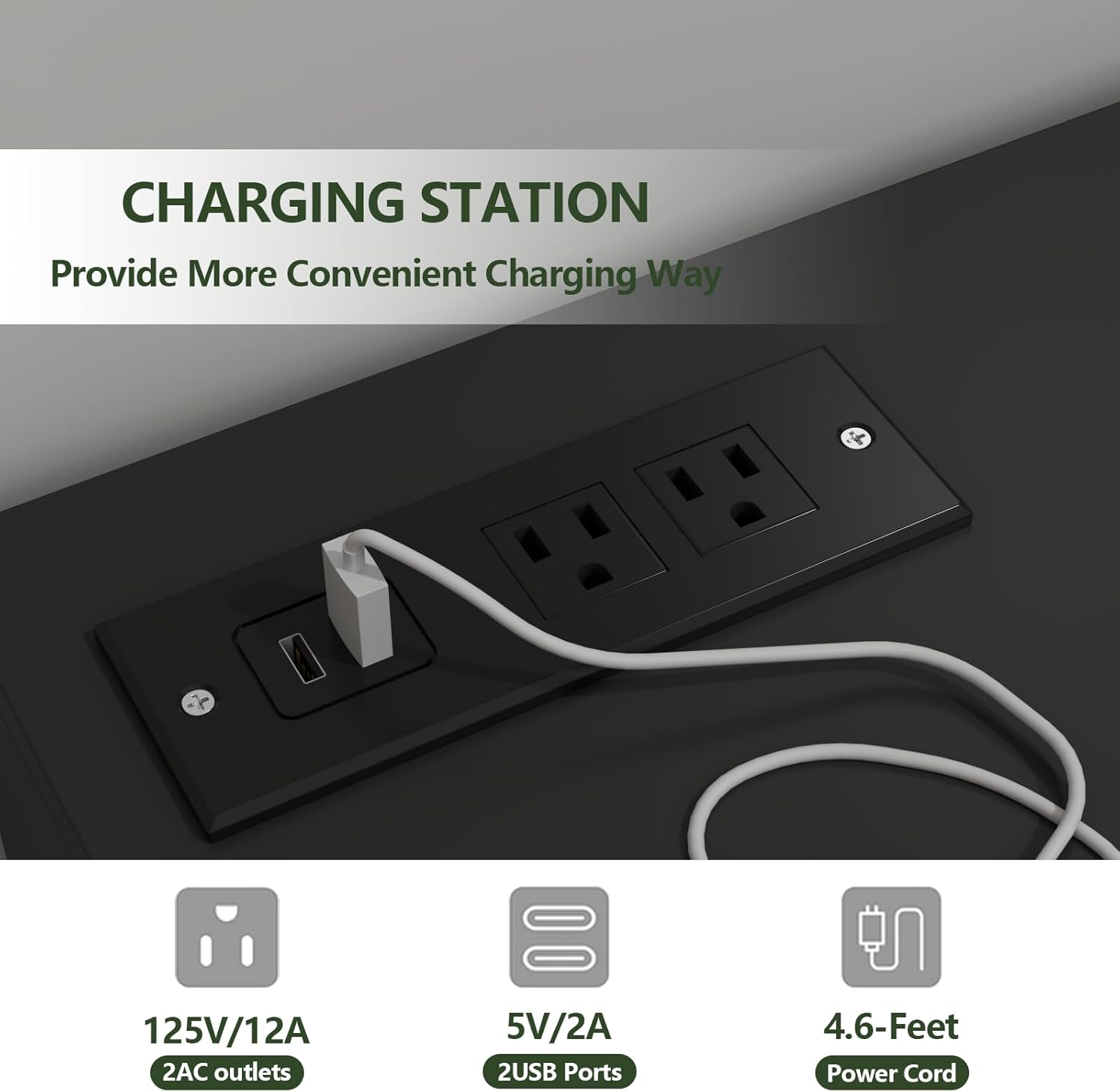
Image 4.4: The dresser with its LED lights set to a blue hue.
4.3. Drawer Usage
The dresser features nine large drawers with high-quality metal slide rails for smooth and quiet operation. To open, gently pull the top edge of the drawer front. To close, push firmly until the drawer is fully seated.

Image 4.5: An aerial view of the dresser with several drawers open, demonstrating storage capacity.
5. Maintenance
5.1. Cleaning
- For general cleaning, wipe surfaces with a soft, damp cloth.
- Avoid using harsh chemicals, abrasive cleaners, or polishes that may damage the engineered wood and painted finish.
- For the LED lights and power outlets, ensure they are unplugged before wiping with a dry cloth.
5.2. Drawer Care
- Periodically check drawer slides for any debris and clean if necessary to maintain smooth operation.
- Do not force drawers open or closed if they encounter resistance.
6. Troubleshooting
- LED Lights Not Working: Check if the power cord is securely plugged into the wall and the dresser. Ensure the LED strip is properly connected. Verify remote control battery or app connection.
- Power Outlets/USB Ports Not Functioning: Confirm the dresser's main power cord is plugged into a live wall outlet. Test the wall outlet with another device. Check for any loose connections within the charging station unit.
- Drawers Sticking or Not Closing Properly: Inspect the drawer slides for any obstructions or damage. Ensure the drawer is correctly aligned on its rails. Avoid overloading drawers.
- Dresser Instability: Confirm the anti-tip device is securely installed and attached to the wall. Check all assembly screws to ensure they are tightened.
7. Specifications
| Brand | Gyfimoie |
| Model Number | ZM-745-0219 |
| Product Dimensions | 15.75"D x 47.24"W x 31.5"H |
| Item Weight | 96 Pounds |
| Material | Engineered Wood |
| Finish Type | Painted |
| Number of Drawers | 9 |
| Power Outlets | 2 AC (125V/12A) |
| USB Ports | 2 (5V/2A) |
| Power Cord Length | 4.6 Feet |
| LED Lights | Multi-color RGB, Remote/App Control |
8. Warranty Information
For detailed warranty information, please refer to the warranty card included with your product or visit the official Gyfimoie website. Keep your purchase receipt as proof of purchase for any warranty claims.
9. Customer Support
If you have any questions, require assistance with assembly, or need to report a missing/damaged part, please contact Gyfimoie customer support. Contact details can typically be found on the product packaging, the assembly guide, or the official Gyfimoie website.
We recommend having your model number (ZM-745-0219) and purchase date ready when contacting support.