
1. Introduction
Thank you for choosing the electrosmart Wireless 10.1" Single DIN Car Stereo. This advanced car audio receiver features a large HD touch screen, wireless and wired CarPlay/Android Auto, Bluetooth 5.3, and support for a backup camera. This manual provides detailed instructions for installation, operation, and maintenance to ensure optimal performance and user satisfaction.

Image: The electrosmart 10.1 inch Single DIN Car Stereo unit, showcasing its large touchscreen display with various app icons, along with included accessories like a microphone, USB cables, and a backup camera.
2. What's in the Box
Please verify that all items are present in your package:
- In-dash Stereo Screen (10.1" Single DIN Unit)
- Backup Camera
- USB Cables (for connectivity and charging)
- Remote Control
- Wiring Harness
- External Microphone
- Disassembly Tool
- Mounting Brackets
- User Manual

Image: A detailed view of all components included in the electrosmart car stereo package, laid out on a surface, showing the main stereo unit, various cables, a backup camera, microphone, remote, mounting hardware, and the user manual.
3. Setup and Installation
Before beginning installation, ensure your vehicle's dashboard opening size is compatible with this single DIN car audio receiver. If necessary, purchase a suitable dash kit separately.
3.1. Wiring Diagram
The wiring harness is color-coded and labeled for ease of installation. Connect the wires according to your vehicle's wiring diagram. Ensure all connections are secure to prevent electrical issues.

Image: A comprehensive diagram illustrating the connections for the electrosmart car stereo, including power, ground, speaker outputs, RCA outputs, USB inputs, and the dedicated input for the rear-view camera.
Important: The settings for Steering Wheel Control (SWC) and clock cannot be saved if the ACC (red wire) and B+ (yellow wire) are swapped. Ensure correct polarity. The reversing lamp (red wire to power+) and GND (black wire to ground) are crucial for backup camera functionality.
3.2. Physical Installation
Use the provided mounting brackets to secure the stereo unit into your vehicle's dashboard. The included disassembly tool can assist in carefully removing existing panels without damage.

Image: A visual comparison showing a car dashboard before and after the installation of the electrosmart 10.1 inch car stereo, demonstrating how the unit fits into a standard 7.24 inch x 2.1 inch console opening.
3.3. Installation Video Guide
For a visual guide on the installation process, please refer to the official product video below. This video demonstrates unboxing, wiring, and the final setup of the unit in a vehicle.
Video: An official product video demonstrating the unboxing of the electrosmart car stereo, showcasing all included components, followed by a step-by-step guide on how to install the unit and connect its various wires within a vehicle's dashboard.
4. Operating Instructions
4.1. CarPlay & Android Auto (Wired & Wireless)
This head unit supports both wired and wireless CarPlay and Android Auto. Connect your smartphone via a high-quality USB cable for wired connection, or enable Bluetooth and Wi-Fi on your phone and the stereo for wireless connectivity. Voice control through Apple Siri or Google Assistant allows for hands-free operation of calls, navigation, and music.
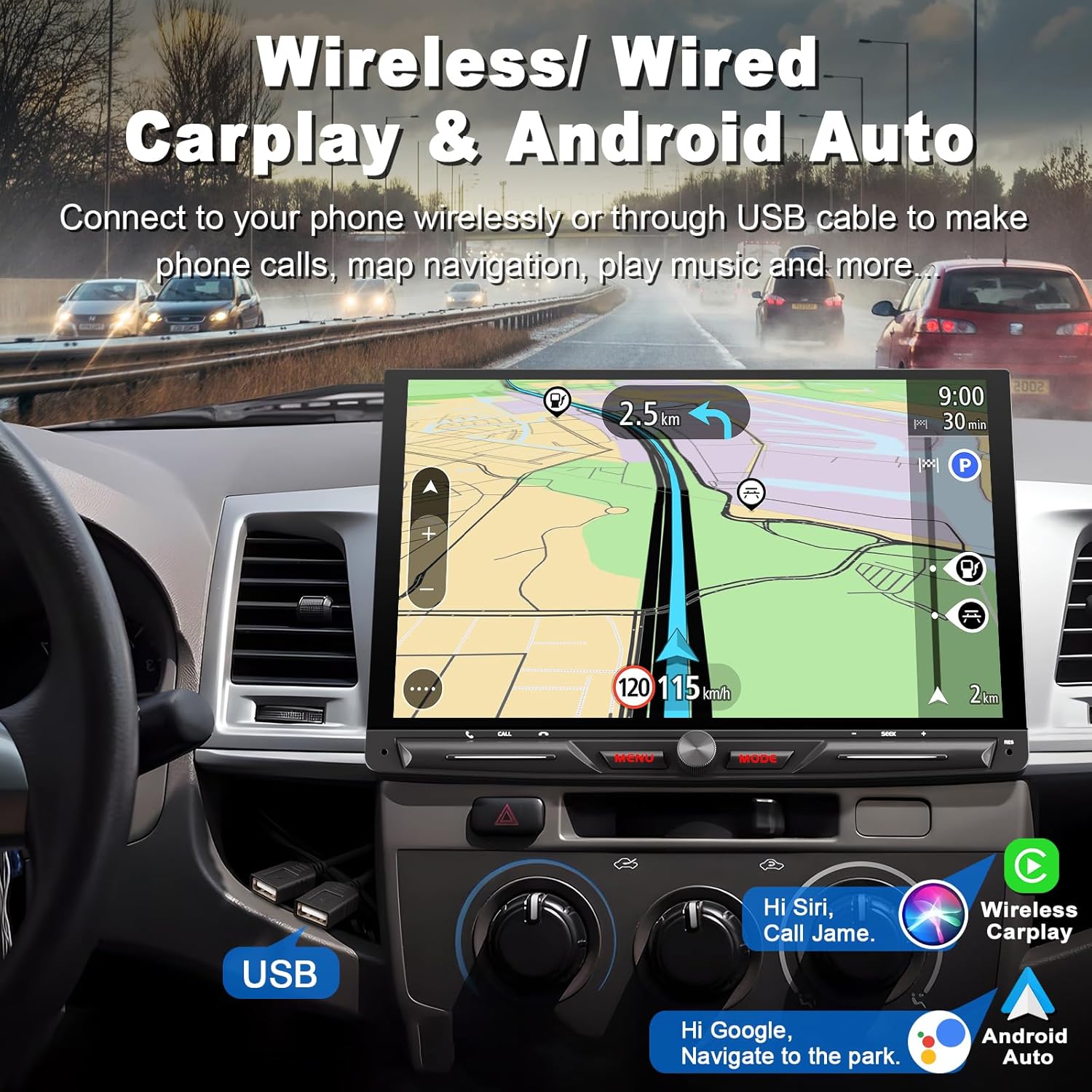
Image: The car stereo display showing both Wireless CarPlay and Android Auto interfaces, demonstrating seamless integration with smartphone features like navigation, music playback, and voice commands (Siri/Google Assistant).
4.2. Bluetooth 5.3
Pair your smartphone or other Bluetooth devices for hands-free calling and wireless audio streaming. The Bluetooth 5.3 ensures stable connectivity and clear audio quality. An external microphone is included for enhanced voice clarity during calls.

Image: The Bluetooth 5.3 interface on the electrosmart car stereo, displaying options for making calls, accessing the phonebook, and streaming music wirelessly from a paired device.
4.3. 10.1-inch Full HD Touch Screen
The large 10.1-inch LCD touch screen provides a high-definition visual experience with high sensitivity and a wide viewing angle, ensuring clear visibility even in bright conditions.

Image: A close-up of the 10.1-inch HD touch screen displaying video content, with a hand demonstrating touch gestures for control.
4.4. Rear/Front View Camera Support
The stereo supports both rear and front view cameras. The included HD rear camera features night vision and a 170° ultra-wide viewing angle. When reversing, the image automatically displays on the screen. You can configure whether music pauses during reverse. (Front camera not included).

Image: A graphic illustrating the functionality of the rear-view camera, showing the wide-angle perspective with dynamic parking guidelines, and highlighting features such as HD image quality, waterproofing, and night vision.
4.5. AM/FM/RDS Radio
Enjoy your favorite radio stations with the built-in AM/FM/RDS tuner. The automotive-level chipset provides excellent signal reception. Preset Multi EQ Settings allow you to customize your audio experience.

Image: The RDS/FM/AM Radio interface on the car stereo, showing various frequency presets and controls for tuning and signal management.
4.6. Mirror Link
Connect your iOS or Android smartphone via an original USB cable to mirror its content onto the stereo's large screen. This function allows you to view your phone's display directly on the head unit.
Safety Note: We do NOT suggest using Mirror Link for video playback or other distracting content while driving for your safety.

Image: The Mirror Link function in action, showing a smartphone's display duplicated onto the car stereo screen, with a cautionary note about safe driving practices.
4.7. Steering Wheel Control (SWC)
The unit supports original steering wheel control functions, allowing you to easily switch songs, radio channels, and adjust volume without taking your hands off the wheel. This enhances driving safety and convenience.

Image: The Steering Wheel Control setup screen, illustrating how various functions like volume, track skip, and call management can be assigned to the vehicle's existing steering wheel buttons.
4.8. USB Ports
The stereo is equipped with two USB ports for media playback, smartphone charging, and wired CarPlay/Android Auto connections.

Image: A visual representation of the two USB ports available on the electrosmart car stereo, indicating their use for connecting devices and playing media.
4.9. DSP & 30-Band EQ Settings
Customize your audio experience with the built-in Digital Sound Processor (DSP) and 30-band equalizer. Adjust volume, fader, balance, treble, and bass to create your preferred sound profile. The unit features a built-in 4*60W amplification for powerful audio output.
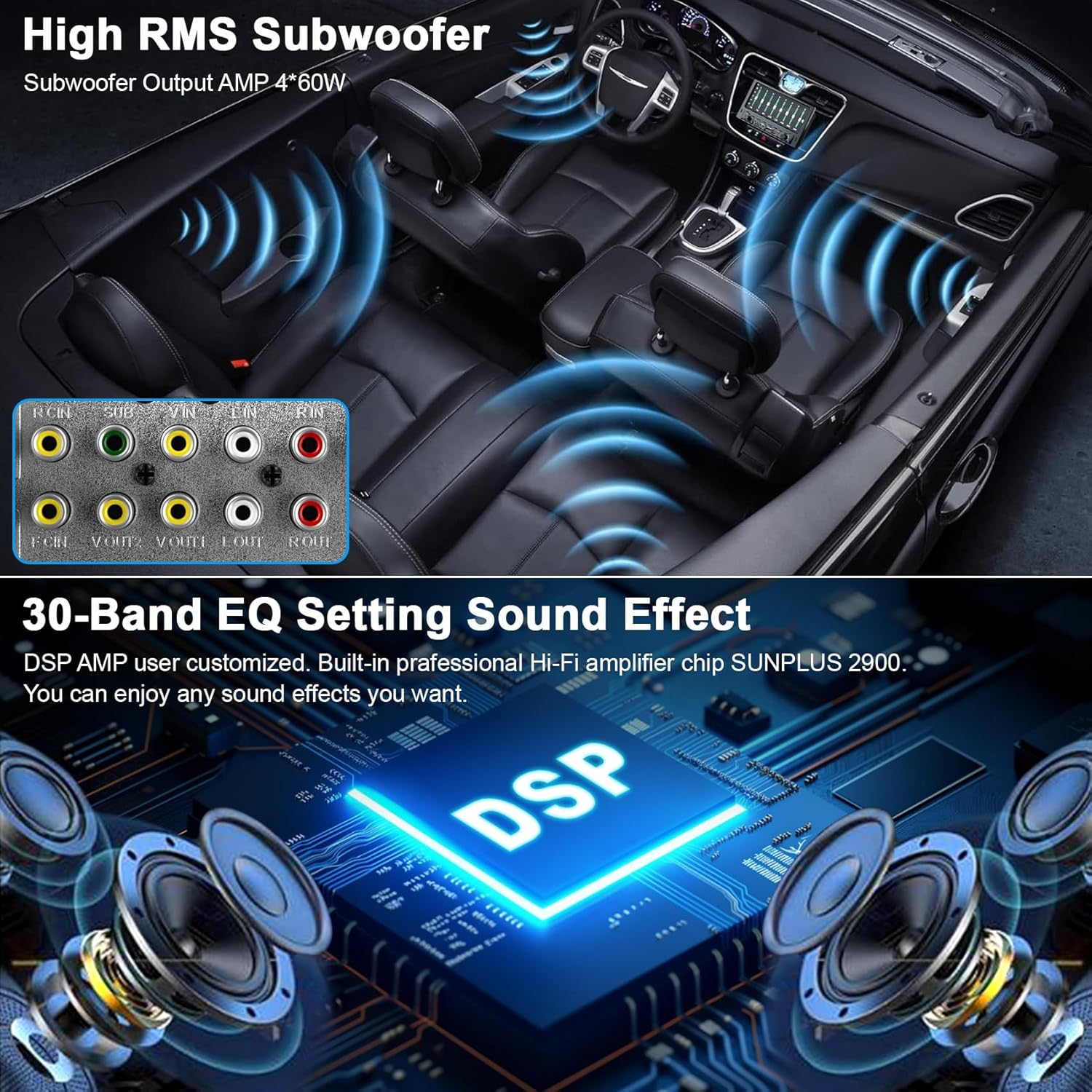
Image: The audio settings interface showing the 30-band equalizer and DSP controls, allowing users to fine-tune sound output with various presets and manual adjustments.
5. Maintenance
- Screen Cleaning: Use a soft, lint-free cloth to gently wipe the touch screen. Avoid abrasive cleaners or solvents.
- Software Updates: Periodically check the manufacturer's website for any available software or firmware updates to ensure optimal performance and access to new features.
- General Care: Keep the unit free from dust and extreme temperatures. Ensure proper ventilation around the unit.
6. Troubleshooting
- No Power: Check all power connections, especially the red (ACC) and yellow (B+) wires, and ensure the vehicle's fuse is intact.
- No Sound: Verify speaker connections and ensure the volume is not muted or set too low. Check EQ settings.
- CarPlay/Android Auto Not Connecting: Ensure Bluetooth and Wi-Fi are enabled on both the phone and the stereo. For wired connections, use an original, high-quality USB cable. Confirm authorization requests on your phone.
- Backup Camera Not Displaying: Check the camera's power and video signal connections. Ensure the reverse gear signal wire is correctly connected to the stereo.
- Screen Frozen/Unresponsive: Try resetting the unit (refer to the manual for specific reset instructions, usually a small reset button).
7. Specifications
| Feature | Detail |
|---|---|
| Display Size | 10.1 inches |
| Connectivity | Auxiliary, Bluetooth 5.3, USB |
| Controller Type | Android Auto, Apple Carplay |
| Special Features | Android Auto, Apple CarPlay, DSP, Screen Mirroring, Voice Control |
| Audio Output Mode | Stereo (4.1 Surround Sound Channel Configuration) |
| Amplification | 4*60W (Subwoofer Output) |
| Video Encoding | MPEG-4, RMVB, DivX, AVI, 1080P, MP3, WMA, JPEG |
| Item Weight | 4.31 pounds (1.96 Kilograms) |
| Package Dimensions | 12.64 x 8.9 x 7.72 inches |
8. Warranty and Support
electrosmart provides 7*24 hours of after-sales technical support to assist with any installation or operation problems you may encounter. Please refer to your purchase documentation for specific warranty details.


