
1. Product Overview
The woolynew D2 MP3 Player is a portable music device featuring Bluetooth 5.2 connectivity, a 1.8-inch screen, FM radio, and a voice recorder. It offers HiFi lossless sound quality and supports Micro SD card expansion up to 512GB for extensive music storage. The device is designed for portability and includes a long-lasting battery for extended playback.
What's in the Box
- MP3 Player
- Headphones
- User Manual
- Data Line (USB charging cable)
- Protective Case and Film

Image 1: The woolynew D2 MP3 Player in blue.

Image 2: Contents of the woolynew D2 MP3 Player package, including the player, headphones, USB cable, protective case, and user manual.
2. Setup
2.1 Charging the Device
Before first use, fully charge the MP3 player. Connect the provided USB data cable to the player's Mini USB port and the other end to a USB power adapter (not included) or a computer's USB port. A full charge takes approximately 1.5 hours.

Image 3: The MP3 player connected via USB cable to a laptop, illustrating charging and data transfer capabilities. A Micro SD card is also shown.
2.2 Inserting a Micro SD Card
The D2 MP3 player supports memory card expansion up to 512GB. Locate the Micro SD card slot on the side of the device. Gently insert the Micro SD card into the slot until it clicks into place. Ensure the card is inserted correctly to avoid damage.
2.3 Transferring Music Files
Connect the MP3 player to your computer using the provided USB data cable. The device will appear as a removable disk. Drag and drop your desired music files (MP3, OGG, FLAC, AAC-LC, WMA, WAV, APE formats are supported) into the player's storage or the inserted Micro SD card. Safely eject the device from your computer after transfer is complete.

Image 4: The MP3 player connected to a computer via USB cable for effortless file transfer.
3. Operating Instructions
3.1 Basic Navigation
To power on/off the device, press and hold the power button. Use the touch screen or physical buttons (if available) to navigate through the menus. The 1.8-inch screen displays various functions such as Music, Recorder, FM Radio, Pictures, Alarm, Folder, and Settings.
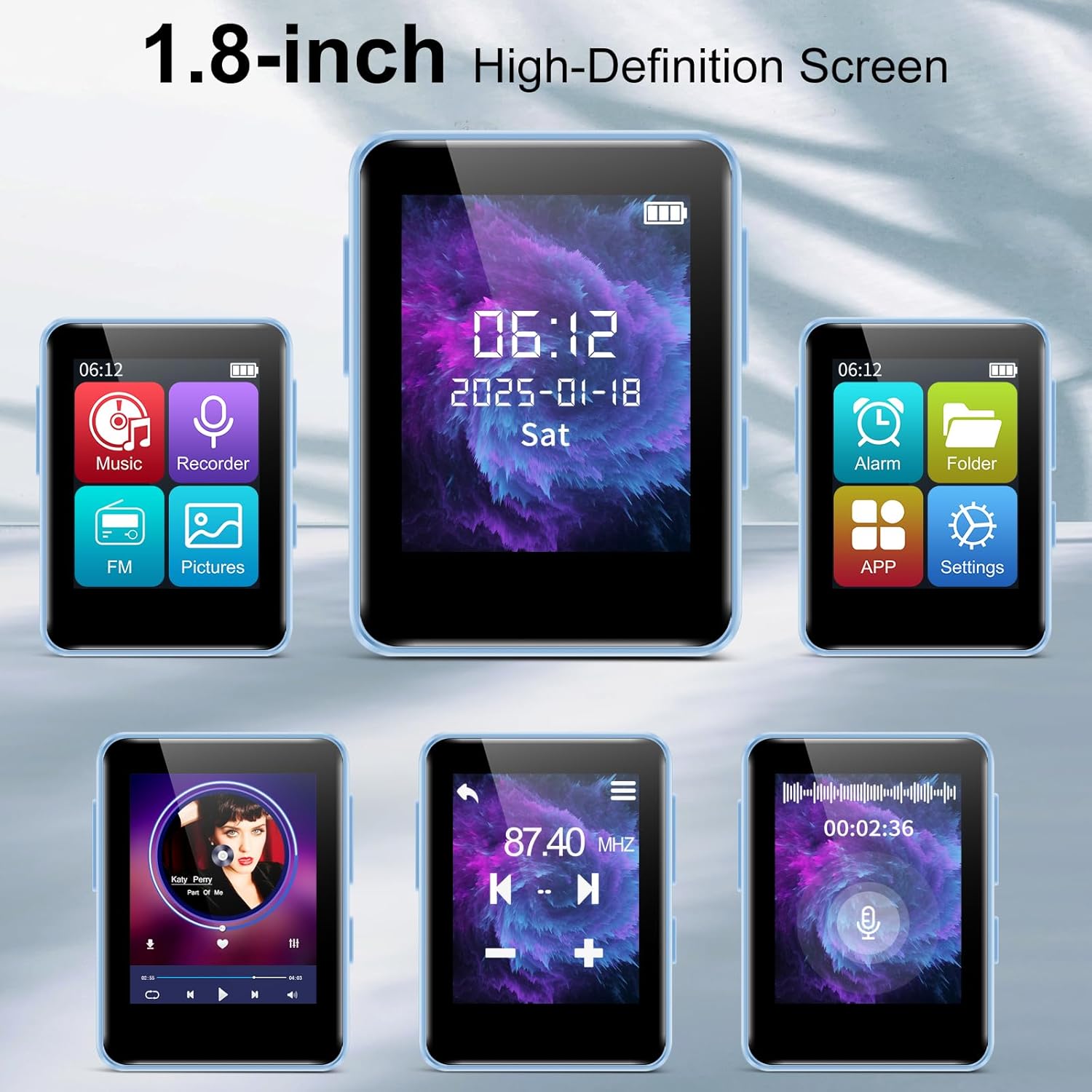
Image 5: Various screen displays of the MP3 player, showcasing its 1.8-inch high-definition screen and different functional interfaces like music playback, FM radio, and main menu.
Video 1: An introduction to the music software and features of the woolynew D2 MP3 Player, demonstrating navigation and basic functions.
3.2 Music Playback
From the main menu, select 'Music' to access your audio files. You can browse by 'All songs', 'Last played', 'Artists', 'Albums', or 'Favorites'. During playback, use the on-screen controls or physical buttons to play, pause, skip tracks, and adjust volume. The device supports various audio formats for a high-fidelity listening experience.
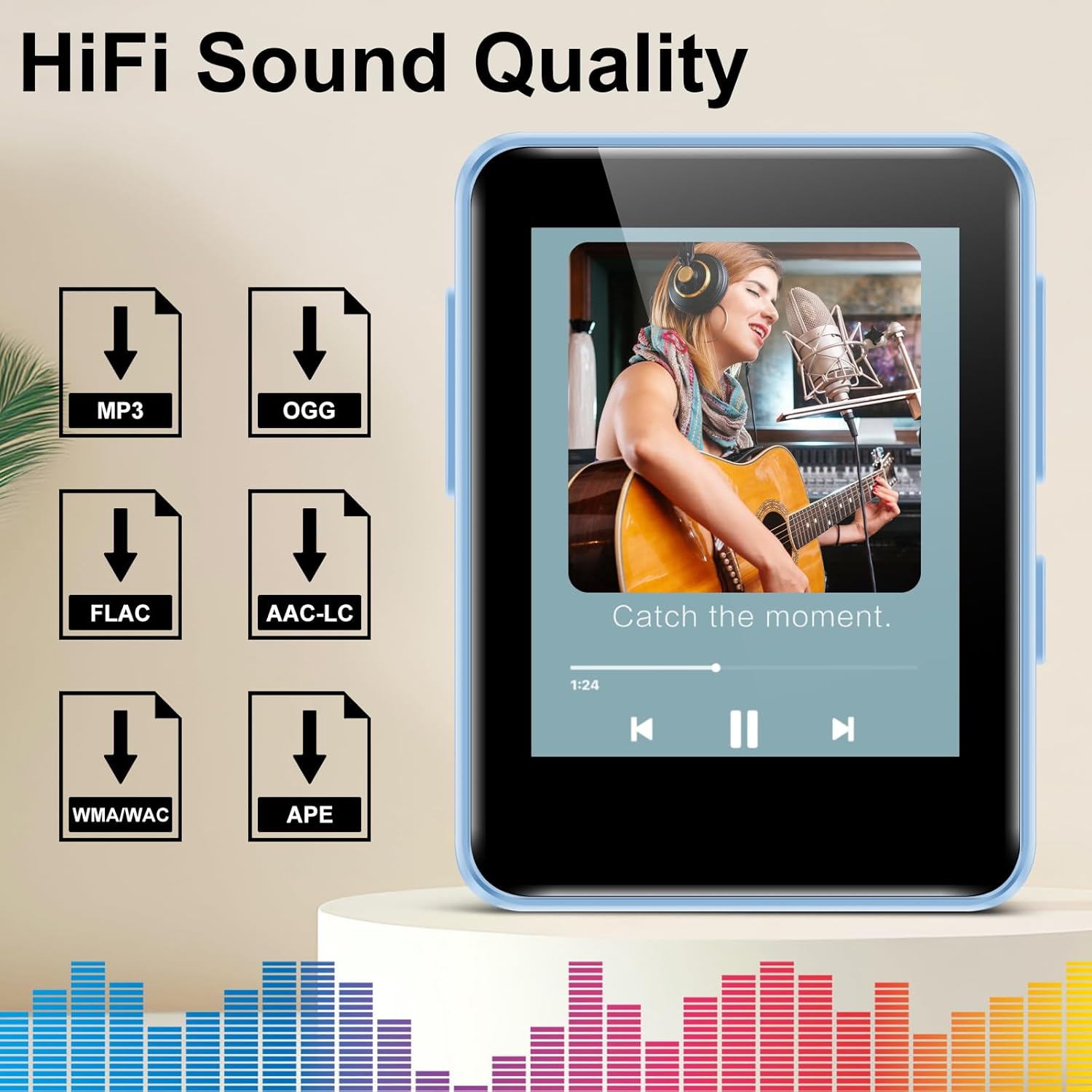
Image 6: The MP3 player showcasing its HiFi sound quality during music playback, with icons representing supported formats like MP3, OGG, FLAC, AAC-LC, WMA/WAC, and APE.
3.3 Bluetooth Connection
To connect to Bluetooth headphones or speakers:
- Go to the 'Settings' menu and select 'Bluetooth'.
- Turn Bluetooth 'On'.
- The player will scan for available devices. Select your desired device from the list to pair.
- Once paired, audio will be routed through the Bluetooth device.

Image 7: Several woolynew D2 MP3 players in various colors, alongside wireless earbuds, illustrating the advanced Bluetooth 5.3 connectivity for faster and easier pairing.
3.4 FM Radio
To use the FM radio function, wired headphones must be connected to the 3.5mm audio port, as they act as the antenna. Select 'FM Radio' from the main menu. You can then scan for stations, save favorites, and adjust the frequency.

Image 8: A woman listening to FM radio on the woolynew D2 MP3 Player, demonstrating the FM radio function which requires wired headphones.
3.5 Voice Recorder
Select 'Recorder' from the main menu to access the voice recording function. Press the record button to start and stop recordings. Recorded files are saved internally and can be managed through the file browser.
3.6 Other Functions
The D2 MP3 player also includes:
- Alarm Clock: Set alarms for reminders or wake-up calls.
- Calendar: View the current date and manage schedules.
- Picture Viewer: Browse images stored on the device or Micro SD card.
4. Maintenance
- Cleaning: Use a soft, dry cloth to clean the device. Avoid liquid cleaners or abrasive materials.
- Storage: Store the MP3 player in a cool, dry place away from direct sunlight and extreme temperatures.
- Battery Care: To prolong battery life, avoid fully discharging the battery frequently. Charge the device regularly, even if not in use for extended periods.
- Protective Case: Use the provided protective case and screen film to guard against scratches and minor impacts.
5. Troubleshooting
- Device will not power on: Ensure the battery is charged. Connect the player to a power source and try again. If the issue persists, perform a soft reset by pressing and holding the power button for 10-15 seconds.
- Cannot transfer files: Verify the USB cable is securely connected to both the player and the computer. Ensure the computer recognizes the device as a removable disk. Try a different USB port or cable.
- Bluetooth pairing issues: Make sure the Bluetooth function is enabled on both the MP3 player and the target device. Ensure both devices are within close proximity. Try unpairing and re-pairing the devices.
- No sound: Check the volume level on the player and any connected headphones/speakers. Ensure headphones are properly plugged in for wired listening or FM radio. If using Bluetooth, confirm successful pairing.
- FM Radio not working: Ensure wired headphones are connected, as they serve as the antenna. Try moving to an area with better signal reception.
6. Specifications
| Feature | Detail |
|---|---|
| Brand | woolynew |
| Model Name | D2 |
| Special Features | Built-In Speaker, FM Radio, Hi-Res Audio, Voice Recorder |
| Connectivity Technology | Aux, Bluetooth 5.2 |
| Memory Storage Capacity | 32 GB (expandable up to 512GB via Micro SD) |
| Color | Blue |
| Screen Size | 1.8 Inches |
| Compatible Devices | Headphones, Personal Computer, Bluetooth Speakers |
| Media Type | Micro SD |
| Supported Standards | MP3, OGG, FLAC, AAC-LC, WMA, WAV, APE |
| Battery Average Life | 1.5 Hours (charging time) |
| Item Weight | 1.23 Ounces |
| Item Dimensions (D x W x H) | 2.13"D x 1.65"W x 0.5"H |
| Display Technology | OLED |
7. Warranty and Support
7.1 Warranty Information
This woolynew D2 MP3 Player comes with a 1-year manufacturer's warranty from the date of purchase. The warranty covers defects in materials and workmanship under normal use. It does not cover damage caused by misuse, accidents, unauthorized modifications, or normal wear and tear. Please retain your proof of purchase for warranty claims.
7.2 Customer Support
For technical assistance, warranty claims, or any questions regarding your woolynew D2 MP3 Player, please contact our customer support team. Refer to the contact information provided on the product packaging or the official woolynew website.


