
Introduction
Thank you for choosing the CAMWORLD AM30-UK-T Baby Monitor. This wireless video monitor is designed to help you keep a watchful eye on your baby with features like night vision, two-way audio, temperature monitoring, and VOX mode. This manual provides detailed instructions for setup, operation, and maintenance to ensure optimal performance and safety.
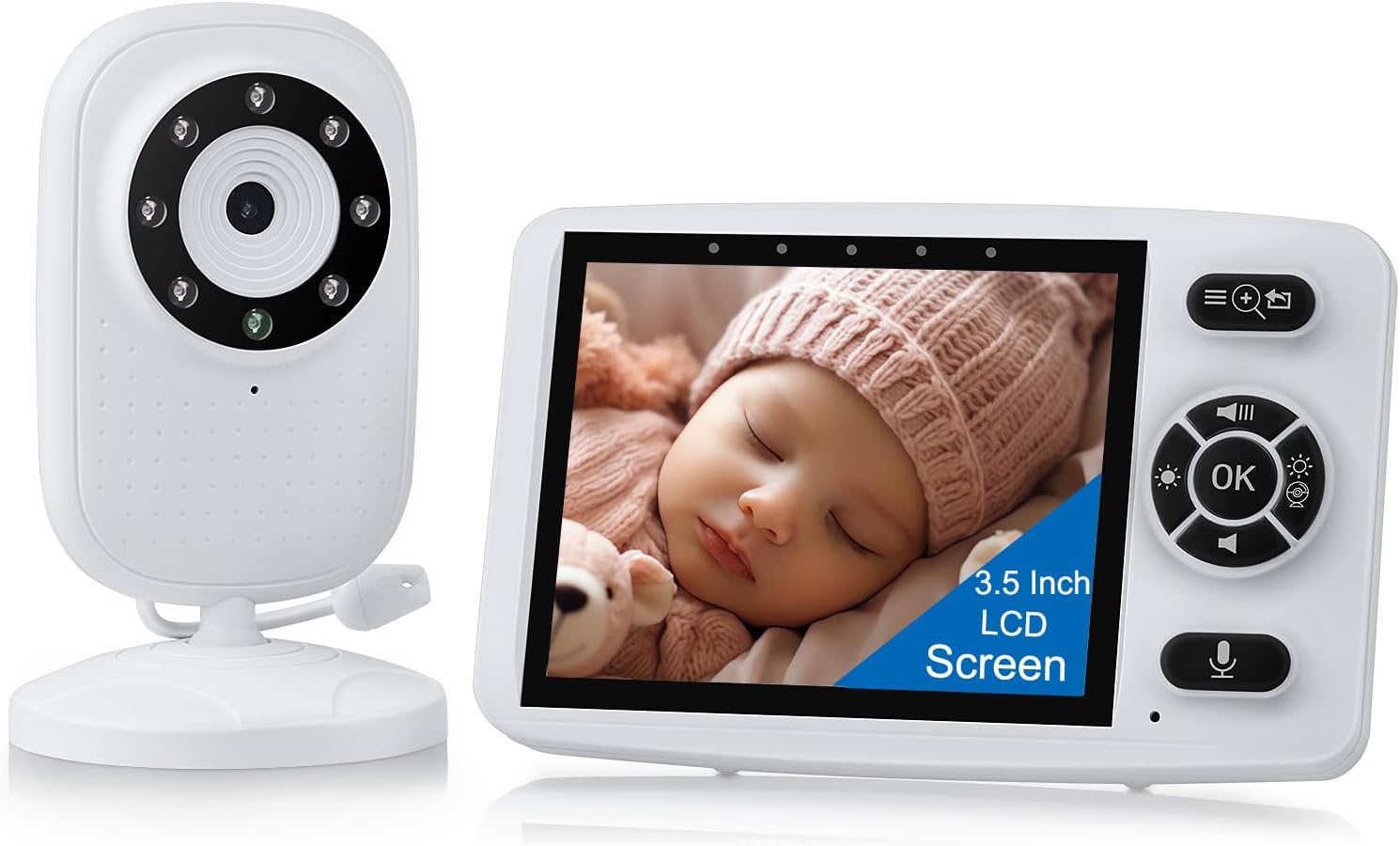
Image: The CAMWORLD AM30-UK-T Baby Monitor, showing both the camera unit and the parent monitor unit.
Safety Information
- Strangulation Hazard: Keep all cords out of reach of children. Never place the camera or cords within 3 feet (1 meter) of the crib or playpen. Secure cords to a wall or floor using cord clips.
- Choking Hazard: This product contains small parts. Keep out of reach of children.
- Electric Shock Hazard: Do not expose the product to water or moisture. Do not open the casing of the camera or monitor. Refer all servicing to qualified personnel.
- Overheating: Do not cover the camera or monitor with clothing, blankets, or other materials. Ensure proper ventilation.
- Battery Safety: Use only the provided power adapters. Do not use damaged chargers or batteries. Dispose of batteries according to local regulations.
- Interference: The 2.4 GHz wireless technology may experience interference from other 2.4 GHz devices (e.g., Wi-Fi routers, microwaves). Position the monitor away from such devices.
Package Contents
Please check the package contents to ensure all items are present:
- Parent Unit (Monitor)
- Baby Unit (Camera)
- Power Adapter for Parent Unit
- Power Adapter for Baby Unit
- Instruction Manual
- Wall Mounting Screws and Anchors (optional)
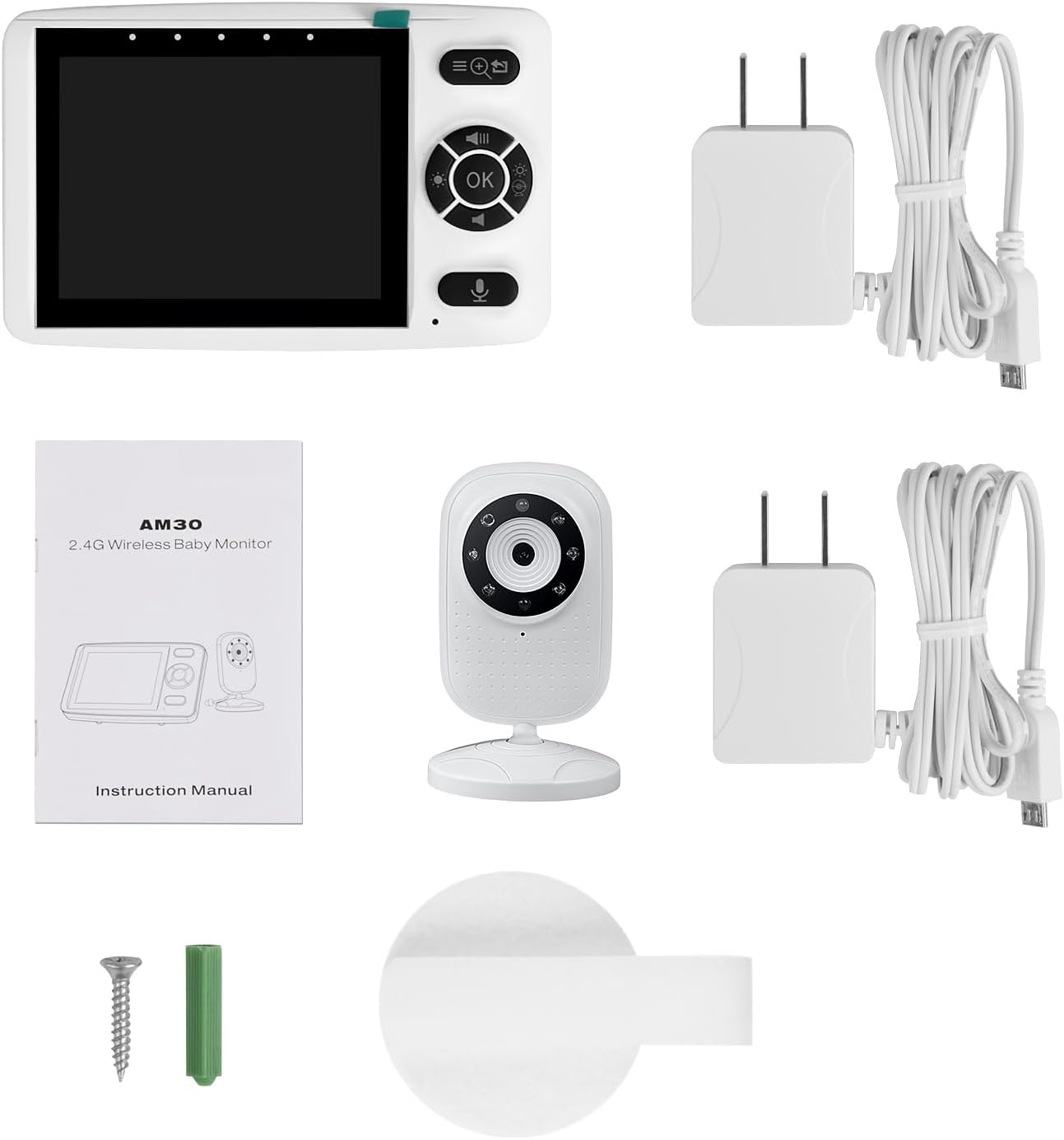
Image: The package contents including the parent unit, baby unit, two power adapters, instruction manual, and mounting hardware.
Product Features
- Enhanced 2.4 GHz Wireless Technology: Provides a secure, private connection without Wi-Fi.
- 3.5-inch Color LCD Screen: Clear video display on the parent unit.
- Infrared Night Vision: Automatically activates in low light conditions for clear viewing of your baby in the dark.
- VOX (Voice Operated eXchange) Mode: Power-saving mode where the screen activates only when sound is detected.
- Two-Way Audio: Allows you to speak to your baby remotely.
- Temperature Monitoring: Displays the room temperature in your baby's room.
- Built-in Lullabies: Features 3 soothing lullabies to help your baby sleep.
- Feeding Reminder: Programmable alerts for feeding schedules.
- Long Range: Up to 300 meters (1000 feet) in barrier-free areas.
- Large Capacity Battery: Parent unit battery provides up to 7 hours continuous use, or 10 hours in VOX mode.
Setup
1. Charging the Parent Unit
Before first use, fully charge the parent unit for approximately 8 hours. Connect the small end of one power adapter to the parent unit's charging port and the other end to a power outlet. The battery indicator on the screen will show charging status.

Image: The parent monitor unit displaying a full battery charge icon, indicating its large capacity battery.
2. Positioning the Baby Unit (Camera)
- Place the baby unit on a flat surface, such as a dresser or shelf, or mount it to a wall using the provided screws and anchors.
- Ensure the camera is positioned at least 3 feet (1 meter) away from the baby's crib or playpen to prevent strangulation hazards from the power cord.
- Adjust the camera angle to get a clear view of your baby.
- Connect the second power adapter to the baby unit and plug it into a power outlet. The baby unit will power on automatically.
3. Pairing (If Necessary)
The parent and baby units are pre-paired at the factory. If the units do not connect automatically, or if you are adding an additional camera (sold separately), follow these steps:
- On the parent unit, press the Menu button.
- Navigate to the Camera icon and select it.
- Choose an available camera channel (e.g., CAM1, CAM2).
- Select the Pair option. The parent unit will start searching for the baby unit.
- Within 10 seconds, press and hold the Pair button on the back of the baby unit until the parent unit displays the camera's video feed.
Operating Instructions
Basic Operation
- Power On/Off: Press and hold the Power button on the parent unit to turn it on or off. The baby unit powers on automatically when connected to power.
- Volume Adjustment: Use the Up/Down buttons on the parent unit to adjust the listening volume.
- Brightness Adjustment: Access the menu to adjust screen brightness.
VOX Mode (Voice Operated eXchange)
VOX mode conserves battery power by turning off the screen when no sound is detected. The screen will automatically activate when the baby unit detects noise above a set sensitivity level.
- Press the Menu button on the parent unit.
- Navigate to the VOX icon and select it.
- Choose the desired sensitivity level (Low, Medium, High). A higher sensitivity will activate the screen with softer sounds.
- Confirm your selection.

Image: The parent monitor unit displaying a blank screen in VOX mode, then activating to show the baby when sound is detected.
Two-Way Audio
To speak to your baby:
- Press and hold the Talk button (microphone icon) on the parent unit.
- Speak clearly into the microphone on the parent unit. Your voice will be transmitted to the baby unit.
- Release the Talk button to hear your baby again.

Image: A parent speaking into the monitor, with a speech bubble indicating "Hi Mum..." from the baby unit and "Hi Baby..." from the parent unit, illustrating the two-way audio feature.
Night Vision and Temperature Monitoring
The baby unit automatically switches to infrared night vision in low light conditions. The parent unit will display a black and white image. The current room temperature is displayed on the parent unit screen.

Image: The parent monitor unit displaying a baby sleeping in night vision mode, with a thermometer icon indicating room temperature.
Lullabies
To play lullabies:
- Press the Menu button on the parent unit.
- Navigate to the Lullaby icon and select it.
- Choose one of the 3 available lullabies or select "All" to play them in sequence.
- Adjust the lullaby volume as needed.
Feeding Reminder
To set a feeding reminder:
- Press the Menu button on the parent unit.
- Navigate to the Timer/Reminder icon and select it.
- Choose a reminder interval (e.g., 2 hours, 4 hours, 6 hours).
- The parent unit will alert you when the set time has elapsed.
Maintenance
- Cleaning: Clean the monitor and camera units with a soft, dry cloth. Do not use abrasive cleaners or solvents.
- Storage: If storing the unit for an extended period, ensure the battery is partially charged and store in a cool, dry place.
- Battery Care: To prolong battery life, avoid fully discharging the parent unit battery frequently.
Troubleshooting
| Problem | Possible Solution |
|---|---|
| No image/sound on parent unit. |
|
| Poor sound/video quality. |
|
| Parent unit battery drains quickly. |
|
| VOX mode not activating. |
|
Specifications
- Model: AM30-UK-T
- Brand: CAMWORLD
- Connectivity: 2.4 GHz Wireless (No Wi-Fi)
- Screen Size: 3.5-inch LCD
- Video Capture Resolution: 480p
- Night Vision Range: Up to 3 meters
- Battery Capacity (Parent Unit): 2000 mAh
- Operating Range: Up to 300 meters (1000 feet) in open areas
- Power Source: Battery Powered (Parent Unit), AC Adapter (Both Units)
- Mounting Type: Tabletop Mount
- Dimensions: 15.8 x 7.5 x 18 cm (approximate, for item)
- Material: Plastic
Warranty and Support
CAMWORLD products are designed for reliability and performance. For warranty information or technical support, please refer to the contact details provided on your purchase receipt or visit the official CAMWORLD website. Please retain your proof of purchase for warranty claims.